

















Verne
Verified Blue CheckMark
Verified Blue CheckMark products are featured above free or unverified listings.
This badge indicates authenticity and builds trust, giving your product higher visibility across the platform.
Upgrade to get verified
Verified Blue CheckMark products are featured above free or unverified listings. This badge indicates authenticity and builds trust, giving your product higher visibility across the platform.
Upgrade to get verified
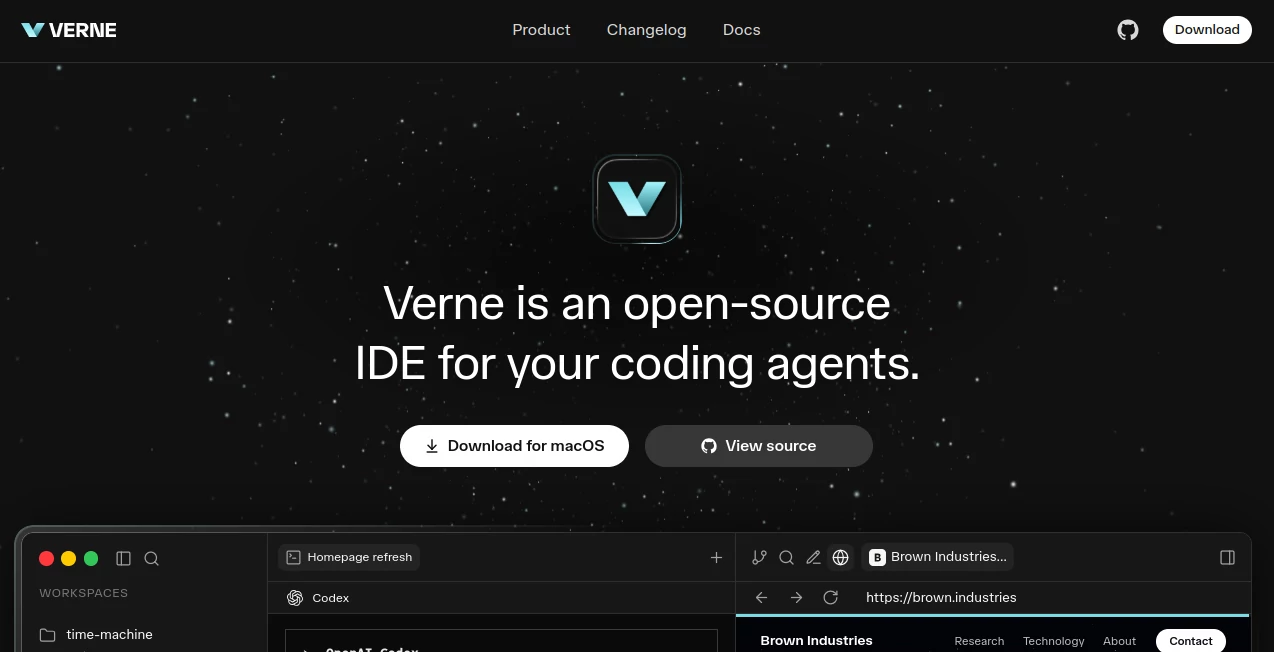
What is Verne?
Modern software development is rapidly shifting toward agent-driven workflows, where autonomous coding agents assist, plan, and execute parts of the engineering process. This platform is built for that exact future. It provides a development environment designed not just for humans, but for intelligent coding agents working alongside them.
Instead of treating AI as an external helper, it integrates agents directly into the development experience. The result is a workspace where ideas can be translated into working software faster, with fewer manual steps and a more fluid collaboration between human intent and machine execution.
Key Features
User Interface
The interface is structured like a modern developer workspace, but simplified for clarity. It keeps the focus on code, context, and agent activity without overwhelming the user with unnecessary complexity. Everything is organized in a way that makes multi-step development feel natural.
Accuracy & Performance
Performance is optimized for continuous interaction between developers and agents. Tasks are executed in a responsive environment where feedback loops remain fast, allowing users to iterate on ideas without delays or system lag interfering with productivity.
Capabilities
The platform supports agent-based coding workflows where AI systems can write, refactor, and analyze code inside a structured environment. It is designed to handle everything from small scripting tasks to more complex application-level development, all within a unified system.
Security & Privacy
Security is treated as a foundational layer. Projects remain isolated, and data handling is designed to ensure that both human and agent interactions stay within controlled boundaries. This is especially important in environments where autonomous systems are executing code.
Use Cases
- Building software with AI coding agents in a controlled environment
- Accelerating prototype development with agent assistance
- Refactoring and improving existing codebases
- Collaborative development between teams and AI systems
- Experimenting with autonomous development workflows
Pros and Cons
Pros
- Strong focus on agent-driven development workflows
- Streamlined environment for fast iteration
- Supports experimental AI coding approaches
- Reduces friction in complex development tasks
Cons
- Concept may feel new for traditional developers
- Requires adaptation to agent-based workflows
Pricing Plans
As an open-source oriented platform, accessibility is a core principle. Different deployment and usage models may exist depending on community or hosted versions, allowing both individual developers and teams to choose the setup that fits their needs.
How to Use This Platform
Getting started typically involves setting up a development environment and initializing a project workspace. Once inside, users can define tasks, interact with coding agents, and guide the development process through structured instructions.
- Install or access the development environment
- Create a new project workspace
- Assign tasks to coding agents
- Review generated code and suggestions
- Iterate and refine outputs collaboratively
Comparison with Similar Tools
Traditional IDEs are built primarily for manual coding, where every step is executed by the developer. This platform shifts that model by introducing autonomous agents that actively participate in development. Compared to standard environments, it reduces manual workload and increases experimentation speed.
While some tools offer AI-assisted coding features, this approach is more deeply integrated, treating agents as first-class participants in the development process rather than optional add-ons.
Conclusion
This platform represents a step toward the next generation of software development environments. By combining an IDE with autonomous coding agents, it opens up a more dynamic and collaborative way of building software. Developers can focus more on direction and architecture, while agents handle execution-heavy tasks.
Frequently Asked Questions (FAQ)
Is it suitable for beginners?
It is more suited for developers who are comfortable with coding concepts and want to explore AI-assisted workflows, though it can still be learned gradually.
What makes it different from a traditional IDE?
Instead of relying only on manual coding, it integrates autonomous agents that can actively participate in writing and modifying code.
Can it be used for production projects?
Yes, depending on how it is configured and used, it can support real-world development workflows as well as experimental projects.
Does it replace developers?
No, it is designed to augment developers by handling repetitive or complex tasks, not to replace human decision-making.