DX Builder
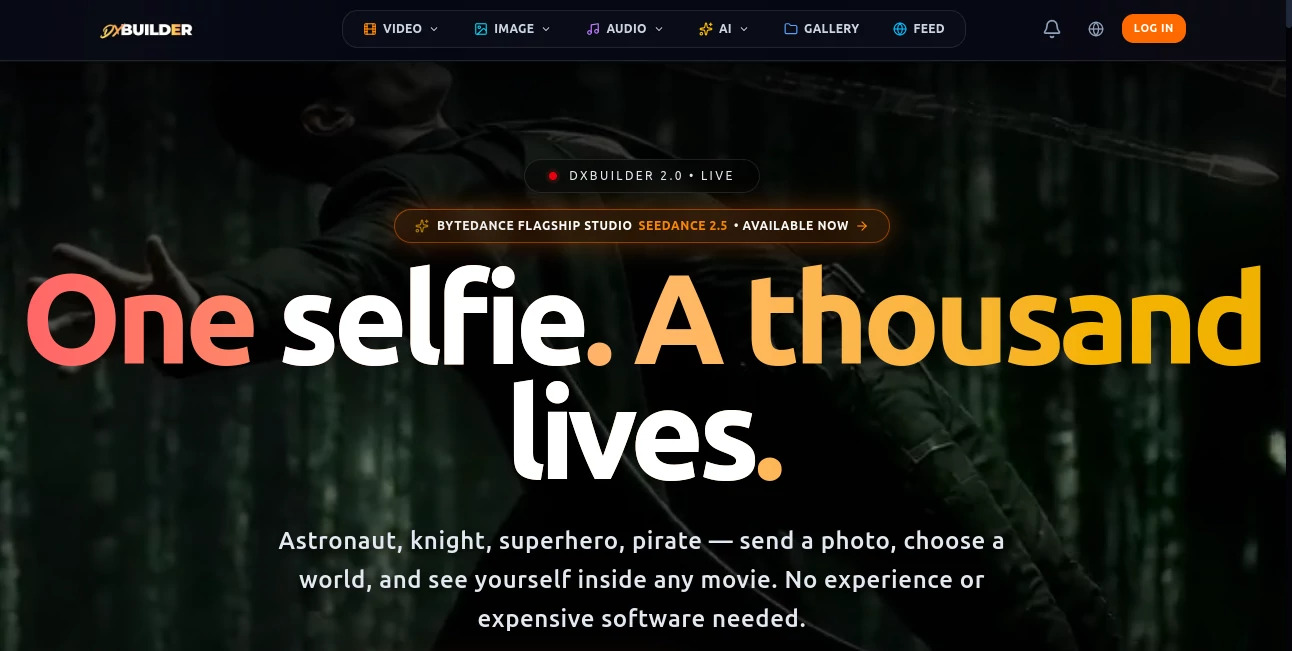
What is DX Builder?
Creating polished video, images, music, and voice content usually means jumping between several specialized platforms. This creative studio takes a different approach by bringing those production steps into one workspace. A simple photo can become the starting point for cinematic scenes, social videos, character-driven stories, product advertising, or imaginative visual experiments.
The platform is particularly interesting for creators who want more control than a basic text-to-video generator provides. Users can work with images, video, characters, sound, music, and different AI engines while keeping the production process connected. There is also a preset-based workflow for people who would rather start creating than spend time learning complicated software.
Getting started is relatively approachable. New users receive free credits after registration, and there is no automatic monthly billing on the free starting experience. The basic workflow is simple: upload a photo, choose a world or preset, create the content, then edit and publish it.
Key Features
- AI video generation from text and visual references
- Image generation and cinematic image creation
- Image-to-video workflows for animating existing visuals
- Character creation and identity consistency
- Story and video production tools
- AI voice synthesis and personal voice cloning
- AI music generation through integrated music technology
- Commercial advertising creation tools
- Dedicated workflows for short-form vertical content
- Access to multiple AI generation engines from one workspace
User Interface
The interface is organized more like a creative studio than a single-purpose generator. Image Studio, Video Studio, Audio Studio, character tools, templates, and a user asset vault are available from the same environment. That structure can save a surprising amount of time when a project moves from a still image to animation, then to sound and final editing.
Presets are another practical touch. Someone who wants a dramatic character scene does not necessarily need to begin with a blank prompt. Ready-made concepts provide a starting point, while more experienced creators can move into the studio tools for greater control over cameras, characters, environments, and production details.
Accuracy & Performance
Performance depends on the selected generation engine and the type of content being produced. The platform currently brings together several models rather than forcing users to rely on a single engine. Available technologies include Seedance, Wan, Kling, MiniMax, Google image generation technology, and other specialized systems.
The video workflow is designed around cinematic control, including camera movements such as pans, tilts, zooms, tracking, and crane-style shots. Character consistency is also a major part of the experience, which is useful when a project requires the same visual identity across multiple scenes rather than a collection of unrelated generations.
Paid plans receive priority rendering, while generation costs are handled through a credit system. This makes the cost of individual generations easier to understand, although longer or more demanding productions naturally consume more credits.
Capabilities
The strongest part of the platform is the breadth of its production workflow. A creator can generate a visual asset, use it as a keyframe for a video, develop a recurring character, create supporting sound, and add music without constantly moving files between unrelated services.
The image tools provide controls for elements such as camera angle, lighting, environment, lens, and framing. The video environment adds motion and cinematic direction, while the audio side supports voice synthesis, sound effects, and music creation.
There is also a clear focus on social media production. Dedicated infrastructure is designed for vertical 9:16 content used on platforms such as TikTok, Shorts, and Reels. For marketers, the advertising workflow can be particularly useful because product-focused visuals can be developed without arranging a traditional studio shoot for every creative variation.
Security & Privacy
The service states that it processes personal information under the GDPR and does not sell personal data or use customer content to train its own models. Uploaded images, prompts, generated media, characters, voices, and other workspace content may be processed to provide the requested generation services.
Payment card information is handled through Stripe rather than being stored directly on the platform. Generated files are stored using encrypted infrastructure, and the service states that traffic is encrypted in transit and passwords are stored as cryptographic hashes.
One point worth checking before using the service for sensitive productions is its third-party processing. AI providers such as Google, ByteDance, Alibaba Cloud, Hedra, MiniMax, and Suno may receive the prompt or reference material required to perform a requested generation. Users should therefore review the privacy policy when working with confidential assets.
Use Cases
- Social media creators: Produce vertical videos for TikTok, Reels, and Shorts without building every scene manually.
- Content creators: Turn a personal photograph into different cinematic characters, environments, and stories.
- E-commerce brands: Create product advertising concepts, product scenes, visual campaigns, and promotional videos.
- Marketing agencies: Develop multiple creative variations without organizing a separate production session for every concept.
- Filmmakers and visual storytellers: Experiment with characters, camera movement, environments, music, and dialogue.
- Music and audio creators: Generate supporting music, voices, narration, and sound elements for visual projects.
- Small businesses: Produce professional-looking promotional material without investing in a traditional video production setup.
Pros and Cons
Pros
- Combines image, video, audio, music, and character workflows in one place.
- Supports multiple AI engines rather than relying on a single generation model.
- Useful presets make experimentation easier for beginners.
- Strong focus on cinematic video and character consistency.
- Dedicated support for short-form vertical content.
- Free credits are available when creating an account.
- Paid subscriptions can be cancelled at any time.
Cons
- Credit consumption can become significant for longer or higher-quality video generations.
- The large number of engines and production options may take some time to learn.
- Monthly subscription credits do not roll over into the next billing cycle.
- Users working with confidential material need to consider the involvement of external AI providers.
- Commercial and personal rights depend on the user's subscription status and the applicable terms.
Pricing Plans
The pricing model is based on monthly credits, with additional credit packages available. A free starting experience provides registration credits without requiring a monthly subscription.
The Pro plan is listed at €9.99 per month under the current limited offer and includes 750 monthly credits, priority rendering, character and image tools, story and video features, daily audio credits, music generation, and personal voice cloning.
The Studio plan is currently offered at €24.99 per month and provides 2,250 monthly credits plus additional bonus credits. It adds higher production capacity, free daily image generations, commercial advertising tools, more audio credits, and additional monthly music generation.
The Ultimate plan is currently offered at €49.99 per month and includes 5,000 monthly credits plus 1,250 bonus credits. It is aimed at heavier production workloads and includes more daily image, audio, and music allowances, as well as a free cloned voice.
One useful detail is that unused subscription credits reset at the beginning of the next billing cycle, while purchased top-up credit packages do not expire. Prices can also exclude VAT or local taxes depending on the buyer's location.
How to Use It
- Create an account and claim the available registration credits.
- Choose the type of project you want to create, such as an image, video, character, voice, or music project.
- Upload a reference image when the project benefits from a specific person, character, or product.
- Select a preset or describe the desired scene using a detailed prompt.
- Choose the generation engine and production settings that fit your project.
- Generate the first version and review the result.
- Refine the prompt, visual references, camera direction, or other settings if necessary.
- Combine the generated visuals with voice, music, or sound effects when the project requires a complete production.
- Export the finished asset and publish it on the intended platform.
Comparison with Similar Tools
Many AI creative platforms focus heavily on one generation method. Some are primarily image generators, while others concentrate on video or voice. This studio takes a broader approach by connecting several production disciplines inside one environment.
Its multi-engine setup is especially useful for creators who want to compare different generation approaches without maintaining separate accounts and workflows for every model. The combination of image generation, video creation, character consistency, voice synthesis, music, and advertising tools gives it a wider production scope than a typical single-engine generator.
The trade-off is that a broader studio can feel more involved than a minimal tool built around one simple prompt box. Users who only need occasional image generation may not need all of these features, while creators producing complete multimedia campaigns can benefit considerably from having them together.
Conclusion
This is a strong option for creators who want to move beyond simple AI image or video generation and build complete visual productions from a single workspace. Its combination of multiple generation engines, cinematic controls, character workflows, audio tools, music creation, and advertising features makes it especially appealing for social media creators, marketers, agencies, and visual storytellers.
The free starting credits make it easy to test the workflow before committing to a subscription. For more demanding projects, the tiered credit system provides a clear path from occasional experimentation to regular production. The main consideration is understanding credit usage and the licensing terms attached to the subscription level you choose.
Frequently Asked Questions (FAQ)
Can I start without paying?
Yes. New registrations receive free credits, and the platform states that there is no automatic billing for the initial free experience.
Can I create videos from images?
Yes. The platform supports image-to-video workflows and allows generated or uploaded images to be used as visual starting points for video production.
Does it support character consistency?
Yes. Character creation and identity consistency are built into the studio workflow, making it possible to develop recurring visual identities across a project.
Can I generate music?
Yes. The Audio and Music Studio includes AI music generation, with paid plans offering different monthly allowances.
Does it support voice cloning?
Yes. Personal voice cloning is included in the paid plans, with the number of available audio credits depending on the selected subscription.
Is there a free trial?
The service provides free credits upon registration rather than requiring users to purchase a subscription before trying the generation workflow.
Do unused monthly credits roll over?
No. Subscription credits reset when the next billing cycle begins. Purchased top-up credits are treated differently and do not expire.
Can generated content be used commercially?
Commercial rights depend on the applicable subscription and terms. The current terms state that paid subscribers hold commercial and personal rights to eligible generated images, videos, character sheets, and audio created while they have an active paid subscription. Free-tier content is subject to a non-commercial Creative Commons license.
Does the service use my generated content to train its own models?
According to its privacy policy, the service does not use customer content to train its own models. However, reference material and prompts may be shared with third-party AI providers when required to complete a generation request.
Is it suitable for TikTok and other short-form platforms?
Yes. The platform specifically provides workflows for vertical 9:16 content and short-form production intended for channels such as TikTok, Reels, and Shorts.
AI Image to Video , AI Video Generator , AI Music Generator , AI Text to Video .
These classifications represent its core capabilities and areas of application. For related tools, explore the linked categories above.

DX Builder Alternatives Product

Kling Motion

AI Dog Dance

Happy Horse …

PDF to Video

Gemini Omni …

Seedance Art

Nano Banana …

GrokImagineAI

Seedance 4.0