

















Earings Calendar
What is Earings Calendar?
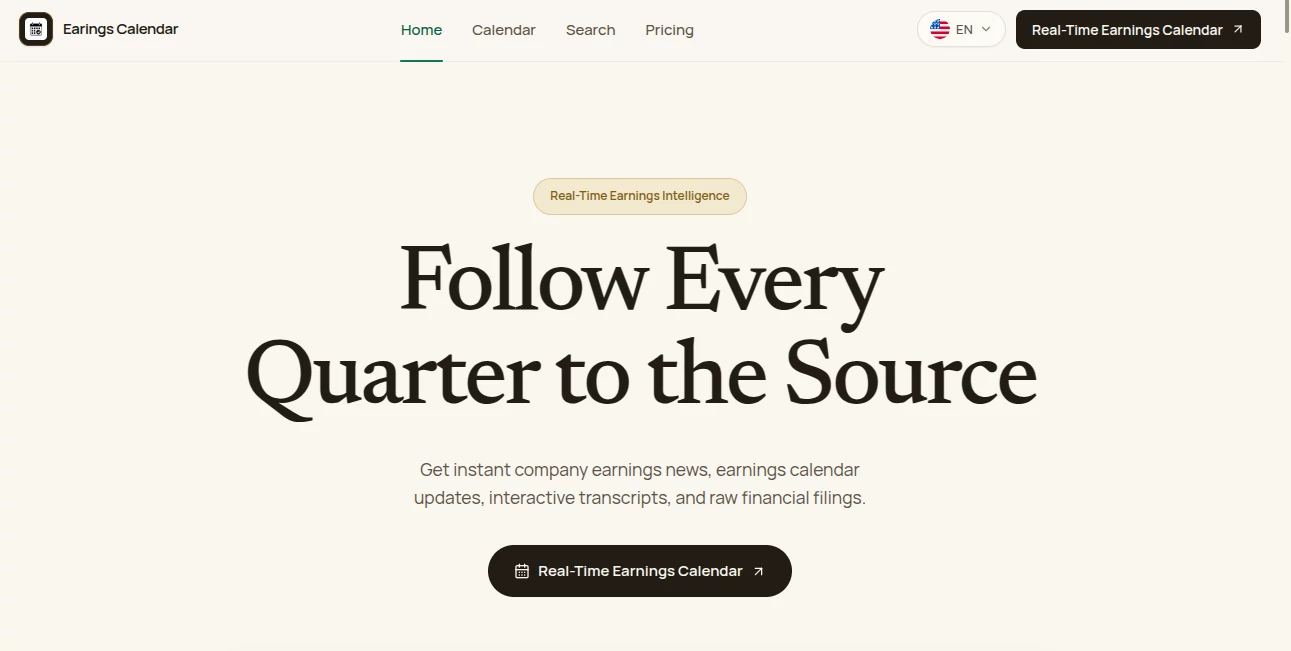
Earnings Calendar is a focused research workspace built for investors, analysts, and anyone who wants to follow public-company earnings without jumping between calendars, transcripts, financial filings, and separate research tools. The platform brings earnings schedules, company updates, call transcripts, historical financial data, SEC filings, and research features into one place.
The main idea is refreshingly practical: start with a company, an earnings date, or a research question, then follow the information back to the original source. Users can track pre-market and after-hours earnings releases, review EPS and revenue updates, listen to earnings calls, examine transcripts, and keep research notes alongside the material they are studying.
For someone following companies such as Apple, NVIDIA, Tesla, Microsoft, Amazon, or Netflix, having the earnings schedule and supporting source material together can make quarterly research much less fragmented. The platform also provides access to nearly two decades of quarterly EPS and revenue history for thousands of public stocks, giving users more context than a simple earnings calendar can provide.
Key Features
- Real-time earnings calendar covering pre-market and after-hours releases.
- EPS, revenue, and stock-price updates connected to earnings events.
- Personalized watchlists for companies and market topics.
- Live earnings calls and archived call recordings.
- Interactive transcripts with timestamps, highlights, and research notes.
- AI-assisted transcript translation across eight supported languages.
- Historical quarterly EPS and revenue data spanning nearly two decades.
- Access to official SEC filings including 10-K, 10-Q, and 8-K documents.
- Real-time keyword and industry-topic monitoring.
- Investor presentation and financial PDF exports.
User Interface
The interface is organized around the research process rather than presenting a collection of unrelated financial widgets. Users can move from the earnings calendar to a company, open supporting materials, review a call transcript, and save useful observations without losing the context of the original event.
The watchlist workspace is particularly useful for investors who follow a specific group of companies. Instead of checking every earnings announcement manually, users can keep their preferred companies together and monitor relevant topics across transcripts and financial materials.
The transcript experience also adds a practical research layer. Timestamp navigation, highlighted passages, and inline notes make it easier to return to a specific comment later. This can be especially helpful during earnings season when several companies report within the same week.
Accuracy & Performance
Financial research is only as useful as the information behind it, and this platform places considerable emphasis on source material. Earnings updates include EPS and revenue information, while the research toolkit connects users with official corporate filings and investor documents.
The historical section is another strong point. Access to nearly two decades of quarterly EPS and revenue metrics makes it possible to look beyond a single earnings announcement and examine longer-term business performance. An investor researching NVIDIA, for example, can compare historical quarterly figures rather than judging the company solely from its most recent report.
Because market information changes quickly, users should still verify important investment decisions against the original company filings and disclosures. The platform makes those source documents easier to reach, but it should be treated as a research aid rather than a substitute for independent financial judgment.
Capabilities
The platform goes well beyond displaying upcoming earnings dates. Its research capabilities cover the complete path from event discovery to source-based analysis.
Users can follow upcoming earnings, listen to live calls or archived recordings, read interactive transcripts, translate international earnings discussions, monitor custom keywords, and save private research notes. The ability to export investor presentations and PDF filings also makes the service useful for people who continue their analysis in spreadsheets, financial models, or other AI research environments.
Another notable capability is multi-language transcript translation. Eight languages are supported, including English, Portuguese, Spanish, French, German, Japanese, Korean, and both Simplified and Traditional Chinese. This can make international earnings calls considerably easier to review, particularly when the underlying discussion contains specialized financial terminology.
Security & Privacy
Financial research can involve personal watchlists, notes, and information gathered for investment decisions, so privacy deserves attention. The platform provides dedicated Terms and Privacy pages, allowing users to review the applicable policies before using the research workspace.
Users working with sensitive research should still review the current privacy terms and understand how account information, saved notes, watchlists, and other workspace data are handled. As with any online financial research service, it is sensible to avoid entering confidential information that is not necessary for the research workflow.
Use Cases
One of the clearest use cases is earnings-season preparation. An investor can check which companies are reporting during the week, identify the stocks that matter most, and keep those companies on a personal watchlist. This is much more convenient than maintaining a separate spreadsheet of earnings dates.
It is also useful for deeper company research. Someone researching a business can move from its latest earnings event into the associated call transcript, historical EPS and revenue figures, SEC filings, and investor presentations. That creates a more complete picture of the company instead of relying on a headline or short earnings summary.
International investors can benefit from the translation system as well. When a company reports in a language the researcher does not speak fluently, translated transcripts can make the discussion easier to understand while keeping the original earnings context available.
Another practical scenario is thematic research. A user following topics such as artificial intelligence, cloud spending, semiconductor demand, or consumer trends can monitor keywords and review where those subjects appear across earnings transcripts. For analysts covering multiple companies, this can save a considerable amount of manual searching.
Pros and Cons
Pros
- Combines earnings schedules, calls, transcripts, filings, and historical data in one workspace.
- Provides a useful personalized watchlist for ongoing company research.
- Offers nearly two decades of historical EPS and revenue information.
- Includes official SEC filings and investor documents.
- Supports transcript translation in eight languages.
- Timestamped transcript notes are helpful for detailed research.
- Real-time keyword monitoring can help identify relevant developments.
- A free plan makes it possible to explore the core workflow before paying.
Cons
- The deeper AI-assisted research features consume research credits.
- Users conducting research across many companies may need a paid plan.
- The platform is focused specifically on earnings and financial research rather than being a general-purpose investment terminal.
- Users should independently verify important investment conclusions against primary financial disclosures.
Pricing Plans
The service offers a free plan as well as Plus and Pro subscriptions. The free tier costs $0 per month and includes three research credits each month, access to the earnings calendar, and available company materials. It is a sensible starting point for occasional research or for users who want to understand the workflow before subscribing.
The Plus plan is listed at $15.80 per month when billed annually, with an annual total of $190 and 300 research credits per month. It adds transcript translation, financial reports, keyword monitoring, and research notes, making it better suited to investors who maintain a focused watchlist and regularly review earnings calls.
The Pro plan is listed at $40.80 per month when billed annually, with an annual total of $490 and 650 research credits per month. It includes everything in Plus along with priority research workflows and support. This tier is aimed more at active earnings-season coverage and users conducting deeper research across a broader collection of companies.
Annual billing is presented with a 17% saving compared with the corresponding monthly pricing structure. The platform also states that subscriptions can be canceled at any time.
How to Use the Tool
Start by opening the earnings calendar and looking at today's, this week's, or this month's reporting schedule. You can search for a company by ticker or name and identify the earnings events that are most relevant to your research.
Next, add companies you regularly follow to your watchlist. This gives you a more personalized view of upcoming events and allows you to monitor selected topics across the research materials.
When an earnings event becomes available, review the company's EPS and revenue information and move into the earnings call or transcript for additional context. Use timestamps and highlights to locate important statements, then save useful observations as research notes.
For deeper analysis, examine historical quarterly results and open the available SEC filings or investor presentations. If the material is in another supported language, the translation feature can make the transcript easier to review.
Finally, export relevant financial reports or presentation PDFs when you need to continue your work in another research environment or use the documents for further analysis.
Comparison with Similar Tools
Traditional earnings calendars are generally designed to answer one question: when will a company report? That is useful, but it leaves the researcher to find transcripts, filings, investor presentations, historical results, and notes elsewhere.
This platform takes a broader approach by connecting the calendar with the underlying research material. Instead of stopping at an earnings date, users can move from the schedule to the call, transcript, historical figures, SEC documents, and saved notes within the same workflow.
It is therefore better suited to users who want earnings information as the starting point for research rather than simply as a reminder. Someone who only needs a quick list of upcoming reporting dates may not need all of these features, while an investor or analyst conducting recurring company research can get considerably more value from the integrated workspace.
Conclusion
For investors who spend a meaningful amount of time researching quarterly results, this platform offers a compelling way to organize the process. Its strongest advantage is not simply the earnings calendar itself, but the connection between an earnings event and the evidence surrounding it.
Live calls, interactive transcripts, historical financial data, SEC filings, keyword monitoring, translations, investor presentations, and private notes create a research workflow that feels considerably more complete than a basic market calendar.
The free tier also lowers the barrier to trying the service, while the Plus and Pro plans provide additional research capacity for users who follow earnings more actively. For anyone who wants to move from “When does this company report?” to “What actually happened, what did management say, and how does it compare with the historical picture?”, this is a particularly useful financial research workspace.
Frequently Asked Questions (FAQ)
What is this platform designed for?
It is designed for earnings research and monitoring. Users can track reporting dates, review earnings calls and transcripts, access financial filings, examine historical results, monitor keywords, and organize research notes.
Can I use it for free?
Yes. The Free plan costs $0 per month and provides three research credits each month, along with access to the earnings calendar and available company materials.
Does it provide historical earnings data?
Yes. The platform provides nearly two decades of quarterly EPS and revenue metrics covering thousands of public stocks, allowing users to examine longer-term financial trends.
Can I listen to earnings calls?
Yes. Users can tune into live earnings calls when available and access archived recordings for later review.
Does it support earnings transcript translation?
Yes. AI-assisted transcript translation is available across eight languages, including English, Portuguese, Spanish, French, German, Japanese, Korean, and Simplified and Traditional Chinese.
Can I access SEC filings?
Yes. The research workspace provides access to official SEC filings such as 10-K, 10-Q, and 8-K documents, along with streamlined access to the underlying corporate materials.
Can I monitor specific topics?
Yes. Users can track stock symbols, custom keywords, and industry topics in real time and receive notifications related to earnings releases, schedule changes, and relevant research signals.
Which paid plan is suitable for regular investors?
The Plus plan is designed for users with a focused watchlist and regular earnings-call research, while Pro is aimed at more active coverage across a broader range of companies and events.
Is this a replacement for professional financial advice?
No. It is a research and information platform. Investment decisions should be based on independent analysis and, where appropriate, consultation with a qualified financial professional and review of primary company disclosures.
AI Investing Assistant , AI Research Tool , AI Analytics Assistant , Business .
These classifications represent its core capabilities and areas of application. For related tools, explore the linked categories above.
Earings Calendar details
Website unavailable — View Alternatives
Pricing
- Freemium
Apps
- Web App
Categories

Earings Calendar Alternatives Product

MacroMicro

ModelsLab

YTVidHub-you…

Creget

Hoken Pass

ChirpyPet

PromptZerk
MiniValuator

DemoDash
