
EchoWrite
What is EchoWrite?
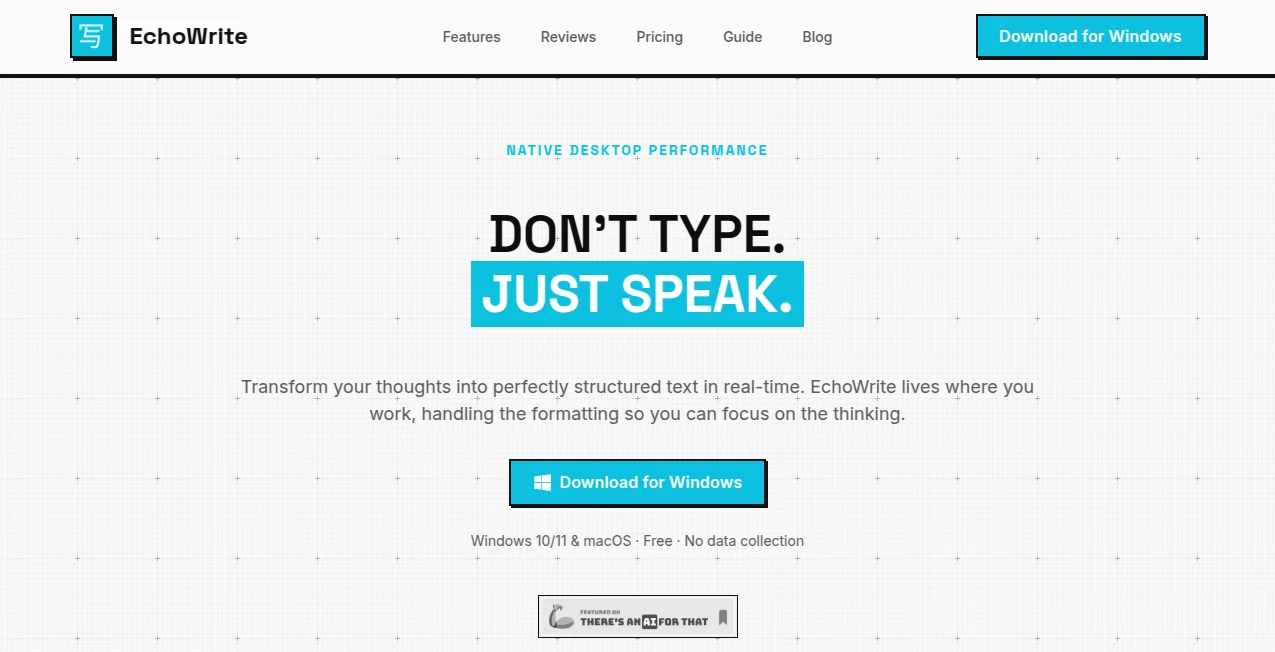
Voice-first productivity is no longer a futuristic concept. Professionals, developers, writers, and entrepreneurs are increasingly looking for faster ways to capture ideas without being slowed down by keyboards. This platform delivers a refreshing solution by transforming spoken thoughts into polished, structured text in real time.
Instead of forcing users to switch between applications, it works directly where they already spend their time. Whether drafting content, taking notes, creating documentation, writing emails, or preparing project updates, users can speak naturally and receive clean, formatted output with minimal effort.
Its combination of intelligent transcription, translation capabilities, customizable voice commands, and privacy-focused architecture makes it a compelling choice for anyone seeking a more efficient workflow.
Key Features
User Interface
The interface is designed with simplicity in mind. Setup is straightforward, and users can start dictating with global keyboard shortcuts without interrupting their existing workflow. The experience feels native rather than layered on top of other software, making it easy to adopt from day one.
Accuracy & Performance
One of the strongest aspects of the platform is its ability to transform natural speech into polished text. Filler words, verbal pauses, and speech imperfections are automatically removed, resulting in content that feels refined and professional. Automatic language detection further improves usability, especially for multilingual users.
Capabilities
- Real-time speech-to-text transcription.
- Automatic removal of filler words and speech mistakes.
- Custom voice prompts for formatting and content transformation.
- Real-time translation between multiple languages.
- System-wide compatibility across applications.
- Offline and cloud-based processing options.
- Support for developers, writers, and business professionals.
- Customizable keyboard shortcuts for quick activation.
Security & Privacy
Privacy is a major advantage. Users can choose between cloud-powered processing and fully local operation. With offline models available, voice recordings and generated text can remain entirely on the user's device. This flexibility is particularly valuable for businesses, researchers, and professionals handling sensitive information.
Use Cases
- Writing emails significantly faster than traditional typing.
- Creating meeting notes and summaries.
- Generating project documentation and technical content.
- Capturing ideas during brainstorming sessions.
- Drafting articles, blog posts, and reports.
- Converting spoken instructions into formatted tasks.
- Translating speech into another language while working.
- Producing structured development tickets and coding documentation.
Pros and Cons
Pros
- Fast and accurate speech recognition.
- Works across virtually any application.
- Supports multiple languages and translation workflows.
- Flexible online and offline processing.
- Custom prompts enhance productivity.
- Affordable pricing compared to subscription-heavy alternatives.
- Privacy-focused architecture.
Cons
- Linux support is currently unavailable.
- Advanced customization features require a paid plan.
- Performance can vary depending on local hardware when running offline models.
- New users may need time to build effective voice-command workflows.
Pricing Plans
The platform offers a free plan that includes unlimited dictation through a bring-your-own-key approach, local offline models, and global shortcuts. Users who need custom prompts and real-time translation can upgrade to premium plans, including annual and lifetime licensing options. The lifetime plan is particularly attractive for users who prefer one-time purchases over recurring subscriptions.
How to Use EchoWrite
Getting started is straightforward:
- Install the desktop application.
- Configure a preferred transcription method.
- Set up a global keyboard shortcut.
- Open any application where text input is supported.
- Hold the shortcut and begin speaking naturally.
- Release the shortcut and allow the system to process the speech.
- Receive clean, formatted text directly where the cursor is located.
Advanced users can further enhance results by creating custom prompts for summarization, formatting, translation, or content transformation.
Comparison with Similar Tools
Many voice dictation tools focus solely on transcription. In contrast, this solution combines transcription, translation, formatting, and workflow automation within a single environment. The ability to operate entirely offline also distinguishes it from many competitors that depend exclusively on cloud services.
Another notable advantage is its system-wide integration. Rather than forcing users into a dedicated workspace, it functions wherever text can be entered, making it suitable for productivity software, development environments, browsers, communication platforms, and documentation tools.
Conclusion
For professionals who frequently capture ideas, write content, manage projects, or communicate across languages, this platform offers a practical and efficient alternative to traditional typing. The blend of speed, customization, multilingual support, and privacy-focused options creates a workflow that feels natural and productive.
By removing the friction between thinking and writing, it enables users to focus on ideas rather than mechanics. The result is a smoother, faster, and more enjoyable way to work with text every day.
Frequently Asked Questions (FAQ)
Can it work without an internet connection?
Yes. Users can run local transcription and language models directly on their devices for a fully offline experience.
Does it support multiple languages?
Yes. It automatically detects languages and supports multilingual workflows, including translation capabilities.
Is it suitable for developers?
Absolutely. Developers can dictate technical notes, documentation, tickets, and even code-related instructions using custom prompts.
Can it be used with productivity applications?
Yes. It integrates with a wide range of applications, including note-taking, collaboration, browser, and communication tools.
Is there a free version available?
Yes. A free plan is available with core dictation features, allowing users to evaluate the platform before upgrading.
AI Writing Assistants , AI Speech to Text , AI Voice Assistants , AI Productivity Tools .
These classifications represent its core capabilities and areas of application. For related tools, explore the linked categories above.
EchoWrite details
Website unavailable — View Alternatives
Pricing
- Free
Apps
- Web App
- Windows App
Categories

EchoWrite Alternatives Product

Resyfy AI

Hands Off

ekstrakt

Prompt Sloth
justmarkdown

Lexikon AI

PDFgear

wigoo

Receipt AI