


















Embeddable
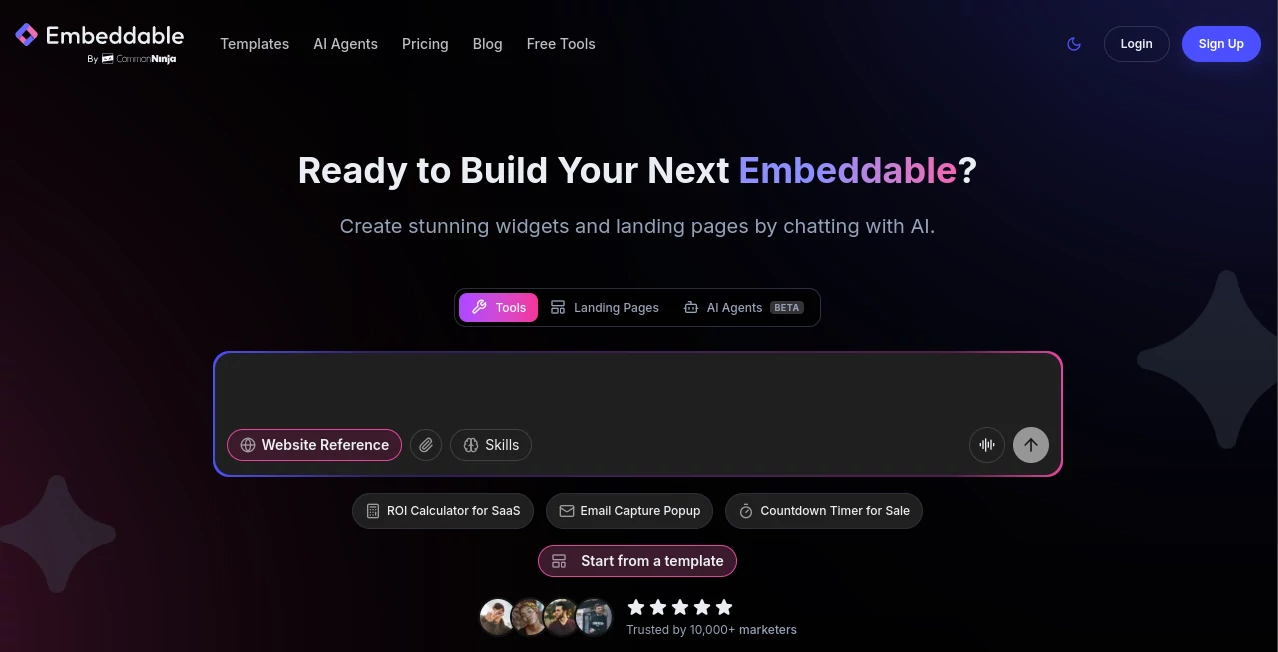
What is Embeddable?
In today’s digital-first world, static content is no longer enough to capture attention. Websites, landing pages, and apps need interactive elements that engage users instantly. This platform makes that process surprisingly simple by allowing creators, marketers, and developers to transform ideas into embeddable interactive experiences without complex development work.
Instead of spending days or weeks building custom components, users can quickly design, customize, and deploy lightweight widgets that can live anywhere on the web. Whether you’re running a startup, managing a content site, or building a product ecosystem, it helps bridge the gap between creativity and implementation.
Key Features
User Interface
The interface is designed with simplicity in mind. Everything is visual, clean, and structured so even non-technical users can navigate with ease. Creating an embed feels more like assembling a design rather than writing code.
Accuracy & Performance
Widgets are optimized for speed and responsiveness. Once embedded, they load quickly without slowing down the host website. This ensures a smooth experience for visitors across both desktop and mobile devices.
Capabilities
- Create interactive components without coding
- Customize layout, behavior, and design elements
- Embed content into websites, blogs, and landing pages
- Integrate dynamic data into interactive modules
- Reuse templates across multiple projects
Security & Privacy
Security is handled with modern web standards. Embedded elements are sandboxed to ensure they do not interfere with host pages. Data handling is designed to respect user privacy while maintaining performance and reliability.
Use Cases
This platform is widely used across different industries. Marketers use it to create interactive campaigns. SaaS companies integrate widgets into dashboards. Bloggers enhance engagement by adding dynamic elements to articles. Even educators use it to build interactive learning modules that improve student interaction.
Pros and Cons
Pros:
- No-code creation process
- Fast and lightweight embeds
- Flexible customization options
- Works across multiple platforms
Cons:
- Advanced customization may require learning curve
- Some features depend on specific integrations
Pricing Plans
The platform typically follows a tiered pricing model, offering a free entry point for basic usage and paid plans for professionals and businesses that require advanced features, higher usage limits, and branding control.
How to Use The Platform
Getting started is straightforward. First, choose a template or start from scratch. Next, customize the widget using the visual editor. Once satisfied, generate the embed code and place it into your website or application. The system handles the rest, ensuring everything runs smoothly in real time.
Comparison with Similar Tools
Compared to traditional widget-building solutions, this platform reduces complexity significantly. While other tools may require coding knowledge or external integrations, here the focus is on accessibility and speed. It is especially strong in rapid deployment scenarios where time and simplicity matter most.
Conclusion
For anyone looking to add interactive functionality to their digital presence without diving into heavy development work, this solution offers a practical and efficient alternative. It empowers users to turn static pages into engaging experiences with minimal effort, making it a valuable tool in modern web creation.
Frequently Asked Questions (FAQ)
What is this platform used for?
It is used to create and embed interactive widgets into websites and digital platforms without requiring coding skills.
Do I need programming knowledge?
No, the platform is designed for both technical and non-technical users with a visual editor and ready-made templates.
Can it be used on any website?
Yes, it works with most modern websites and content management systems that allow embedding HTML snippets.
Is it suitable for business use?
Yes, many businesses use it to improve engagement, create interactive marketing materials, and enhance user experience.
AI Landing Page Builder , AI Website Builder , AI No-Code & Low-Code , AI Developer Tools .
These classifications represent its core capabilities and areas of application. For related tools, explore the linked categories above.

Embeddable Alternatives Product

Nestify

LocaFlow

FormRoyale

JSON-Tools

Sento AI

PatentFig AI

AIInLink

NetlifyAPP

Mage Flow AI…
