
exe.dev
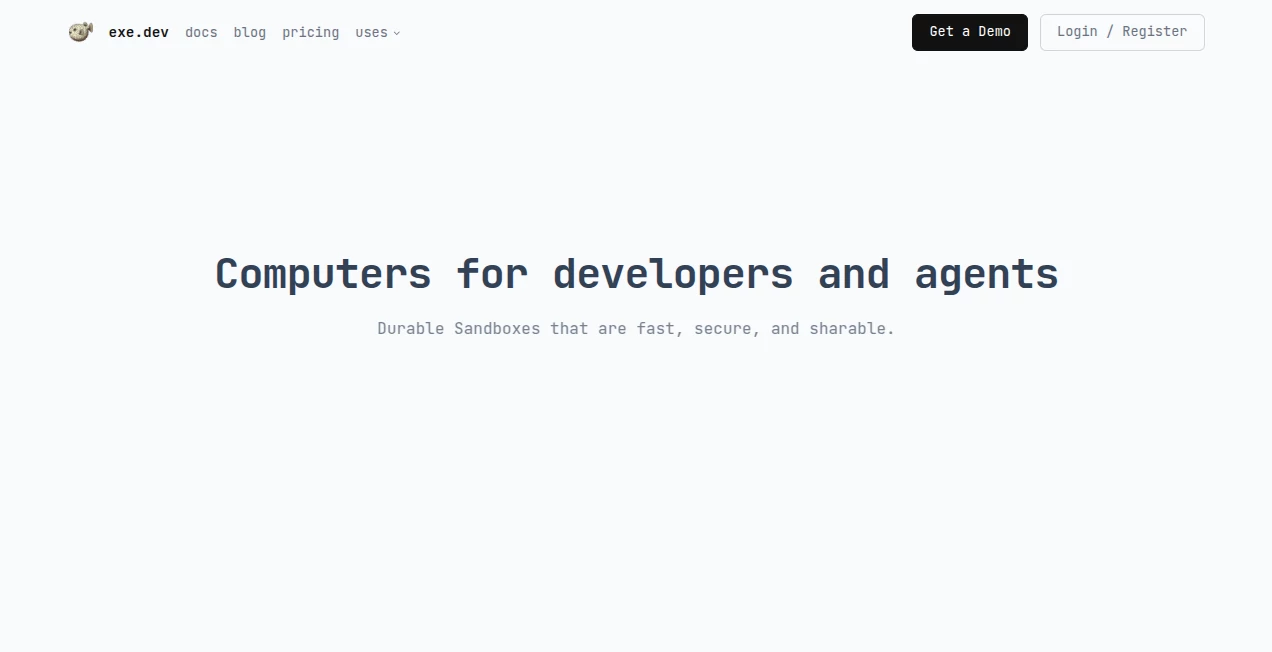
What is exe.dev?
exe.dev is a developer-focused cloud platform built around a straightforward idea: give developers and AI agents a real computer they can use without spending hours configuring infrastructure. It provides persistent Linux virtual machines with root access, networking, HTTPS access, and a simple way to create, share, copy, and manage environments.
What makes the service particularly interesting is the combination of traditional development infrastructure and AI-assisted coding. Developers can work through SSH or their preferred editor, while the built-in Shelley web agent can help build applications directly inside a virtual machine. This makes the platform useful for everything from everyday development to prototypes, automated tasks, and isolated environments for coding agents.
The experience is intentionally closer to using an ordinary Linux computer than managing a complicated cloud platform. You get persistent storage, system services such as systemd, package management through apt, and a public hostname, while authentication and much of the infrastructure around sharing and networking are handled for you.
Key Features
- Persistent Linux virtual machines with root access.
- SSH-based development for a familiar command-line workflow.
- A built-in web-based coding agent for AI-assisted development.
- Private-by-default servers that can be shared when needed.
- HTTPS access for applications running inside virtual machines.
- Persistent disks so work remains available after a session ends.
- Flexible VM creation without paying a separate fixed fee for every VM under pooled plans.
- Support for GitHub workflows through an integrated authentication proxy.
- Secure handling of API credentials through proxy-based integrations.
- VM cloning that makes it practical to create isolated environments for separate tasks.
User Interface
The interface takes a deliberately developer-friendly approach. Much of the platform can be controlled through SSH and command-line commands, which is useful for people who already live in a terminal. At the same time, the web interface provides a more approachable option, particularly when working with the built-in coding agent.
The combination is one of its strongest points. A developer can start with a browser, move into an SSH session, open the same environment from an editor such as VS Code or JetBrains, and then share a running application without rebuilding the environment somewhere else.
Accuracy & Performance
For development infrastructure, performance is less about a flashy benchmark and more about how quickly an environment becomes useful. The platform focuses on fast VM creation, persistent environments, and practical workflows for developers and coding agents.
Copy-on-write VM cloning is especially useful for experimentation. A developer can maintain a prepared base environment and create separate copies for individual projects or agent tasks. This reduces the friction normally associated with preparing a fresh development machine.
The resource model also allows multiple VMs to share a pool of CPU, RAM, disk, and transfer resources. That approach can be attractive for workloads where many environments are created temporarily rather than all running at maximum capacity at the same time.
Capabilities
The platform goes beyond simply renting a Linux server. Developers can install packages, run system services, host applications, connect repositories, and expose web applications through HTTPS. This makes it suitable for real development rather than only short-lived command-line experiments.
Its AI capabilities add another layer. Shelley can operate as a web-based programming agent inside a VM, while developers can also install and use other coding agents. Running an agent inside an isolated virtual machine can reduce the risk of giving an automated coding process direct access to a personal laptop.
GitHub integration is another practical feature. Authentication can be handled through an in-VM proxy rather than leaving a long-lived GitHub token sitting inside the development environment. Similar proxy-based integrations can be used for services such as Stripe and OpenAI, keeping provider credentials away from the VM itself.
Security & Privacy
Isolation is an important part of the platform's design. Each VM provides a separate environment with its own filesystem and operating system context. This makes the service useful for AI agents that need to install software, modify files, run commands, or interact with the internet without having unrestricted access to a developer's personal computer.
Servers are private by default, while sharing can be enabled when a developer wants colleagues, clients, or friends to access an application. Authentication and access controls are built into the surrounding infrastructure, reducing the need to build these pieces from scratch for every small project.
Developers should still treat an AI agent as software with significant privileges. A fresh isolated VM is a sensible environment for autonomous experimentation, but sensitive information should only be made available when it is genuinely required.
Use Cases
- AI-assisted coding: Give a coding agent its own Linux environment where it can create files, install dependencies, run commands, and build applications.
- Web development: Build and test websites or web applications on a persistent remote machine.
- Rapid prototyping: Create disposable environments for testing an idea without changing the main development machine.
- Agent sandboxes: Run individual AI agents in separate VMs to keep experimental tasks isolated from one another.
- Remote development: Work on the same development environment from a laptop, desktop, phone, or another machine.
- Client demonstrations: Share running applications through HTTPS without setting up a separate hosting workflow.
- Automated jobs: Keep servers online for applications, scheduled processes, scripts, and background workloads.
- Team development: Share resources and environments with other developers while retaining administrative controls.
Pros and Cons
Pros
- Feels much closer to using a real Linux computer than a restricted coding sandbox.
- Persistent VMs make long-running projects practical.
- Root access provides considerable control over the environment.
- AI coding support is integrated into the development workflow.
- Useful SSH-based workflow for experienced developers.
- VM cloning makes isolated experimentation easier.
- Private-by-default infrastructure is helpful for development and agent workloads.
- Pooling resources can be economical when multiple VMs are needed.
Cons
- The command-line-oriented workflow may feel unfamiliar to developers who prefer fully graphical cloud environments.
- Additional disk and data-transfer usage can increase the monthly bill.
- Usage-based pricing requires attention to resource consumption for highly active workloads.
- Users still need basic Linux knowledge to get the most from a root-access environment.
- AI agents with root access should be used carefully and preferably inside appropriately isolated environments.
Pricing Plans
The pricing structure is based on either pooled resources or usage-based infrastructure. The Personal plan is listed at $20 per month and includes up to 50 VMs, 100 GB of pooled disk, and 200 GB of data transfer. The Team plan costs $25 per user per month and adds team administration, SSO, 50 VMs per user, and 250 GB of data transfer.
For much larger deployments, the Reserved Cloud Pool starts at $35.84 per hour and is designed for fleets containing thousands of VMs, with features such as SSO, administration, and AWS VPC integration.
There is also usage-based billing for workloads that need elastic capacity. CPU, active memory, and disk are billed according to usage, while inactive VMs can avoid normal CPU charges. Additional disk is charged at $0.08 per GB per month, while additional data transfer is charged at $0.05 per GB per month.
Every plan also includes a monthly allocation of Shelley Tokens, with additional tokens available when needed. Because infrastructure requirements vary significantly between developers, teams, and autonomous agent workloads, checking current pricing before choosing a plan is recommended.
How to Use exe.dev
Getting started is designed to be simple for developers who are comfortable with SSH. After creating an account and choosing a suitable plan, a developer can create a VM and connect to it remotely. From there, the machine behaves like a normal Linux computer with root access, package management, system services, persistent storage, and networking.
A typical workflow might begin with creating a clean VM for a project. The developer can then install the required framework and dependencies, clone a repository, configure the application, and run the development server. If an AI coding agent is being used, it can work inside the same isolated environment.
For repeated experiments, a prepared VM can serve as a base. Developers can clone that environment for new tasks rather than rebuilding their toolchain every time. Once an application is ready, its web service can be accessed through the provided HTTPS hostname and shared with selected users.
Comparison with Similar Tools
Traditional cloud VMs give developers considerable control, but they often require more infrastructure work before the machine is ready for development. Browser-based coding environments are easier to start with, but they can impose limitations when a developer needs root access, system services, persistent infrastructure, or a more complete Linux environment.
exe.dev sits somewhere between these approaches. It keeps the flexibility of a real virtual machine while simplifying common tasks such as access, HTTPS exposure, sharing, VM creation, and authentication. Its focus on AI agents also gives it a different angle from ordinary developer VPS providers.
For someone who simply needs a conventional production server, a traditional cloud provider may offer more infrastructure options. For developers who want disposable environments, persistent development machines, or isolated computers for coding agents, the approach here is particularly compelling.
Conclusion
The strongest part of exe.dev is its simplicity. Instead of turning development infrastructure into another project to manage, it gives developers a real Linux computer and takes care of much of the surrounding plumbing.
The combination of persistent VMs, SSH access, HTTPS sharing, cloning, resource pooling, and AI-assisted coding makes it especially interesting for modern software development. Developers experimenting with autonomous agents can also benefit from giving each task its own isolated environment rather than allowing an agent to operate directly on a personal machine.
It is not trying to hide the computer from the developer. Quite the opposite. The service makes the computer accessible quickly and then gets out of the way, which is exactly what experienced developers often want from their infrastructure.
Frequently Asked Questions (FAQ)
What is exe.dev used for?
It is used to create persistent Linux virtual machines for software development, web applications, AI coding agents, prototypes, automated tasks, and remote development.
Does it provide real virtual machines?
Yes. The service provides Linux VMs with root access, systemd, package management, persistent disks, and a real network stack rather than a limited browser-only coding environment.
Can I use AI coding agents?
Yes. A built-in web coding agent called Shelley is available, and developers can also install other coding agents inside their VMs.
Can I use SSH?
Yes. SSH is a central part of the workflow, making it possible to use familiar terminals and development tools with the remote machine.
Can I share an application?
Yes. Applications running inside a VM can be exposed through HTTPS and shared with other people, with access controls available for private environments.
Is it suitable for AI agent sandboxes?
Yes. Isolated VMs are particularly useful when an AI agent needs significant permissions to modify files, install software, execute commands, or interact with the internet.
Does every VM require a separate subscription?
Under pooled plans, multiple VMs share the CPU, RAM, disk, and transfer resources allocated to the account rather than requiring a separate subscription for every VM.
Is there usage-based pricing?
Yes. Usage-based billing is available for workloads that need elastic capacity, with CPU and active memory charged according to usage and disk charged separately.
Is it suitable for teams?
Yes. The Team plan provides shared resource capacity along with administration, user management, and SSO features, making it suitable for collaborative development environments.
Can I use it for production applications?
It can be used to host persistent applications and services, although the appropriate plan and architecture depend on the application's availability, resource, security, and operational requirements.
AI Code Assistant , Code & IT , AI Developer Tools , AI DevOps Assistant .
These classifications represent its core capabilities and areas of application. For related tools, explore the linked categories above.

exe.dev Alternatives Product

OhNoCode

BetterAntisp…

Toonifyit

Ito AI

Timestamp Ro…

Empiriolabs …

CodeSpy AI

freellm.net

ShipAhead