
EzImageTool
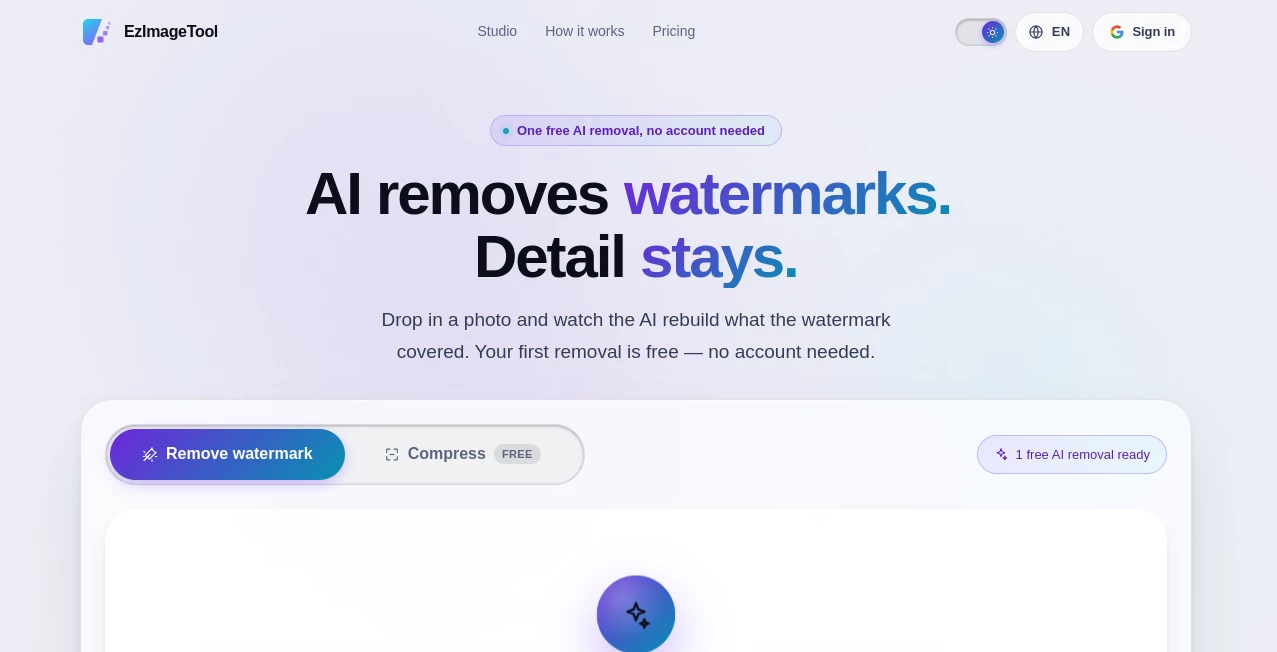
What is EzImageTool?
Removing an unwanted watermark from an image can be surprisingly difficult. A logo may cross a textured background, text may sit over fine details, or a repeated watermark may cover a large part of a photograph. Simply blurring the area usually makes the result look worse.
EzTools takes a more intelligent approach. Its AI watermark removal feature analyzes the area covered by a watermark and reconstructs the image underneath it. The service also includes free image compression, making it useful for people who want to clean up images and reduce file sizes without adding another tool to their workflow.
The experience is designed to be quick from the beginning. A first AI watermark removal is available without creating an account or entering payment details, so users can inspect the result before deciding whether they need more processing.
Key Features
- AI-powered watermark removal
- One free AI watermark removal without an account
- Support for JPG, PNG, and WebP files up to 20 MB for watermark removal
- Batch watermark removal after signing in
- Free image compression without credits
- Batch compression after signing in
- No watermark added to compressed images
- Automatic deletion of uploaded images
- Files are not used for training AI models
- Credits never expire
- No recurring subscription for AI watermark removal
User Interface
The interface keeps the process straightforward. Users can drop an image into the workspace or choose a file from their device, with the supported formats and size limits clearly displayed. There is little unnecessary setup between selecting an image and seeing what the AI can do with it.
One particularly useful touch is the before-and-after comparison. Instead of asking users to trust a processing description, the service lets them inspect the cleaned result and compare it with the original image. That is important for watermark removal because the quality of reconstruction can vary depending on what was hidden.
The workflow also becomes more practical for larger jobs after signing in. Multiple images can be submitted as a batch, with individual progress reported for each image. If one image encounters a problem, the remaining files can continue processing rather than forcing the entire batch to stop.
Accuracy & Performance
The strongest part of the service is its approach to reconstruction. Rather than simply covering a watermark with a blurred patch, the AI attempts to generate the texture, edges, gradients, and visual information that should appear underneath the removed overlay.
This can be especially helpful when a watermark crosses relatively complex areas of a photograph. Diagonal wordmarks, corner logos, and tiled overlays are among the types of marks the service is designed to handle.
Results will naturally depend on the source image. A small watermark over a simple background is generally an easier problem than a dense mark covering hair, detailed architecture, faces, or intricate textures. The built-in comparison makes it easier to judge the result before committing to additional credits.
Image compression is handled separately and is particularly appealing for users who simply need smaller files. The service states that many photographs can become around 60–95% smaller, while the compression level can be adjusted from 1 to 10. The default level is 5, and already optimized images are not returned as unnecessarily larger files.
Capabilities
The platform combines two useful image-processing jobs in one place. The first is generative watermark removal, while the second is image compression.
For watermark removal, JPG, PNG, and WebP images are supported up to 20 MB. After signing in, users can process up to 12 images in a removal batch. For compression, the supported formats are broader, including AVIF, SVG, and TIFF, with a maximum file size of 25 MB. Compression batches can contain up to 40 images.
The compression tool is also completely separate from the credit system. Users do not need to spend AI credits simply to reduce an image's file size, which makes it convenient for routine website, social media, or storage optimization.
Security & Privacy
Privacy is an important consideration whenever images are uploaded to an online processing service. The platform states that uploaded images are processed to create the requested result and then automatically deleted. Original files are not retained indefinitely, and processed results expire automatically.
Another notable privacy commitment is that uploaded images are not used to train AI models. This is useful for users who want to process personal or business images without contributing those files to model training.
For anyone working with sensitive visual material, it is still sensible to review the current privacy policy and terms before uploading important files, but the automatic deletion and no-training approach provide reassuring safeguards for everyday use.
Use Cases
There are plenty of situations where this type of image utility can save time.
- Photography: Clean up unwanted marks from images when the watermark is legitimately removable.
- Design work: Prepare an image for further editing when an unwanted overlay is interfering with the composition.
- Content production: Process images before incorporating them into presentations, mockups, or other authorized projects.
- Website optimization: Compress photographs before uploading them to a website to reduce storage and page weight.
- Social media: Create smaller image files that are easier to upload and store.
- Batch processing: Handle multiple images without manually repeating the same process for every file.
- Personal photo cleanup: Remove unwanted overlays from images when the user owns the image or has permission to edit it.
A practical example would be a designer preparing a collection of authorized product photographs. Instead of opening every image in an editor, manually selecting the unwanted mark, reconstructing the background, and then exporting smaller versions, the images can be processed through the same online workflow.
Pros and Cons
Pros
- First AI watermark removal is free and does not require an account.
- The result can be inspected before paying for additional processing.
- Generative reconstruction is more sophisticated than simple blurring or smudging.
- Batch processing is available after signing in.
- Image compression is free.
- Compression does not add another watermark.
- AI removal credits do not expire.
- No recurring subscription is required for removal credits.
- Uploaded files are automatically deleted.
Cons
- Watermark removal is credit-based after the free trial.
- Complex watermarks covering fine image details can still be challenging for AI reconstruction.
- The free watermark-removal allowance is limited to one image per browser.
- Downloading the processed file from the initial free removal requires signing in with Google.
- The service is primarily focused on image cleanup and compression rather than being a full professional photo editor.
Pricing Plans
The pricing model is refreshingly simple. There is no recurring subscription for AI watermark removal. Instead, users purchase credits when they need additional AI processing, and those credits do not expire.
One AI watermark removal costs 10 credits. This pay-as-you-use approach can make sense for occasional users who do not want another monthly subscription sitting on their list of software expenses.
Image compression is different: it is available for free and does not consume credits. There is also no watermark added to compressed output. Users who sign in can compress batches of images without paying for the compression service.
The first AI watermark removal is also free, with no card or account required to test the processing. This trial is a useful way to evaluate the quality of reconstruction before purchasing credits.
How to Use the Tool
- Open the image-processing workspace.
- Choose an image or drag and drop it into the upload area.
- For watermark removal, use a JPG, PNG, or WebP image within the supported size limit.
- Start the AI removal process.
- Review the result using the before-and-after comparison.
- If you are satisfied with the result, sign in when required to download the processed file.
- For larger projects, sign in and upload multiple images for batch processing.
- For compression, select the compression workflow and choose the desired compression level.
- Download the processed image once the operation is complete.
The first test is particularly easy because the service provides one AI removal without requiring an account. That makes it possible to judge the output on a real image instead of making a purchase based only on a feature list.
Comparison with Similar Tools
Many image editors can remove objects or unwanted elements, but they often require manual selections, brushes, cloning, or several rounds of editing. That approach can be excellent for professionals who want complete control, but it can also be unnecessarily time-consuming for a quick cleanup.
This service takes a more focused approach. The user provides the image and the AI handles the reconstruction. The before-and-after comparison is another advantage because users can quickly decide whether the generated result is good enough for their particular image.
It also stands out by combining AI watermark removal with genuinely free compression. Someone who only wants to reduce image size does not need to spend credits, while someone performing watermark removal can use the same workspace for a separate optimization task.
Compared with a traditional desktop editor, the main trade-off is control. Manual editing software gives experienced designers precise control over every pixel, while an automated AI workflow prioritizes speed and convenience. For quick jobs and batches of images, that trade-off can be worthwhile.
Conclusion
This is a practical image utility for people who want to remove unwanted watermarks and optimize image files without navigating a complicated editing suite. Its biggest advantage is the combination of AI reconstruction, a useful free trial, batch processing, and free compression.
The ability to see a result before paying is especially valuable. Watermark removal is not a one-size-fits-all operation, and being able to inspect the reconstruction on an actual photograph gives users a much better sense of what to expect.
For occasional users, the non-expiring credits and lack of a recurring subscription are appealing. For people processing many images, batch support makes the workflow considerably more convenient. And for everyday image optimization, the free compression feature adds genuine value beyond the headline AI feature.
As always, watermark removal should only be used on images you own or have permission to modify. Used appropriately, this is a convenient option for turning a time-consuming cleanup task into a much simpler image-processing workflow.
Frequently Asked Questions (FAQ)
Is the first AI watermark removal free?
Yes. One AI watermark removal is available for free per browser without an account or payment card. You can see the completed result before deciding whether you need additional processing.
Do I need an account to use the service?
You can perform the first AI watermark removal without an account. Signing in with Google is required to download that initial processed file and unlock larger batch workflows.
Which image formats are supported?
Watermark removal supports JPG, PNG, and WebP files up to 20 MB. Compression supports JPG, PNG, WebP, AVIF, SVG, and TIFF files up to 25 MB.
How many images can I process at once?
After signing in, watermark removal supports batches of up to 12 images, while compression supports batches of up to 40 images.
Does image compression cost credits?
No. Image compression is free and does not consume AI credits.
How much can image compression reduce file size?
Many photographs can become approximately 60–95% smaller, depending on the original image and selected compression level.
Do AI removal credits expire?
No. Purchased credits do not expire, so they can be saved for future image-processing tasks.
Are uploaded images used to train AI?
The service states that uploaded images are not used to train AI models. It also states that uploaded files are automatically deleted after processing and that generated results expire automatically.
Can every watermark be removed perfectly?
No AI image-processing system can guarantee perfect reconstruction for every photograph. Watermarks covering simple areas are generally easier, while dense overlays covering fine details can be more difficult. The built-in comparison lets you inspect the result before purchasing additional credits.
Does the compression tool add a watermark?
No. Compressed images are not given an additional watermark, and compression does not require AI credits.
Photo & Image Editor , AI Photo Enhancer , AI Image to Image .
These classifications represent its core capabilities and areas of application. For related tools, explore the linked categories above.

EzImageTool Alternatives Product

AniFlow AI

Image Text E…

ChatGPT Imag…

ImageKontext…

AI Family Ph…

Editaimg

Picture to L…

Blur & Unblu…

Professional…