
Fanch AI
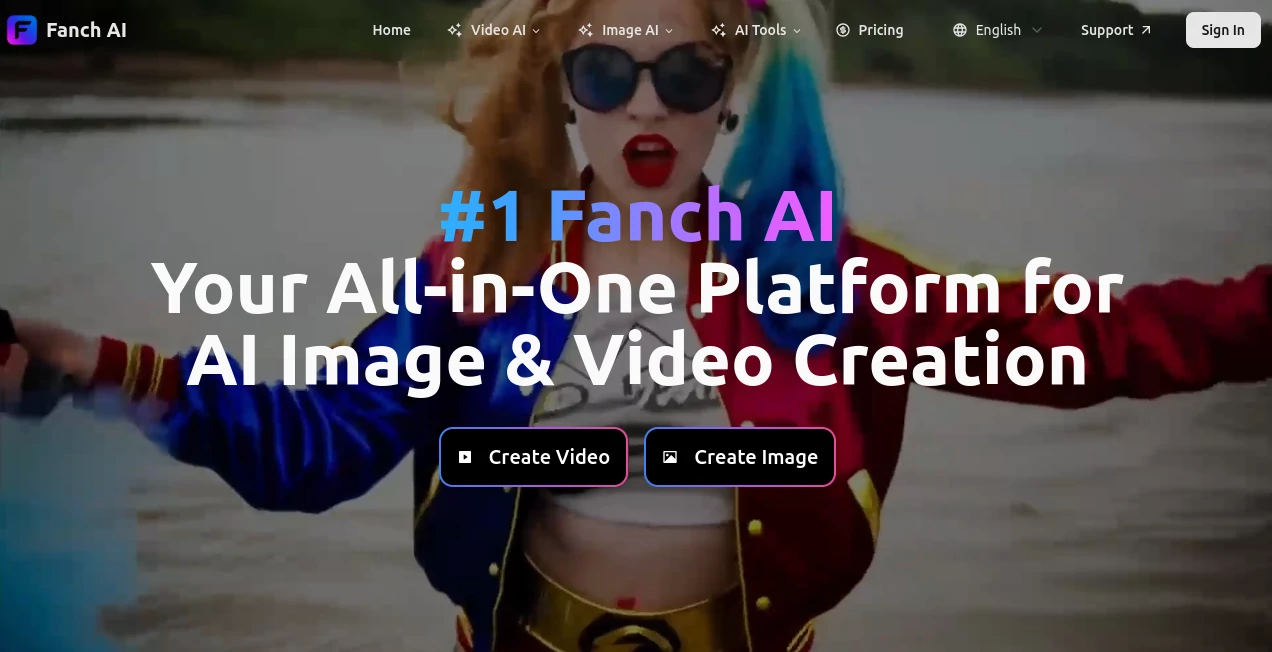
What is Fanch AI?
Creating high-quality visual content no longer has to involve multiple apps, complicated workflows, or hours of editing. This platform brings image generation, video creation, creative effects, enhancement tools, and advanced AI models together in one place, making professional-quality content accessible to everyone.
Whether you are designing marketing materials, producing social media content, building digital artwork, or experimenting with creative concepts, the experience feels smooth from the very first prompt. Text descriptions, existing photos, and even videos can be transformed into polished visual assets with only a few clicks. The platform supports a wide range of modern AI models while providing a beginner-friendly interface that makes advanced technology feel surprisingly approachable.
One of its biggest strengths is flexibility. Instead of focusing on only one type of generation, it allows creators to produce AI images, cinematic videos, talking avatars, face swap videos, photo effects, image enhancements, and much more without constantly switching between different services.
Key Features
User Interface
The dashboard is clean, organized, and easy to navigate. Tools are grouped logically, allowing creators to quickly move between image generation, video creation, enhancement utilities, and creative effects. Even users with no previous AI experience can begin generating content within minutes.
Accuracy & Performance
The platform integrates several of today's leading AI image and video models, giving users the flexibility to choose the best engine for different creative tasks. Image quality is detailed, videos are generated efficiently, and rendering speed remains competitive, especially for premium users.
Capabilities
- Generate images from text prompts.
- Create videos from text descriptions.
- Transform existing images into new artistic styles.
- Create AI talking avatars.
- Produce face swap videos.
- Generate creative photo effects.
- Upscale and enhance images.
- Edit visuals using AI-powered tools.
- Access numerous AI image and video generation models.
- Create content suitable for commercial projects with eligible paid plans.
Security & Privacy
The service offers account-based content management while clearly separating the benefits of free and paid plans. According to the platform, paid subscribers receive commercial usage rights for generated content and watermark-free exports, providing additional confidence for businesses and professional creators. Users maintain control over their own prompts and generated assets according to the platform's published policies.
Use Cases
- Creating engaging social media videos.
- Designing marketing visuals and advertisements.
- Producing product photography for online stores.
- Building AI-generated avatars.
- Creating YouTube thumbnails.
- Generating concept art for creative projects.
- Producing illustrations for blogs and websites.
- Creating promotional videos for startups.
- Designing personalized greeting videos.
- Rapid prototyping of visual ideas for agencies and designers.
Pros and Cons
- Pros
- Large collection of AI image and video tools in one platform.
- Supports multiple industry-leading AI generation models.
- Easy enough for beginners while powerful for professionals.
- Offers free access to explore core features.
- Commercial rights available with paid subscriptions.
- Wide variety of creative effects and templates.
- Cons
- Some premium models require a paid subscription.
- Free outputs include watermarks.
- Generation speed may vary depending on selected models and demand.
Pricing Plans
A free plan allows users to experiment with AI image and video generation before upgrading. Paid subscriptions provide higher usage limits, faster processing, watermark-free exports, and commercial usage rights for eligible generated content.
How to Use Fanch AI
- Create an account.
- Select an image or video generation tool.
- Choose your preferred AI model.
- Enter a text prompt or upload an existing image or video.
- Adjust available generation settings.
- Generate your content.
- Download or continue editing the final result.
Comparison with Similar Tools
Many AI creative platforms specialize in either image generation or video production, requiring users to combine several services during a project. This solution simplifies that workflow by bringing both creative disciplines together under one interface. The availability of multiple leading AI models, extensive visual effects, enhancement tools, avatar generation, and commercial-ready features makes it an attractive option for creators looking for versatility instead of managing multiple subscriptions.
Conclusion
For anyone looking to simplify AI-powered visual creation, this platform delivers an impressive combination of speed, flexibility, and creative freedom. Instead of limiting users to a single workflow, it supports everything from image generation and cinematic video production to editing, enhancement, avatars, and creative effects. The intuitive interface makes advanced AI approachable, while access to multiple state-of-the-art models provides room to experiment and produce professional-quality results. Whether you're a content creator, marketer, entrepreneur, designer, or developer, it offers an efficient environment for turning ideas into polished visuals with minimal effort.
Frequently Asked Questions (FAQ)
Is there a free version available?
Yes. Users can explore the platform through a free plan before choosing a paid subscription.
Can generated content be used commercially?
Commercial usage rights are available for eligible content created under paid plans.
Does it support both images and videos?
Yes. The platform provides AI generation tools for both images and videos along with editing and enhancement features.
Do beginners need technical knowledge?
No. The interface is designed to make AI content creation accessible to users of all experience levels.
Are multiple AI models available?
Yes. Users can access numerous popular AI image and video generation models depending on the selected tool and subscription level.
AI Text to Image , AI Photo & Image Generator , AI Image to Video , AI Video Generator .
These classifications represent its core capabilities and areas of application. For related tools, explore the linked categories above.

Fanch AI Alternatives Product

Imagens App

AI Picture G…

Image2GPT

hailuo03

Wan 2.6
PatchDesign.…
nano banana

gempix2

string art g…