


















Figr
What is Figr?
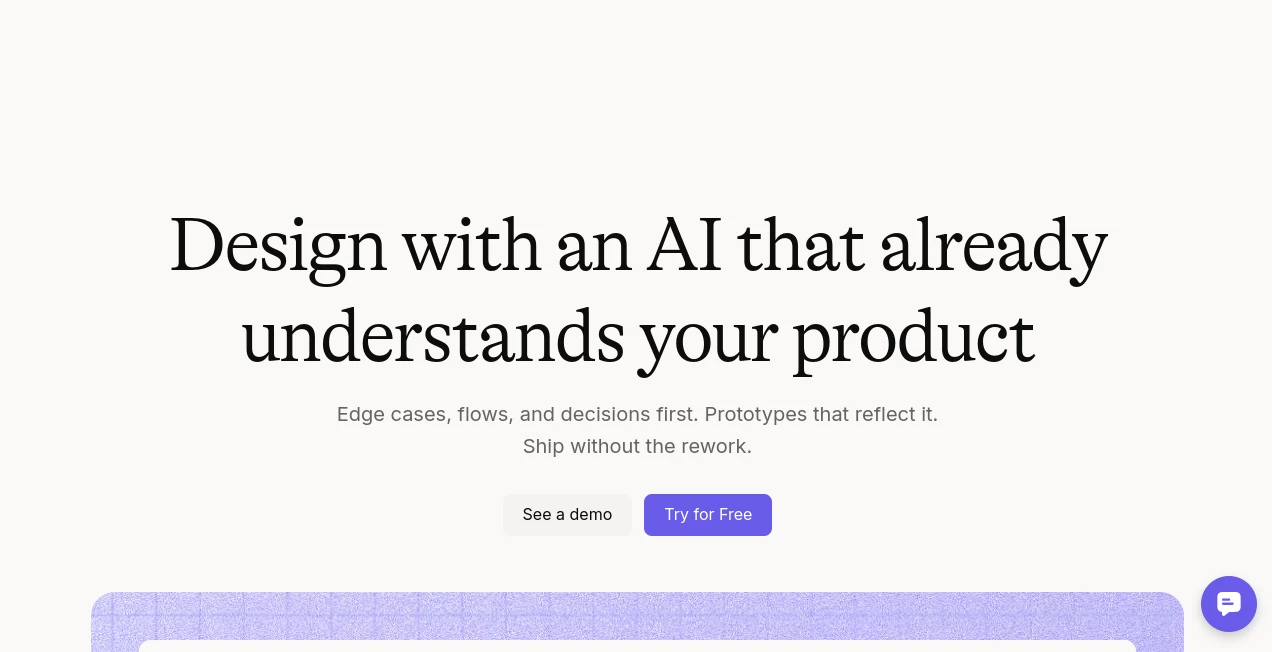
Modern product design is no longer just about creating attractive interfaces. Product teams need to understand user journeys, edge cases, design systems, documentation, and business logic before a single screen is created. This platform approaches product design from that perspective, helping teams build experiences that fit naturally into existing products instead of generating isolated mockups.
Unlike many AI-powered design assistants that rely on short prompts, this solution analyzes product context, including design systems, product documentation, user flows, analytics, research, screenshots, and existing interfaces. The result is a workflow where product managers, UX designers, and developers collaborate around informed design decisions instead of repeatedly rebuilding concepts from scratch.
Its ability to generate UX flows, identify missing states, review interfaces, and create editable Figma-ready designs makes it especially valuable for SaaS products, enterprise software, dashboards, and applications with complex user journeys. Rather than replacing designers, it acts as an intelligent design partner that accelerates brainstorming, planning, validation, and production.
Key Features
User Interface
The workspace is organized around an infinite collaborative canvas where ideas, user flows, prototypes, product documents, and design artifacts remain connected. Team members can collaborate in real time, leave comments, organize design assets, and refine concepts without constantly switching between multiple applications.
Accuracy & Performance
One of the strongest advantages is its product-aware reasoning engine. Instead of generating random layouts, it studies existing screens, design components, workflows, permissions, documentation, analytics, and previous decisions before producing recommendations. This significantly improves consistency across large software products while reducing unnecessary redesign cycles.
Capabilities
- Generate complete product interfaces from requirements.
- Create UX flows before visual design begins.
- Discover edge cases that are commonly overlooked.
- Review existing user experiences and recommend improvements.
- Produce editable Figma-ready layouts.
- Generate product documentation and UX artifacts.
- Support collaborative design sessions.
- Maintain design system consistency across projects.
- Transform PRDs into structured design workflows.
- Export production-ready assets for development teams.
Security & Privacy
The platform supports enterprise-grade collaboration with secure workspaces and emphasizes controlled product context management. Teams can organize product knowledge, manage project access, and collaborate safely while keeping design assets centralized. Enterprise security practices and modern workspace controls make it suitable for organizations handling complex product development.
Use Cases
- Designing new SaaS product features.
- Improving existing user experiences.
- Generating interface concepts from PRDs.
- Building enterprise dashboards.
- Reviewing accessibility and UX quality.
- Creating onboarding experiences.
- Planning role-based workflows.
- Designing administrative panels.
- Collaborating across product, design, and engineering teams.
- Maintaining consistency with established design systems.
Pros and Cons
Pros
- Deep understanding of existing products instead of relying solely on prompts.
- Excellent collaboration workflow for cross-functional teams.
- Produces Figma-ready outputs.
- Finds UX issues and missing states automatically.
- Supports complex enterprise software projects.
- Works with product documentation, analytics, and research.
- Reduces repetitive design work.
Cons
- Advanced capabilities require product onboarding.
- Large projects benefit from higher-tier plans.
- Learning the complete workflow may take time for first-time users.
Pricing Plans
A free plan is available for getting started with limited monthly credits and basic project capacity. Paid subscriptions increase available credits, workspace limits, context storage, collaboration features, and design system capabilities, making them suitable for individuals, growing product teams, and larger organizations.
How to Use Figr
Begin by creating a workspace and importing existing product information such as design systems, screenshots, documentation, research files, or user flows. Once enough context has been provided, describe the feature or improvement you want to build.
The AI analyzes the available information, asks clarifying questions where necessary, generates UX flows, identifies edge cases, and creates interface concepts that align with your existing product language. The resulting designs can then be reviewed, refined collaboratively, and exported into Figma for further editing and developer handoff.
Comparison with Similar Tools
Many AI design generators focus on producing quick interface mockups from a single prompt. While this works for simple landing pages or early concepts, larger digital products require a deeper understanding of workflows, user permissions, design systems, and historical product decisions.
This platform distinguishes itself by building product awareness before generating interfaces. Instead of simply drawing screens, it reasons through UX decisions, validates flows, identifies missing interactions, and creates outputs that feel connected to the existing application. For mature SaaS products and enterprise software, this approach often leads to fewer revisions and smoother collaboration between product managers, designers, and engineers.
Conclusion
Designing modern digital products requires much more than attractive visuals. Teams need context, collaboration, consistency, and intelligent decision-making throughout the design process. This platform delivers exactly that by combining AI-powered UX reasoning with product awareness and collaborative workflows.
Whether you're refining an established application, planning complex enterprise features, or accelerating product discovery, it offers a practical environment that helps transform ideas into production-ready designs while preserving design quality and reducing unnecessary rework.
Frequently Asked Questions (FAQ)
Can beginners use this platform?
Yes. Although it includes advanced product design capabilities, the guided workflow makes it accessible for newcomers while still providing powerful tools for experienced teams.
Does it replace traditional design software?
No. It complements professional design tools by generating product-aware concepts and exporting editable files for further refinement.
Is it suitable for enterprise products?
Yes. Its focus on product context, collaboration, design systems, and complex workflows makes it particularly valuable for enterprise software and SaaS applications.
Can teams collaborate in real time?
Yes. Multiple stakeholders can work together using collaborative canvases, shared product knowledge, comments, and synchronized workflows.
Is there a free version?
Yes. A free plan allows users to explore the platform with monthly credits before upgrading to larger plans for advanced collaboration and productivity.
AI Design Assistant , AI Productivity Tools , AI Website Designer , AI Graphic Design .
These classifications represent its core capabilities and areas of application. For related tools, explore the linked categories above.

Figr Alternatives Product

CodeProt

Ernie Image
Automaited

Gemini Omni

TypingFirst

AlpacaBag

Trimless for…

Sketchready

GPT Image 2 …
