

















file content converision
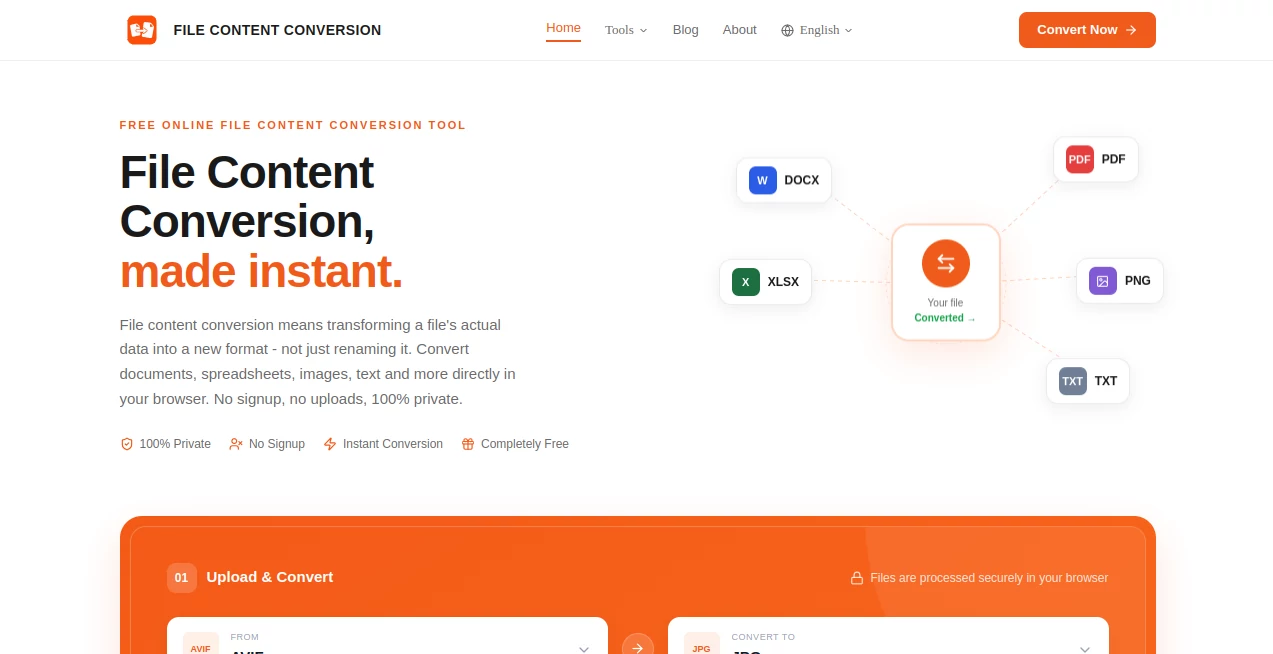
What is file content converision?
File Content Conversion is a free browser-based solution for changing the actual content of files from one format to another without the hassle of installing desktop software or creating an account. It supports documents, spreadsheets, images, text files, and several practical conversion workflows, making it useful for developers, content teams, analysts, students, and everyday users.
What makes the service particularly appealing is its approach to privacy. Files are processed locally inside the browser using JavaScript rather than being uploaded to a remote server. That means a user can convert a document, spreadsheet, or image without handing the original file to a third-party service.
The service also removes several common frustrations associated with online converters. There is no signup, no watermark, no daily conversion quota, and no subscription requirement. Most conversions are designed to finish in under two seconds, although the exact time naturally depends on the file and the device being used.
Key Features
- Browser-based file conversion with client-side processing.
- No account or registration required.
- No file uploads to a conversion server.
- Free and unlimited conversions.
- Support for documents, spreadsheets, images, and text formats.
- Batch support for compatible image conversion workflows.
- Conversion between commonly used formats such as DOCX, HTML, TXT, CSV, JSON, XLSX, PNG, JPG, WebP, GIF, AVIF, Markdown, and PDF.
- Image-to-text conversion using in-browser OCR.
- Conversion tools designed for Windows, macOS, Linux, Android, and iOS browsers.
User Interface
The interface is deliberately straightforward. Users choose the conversion they need, select or drag a file into the browser, let the conversion run, and download the result. Drag-and-drop is supported, while image workflows can also accept pasted images through Ctrl+V.
This simplicity is one of the strongest parts of the experience. Someone who only needs to convert an XLSX file to CSV does not have to navigate through a complicated dashboard or learn a new application. The task is presented as a focused conversion rather than a full software suite.
Accuracy & Performance
Performance is one of the service's notable advantages because processing takes place directly on the user's device. The website reports that most file content conversions finish in under two seconds, while OCR-based operations can take a few seconds depending on the image and its clarity.
Different conversion types naturally have different characteristics. Text and spreadsheet transformations can preserve the underlying information very closely, while image conversions may involve compression and therefore can be lossy. For example, converting PNG or JPG images to WebP is intended to reduce file weight while retaining visual quality.
The website also demonstrates practical conversion examples, such as converting CSV rows into JSON objects or rebuilding Word document formatting as semantic HTML. These examples make the difference between genuine content conversion and simply changing a file extension much easier to understand.
Capabilities
The range of workflows is broad enough to cover several everyday professional tasks. Developers can turn CSV or XLSX data into JSON for applications and APIs. Web developers can convert Word documents or Markdown files into HTML. Content teams can extract clean text from documents, while analysts can move spreadsheet data between formats used by databases and reporting tools.
Image workflows are equally useful. PNG, JPG, WebP, GIF, and AVIF files can be converted between compatible formats, while image compression can reduce file size for websites and other digital projects. There is also OCR functionality for extracting editable text from screenshots, scans, and photographs containing printed text.
One especially practical detail is that many supported formats work in both directions. This makes the service more useful as an everyday utility rather than something that only solves a single conversion problem.
Security & Privacy
Privacy is arguably the biggest differentiator. According to the website, conversions run entirely in the browser and files never leave the user's device. The service does not require an account, and its conversion workflow does not depend on uploading files to a processing server.
This client-side model can be especially valuable when dealing with internal documents, business spreadsheets, unpublished content, or other files that users would rather not upload to an external platform. Of course, users should still follow their organization's own security policies when handling sensitive information.
Use Cases
Web developers: Convert DOCX, Markdown, or text content into HTML when preparing material for websites, CMS platforms, static sites, or email templates.
Developers and data engineers: Convert CSV and XLSX data into JSON for APIs, backend testing, web applications, and data workflows. JSON can also be converted back into CSV when spreadsheet-based reporting is required.
Content teams: Extract clean text from Word documents or HTML files when moving content into another CMS, preparing material for translation, or conducting content audits.
Website owners: Convert images to WebP or other suitable formats to reduce image weight and improve page performance without installing image-processing software.
Students and researchers: Extract text from screenshots, scanned pages, and photographs using browser-based OCR, which can save considerable time when manually retyping information is not practical.
Business users: Move information between Excel-compatible spreadsheets, CSV files, and JSON without installing specialized data-conversion software.
Pros and Cons
- Pros: Free to use, no signup, no upload requirement, strong privacy approach, fast browser-based processing, multiple file formats, useful developer workflows, and support across modern devices.
- Pros: The interface keeps conversion tasks focused and avoids the account and subscription barriers found on many competing services.
- Pros: Supports practical workflows such as DOCX to HTML, CSV to JSON, XLSX to CSV, PNG to WebP, Markdown to HTML, and image-to-text conversion.
- Cons: Browser-based processing means very large or demanding files can be influenced by the available memory and performance of the user's device.
- Cons: Not every conversion is completely lossless. Image formats that use compression can discard some data depending on the selected output format and settings.
- Cons: Users looking for advanced desktop-level editing or extensive document manipulation may still need dedicated professional software.
Pricing Plans
There is no paid plan required for the conversion tools. The service is presented as completely free, with no signup requirement, no daily quota, no watermark, and no subscription upgrade needed to continue converting files.
This pricing model is particularly attractive for occasional users who only need a quick conversion, but it can also work well for developers, analysts, and content teams who need to perform conversions repeatedly without worrying about monthly limits.
How to Use It
- Select the type of conversion you need, such as DOCX to HTML, CSV to JSON, XLSX to CSV, or PNG to WebP.
- Drag and drop the file into the converter or use the browse option to select it from your device.
- Allow the browser to process the file locally.
- Review the resulting file if necessary.
- Download the converted version to your device.
For image-based workflows, compatible images can also be pasted directly into the browser. The original file remains unchanged, so the conversion does not replace the source file on the user's device.
Comparison with Similar Tools
Traditional desktop converters can be powerful, but they usually require installation and may involve paid licenses. Upload-based online converters are convenient, yet their workflows generally require users to send files to a remote server and may impose file-size, conversion, or account restrictions.
A browser-based approach sits somewhere in between. It keeps the convenience of an online service while processing the content locally. There is no installation, no waiting for an upload and download cycle, and no need to maintain another application.
For a simple task such as converting a CSV file into JSON or turning a PNG into WebP, this approach can be much more convenient than opening a heavyweight application. On the other hand, users who need complex editing, advanced formatting controls, or large-scale automated workflows may still prefer specialized desktop or developer tools.
Conclusion
For anyone who regularly needs to move files between common formats, this browser-first approach is refreshingly practical. It focuses on the job rather than surrounding a simple conversion with accounts, subscriptions, unnecessary software, or complicated menus.
The combination of free unlimited use, local processing, broad format support, and fast results makes it a useful utility for developers, content professionals, analysts, students, and everyday users. The privacy model is particularly compelling for people who prefer to keep their files on their own devices.
Whether the task is preparing Word content for a website, turning spreadsheet data into JSON, reducing image sizes, extracting text from an image, or simply converting one familiar file format into another, this collection of browser-based converters provides a straightforward way to get the job done.
Frequently Asked Questions (FAQ)
Is the file converter free?
Yes. The website states that its converters are free and unlimited, with no signup, daily quota, watermark, or subscription requirement.
Do I need to create an account?
No. File conversion can be performed without registering or creating an account.
Are files uploaded to a server?
No. The conversion process is designed to run locally in the browser using client-side JavaScript, so files do not need to be uploaded to a remote conversion server.
Which types of files can be converted?
The available tools cover documents, spreadsheets, images, and text. Examples include DOCX, PDF, TXT, HTML, CSV, JSON, XLSX, PNG, JPG, WebP, GIF, AVIF, and Markdown.
Can it convert spreadsheet files to JSON?
Yes. CSV and XLSX files can be converted to JSON, which is useful for APIs, web applications, backend testing, and data-processing workflows.
Can it convert Word documents to HTML?
Yes. The DOCX-to-HTML workflow is designed to rebuild document structure as HTML, including elements such as headings, paragraphs, and bold text.
Can I convert images without uploading them?
Yes. Image conversion is performed in the browser, allowing the original image to remain on the user's device throughout the process.
Does image conversion reduce quality?
It depends on the conversion. Some image conversions are lossless, while formats such as JPG may use lossy compression. The available image tools provide quality and compression options where applicable.
Does it work on mobile devices?
Yes. The service is designed to work in modern browsers on Windows, Mac, Linux, Android, and iOS devices.
How fast are the conversions?
The website reports that most standard file content conversions complete in under two seconds. OCR and some image-processing tasks may take a few seconds depending on the file and device.
AI Document Extraction , AI Documents Assistant , AI Files Assistant , AI Image Scanning .
These classifications represent its core capabilities and areas of application. For related tools, explore the linked categories above.
file content converision details
Website unavailable — View Alternatives
Pricing
- Free
Apps
- Web App
- Android App
- Chrome Extensions
Categories

file content converision Alternatives Product

Certificate …

Solovio
Fill PDF fro…

Apify

PhotextAI

ChatView-AI …

aipen.ink

Presenti AI

AIDeckly
