

















PhotextAI
What is PhotextAI?
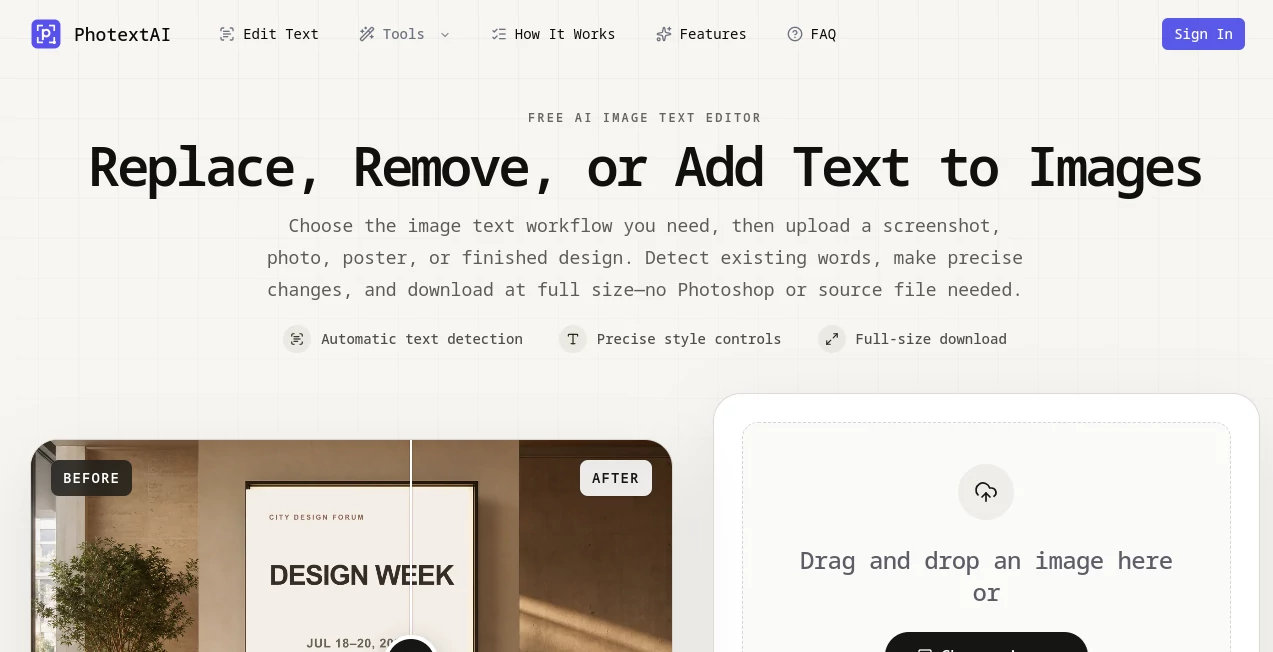
Editing text inside a finished image can be surprisingly frustrating when the original design file is no longer available. A screenshot, poster, product graphic, or social media image may look perfect except for one outdated word, price, date, or typo. PhotextAI is built specifically for those situations, allowing users to detect text within an existing image, replace selected wording, and preserve the surrounding visual composition without needing Photoshop or the original source file.
The process is designed to stay simple. Upload a JPG, PNG, or WebP image, let the system identify the text, select the wording that needs to change, and make the replacement directly in the browser. The service can handle images up to 10MB and lets users export the finished image at the same pixel dimensions as the original.
Key Features
- Automatic text detection turns recognized words into selectable editing regions.
- Click-to-edit functionality makes replacing detected text straightforward.
- Manual text selection helps when automatic detection misses a word or small area.
- Background cleanup removes the original lettering before the replacement is added.
- Font, size, weight, color, spacing, opacity, alignment, position, and rotation can be adjusted.
- Original and edited versions can be compared during the editing process.
- Undo and redo controls make experimentation safer.
- Full-size export keeps the source image dimensions rather than producing a reduced preview.
User Interface
The interface focuses on the image rather than surrounding the editing process with unnecessary complexity. Users can drag and drop an image or choose a file from their device, then work with detected text regions directly on the image. This approach feels particularly useful for quick corrections because there is no need to learn a complicated timeline, layer system, or professional design workspace.
The editing controls provide enough flexibility for more precise work. If a replacement does not immediately fit, users can modify its position, size, color, spacing, or rotation until it sits more naturally within the original design.
Accuracy & Performance
Automatic text detection provides a useful starting point by identifying words and converting them into editable regions. This can save considerable time on ordinary screenshots, posters, product graphics, and other images containing recognizable text.
No text-recognition system will identify every piece of lettering perfectly, especially when text is tiny, unusually styled, low-contrast, or visually complicated. That is why the manual selection option is important. When automatic detection misses something, users can define the area themselves and continue editing instead of abandoning the image.
Capabilities
The main strength of the service is its narrow focus. Rather than trying to become a complete image-design suite, it concentrates on one common problem: changing words inside an already finished image.
For example, a business could update a price on an old product graphic, correct a typo in a screenshot, change a date on a promotional poster, or replace a headline for another language. The surrounding visual design can remain intact, reducing the need to recreate the asset from scratch.
The style controls are also useful when replacement text differs in length from the original. Users can resize the wording, adjust spacing, reposition it, or rotate it to better match the original composition.
Security & Privacy
The website presents image editing as a browser-based workflow and allows users to begin without creating an account. It is still sensible to avoid uploading confidential documents, private photographs, or sensitive business material unless the site's current privacy terms provide the assurances required for that type of content.
For everyday design corrections and non-sensitive graphics, the ability to work directly in the browser makes the process convenient and avoids the need to install desktop editing software.
Use Cases
Fixing screenshots: Correct a typo, update interface wording, or replace an outdated label before using a screenshot in documentation or a presentation.
Product graphics: Update prices, product names, sizes, promotions, or labels while keeping the established visual design.
Posters and flyers: Change dates, locations, contact details, or other information when the original design file is unavailable.
Social media graphics: Replace headlines, calls to action, or captions and adjust the replacement when translated wording takes up a different amount of space.
Menus and notices: Refresh prices, opening hours, item names, announcements, or promotional information without rebuilding the complete image.
Missing source files: Make practical changes to JPG, PNG, or WebP files even when the original PSD, template, or editable project is nowhere to be found.
Pros and Cons
Pros
- Focused specifically on editing text inside existing images.
- Automatic text detection reduces manual work.
- Manual selection provides a fallback for missed text.
- Useful style controls for matching replacement text to the design.
- Supports JPG, PNG, and WebP files up to 10MB.
- Works online without requiring Photoshop or another desktop editor.
- Exports images at their original pixel dimensions.
- Can be used without an account to start editing.
Cons
- It is specialized for text replacement rather than comprehensive graphic design.
- Automatic detection may require manual intervention with unusual or difficult-to-read text.
- Users needing advanced layer-based editing may still prefer a traditional professional design application.
Pricing Plans
The service is presented as a free online image text editor, allowing users to upload an image and begin editing without an account. The website does not prominently present a conventional paid subscription structure on its main editing experience. Users who need occasional corrections can therefore try the workflow without committing to a traditional design-software subscription.
Because pricing and usage policies can change, users with higher-volume requirements should check the current service terms before relying on it for a large production workflow.
How to Use the Tool
Using the editor takes only a few basic steps:
- Upload a JPG, PNG, or WebP image up to 10MB.
- Allow the system to analyze the image and identify text regions.
- Click the text you want to replace.
- Enter the new wording.
- Adjust the font, size, weight, color, spacing, alignment, position, or rotation when necessary.
- If a piece of text was not detected, manually draw a selection around it and create a replacement region.
- Compare the result with the original and use undo or redo if needed.
- Download the completed image at its source dimensions.
Comparison with Similar Tools
Traditional image editors offer far more control over layers, effects, masks, and overall composition, but that flexibility can be unnecessary when the only requirement is changing a few words. Online design platforms can also recreate a graphic, although rebuilding an existing image may take considerably longer.
This editor takes a different approach by concentrating on text replacement inside finished images. That makes it particularly attractive for quick corrections where the surrounding design is already acceptable and recreating the entire asset would simply add extra work.
Conclusion
Changing text in an image should not always require access to the original design project. This focused editor makes that specific task much easier by combining automatic text detection, direct replacement, manual selection, background cleanup, and detailed styling controls in one browser-based workflow.
For marketers updating product graphics, designers fixing small mistakes, teams maintaining documentation, or anyone working with an old image whose source file has disappeared, it offers a practical shortcut. It is not intended to replace a complete professional image editor, and that is arguably part of its appeal: when the job is simply to change the words while keeping the image intact, a specialized tool can be much faster.
Frequently Asked Questions (FAQ)
Can I edit text that is already inside an image?
Yes. The editor is designed to detect existing text in finished images and let you replace selected wording while keeping the surrounding image intact.
Which image formats are supported?
JPG, PNG, and WebP images are supported, with a maximum upload size of 10MB.
What happens if the text is not detected automatically?
You can manually draw a box around the missed text, clear the original lettering, and create a replacement text region.
Can I change the appearance of replacement text?
Yes. You can adjust characteristics such as font, size, weight, color, spacing, opacity, alignment, position, and rotation.
Can I compare the edited image with the original?
Yes. The editing workflow includes comparison functionality so you can review changes before exporting the final image.
Will the exported image be smaller than the original?
The service states that completed images can be downloaded at the same pixel dimensions as the source image rather than being limited to a smaller preview.
Do I need Photoshop to use the editor?
No. The editing process takes place online, making it useful when Photoshop or the original editable design file is unavailable.
Do I need an account to start?
The website allows users to begin editing without an account, making it convenient for quick, one-off image corrections.