


















FlashSlides
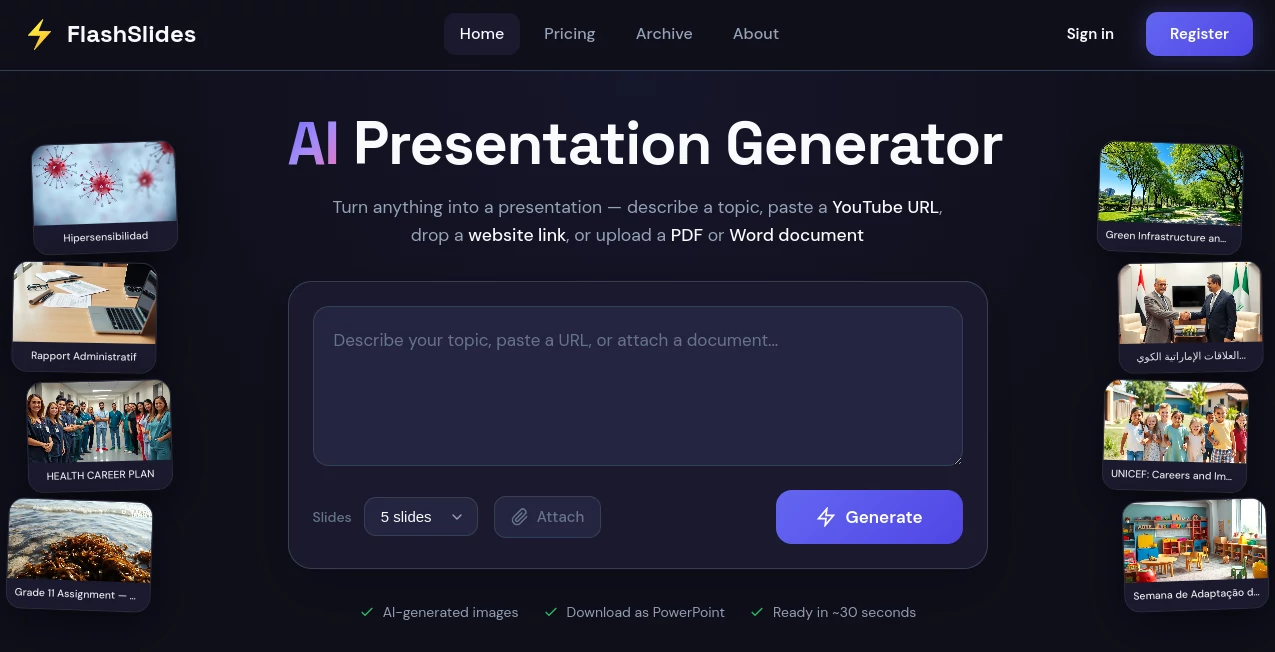
What is FlashSlides?
Creating presentations has always been one of those tasks that looks simple at first, but quickly becomes time-consuming when you actually start. Designing slides, organizing content, choosing layouts, and keeping everything visually consistent can take hours. This platform is built to remove that friction completely.
Instead of starting from a blank slide, users can focus on their ideas while the system handles structure, design, and flow. It feels like having a smart design assistant that understands how a good presentation should look and behave. The result is a faster, smoother way to turn raw thoughts into polished slides ready for meetings, pitches, or educational content.
Key Features
User Interface
The interface is clean and distraction-free, designed for speed rather than complexity. Even first-time users can navigate it without tutorials. Everything is placed where you expect it, which makes building slides feel natural rather than technical.
Accuracy & Performance
The system is optimized to generate structured presentations that follow logical storytelling patterns. Instead of random slide generation, it focuses on clarity, flow, and readability. Performance remains smooth even when working with longer content inputs.
Capabilities
- Automatically converts ideas into structured slide decks
- Suggests layouts based on content type
- Generates professional-looking presentations in minutes
- Supports business, education, and creative use cases
- Helps refine messaging for clearer communication
Security & Privacy
User content is handled with a privacy-first mindset. Uploaded or generated materials are not exposed publicly, ensuring that sensitive business or academic information remains protected during the creation process.
Use Cases
- Business pitches and investor presentations
- Academic lectures and classroom materials
- Marketing and sales proposals
- Product demos and startup storytelling
- Internal team reports and updates
Pros and Cons
Pros
- Saves significant time in presentation design
- Produces clean and professional slide layouts
- Easy to use for non-designers
- Improves content structure automatically
Cons
- Limited advanced design customization for experts
- Depends on input quality for best results
- May require minor manual edits for branding consistency
Pricing Plans
The platform typically follows a flexible model, offering free access for basic usage and premium tiers for advanced features such as higher customization, export options, and extended generation limits. This makes it accessible for individuals while still scalable for teams and businesses.
How to Use This Tool
Getting started is straightforward. Users begin by entering a topic, idea, or rough outline. The system then transforms that input into a structured presentation draft. From there, users can refine sections, adjust tone, and regenerate slides if needed. Once satisfied, the final presentation can be exported or shared directly.
The experience feels more like guiding an assistant rather than building slides manually, which significantly reduces production time.
Comparison with Similar Tools
Compared to traditional presentation software, this solution removes the need for manual formatting and design alignment. While classic tools require users to build everything from scratch, this platform focuses on automation and structure generation.
Unlike basic template-based tools, it adapts to content context, meaning each presentation feels more personalized rather than copied from a static design library.
Conclusion
For anyone who regularly builds presentations, this tool offers a refreshing shift in workflow. It reduces repetitive design work and allows users to focus on storytelling instead of formatting. Whether you're preparing a business pitch or a classroom lecture, it streamlines the entire process into something much faster and more intuitive.
Frequently Asked Questions (FAQ)
Is this platform suitable for beginners?
Yes, it is designed so that even users with no design experience can create professional presentations quickly.
Can I edit the generated slides?
Yes, users can adjust, refine, and customize slides after they are generated.
Does it support business presentations?
Absolutely. It is widely used for pitch decks, reports, and corporate communication.
Do I need design skills?
No design skills are required. The system handles layout and structure automatically.
Can it be used for education?
Yes, it works very well for lectures, study materials, and academic presentations.
AI Content Generator , AI Productivity Tools , AI Design Generator , AI Presentation Generator .
These classifications represent its core capabilities and areas of application. For related tools, explore the linked categories above.

FlashSlides Alternatives Product

z image

Claude and C…

Image By Qwen

Image Text E…

The CAD Hub

Trimless for…

GPT Image 2 …

Enji

AI Podcast I…
