
FlexAI
What is FlexAI?
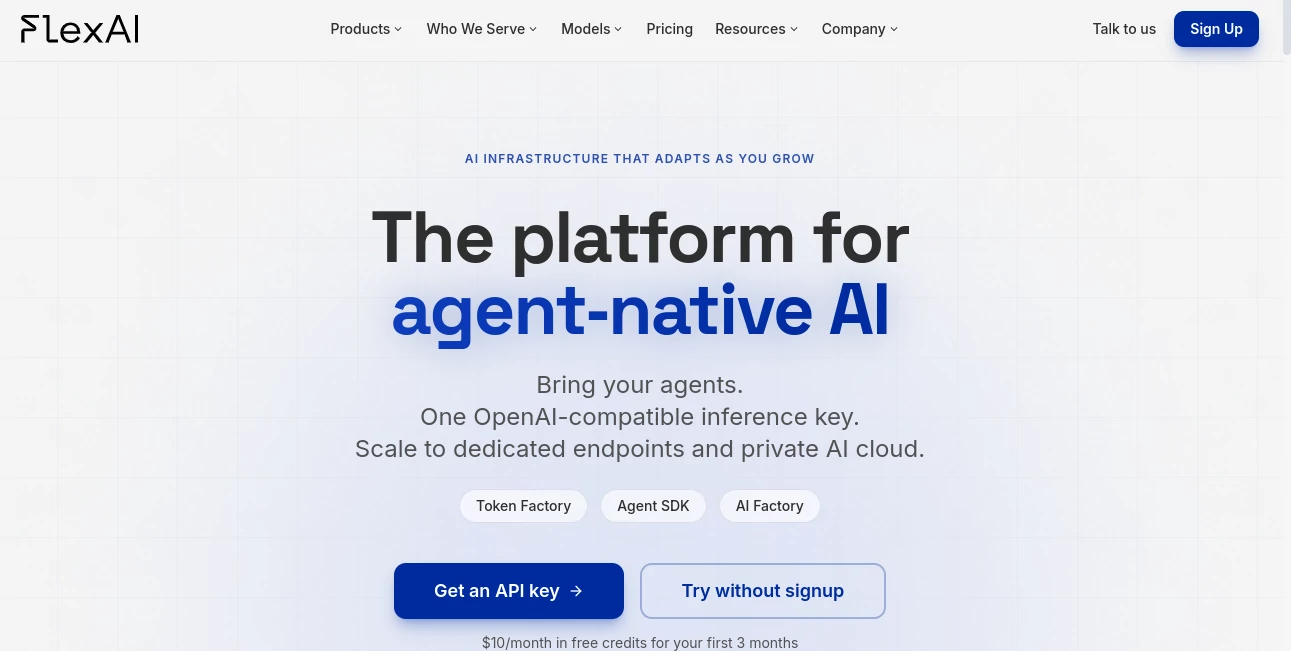
FlexAI is an AI infrastructure platform designed for developers, startups, and enterprise teams that need a practical way to run modern AI models without building and maintaining complex GPU infrastructure themselves. The platform brings inference, agent workloads, fine-tuning, dedicated GPU capacity, and private AI cloud deployment into a single environment.
One of its strongest advantages is the ability to work with open-weight models through an OpenAI-compatible API. This makes it easier for developers to experiment with different models without rebuilding their applications around a new ecosystem. The platform currently provides access to more than 20 models spanning text, vision, image, audio, reasoning, coding, and other workloads.
It is particularly interesting for teams moving beyond simple API calls. Developers can start with serverless inference, then move toward dedicated endpoints or private infrastructure as their workloads become more demanding. That progression can save considerable engineering effort compared with managing GPU environments independently.
Key Features
- OpenAI-compatible API for integrating models into existing applications.
- Access to more than 20 open-weight models across text, vision, coding, reasoning, image, and audio workloads.
- Agent-oriented infrastructure with tool calling, streaming, structured outputs, approvals, and audit capabilities.
- Serverless inference for applications that need flexible compute without managing GPUs directly.
- Dedicated endpoints for teams that require reserved GPU capacity and more predictable infrastructure.
- Fine-tuning capabilities for adapting models to specific applications and workloads.
- Private AI cloud deployment options including VPC, on-premises, and air-gapped environments.
- Support for both NVIDIA and AMD infrastructure.
User Interface
The platform is designed with developers in mind, offering several ways to interact with the infrastructure. Users can work through a web interface, command-line tools, or APIs depending on the workflow. The browser-based playground is particularly useful for testing models before committing to an integration.
The interface also makes model experimentation less intimidating. Instead of configuring an entire GPU environment just to test an inference workload, developers can try available models directly and then move the successful experiment into an application.
Accuracy & Performance
Performance naturally depends on the model, workload, and infrastructure selected, but the platform is built around low-latency inference and scalable AI workloads. Its model catalog includes optimized options for coding, reasoning, text generation, embeddings, speech recognition, text-to-speech, image generation, and other applications.
The infrastructure is also designed to handle changing workloads. Autoscaling and managed compute can be valuable when traffic is unpredictable, while dedicated endpoints provide a path toward more consistent capacity for production applications.
The company reports an uptime SLA of up to 99.9% for supported infrastructure. Its production examples also highlight workloads where autoscaling helped absorb changing traffic without requiring teams to manually manage capacity.
Capabilities
The platform goes well beyond basic text generation. Developers can build applications around reasoning models, coding models, multimodal systems, embeddings, speech-to-text, text-to-speech, image generation, and video generation.
Agent development is another important part of the platform. Teams can bring their own tools, skills, scoped memory, evaluations, and approval workflows while keeping the underlying model flexible. This approach is useful for companies that do not want an application tightly coupled to a single model provider.
For example, a developer could begin with a serverless language model for an AI assistant, add tool calling and structured responses, and later move the workload to dedicated GPUs when usage increases. The same general infrastructure path can continue toward private deployment for organizations with stricter operational requirements.
Security & Privacy
Security becomes especially important when AI applications move from experimentation into production. The platform provides enterprise-oriented deployment options, including private AI environments, VPC deployments, on-premises infrastructure, and air-gapped setups.
The company also lists SOC 2 Type II and GDPR compliance among its platform credentials. Governance and audit trails are incorporated into its agent-oriented approach, giving teams more control over how AI agents interact with tools, permissions, and workflows.
Use Cases
There are several situations where this infrastructure can be particularly useful.
- AI applications: Developers can add model inference to SaaS products, internal applications, and customer-facing tools through an OpenAI-compatible API.
- AI agents: Teams can create agents that use tools, structured outputs, approvals, and controlled access to company resources.
- RAG applications: Developers can combine language models with embeddings and document retrieval to create question-answering systems based on private information.
- Voice applications: Speech-to-text and text-to-speech models can support assistants, transcription services, and voice interfaces.
- Image generation: Creative applications can connect to image-generation models without operating their own GPU infrastructure.
- Model experimentation: Developers can compare open models before deciding which one fits their application.
- Production AI: Growing teams can move from serverless infrastructure toward dedicated GPUs as their workloads become more predictable.
- Enterprise deployment: Organizations with stricter infrastructure requirements can explore private cloud, VPC, on-premises, or air-gapped deployment.
Pros and Cons
Pros
- One OpenAI-compatible API can simplify model integration.
- Large selection of open-weight models across multiple AI capabilities.
- Useful progression from experimentation to dedicated and private infrastructure.
- Strong focus on AI agents and production workloads.
- Supports NVIDIA and AMD infrastructure.
- Browser-based model testing is available without requiring an account for the initial demo.
- Useful options for startups as well as larger organizations.
Cons
- The platform is primarily aimed at developers and technical teams rather than casual users.
- Understanding inference, APIs, models, and GPU infrastructure is helpful for getting the most from the service.
- Costs can vary considerably depending on the selected model and workload.
- Some advanced deployment options are more relevant to organizations with dedicated technical resources.
Pricing Plans
The pricing model is based largely on usage rather than a simple fixed monthly subscription. Serverless models are priced according to the type of workload, including per-token pricing for text models and usage-based pricing for media models such as images, audio, speech, and video.
Dedicated endpoints use GPU-hour pricing, while private AI cloud deployments are priced according to the deployment requirements. The platform also offers free credits for new users, currently providing $10 per month in free credits for the first three months, with a card required when creating an API key.
This approach can be attractive for developers who want to start small and only increase infrastructure spending when their application actually needs more capacity. Teams should still check the current rate tables before estimating the cost of a production workload because model pricing can change.
How to Use the Platform
Getting started is straightforward for developers who are already familiar with APIs and AI models.
- Create an account and obtain an API key when you are ready to build.
- Explore the available models and select one that matches the application's requirements.
- Use the browser playground to test model behavior before integrating it into your project.
- Connect the application through the OpenAI-compatible API.
- Experiment with inference parameters, structured outputs, streaming, or tool calling as required.
- Move to dedicated endpoints when the application requires more predictable compute capacity.
- Consider private deployment options when security, compliance, or infrastructure control becomes a priority.
The documentation also provides practical blueprints for real applications. For example, developers can build retrieval-augmented generation applications using language models and embedding models, or deploy text-to-speech systems using supported inference endpoints.
Comparison with Similar Tools
Many AI infrastructure services concentrate primarily on providing model APIs, while others focus on raw GPU capacity. This platform attempts to sit between those two layers by combining model access with a broader infrastructure path.
Compared with a traditional cloud setup, the main advantage is reducing the amount of infrastructure work required to get an AI workload running. Compared with a basic model API, the advantage is the ability to progress toward dedicated GPUs, fine-tuning, agent infrastructure, and private cloud deployment without completely changing the architecture.
For a developer who simply needs one model for a small experiment, a conventional API may be enough. For a team building an AI product that may eventually require multiple models, agent workflows, dedicated capacity, or private infrastructure, the broader approach can be much more appealing.
Conclusion
FlexAI takes a practical approach to one of the less glamorous but increasingly important parts of artificial intelligence: the infrastructure behind the application. Instead of forcing teams to choose between a simple model API and a complicated GPU environment, it provides a path that can grow with the project.
The combination of open models, an OpenAI-compatible API, agent capabilities, serverless inference, dedicated endpoints, and private deployment makes the platform worth considering for developers building serious AI applications. It is not aimed at replacing every AI tool in a developer's stack, but it can remove a significant amount of infrastructure friction when models need to move from an experiment into production.
Frequently Asked Questions (FAQ)
What is FlexAI used for?
It is used to run AI models and build production AI applications, including agent systems, text applications, voice solutions, image-generation applications, and other model-powered services.
Does it support open-source AI models?
Yes. The platform provides access to a growing catalog of open-weight models covering text, reasoning, coding, vision, audio, image generation, and other capabilities.
Can developers use an OpenAI-compatible API?
Yes. Existing applications that use the OpenAI SDK can connect through an OpenAI-compatible endpoint, which can make migration and experimentation with different models considerably easier.
Can I test models without creating an account?
Yes. The website provides an ungated browser-based playground where users can try supported models before creating an account.
Does it offer free credits?
New users can receive $10 per month in free credits for the first three months. A card is required when creating an API key.
Does it support AI agents?
Yes. Agent-oriented features include tool calling, streaming, structured outputs, approvals, scoped capabilities, and audit-oriented workflows.
Can I deploy AI models privately?
Yes. Private deployment options include VPC, on-premises, and air-gapped environments, making the platform suitable for organizations with more demanding infrastructure and governance requirements.
Is it suitable for production applications?
Yes. Dedicated endpoints, managed infrastructure, autoscaling, and an advertised uptime SLA of up to 99.9% make it suitable for teams that need to take AI workloads beyond experimentation.
What models can I run?
The available catalog includes models from families such as Qwen, Mistral, DeepSeek, Llama, Gemma, GLM, Nemotron, and GPT-OSS, alongside models for embeddings, speech, image generation, video generation, and related workloads.
AI API Design , Large Language Models (LLMs) , AI Developer Tools , AI DevOps Assistant .
These classifications represent its core capabilities and areas of application. For related tools, explore the linked categories above.

FlexAI Alternatives Product

tanship

Prava Ai

AI Workflow …

Standard Com…

DeepSeek V4

Prelight

Agent Grid

CodeProt

You.bot