
Floatboat
What is Floatboat?
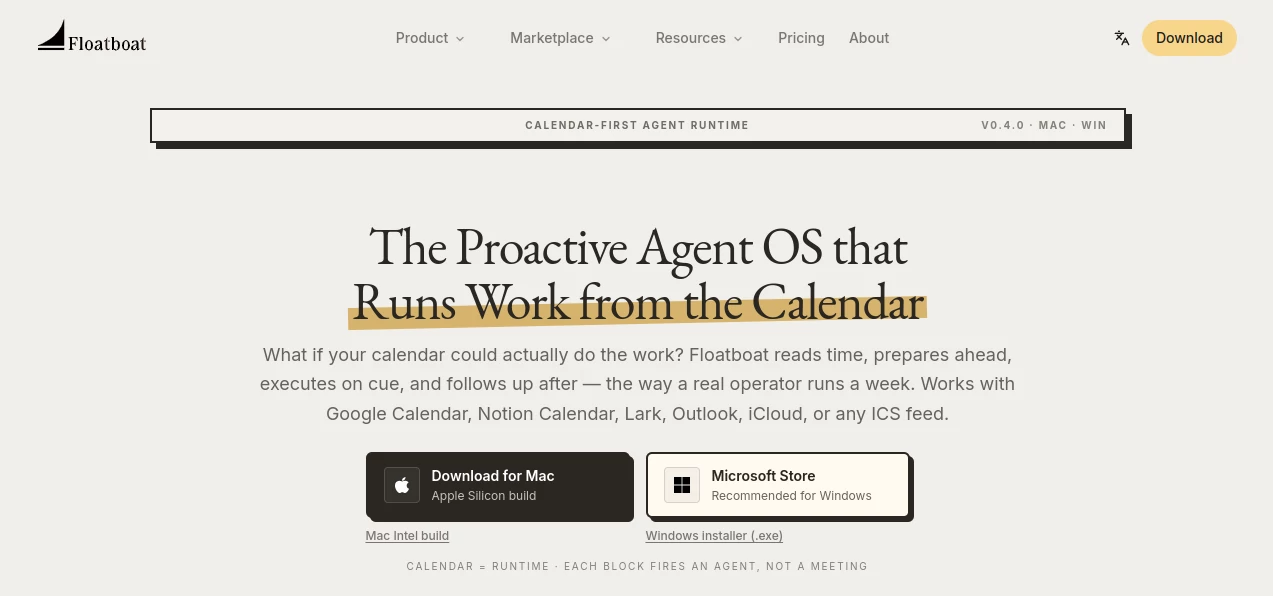
Most AI assistants wait for you to open a chat, type a prompt, and explain what needs to happen next. This desktop workspace takes a different approach: your calendar becomes the trigger for AI-powered work. Instead of treating meetings, deadlines, and routines as simple reminders, it can use them as signals to prepare documents, organize information, create drafts, and handle follow-up tasks at the right moment.
The result is a more practical way to bring AI into a busy working day. A meeting on the calendar can trigger preparation before the call. A deadline can start a drafting workflow ahead of time. After an event, another action can handle follow-up. The idea is simple, but it changes how an AI assistant fits into everyday work.
The desktop application is available for Mac and Windows and connects with major calendar services including Google Calendar, Notion Calendar, Lark, Outlook, iCloud, and standard ICS feeds. It is particularly interesting for solopreneurs, creators, small business owners, and compact teams that want AI to take care of more of the operational work behind their schedule.
Key Features
- Calendar-driven AI agents that use scheduled events as workflow triggers
- Persistent Agent Workspaces with files, decisions, run history, and model selection
- Support for Google Calendar, Notion Calendar, Lark, Outlook, iCloud, and ICS feeds
- More than 3,500 connected tools, applications, files, and APIs
- Access to multiple leading AI models from a single desktop workspace
- Automatic model routing through Auto Mode
- Automatic fallback when a model provider becomes unavailable or rate-limited
- Reusable Combo Skills for common professional workflows
- Workflow Store for ready-to-run automations
- Local desktop file access and browser-based execution
- AI-generated text, images, video, and audio workflows
- Multi-agent collaboration through FloatIM
User Interface
The interface is designed around the idea of a working environment rather than a traditional AI chat window. Files, browser context, agents, and reusable skills can live together, allowing users to move between different parts of a task without repeatedly uploading the same material or explaining the surrounding context.
Each calendar event can have its own Agent Workspace. This gives the user a place to review previous runs, inspect files and decisions, adjust instructions, change the selected model, or rerun an individual step. For people who manage many projects at once, this event-based organization can feel much cleaner than keeping dozens of unrelated conversations in a chat history.
Accuracy & Performance
Performance depends partly on the model selected for a particular task, but the platform removes much of the manual model selection process through Auto Mode. Different steps of a workflow can be routed to different models depending on the type of work required. Less demanding tasks can use lighter models, while more complex reasoning can be assigned to stronger frontier models.
The built-in fallback mechanism is another practical touch. If a provider is rate-limited, the system can switch to another available model rather than simply allowing the entire workflow to stop. This is especially useful for scheduled tasks where the user may not be watching the process when it runs.
Of course, AI-generated work still deserves human review, particularly when a workflow involves business decisions, sensitive documents, or external communication. The advantage here is that the system is designed to keep the user involved rather than treating automation as a completely invisible process.
Capabilities
The platform goes well beyond basic question-and-answer interactions. It can work with local files, connected applications, browser context, and external services. Its integration layer includes tools such as Notion, Slack, GitHub, Linear, Google Drive, Gmail, and Figma, along with local Word, PDF, and PowerPoint files.
Reusable Combo Skills add another layer of flexibility. A successful process can become a repeatable skill instead of something that has to be reconstructed every time. Examples include turning voice notes into presentations, converting sales-call information into follow-up emails, or transforming development tickets into draft pull requests.
There is also a Workflow Store for users who prefer ready-made automations rather than designing every process themselves. Together, these features make the platform suitable for recurring operational work as well as one-off projects.
Security & Privacy
Security is an important consideration for any AI system that can interact with calendars, files, applications, and business workflows. The platform states that it uses permission scopes for connected activity and is built around native MCP and IACT protocols. Its desktop-first approach also supports local interaction with files rather than requiring everything to be uploaded manually.
The company describes the workspace as local-first in several parts of its product experience, particularly around agent collaboration. Users should still review the current privacy policy and permissions before connecting business accounts or confidential files, especially when workflows involve external AI model providers.
Use Cases
Meeting preparation: A scheduled meeting can become the starting point for preparation work. Relevant material can be gathered, a briefing can be created, and supporting documents can be organized before the meeting begins.
Deadline management: Instead of waiting until a deadline arrives, scheduled work can trigger drafting and preparation ahead of time. This is useful for reports, presentations, proposals, and recurring deliverables.
Sales follow-up: Sales teams and independent operators can use reusable skills to turn call information and notes into follow-up messages and related tasks.
Content production: Creators can move from raw notes and research to finished content through reusable workflows. This can reduce the repetitive work involved in turning scattered information into publishable material.
Software development: Developers can connect development tools and use agent workflows for tasks such as working with tickets, files, documentation, and draft code changes.
Solo businesses: A freelancer or one-person company can use the workspace as an operational layer for research, scheduling, document creation, communication, and recurring administrative work.
Small teams: A compact team can share workspaces and use agent-based collaboration to divide tasks without introducing another collection of disconnected AI subscriptions.
Pros and Cons
Pros:
- Uses the calendar as a practical automation trigger
- Combines multiple AI models in one workspace
- Supports a large ecosystem of connected tools
- Offers reusable skills and ready-made workflows
- Works with local files and desktop workflows
- Available for both Mac and Windows
- Useful for recurring work rather than only one-off prompts
- Automatic model routing reduces the need to understand individual model differences
Cons:
- The breadth of features may take some time to learn
- Automated workflows still require human review for important decisions
- Usage is credit-based, so heavy users need to monitor consumption
- The desktop-first approach may not suit users looking exclusively for a lightweight browser chatbot
- Some advanced capabilities depend on integrations and connected services
Pricing Plans
The service can be started for free, with paid subscriptions providing additional credits and benefits. The pricing page currently supports monthly and annual billing, with annual billing advertised as saving 17%.
For users who occasionally need more capacity, one-time booster packs are also available. The current pricing page lists a 3,000-credit booster for $12.99, with booster credits remaining valid for one year. Up to 20 packs can be purchased in a checkout.
Because subscription pricing, credits, and included benefits can change, users should check the current pricing page before purchasing. This is particularly important for people planning high-volume automated workflows.
How to Use the Desktop AI Workspace
Start by installing the desktop application on a supported Mac or Windows computer. After opening the workspace, connect the calendar and other services you actually use. The calendar can then provide the timing and context for scheduled agent activity.
Next, create or install a suitable Combo Skill or workflow for the type of work you want to automate. For example, a recurring meeting could have a preparation workflow, while a deadline could trigger a document-drafting process.
Once a workflow runs, review the resulting files, decisions, and outputs inside its Agent Workspace. You can adjust instructions, change models, or rerun individual steps when necessary. Over time, reusable skills can turn successful processes into repeatable workflows instead of tasks you have to rebuild from scratch.
Comparison with Similar Tools
The biggest difference between this approach and conventional AI chat applications is the trigger. A traditional chatbot generally waits for a person to ask a question. Here, scheduled events can initiate work automatically, which makes it more suitable for recurring operational tasks.
It also sits in an interesting middle ground between an AI assistant and a workflow automation platform. Users who enjoy highly technical automation builders may prefer a dedicated workflow platform for granular control. On the other hand, people who want an AI workspace that can understand files, use connected applications, select models, and execute multi-step work without building every automation from scratch may find this approach considerably more approachable.
Another advantage is the multi-model environment. Instead of maintaining separate workflows around individual AI providers, users can work with several models from the same environment and let automatic routing decide which one is appropriate for a particular step.
Conclusion
The most appealing idea here is not simply having another AI assistant on the desktop. It is turning time itself into an automation layer. When a calendar event can trigger preparation, execution, or follow-up, AI becomes part of the rhythm of work instead of another browser tab waiting for instructions.
The combination of calendar triggers, persistent workspaces, connected applications, multiple AI models, reusable skills, and desktop execution makes this a compelling option for people who manage a large amount of recurring work. It is especially well suited to solopreneurs and small teams that want to accomplish more without building an increasingly complicated collection of separate AI subscriptions.
It is not a replacement for human judgment, and important outputs should still be checked. But for repetitive preparation, research, drafting, organization, and follow-up, the proactive approach can remove a surprising amount of friction from an ordinary workday.
Frequently Asked Questions (FAQ)
What is this AI workspace designed for?
It is designed for proactive, calendar-driven AI work. Instead of waiting for prompts, agents can use scheduled events to prepare, execute, and follow up on tasks.
Which calendars are supported?
Supported calendar sources include Google Calendar, Notion Calendar, Lark, Outlook, iCloud, and ICS feeds.
Does it support multiple AI models?
Yes. The workspace provides access to models from providers including OpenAI, Anthropic, Google, DeepSeek, MiniMax, GLM, and Kimi. Auto Mode can route different steps to appropriate models.
Can it work with existing business applications?
Yes. The platform advertises more than 3,500 integrations and supports services and tools such as Slack, Notion, GitHub, Linear, Google Drive, Gmail, and Figma, as well as local document formats.
Is there a free option?
Yes. The current pricing page states that users can start for free. Paid subscriptions provide additional credits and benefits, while separate credit booster packs are available for extra usage.
Is it available on Windows?
Yes. The desktop application is available for both Mac and Windows.
AI Productivity Tools , AI Team Collaboration , AI Workflow Management , AI Scheduling , AI Developer Tools .
These classifications represent its core capabilities and areas of application. For related tools, explore the linked categories above.
Floatboat details
Website unavailable — View Alternatives
Pricing
- Free
Apps
- Web App
- Windows App
- Mac App
Categories

Floatboat Alternatives Product

TrySchedule

WhatsMyName …

Read

Productivity…

Magpie

cznull

Sourcetable

Weblo AI

Nimbalyst