
FluentDB
What is FluentDB?
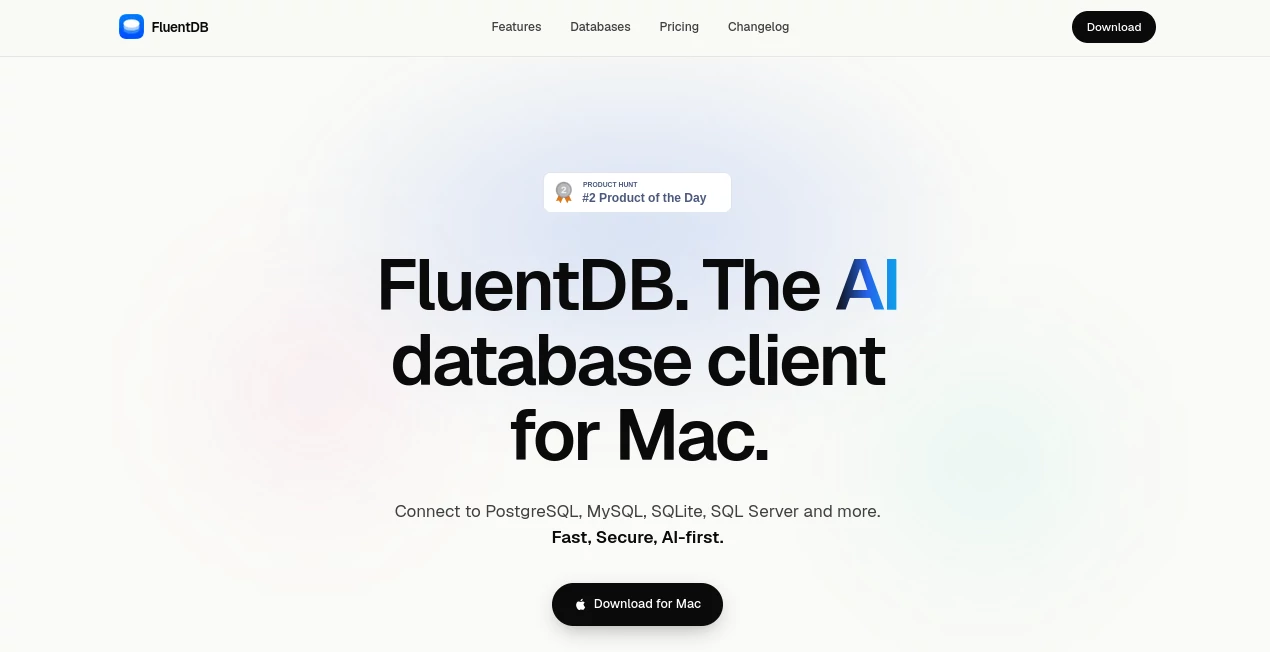
Working with databases often means jumping between query editors, schema browsers, result tables, documentation, and a growing collection of shortcuts. FluentDB takes a different approach by putting AI assistance directly inside a native macOS database client, giving developers a more direct way to explore databases, write SQL, and work with schemas.
Built specifically for Mac, the application supports PostgreSQL, MySQL, SQLite, and SQL Server, with additional database support planned. Its AI-first approach is particularly useful for developers who want to describe what they need in plain language instead of starting every task from a blank SQL editor.
What makes the approach especially interesting is the attention given to privacy. By default, AI models can work with the database schema without automatically receiving the underlying data. AI-generated SQL also requires approval before it is executed. For developers working with production systems or sensitive datasets, that extra layer of control can make AI-assisted database work feel considerably more comfortable.
Key Features
- Native macOS database client built with Swift
- Support for PostgreSQL, MySQL, SQLite, and SQL Server
- AI-assisted SQL generation using natural language
- Schema-aware AI assistance
- Integration with OpenAI and Anthropic models
- Support for Claude Code and Codex subscriptions
- Local AI model support through Ollama
- User approval required for AI-generated SQL queries
- Database schema exploration and management
- SQL editing with syntax highlighting and formatting tools
- Designed for speed and low-friction database workflows
- Privacy-focused architecture that keeps data under the user's control
User Interface
The interface is designed around the way developers actually work with databases: connect, inspect, query, review results, and move on. Instead of surrounding the database with unnecessary complexity, the application aims for a clean native Mac experience with keyboard-friendly workflows and a focused layout.
The native approach is one of its more appealing qualities. According to the maker, the application was built in Swift rather than wrapped in a cross-platform framework, with speed and efficient resource usage being important design goals. That matters when a database client is open for hours every day and constantly handling tables, queries, and large result sets.
Accuracy & Performance
AI-generated SQL can save substantial time, but database queries are not something developers should execute blindly. This tool takes a sensible middle ground: AI can help create the query, while the user remains responsible for reviewing and approving it before execution.
The application is also designed to understand database schemas, giving the AI useful structural context when helping with queries. This can be particularly helpful when a database contains numerous tables or relationships that are difficult to remember.
Performance is another important part of the product's positioning. The native macOS architecture is intended to provide a responsive experience, while the developer has emphasized a lightweight design suitable for everyday database work.
Capabilities
The AI capabilities are useful for more than simply generating SELECT statements. A developer can use natural language to explain the result they want, receive a corresponding SQL query, inspect the generated statement, and decide whether it should run.
Schema-aware assistance can also make unfamiliar databases easier to understand. For example, someone joining an existing project could use the database structure as context while exploring relationships between tables rather than manually opening documentation for every question.
Another advantage is flexibility in choosing the AI provider. Users can bring their own API keys for supported providers, use compatible subscriptions such as Claude Code or Codex, or connect local models through Ollama. This gives experienced developers more control over how their AI workflow is configured.
Security & Privacy
Privacy is one of the strongest aspects of this database client. AI models do not automatically receive the contents of the database. By default, they can work with the schema instead, while sending actual data requires explicit user approval.
The approval step for generated SQL is equally important. An AI assistant can make a mistake, misunderstand a request, or produce a query that has broader consequences than expected. Requiring the user to review generated SQL before execution keeps an experienced developer in the loop rather than handing database operations entirely to an automated system.
For teams dealing with private customer information, internal records, or development databases containing sensitive material, this privacy-first design is a meaningful advantage. Local model support through Ollama adds another option for users who prefer keeping AI processing closer to their own machine.
Use Cases
- SQL generation: Turn plain-language requests into SQL queries and review them before execution.
- Database exploration: Understand unfamiliar schemas and discover relationships between tables.
- Backend development: Quickly inspect application databases while building and debugging software.
- Data analysis: Explore datasets and construct queries without repeatedly writing SQL from scratch.
- PostgreSQL development: Work with PostgreSQL through a dedicated native Mac environment.
- Multi-database workflows: Connect to PostgreSQL, MySQL, SQLite, and SQL Server from the same client.
- Learning SQL: Use AI-generated queries as a starting point while still reviewing the actual SQL.
- Privacy-sensitive projects: Use schema-aware AI assistance without automatically exposing database contents to an AI provider.
Pros and Cons
Pros
- Native macOS experience built specifically for Mac users
- AI is integrated into the database workflow rather than treated as a separate chatbot
- Supports several widely used database systems
- Strong privacy controls around AI access to database data
- AI-generated SQL requires user approval before execution
- Supports both cloud AI providers and local models through Ollama
- Useful for developers, database administrators, and data-focused teams
Cons
- Currently focused on macOS rather than Windows or Linux
- The product is relatively new, so its feature set is still developing
- Exact paid license pricing is not clearly published in the publicly available product information
- Users looking for a long-established database client may find more mature advanced features elsewhere
Pricing Plans
The product is available with a free option or trial, making it possible to evaluate the workflow before committing to a license. Public product information also indicates that paid licenses are available, and a launch promotion offered a discount on licenses.
Exact license prices and the complete structure of the paid plans are not consistently published in the available public information, so checking the current offer before purchasing is recommended. The flexible AI model setup can also affect the overall cost because users may choose their own API keys, supported subscriptions, or local models depending on their preferred workflow.
How to Use It
- Install the application on a compatible Mac.
- Connect to a supported PostgreSQL, MySQL, SQLite, or SQL Server database.
- Explore the database structure and available tables.
- Configure an AI provider using a supported API key, compatible subscription, or local Ollama model.
- Describe the query or database task you want to accomplish.
- Review the SQL generated by the AI assistant.
- Approve the query when you are satisfied with its scope and logic.
- Run the query and inspect the returned results.
Comparison with Similar Tools
Traditional database clients such as TablePlus and DBeaver are already well established and offer broad database management capabilities. Their strength is maturity and extensive tooling, while this newer approach puts AI assistance much closer to the center of the workflow.
The distinction becomes more noticeable when writing queries. Instead of treating AI as an external assistant that requires copying schema information into another application, the AI features are integrated into the database environment and can use schema context directly.
Privacy is another point of differentiation. The ability to work with schema information without automatically sending database contents, combined with approval before AI-generated SQL is executed, gives developers more control over AI-assisted operations.
For someone who needs a highly established, cross-platform database management suite, a mature alternative may still be preferable. For a Mac developer who wants a modern database client with AI built into the workflow from the beginning, this approach is considerably more compelling.
Conclusion
Database tools do not need to become complicated simply because AI has entered the picture. This product makes a convincing case for a cleaner approach: keep the familiar database workflow, add useful AI assistance, and retain human control over what actually reaches the database.
The combination of native macOS performance, support for several popular database systems, flexible AI providers, local model compatibility, and privacy-conscious defaults makes it particularly interesting for developers who spend a significant part of their day working with SQL.
Its biggest limitation is also straightforward: it is currently a Mac-focused and relatively young product. Still, for developers already working on macOS, the combination of AI-assisted SQL and careful execution controls makes it worth trying, especially for everyday database exploration and query development.
Frequently Asked Questions (FAQ)
What is this tool used for?
It is an AI-powered database client for macOS that helps developers connect to databases, explore schemas, write SQL, and use AI assistance during database workflows.
Which databases are supported?
It currently supports PostgreSQL, MySQL, SQLite, and SQL Server, with additional database support planned.
Does the AI see my database data?
Not by default. The privacy-focused design allows AI models to work with schema information without automatically exposing the underlying database data. Sending actual data requires explicit user approval.
Can I use my own AI API key?
Yes. The application supports AI providers including OpenAI and Anthropic through user-provided API keys. It also supports compatible Claude Code and Codex subscriptions.
Can I use a local AI model?
Yes. Local AI models can be connected through Ollama, providing an option for users who prefer local processing.
Does it execute AI-generated SQL automatically?
No. AI-generated SQL requires user approval before execution, giving developers an opportunity to inspect the query and confirm that it performs the intended operation.
Is it available for Windows or Linux?
The current product is designed for macOS. Cross-platform availability is not currently part of the released product, although additional platform support may be considered as development continues.
Is there a free option?
Yes. Public product information indicates that a free option or trial is available. Current license details should be checked before making a purchase because pricing and offers can change.
AI SQL Query Builder , AI Productivity Tools , AI Developer Tools .
These classifications represent its core capabilities and areas of application. For related tools, explore the linked categories above.
FluentDB details
Website unavailable — View Alternatives
Pricing
- Free
Apps
- Web App
- Mac App
Categories

FluentDB Alternatives Product

Duct Tape AI…

Prelight

GPT Image 2 …

Simple Dev T…

NetlifyAPP

Sendmux

Project Mela

AI Business …

HostFinder