
Fly.io
What is Fly.io?
Fly.io is a modern cloud platform built for developers who want to run applications, services, and AI-powered workloads closer to the people and systems that use them. Instead of forcing every project into a traditional centralized cloud setup, it provides lightweight compute, networking, storage, databases, and deployment tools that can be placed across a worldwide network of regions.
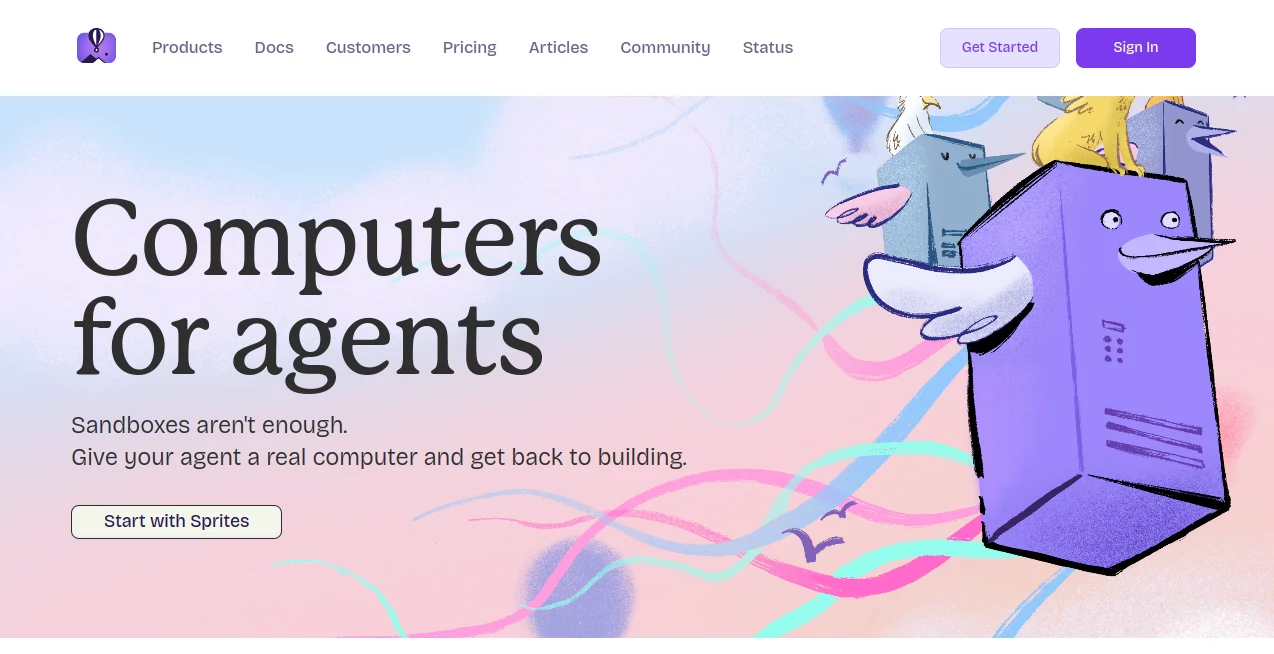
What makes the platform particularly interesting for today's developers is its focus on giving applications a real computing environment rather than treating every workload as a simple function or container. This approach works well for web applications, APIs, background workers, databases, developer tools, and increasingly for AI agents that need persistent environments and access to external services.
For a developer building an AI product, this can be especially useful. An agent may need its own Linux environment, temporary files, persistent state, network access, and the ability to run code. The platform is designed around these kinds of workloads while still supporting conventional production applications.
Key Features
- Lightweight virtual machines for running applications and services.
- Global deployment across more than 18 regions.
- Private networking between applications and machines.
- Automatic scaling capabilities for changing workloads.
- Zero-downtime deployment options.
- Managed PostgreSQL for database-backed applications.
- Persistent volumes for applications that need local storage.
- Built-in monitoring and health checks.
- Anycast networking for globally distributed applications.
- Support for multiple popular programming languages and frameworks.
- Dedicated environments for AI agents and development workloads.
- Connectors for services and APIs without distributing credentials directly to individual environments.
User Interface
The experience is primarily designed around developers rather than non-technical website owners. The dashboard provides visibility into applications, machines, organizations, billing, networking, and infrastructure, while the command-line workflow makes it possible to create and deploy applications with a relatively small number of commands.
The developer documentation is another important part of the experience. Guides are available for technologies such as Docker, Django, Laravel, Rails, Phoenix, Go, Rust, and JavaScript, making the platform easier to approach when a project already has an established technology stack.
For experienced developers, the command-line workflow can feel refreshingly direct. You can move from a local project to a running cloud application without having to navigate through a long sequence of infrastructure configuration screens.
Accuracy & Performance
Performance is one of the strongest reasons to consider a geographically distributed cloud platform. Applications can be deployed in regions closer to their users, which can help reduce network latency for globally distributed products.
The infrastructure is also designed around fast machine startup and deployment workflows. The platform currently highlights typical deployment times around 500 milliseconds and machine boot times below one second, although real-world performance will naturally depend on the application, configuration, region, and workload.
This model is particularly appealing for applications that need to start workloads quickly or dynamically add capacity. Developers can use the same basic infrastructure primitives as a project grows instead of immediately having to redesign the architecture around a completely different hosting environment.
Capabilities
The platform goes well beyond basic application hosting. Developers can run web applications, APIs, background jobs, databases, scheduled workloads, and AI-related services within the same infrastructure ecosystem.
Its machine-based architecture gives developers more control over the runtime environment than many serverless platforms. Persistent volumes are available when applications need local durable storage, while managed PostgreSQL provides a database option for projects that do not want to operate their own PostgreSQL infrastructure.
For AI development, the newer agent-oriented capabilities are especially notable. Developers can create isolated Linux environments for coding agents, run MCP servers, execute untrusted code in hardware-isolated environments, and give agents persistent working environments that can resume later.
Connectors can also be configured for external services and APIs. This allows credentials to remain behind the connector layer instead of being copied into every individual workload, which can make managing integrations considerably cleaner.
Security & Privacy
Security is built into several layers of the infrastructure. The platform uses hardware isolation for its computing environments, private networking over WireGuard, and TLS termination for web applications.
Organizations can also manage member roles and permissions, use single sign-on with supported identity providers, and control access through tokens. These options are useful for teams where several developers need access to the same infrastructure without giving everyone unrestricted permissions.
Developers should still treat application security as their own responsibility. Cloud infrastructure can provide isolation, encrypted connections, access controls, and useful security primitives, but application code, secrets, authentication, database permissions, and data handling still need to be configured correctly by the team operating the application.
Use Cases
- AI Agents: Run coding agents, personal agents, MCP servers, and other autonomous workloads inside dedicated Linux environments.
- Web Applications: Deploy production websites and applications closer to users in different geographic regions.
- APIs and Backend Services: Host APIs, workers, queues, and supporting backend processes.
- Django and Python Projects: Deploy Python applications while retaining control over the underlying runtime environment.
- Database Applications: Combine application workloads with managed PostgreSQL and persistent storage.
- Developer Tools: Build and host services that require predictable compute environments and networking.
- Global SaaS Products: Place application instances in multiple regions to improve the experience for international customers.
- Code Execution: Run potentially untrusted workloads inside isolated virtual machines.
- MCP Infrastructure: Host MCP servers with persistent environments and controlled access to external services.
Pros and Cons
Pros
- Strong control over the underlying application environment.
- Global infrastructure with many available regions.
- Excellent fit for developers and technical teams.
- Useful architecture for AI agents and code execution.
- Private networking and built-in TLS support.
- Managed PostgreSQL is available alongside compute resources.
- Usage-based billing can work well for small workloads.
- Supports a broad range of programming languages and frameworks.
Cons
- The platform is more developer-oriented than beginner-oriented.
- Infrastructure configuration can require a good understanding of cloud concepts.
- Usage-based billing requires monitoring consumption carefully.
- Outbound data transfer can add to the overall cost of applications with significant traffic.
- Teams looking for a highly simplified website hosting experience may prefer a more traditional managed platform.
Pricing Plans
The current pricing model is primarily usage-based rather than a collection of traditional fixed hosting plans. Compute resources are billed according to the machines and resources an organization provisions and uses.
For example, a shared CPU machine with 256 MB of RAM is currently listed at about $2.02 per month when running continuously, while larger configurations cost more. Persistent volumes are priced separately, and outbound network traffic can also contribute to the bill.
Managed PostgreSQL has its own pricing based on the selected plan and storage requirements. Additional services, support packages, dedicated IP addresses, certificates, and other infrastructure components may also have separate charges.
This approach can be attractive for developers who want to pay for infrastructure according to actual resource usage. At the same time, production teams should monitor their workloads and network usage so that an unexpectedly busy application does not create an unexpectedly large invoice.
How to Use the Platform
- Create an account and set up an organization.
- Install the command-line tooling on your development machine.
- Prepare an existing application or start a new project.
- Run the launch workflow to configure the application for deployment.
- Choose the appropriate compute resources and geographic region.
- Deploy the application and review its status from the dashboard or command line.
- Add persistent storage or a managed database if the project requires them.
- Configure networking, domains, certificates, and other production settings.
- Use monitoring and application logs to identify problems after deployment.
- Scale the application as traffic and workload requirements increase.
A developer deploying a Django application, for example, can begin with a relatively small machine, connect the application to PostgreSQL, configure persistent storage where necessary, and later add additional regions or machines when the product starts receiving traffic from different parts of the world.
Comparison with Similar Tools
Compared with traditional shared hosting, this platform provides considerably more control over compute, networking, storage, and deployment. That flexibility comes with a steeper learning curve, but it is valuable for developers who need infrastructure rather than simply a place to upload website files.
Compared with serverless platforms, the machine-based model gives developers a more persistent and conventional Linux environment. This can be an advantage for applications that need background processes, custom runtimes, persistent state, or code execution.
Compared with large general-purpose cloud providers, the platform can feel more focused and developer-friendly for teams that want to deploy applications without assembling every infrastructure component themselves. The trade-off is that teams with highly specialized enterprise requirements may still prefer a larger cloud ecosystem with a broader selection of managed services.
Conclusion
For developers who want more control than conventional hosting provides without immediately taking on the complexity of managing an entire cloud infrastructure stack, this platform is a compelling option. Its combination of lightweight compute, global regions, private networking, persistent storage, managed databases, and developer-focused deployment tools gives it a distinctive position in the modern cloud market.
The strongest fit is likely to be technical teams, startups, SaaS developers, and AI builders who are comfortable working from the command line and want infrastructure that can grow with their applications. The newer focus on AI agents makes the platform even more interesting, particularly for projects that need real Linux environments rather than simple API access to an AI model.
If you are building a serious application and want the freedom to control where and how its workloads run, this is a platform worth exploring. It is not designed to hide every infrastructure detail from you, and that is precisely what makes it attractive to developers who want those details when they matter.
Frequently Asked Questions (FAQ)
What is this platform used for?
It is used to deploy and run web applications, APIs, databases, background services, developer tools, and AI-related workloads on globally distributed cloud infrastructure.
Is it suitable for AI applications?
Yes. It can be used for AI applications and agent-based workloads, including isolated Linux environments, coding agents, MCP servers, and applications that need to execute code or maintain persistent state.
Does it support Django?
Yes. Django is among the frameworks covered in the developer documentation, making the platform a practical option for Python and Django applications.
Does it provide PostgreSQL?
Yes. A managed PostgreSQL offering is available for applications that require a production database without operating the database infrastructure completely on their own.
Is there a traditional fixed monthly hosting plan?
The current model is primarily based on resource usage. Compute, storage, networking, databases, and other services can contribute to the final bill, so the cost depends on the infrastructure your application actually uses.
Is it beginner-friendly?
It is more suitable for developers who are comfortable with Linux, deployment workflows, networking, and cloud infrastructure. Beginners can use it, but traditional managed hosting may be easier for someone who wants minimal technical configuration.
Can applications run in multiple regions?
Yes. Applications can be deployed across multiple geographic regions, making the platform useful for products serving users in different parts of the world.
AI API Design , AI Developer Docs , AI Developer Tools , AI DevOps Assistant .
These classifications represent its core capabilities and areas of application. For related tools, explore the linked categories above.

Fly.io Alternatives Product

Latency Atlas

VercelAPP

Prelight

Timestamp Ro…

Layven

UpMocker

DiRe-RAPIDS

ModelsLab

You.bot