
Foenix
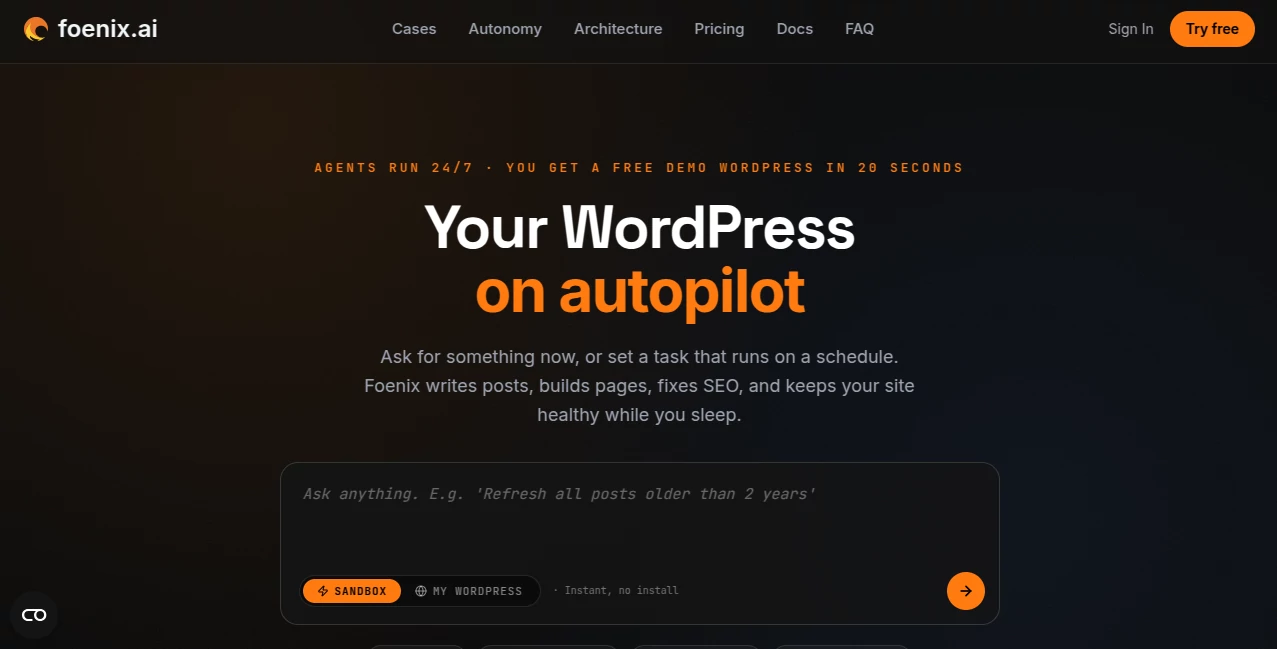
What is Foenix?
Managing a WordPress website can easily turn into a long list of small jobs: updating pages, fixing broken links, improving SEO, publishing articles, adjusting layouts, maintaining plugins, and checking whether everything is still working as expected. Foenix takes a different approach by putting an AI agent directly into the WordPress environment and allowing site owners to describe what they want in plain language.
Instead of switching between an editor, WordPress admin, documentation, code tools, and SEO platforms, users can give instructions through a single interface. The system can understand the site's posts, themes, plugins, database, and other WordPress context, then plan and execute appropriate actions.
What makes the platform particularly interesting is its range of autonomy. A user can simply ask a question, visually select an element to edit, describe something they want built, or schedule an agent to perform recurring work without needing to remain in front of the computer.
Key Features
- AI-powered WordPress management: Describe changes, improvements, or new functionality in natural language and let the agent work with the existing WordPress environment.
- Conversational assistance: Ask questions about posts, themes, plugins, database information, or how different parts of a website are connected.
- Visual editing: Select an element on a live website and describe the change you want instead of manually searching through templates or settings.
- Generative website building: Create pages, posts, custom plugins, blocks, and WooCommerce-related workflows from a description.
- Scheduled AI agents: Recurring tasks such as SEO checks, content publishing, monitoring, and link audits can be scheduled to run automatically.
- Multi-agent architecture: Specialized agents handle planning, execution, coordination, and verification rather than relying on a single AI process.
- WordPress sandbox: Users can experiment in a separate WordPress environment before applying major changes to a live website.
- Broad WordPress compatibility: The platform is designed to work with common WordPress themes, plugins, WooCommerce, SEO tools, forms, custom fields, and other components.
User Interface
The interface is designed around conversation rather than traditional WordPress administration. A user can open a session, describe a task, and continue the conversation while the agent maintains context for that specific website.
The visual editing approach is especially practical for people who know what they want changed but do not want to hunt through theme files or plugin settings. For example, a website owner can select a heading and explain how it should look, rather than figuring out which template controls it.
Sessions can also accept additional context such as screenshots, PDF files, text files, YouTube links, and web pages. This makes the interface useful for more involved website projects where the agent needs information beyond the visible page.
Accuracy & Performance
The platform uses a multi-agent workflow designed to reduce mistakes during complex operations. An Orchestrator coordinates the process, an Architect plans complicated work, a Coder carries out PHP operations, and a Verifier checks the result.
This separation is useful when a task involves several steps. Instead of simply generating an answer and stopping, the system can test a change and retry with another strategy if verification fails. That is particularly valuable when working with real WordPress installations where a seemingly small change can affect other parts of a site.
Still, autonomous website management should not be treated as completely risk-free. The service itself recommends using a backup or sandbox before major jobs. The verification layer can catch many problems, but it cannot guarantee that every possible issue will be detected.
Capabilities
The system covers a surprisingly wide portion of everyday WordPress work. It can help create complete pages, modify existing content, build custom functionality, work with WooCommerce flows, perform SEO-related maintenance, audit internal links, generate content, and monitor website health.
Its scheduled-agent functionality is one of its more useful capabilities. A site owner could, for example, schedule an SEO audit every week, ask the system to identify broken links, or configure recurring content-related tasks. The idea is not simply to provide an AI chatbot, but to allow routine WordPress operations to continue after the user has finished setting them up.
For developers and technically inclined users, understanding WordPress concepts such as hooks, custom post types, Advanced Custom Fields, taxonomies, templates, and plugins can make the system even more useful. However, the service states that PHP expertise is not required for normal use.
Security & Privacy
Security is an important consideration when giving an AI system access to a live website. The WordPress plugin encrypts keys, communicates through HTTPS, and is designed not to modify WordPress core files. The plugin is also open source, and users can disconnect it from their website.
The verification process provides another layer of protection by checking changes after they are made. For larger projects, a sandbox or staging environment is a sensible choice before allowing automated work on production.
Website owners should still follow normal WordPress security practices, including maintaining reliable backups, reviewing important automated changes, and limiting access to trusted environments. No autonomous website-management system can eliminate operational risk entirely.
Use Cases
SEO maintenance: Website owners can automate tasks such as internal-link audits, broken-link checks, SEO reviews, and refreshing older content.
Content publishing: A blog can be configured to research topics, create articles, generate images, and publish content according to a schedule.
Website building: Instead of assembling every component manually, users can describe a page or website and allow the agent to create the required WordPress elements.
WooCommerce development: Store owners can request new product-related pages, comparison experiences, and customized WooCommerce workflows.
Website maintenance: Repetitive jobs such as checking links, monitoring site health, cleaning up certain issues, and reviewing website performance can be delegated to scheduled agents.
Agencies and freelancers: Professionals managing multiple WordPress websites can use the system to reduce repetitive administrative and development work across connected sites.
Pros and Cons
- Pros: Natural-language WordPress management, multiple autonomy levels, scheduled agents, multi-agent verification, visual editing, website-building capabilities, WordPress-aware context, sandbox environments, and a free plan for testing.
- Cons: Credit usage varies according to task complexity, autonomous changes still require sensible supervision, and users handling important production websites should maintain backups and use staging for major operations.
Pricing Plans
The platform currently offers a free plan with no credit card requirement, making it possible to test the core experience before paying. The Free plan includes 500 credits, one 500MB sandbox available for 24 hours, one connected WordPress website, and access to all four autonomy levels.
The Starter plan costs $25 per month and includes 5,000 credits each month, two persistent sandboxes, up to three connected WordPress sites, unlimited scheduled agents, and access to additional credit packs.
The Pro plan costs $50 per month and is aimed at agencies and professional users. It provides 10,000 credits per month, ten persistent sandboxes, up to 25 connected WordPress websites, unlimited scheduled agents, and credit packs.
Annual billing is also offered with a stated 20% discount. Credit consumption depends on the complexity of the operation, so a simple text modification can require considerably fewer credits than a large development or website-building task.
How to Use It
- Start with the free WordPress sandbox or connect a self-hosted WordPress website.
- Install the WordPress plugin when connecting an existing site.
- Create a new session for the task you want to complete.
- Describe the desired result in ordinary language rather than explaining every technical implementation detail.
- For visual changes, select the relevant element and describe the modification.
- For larger projects, provide useful context such as screenshots, documents, URLs, or other reference material.
- Review the proposed or completed changes, particularly when working on a production website.
- For recurring work, configure a scheduled agent with the task and desired schedule.
- Use a sandbox or staging environment and a current backup before assigning significant autonomous changes to a live website.
Comparison with Similar Tools
Traditional WordPress AI tools generally concentrate on one particular job, such as writing content, generating images, answering questions, or assisting with SEO. Website builders can create pages, while development assistants can help write code. Workflow platforms, meanwhile, usually require users to design individual automation sequences.
This approach is broader because the AI operates with the WordPress environment as its working context. It is not limited to producing text or suggesting code. Depending on the task, it can understand the existing site, make changes, build new components, test its work, and continue operating according to a schedule.
The four autonomy levels also provide a useful distinction. Someone who wants complete control can use conversational assistance, while another user can gradually delegate more responsibility until recurring tasks are handled automatically. That makes the platform suitable for both cautious experimentation and more advanced automation.
Conclusion
For anyone who spends a significant amount of time maintaining WordPress websites, the biggest attraction here is not simply AI-generated content. It is the possibility of delegating actual website work.
The combination of natural-language instructions, visual editing, website building, multi-agent execution, verification, and scheduled automation creates a workflow that feels closer to having an AI-powered WordPress assistant than using another standalone content generator.
The free tier makes it easy to explore the idea without committing to a subscription. For bloggers, freelancers, developers, agencies, and businesses managing several WordPress installations, the ability to automate repetitive work could save considerable time. The sensible approach is to start with small tasks, verify the results, and gradually increase the level of autonomy as confidence grows.
Frequently Asked Questions (FAQ)
Do I need PHP knowledge to use it?
No. The service is designed so that users can describe what they want in plain language. Basic familiarity with WordPress is helpful, while knowledge of PHP can be useful for more technical projects.
Can it work with an existing WordPress website?
Yes. A self-hosted WordPress website can be connected through the plugin, allowing the agents to work with existing content, themes, plugins, database information, and other WordPress components.
Can I test it without connecting my own website?
Yes. The free plan provides a ready-to-use WordPress sandbox, allowing users to experiment before connecting a production website.
Can it perform tasks automatically?
Yes. Scheduled agents can run recurring tasks such as publishing content, monitoring website health, checking links, and performing SEO-related work without requiring the user to remain online.
Is it safe for a live WordPress website?
The system includes verification mechanisms designed to catch problems after changes are made, but no autonomous system should be considered completely risk-free. Backups, staging environments, and sandboxes are recommended before significant production changes.
Does it support WooCommerce?
Yes. The platform is designed to understand WooCommerce environments and can create or modify WooCommerce-related pages and workflows.
How does the credit system work?
Credits are consumed according to the type and complexity of the task. Simple edits generally require fewer credits than operations involving code generation, images, web research, or larger agent workflows.
Can I disconnect it from my website?
Yes. The plugin can be uninstalled from WordPress, and the service states that normal WordPress content, themes, and plugins remain in place after disconnection.
AI Workflow Management , AI Website Builder , AI SEO Assistant , AI Developer Tools .
These classifications represent its core capabilities and areas of application. For related tools, explore the linked categories above.

Foenix Alternatives Product

Vurge

AllInOneTools

Layven

JSON to TOON…

WhatsMyName …

Emergent

VoiceFlow Te…

Serplux

CodeProt