


















FormHug
What is FormHug?
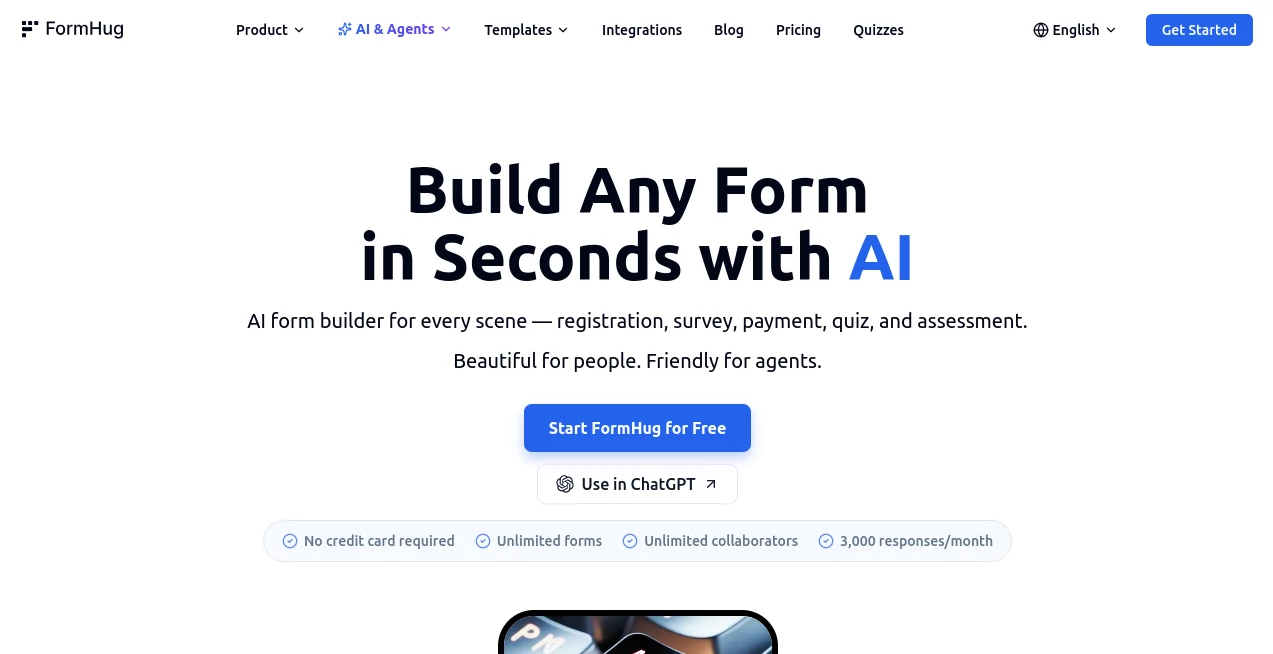
Creating professional online forms no longer has to involve hours of manual work or complicated design decisions. This AI-powered platform transforms a simple text prompt into a polished, fully functional form within seconds. Whether you need a registration page for an event, a customer feedback survey, a booking system, a quiz, or an application form, the platform automatically generates the structure, field types, descriptions, and layouts with remarkable accuracy. Its approach removes the repetitive parts of form creation while giving users complete control to customize every detail afterward.
One of its biggest strengths is how naturally it fits into modern workflows. Businesses, educators, agencies, startups, and creators can quickly publish forms, collect responses, analyze submissions, and even allow AI agents to interact with forms through Model Context Protocol (MCP). Every form is responsive by default, visually attractive, and ready to share through direct links, QR codes, or embedded widgets. Instead of spending valuable time building forms from scratch, users can focus on collecting meaningful information and improving customer experiences.
Key Features
User Interface
The interface is refreshingly clean and beginner-friendly. A conversational AI assistant guides users through form creation, while the drag-and-drop editor makes it easy to rearrange fields, modify layouts, and customize validation rules. Even first-time users can publish professional-looking forms without reading lengthy documentation.
Accuracy & Performance
The AI understands natural language prompts and intelligently selects appropriate field types, helper text, labels, and conditional logic. Instead of producing generic templates, it creates forms that closely match user intent. Performance remains fast even for complex forms containing bookings, quizzes, payment fields, file uploads, and multi-step workflows.
Capabilities
- Generate complete forms from a single sentence.
- Create surveys, registrations, quizzes, assessments, bookings, and applications.
- Support over 30 field types.
- Conditional logic and multi-step forms.
- Built-in submission database.
- QR code generation for sharing.
- Custom branding and themes.
- Email notifications.
- Public record lookup functionality.
- AI-generated cover images.
- Drag-and-drop editing.
- MCP support for AI assistants.
Security & Privacy
User submissions are stored securely while authentication mechanisms protect account access. Organizations can assign team roles, manage permissions, and collaborate safely on shared projects. Support for OAuth authentication and controlled AI agent access provides an additional layer of security for automated workflows. These features make the platform suitable for both individual professionals and larger organizations handling valuable data.
Use Cases
- Event registrations and RSVPs.
- Customer feedback surveys.
- Appointment scheduling.
- Employee onboarding forms.
- Educational quizzes and assessments.
- Lead generation campaigns.
- Job application forms.
- Payment collection forms.
- Membership registrations.
- Internal business workflows.
Pros and Cons
- Pros
- Extremely fast AI-powered form generation.
- Beautiful forms without design experience.
- Supports advanced logic and multiple field types.
- Excellent collaboration features for teams.
- Built-in analytics and submission storage.
- MCP integration enables AI automation.
- Free plan available with generous submission limits.
- Cons
- Advanced enterprise needs may require paid plans.
- Some automation features are most valuable for users already working with AI assistants.
Pricing Plans
A generous free plan allows users to create AI-generated forms and receive thousands of monthly submissions without requiring a credit card. Paid plans expand submission limits, collaboration capabilities, branding options, and additional business features, making the platform suitable for growing organizations as well as enterprise teams.
How to Use FormHug
Start by describing the form you want using plain English. The AI instantly creates a complete draft with fields, labels, descriptions, and logical structure. Review the generated form inside the visual editor, customize any elements using drag-and-drop controls, adjust validation or conditional logic if necessary, then publish the finished form. Finally, share it through a direct link, embed it on your website, distribute it using a QR code, or integrate it into AI-powered workflows for automated data collection.
Comparison with Similar Tools
Compared with many traditional form builders, this solution dramatically reduces setup time by generating complete forms instead of providing empty templates. While conventional platforms often require users to manually configure every field, this platform intelligently predicts structure and formatting based on a simple description. Features such as AI-generated visuals, Public Query functionality, built-in submission storage, MCP compatibility, and generous free usage make it an attractive choice for businesses looking to modernize their form creation process.
Conclusion
For anyone who regularly creates online forms, this platform offers an impressive combination of speed, intelligence, and flexibility. Its AI assistant eliminates repetitive work while preserving full editing freedom, allowing users to produce professional forms in minutes instead of hours. The addition of collaboration tools, secure submission management, advanced logic, booking support, assessments, and AI integrations makes it much more than a traditional form builder. Whether you manage customer registrations, educational quizzes, business workflows, or marketing campaigns, it provides an efficient solution that continues to grow alongside modern AI-driven productivity.
Frequently Asked Questions (FAQ)
Can AI generate an entire form automatically?
Yes. A simple natural language prompt is enough for the AI to create fields, descriptions, layouts, and conditional logic automatically.
Can generated forms be edited later?
Absolutely. Every generated form remains fully editable using the drag-and-drop builder.
Does it support quizzes and assessments?
Yes. Users can create scored quizzes, assessments, surveys, registrations, booking forms, and many other types of forms.
Can forms be embedded into websites?
Yes. Published forms can be shared through direct links, embedded on websites, or distributed using QR codes.
Is there a free version?
Yes. A free plan includes AI-powered form creation and a generous monthly submission allowance, making it suitable for individuals and small businesses.
AI Workflow Management , AI Forms & Surveys , AI Productivity Tools , AI Team Collaboration .
These classifications represent its core capabilities and areas of application. For related tools, explore the linked categories above.

FormHug Alternatives Product

Eleven AI

Vibebot.gg

KarmaGuy

Project Mela

Denoisr

TierCove

Productivity…

Alloy

HTMLSlides
