
GeekLink
What is GeekLink?
I used to waste so much time copying information between apps — notes from a meeting into a task, research findings into a report, client feedback into a CRM. Then I started using this tool and that friction almost disappeared. It lets you create smart, AI-powered links that understand context and automatically pull or push the right information between different platforms. The first time I connected my note-taking app to my project management tool, it felt like the apps finally started talking to each other intelligently. That kind of seamless connection is addictive once you experience it.
Introduction
In today’s workflow, we’re surrounded by great tools that don’t always play nicely together. GeekLink acts as the intelligent bridge, using AI to understand what you’re working on and automatically sync relevant data across apps. Whether you’re a solo freelancer juggling multiple platforms or part of a larger team, it removes the manual copy-paste dance that slows everyone down. It’s not another automation tool that requires complex setup — it’s simpler and smarter, focusing on context-aware connections that actually understand the “why” behind your work.
Key Features
User Interface
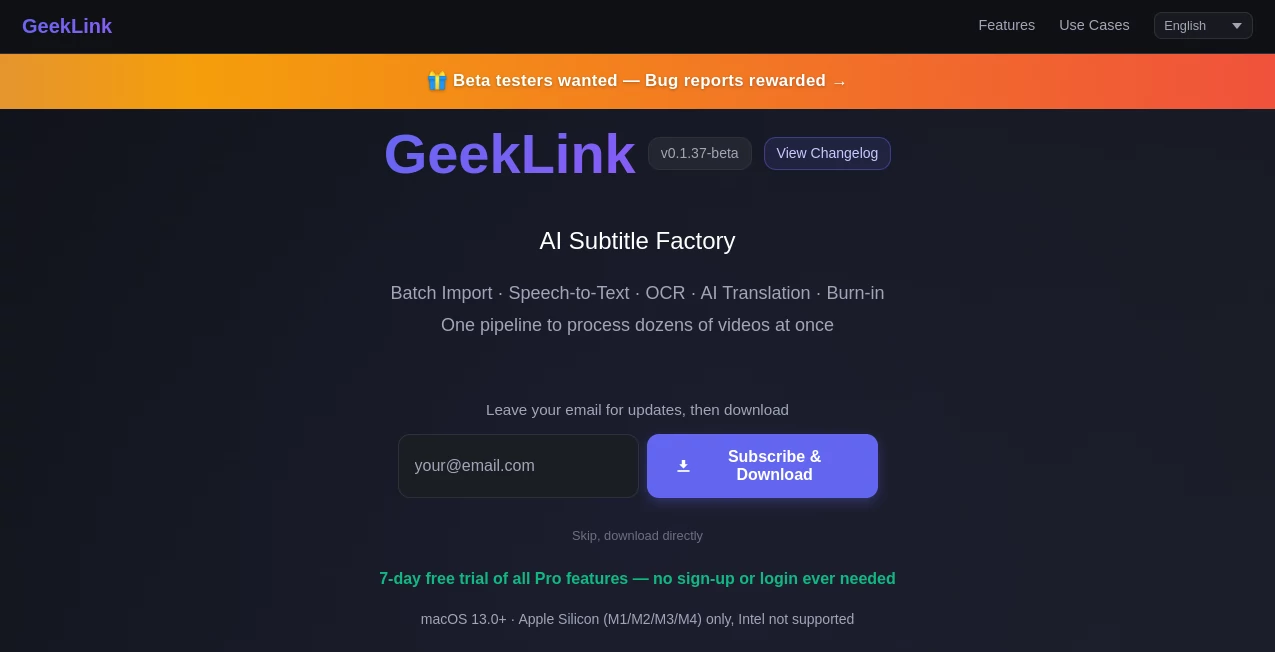
The dashboard is clean and welcoming. You start by connecting the apps you already use, then create a “Link” by describing what you want in plain English. The AI suggests smart connections based on your workflow. Everything lives in one organized place with clear visual indicators showing which apps are talking to each other. No overwhelming flowcharts or confusing logic builders — just straightforward, human-friendly controls that make sense from the first minute.
Accuracy & Performance
The AI does an impressive job understanding context. It doesn’t just move data blindly — it knows when to summarize, when to extract action items, or when to enrich information with extra details. Connections run reliably in the background, and updates happen quickly. In real use, it rarely misinterprets intent, which is rare for this type of tool. The speed and accuracy mean you can trust it with important workflows without constant checking.
Capabilities
It connects note-taking apps, project management tools, CRMs, email, calendars, and more. You can create bidirectional links, set smart triggers, and even let the AI generate summaries or action items automatically. Popular use cases include turning meeting notes into tasks, enriching CRM entries with research, or keeping documentation in sync across tools. The beauty is in how naturally it fits into existing workflows instead of forcing you to change how you work.
Security & Privacy
Connections are handled with care using secure authentication methods. You control exactly what data each link can access, and nothing is stored longer than necessary for the connection to work. The platform takes privacy seriously, especially important when linking tools that contain client or sensitive business information.
Use Cases
A freelancer turns client meeting notes into tasks and follow-up emails automatically. A product manager keeps feature requests from multiple sources synced in one place. A sales team automatically enriches CRM records with insights from research notes. Writers pull research from various tools into a single living document that stays updated. It shines wherever information needs to flow naturally between different parts of your work life.
Pros and Cons
Pros:
- Smart context understanding that goes beyond simple automation.
- Very easy setup compared to traditional integration tools.
- Saves hours of manual copying and switching between apps.
- Works with the tools you already love without forcing new habits.
- Clear visibility into what’s being synced and when.
Cons:
- Some very niche or older tools may need custom setup.
- Advanced AI behaviors and unlimited connections are on paid plans.
Pricing Plans
It offers a solid free tier that lets individuals and small teams test real workflows with a reasonable number of links. Paid plans unlock unlimited connections, more advanced AI behaviors, priority support, and higher usage limits. The pricing feels fair for the time it returns — most users find they save far more hours than the subscription costs.
How to Use GeekLink
Sign up and connect the apps you want to link. Describe the connection you need in plain language (“When I create a task in Notion, add it to my Linear backlog with priority”). Review the AI’s suggestion, adjust if needed, and activate the link. From then on, it works quietly in the background. You can monitor activity, pause links, or create new ones anytime. The whole experience stays simple enough that you can set up powerful automations without feeling like you’re learning a new skill.
Comparison with Similar Tools
Traditional automation platforms often require complex “if this then that” rules and still miss context. This one stands out by using AI to understand intent and handle nuance, making connections feel more natural and intelligent. While some tools focus on massive enterprise integrations, GeekLink excels at making everyday workflows smoother for individuals and small teams without unnecessary complexity.
Conclusion
The best tools disappear into the background and simply make life easier. GeekLink does exactly that — quietly connecting your apps with intelligence and reliability so you can focus on actual work instead of moving information around. If you’re tired of context switching and manual copying, this could be the small but powerful change that noticeably improves your daily flow. It’s one of those tools that, once you start using it, you wonder how you ever managed without it.
Frequently Asked Questions (FAQ)
How many apps can I connect?
Free tier allows several popular apps; paid plans unlock unlimited connections.
Do I need technical knowledge to set it up?
No — you describe what you want in normal language and the AI helps build it.
Is my data secure?
Yes, with secure authentication and strict controls over what each link can access.
Can it handle complex workflows?
Absolutely — the more context you give, the smarter the connections become.
Is there a free way to try it?
Yes, the free tier is generous enough to test real use cases.
AI Workflow Management , AI App Builder , AI Productivity Tools , AI Developer Tools .
These classifications represent its core capabilities and areas of application. For related tools, explore the linked categories above.

GeekLink Alternatives Product

TutuoAI
Layven

PDFgear

ClawBridge

Betula AI

IdeaHunter

AIQualityHQ

Airtable AI …
Timestamp Ro…