
Gemini Omni
What is Gemini Omni?
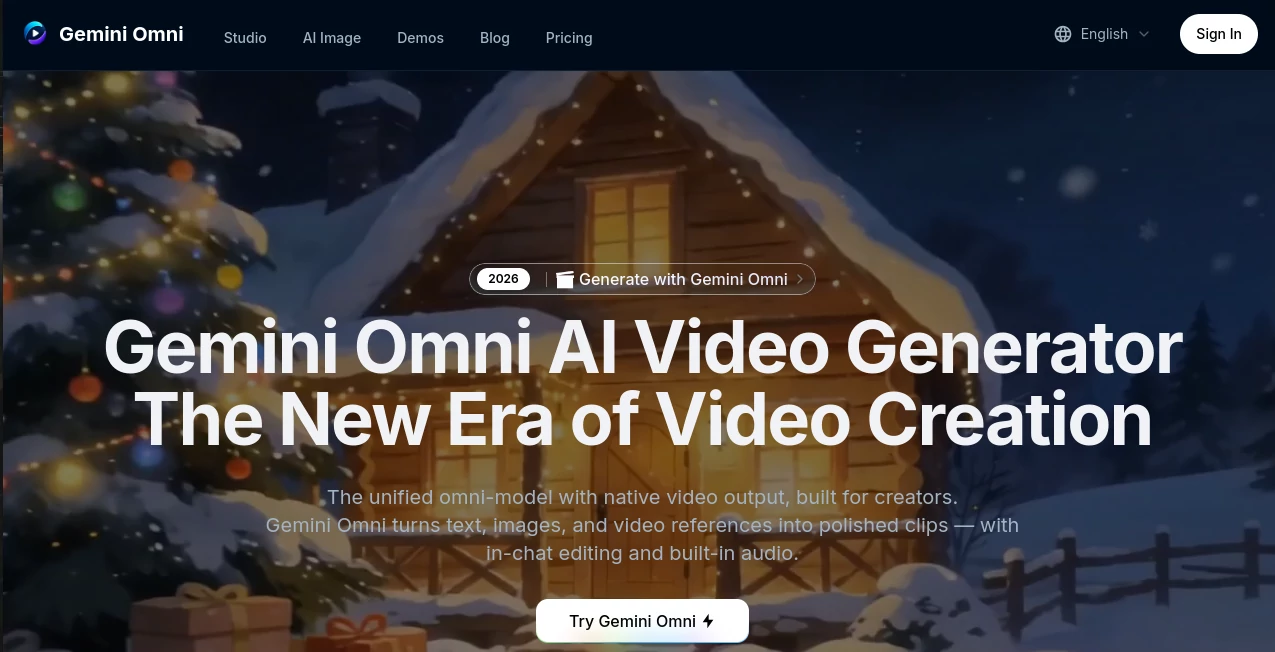
Creating professional videos has traditionally required multiple applications, advanced editing skills, and a significant investment of time. This platform changes that experience by bringing video generation, editing, and enhancement into a single workspace powered by advanced multimodal AI. Whether you begin with a written prompt, a reference image, an existing video, or a combination of different media, it transforms creative ideas into polished visual content with remarkable speed.
Designed for creators, marketers, educators, businesses, and social media professionals, the platform combines intelligent video generation with conversational editing. Instead of learning complicated timelines or editing software, users simply describe what they want, and the AI handles much of the production process. From cinematic promotional clips to educational explainers and engaging social content, it delivers an efficient workflow while maintaining impressive visual quality.
One of its strongest advantages is the ability to combine text, images, audio, and video references within the same generation process. This flexible approach allows users to maintain character consistency, preserve visual styles, and create content that feels polished without requiring extensive post-production work.
Key Features
User Interface
The interface is clean, modern, and easy to understand for both beginners and experienced creators. Every major feature is accessible from a single dashboard, allowing users to generate videos, upload references, select output quality, adjust aspect ratios, and edit scenes through natural language. The workflow minimizes unnecessary complexity while keeping powerful creative controls available.
Accuracy & Performance
The generation engine produces high-quality video clips with impressive visual consistency and smooth motion. Support for multiple quality levels allows users to prioritize either speed or maximum output quality depending on project requirements. Native audio generation further reduces the need for additional editing software by producing synchronized sound effects and dialogue alongside video creation.
Capabilities
- Create videos from text prompts.
- Generate animations from reference images.
- Transform existing videos into new creative versions.
- Edit scenes using conversational instructions.
- Create AI avatars with consistent visual appearance.
- Produce cinematic-quality videos in multiple aspect ratios.
- Support portrait, landscape, and social media formats.
- Generate synchronized audio during video creation.
- Maintain character consistency across scenes.
- Export content suitable for commercial projects.
Security & Privacy
The service offers private generation options for paid subscribers, helping creators protect commercial work and unpublished projects. User content is processed within the platform's generation environment, while commercial licensing options make the produced content more suitable for professional business use. As with any cloud-based AI platform, users should review the official privacy policy before uploading sensitive or confidential material.
Use Cases
- Marketing campaigns and product advertisements.
- Social media videos for TikTok, Instagram, and YouTube.
- Educational lessons and animated explainers.
- Corporate presentations and training materials.
- Creative storytelling and short films.
- Architecture and concept visualization.
- Music videos with synchronized visual effects.
- Character animation and digital avatar creation.
- Creative prototyping for production teams.
- Visual content for startups and agencies.
Pros and Cons
Pros
- Supports text, image, video, and multimodal generation.
- Conversational editing simplifies complex workflows.
- High-quality video output with up to 4K resolution.
- Integrated audio generation saves production time.
- Character consistency improves storytelling.
- Commercial licensing available on paid plans.
- Suitable for both beginners and professionals.
Cons
- Higher resolutions require additional processing time.
- Advanced features require a paid subscription.
- Clip duration remains limited for continuous generation.
- Performance depends on prompt quality and creative direction.
Pricing Plans
A free trial allows new users to explore core capabilities before upgrading. Paid subscription plans provide monthly credits, watermark removal, private generation, commercial licensing, access to premium AI models, higher-quality exports including 4K resolution, and additional professional features. Larger plans also include priority support for demanding production workflows. Pricing and plan details may change over time. :contentReference[oaicite:0]{index=0}
How to Use Gemini Omni
Start by choosing whether you want to generate content from text, an image, or an existing video. Upload any reference materials if needed, then describe the desired scene using detailed prompts. Select the preferred aspect ratio, quality level, and output resolution before launching the generation process. Once the initial result is complete, refine individual scenes through conversational editing, make adjustments using natural language, and export the finished project in the desired format.
Comparison with Similar Tools
Compared with many AI video generators that focus on only one type of input, this platform provides a unified workflow capable of handling text, images, video references, and audio within the same creative environment. Its conversational editing experience significantly reduces the need for traditional timeline-based editing software, making it particularly attractive for creators who value speed without sacrificing creative flexibility. Built-in audio generation and avatar consistency further distinguish it from many competing solutions.
Conclusion
For creators looking to accelerate video production while maintaining professional visual quality, this platform offers an impressive combination of simplicity and advanced AI capabilities. Its multimodal workflow, conversational editing, integrated audio generation, and support for commercial projects make it suitable for content creators, educators, businesses, marketers, and creative agencies alike. By reducing technical barriers and streamlining production, it enables users to focus more on storytelling and less on complex editing.
Frequently Asked Questions (FAQ)
Can beginners use this platform?
Yes. The intuitive interface and conversational editing make it accessible even for users without previous video editing experience.
Can it generate videos from images?
Yes. Users can upload reference images and transform them into animated video content while preserving important visual details.
Does it support commercial projects?
Paid plans include commercial licensing, making generated videos suitable for professional and business applications. :contentReference[oaicite:1]{index=1}
Is audio generated automatically?
Yes. The platform can generate synchronized audio together with video creation, reducing additional editing work.
What types of users benefit the most?
Content creators, marketing teams, educators, agencies, entrepreneurs, designers, and businesses that regularly produce video content can all benefit from its streamlined workflow.
AI Image to Video , AI Video Generator , AI Video Editor , AI Text to Video .
These classifications represent its core capabilities and areas of application. For related tools, explore the linked categories above.

Gemini Omni Alternatives Product

Lyria 3

Seedream 6.0

Seedream 4.0…

Artifox

VO4 AI

ltx 2.3
Meigen AI

animearc

Seedance 2.0