AltNotes
What is AltNotes?
AltNotes is an AI-powered voice notes app designed for people who think faster than they type. Instead of stopping to write everything down, you can simply speak and let the app turn your thoughts, meetings, lectures, and ideas into searchable text. It combines voice recording, live transcription, AI summaries, and intelligent note assistance in one focused experience.
The real advantage is what happens after recording. A voice note does not have to remain a forgotten audio file. The app can help identify important points, suggest tasks and reminders, answer questions about saved notes, and transform your notes into useful content such as emails, blog posts, meeting minutes, and plans.
Key Features
- One-tap voice recording with pause and resume controls.
- Live audio transcription that converts spoken words into text.
- Speaker detection for conversations and meetings.
- AI-generated summaries and automatic tags.
- Suggested actionable tasks and reminders.
- Ask AI functionality for finding answers across saved notes.
- Universal search for quickly locating information in your recordings and notes.
- AI Crafts for turning notes into emails, blogs, minutes, and plans.
- Audio import and export with support for M4A, MP3, and WAV files.
User Interface
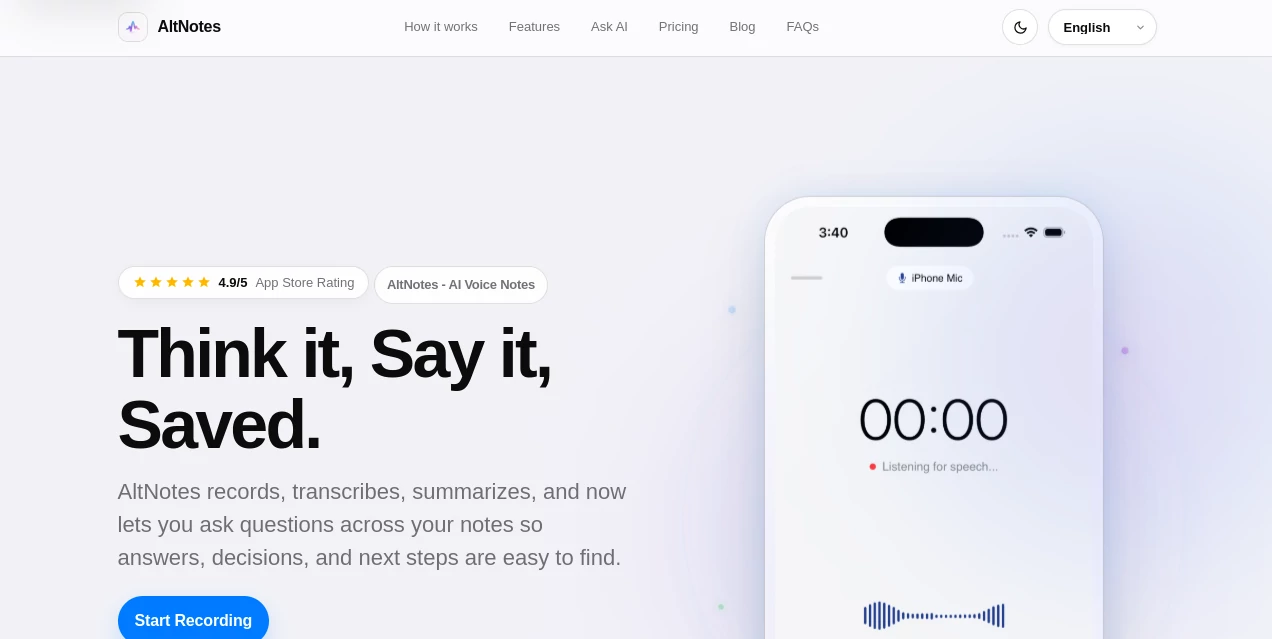
The interface follows a deliberately minimal approach. Recording can be started quickly, with a large control, visible timer, and a layout designed for comfortable one-handed use. Pause and resume controls are available during recording, while the app also prevents the screen from locking during an active recording session.
This simplicity makes sense for a voice-first workflow. When an idea arrives during a walk or a useful point comes up in a meeting, there is little reason to navigate through complicated menus before capturing it.
Accuracy & Performance
Speech-to-text is at the center of the experience, and the service is designed to turn spoken material into usable written notes rather than leaving users with hours of audio to review. Live transcription helps users follow the conversion as they speak, while AI summaries make longer recordings easier to digest afterward.
Recent app updates have also focused on smoother performance, responsiveness, and bug fixes. The current iPhone and iPad versions require iOS 17.6 or later, giving users access to a modern Apple-device experience.
Capabilities
The strongest part of the platform is the workflow that connects recording with follow-up. Someone might record a product idea in the morning, capture a client discussion later, and then use Ask AI to locate a specific detail without manually searching through every transcript.
AI Crafts take the process a step further. Notes can be converted into practical outputs, including emails, social media content, blogs, meeting minutes, and plans. For a creator, student, or professional who regularly turns rough thoughts into polished material, this can eliminate several repetitive steps.
Security & Privacy
Privacy is addressed directly within the product experience. The service states that private notes can remain only on the device, giving users an option when they do not want certain notes stored beyond their device. This is particularly relevant for personal thoughts or sensitive material.
As with any application handling recordings and transcripts, users should still review the current privacy policy and app permissions before recording confidential conversations. The App Store listing identifies contact information, user content, identifiers, and diagnostic information among data that may be collected and linked to the user, depending on how the app is used.
Use Cases
Students: Record lectures and turn long explanations into searchable transcripts and concise summaries. This can make revision considerably easier than listening to an entire recording again.
Professionals: Capture meetings, decisions, ideas, and follow-up items without constantly switching between a recorder and a note-taking app.
Creators: Save ideas while they are fresh, then transform rough voice notes into social posts, blog material, emails, or structured content.
Researchers and interviewers: Import existing audio and convert it into searchable text, making it easier to locate useful information later.
Everyday note-taking: Whether it is a quick reminder, an idea for a project, or something you do not want to forget, speaking can be much faster than typing.
Pros and Cons
Pros
- Fast voice-first note-taking experience.
- Live transcription and AI summaries work together naturally.
- Ask AI makes saved notes easier to query.
- Automatic tags, tasks, and reminders add value beyond basic transcription.
- AI Crafts can turn notes into several useful types of content.
- Supports importing and exporting common audio formats.
- Available for iPhone and iPad.
Cons
- The current experience is primarily focused on Apple devices.
- Advanced AI functionality requires a paid plan.
- Users dealing with highly sensitive recordings should carefully review privacy settings and policies.
Pricing Plans
The app offers a free starting experience with optional in-app purchases. Paid access includes a weekly option priced at $4.99 per week, billed through the Apple App Store and cancellable through Apple settings.
Paid access includes unlimited live audio recording and transcription, speaker detection, AI summaries, automatic tags, suggested tasks and reminders, Ask AI, universal search, AI Crafts, and audio import and export. The App Store also lists monthly and yearly Pro subscriptions, along with several credit packs, so the exact price can vary by storefront and region.
How to Use AltNotes
Start by opening the app on a compatible iPhone or iPad and begin a recording with the main recording control. Speak naturally while the live transcription captures your words.
After recording, review the generated transcript and use the AI features to create a summary, identify useful information, or generate follow-up tasks. If you need a particular detail from your saved notes, Ask AI can be used to ask questions in plain language.
You can also import an existing M4A, MP3, or WAV recording when the audio was captured somewhere else. For a practical workflow, a useful approach is to record first, clean up the important information afterward, and then use an AI Craft to turn the finished note into something ready to share.
Comparison with Similar Tools
Traditional voice recorder apps are excellent at capturing audio, but they generally stop there. Dedicated note-taking applications provide better organization but can still require manual typing. Meeting transcription services often focus specifically on scheduled conversations and professional meetings.
This solution sits between those categories. Its emphasis is on capturing everyday thoughts through voice and then continuing the workflow with transcription, summaries, search, questions, tasks, and content generation. That makes it especially appealing to people who want one place for both spontaneous ideas and structured follow-up.
Conclusion
AltNotes takes a simple idea—speak instead of type—and builds a surprisingly useful workflow around it. Recording is quick, transcripts make audio searchable, summaries reduce the time needed to review long recordings, and AI tools help turn those notes into practical next steps.
It is not trying to replace every productivity application. Instead, it focuses on the moment when an idea, lecture point, meeting detail, or reminder is easier to say than write. For iPhone and iPad users who regularly accumulate voice notes and want to do more with them afterward, this approach can be a genuinely convenient addition to a daily workflow.
Frequently Asked Questions (FAQ)
What is AltNotes used for?
It is used for recording voice notes, transcribing speech, summarizing recordings, searching saved notes, asking AI questions about those notes, and turning notes into content such as emails, blogs, minutes, and plans.
Can it transcribe audio recordings?
Yes. Users can record audio directly or import existing M4A, MP3, and WAV files for transcription.
Can it summarize voice recordings?
Yes. AI summaries can turn longer recordings into shorter versions that are easier to review.
Can I ask questions about my notes?
Yes. The Ask AI feature lets users ask questions about information contained in their saved notes and recordings.
Does it work on iPad?
Yes. The current application supports both iPhone and iPad, with iOS 17.6 or later required.
Is there a free version?
Yes. The app is available for free with optional in-app purchases and paid Pro subscriptions. The available plans and prices can vary by region.
Can private notes stay on my device?
The service states that private notes can remain only on the device. Users should review the current privacy information and permissions when deciding how to handle sensitive recordings.
Who can benefit most from this app?
Students, professionals, creators, researchers, and anyone who frequently records ideas or spoken reminders can benefit from its combination of voice capture, transcription, AI summaries, and follow-up tools.
AI Productivity Tools , AI Meeting Assistant , AI Speech to Text , AI Notes Assistant .
These classifications represent its core capabilities and areas of application. For related tools, explore the linked categories above.

AltNotes Alternatives Product

AIDeckly

AI Entity

mainaro

Meet Submind

Productivity…

WhispriNote

MakeGraph

Agent Grid

LorePanic