
GetLyricVideo AI
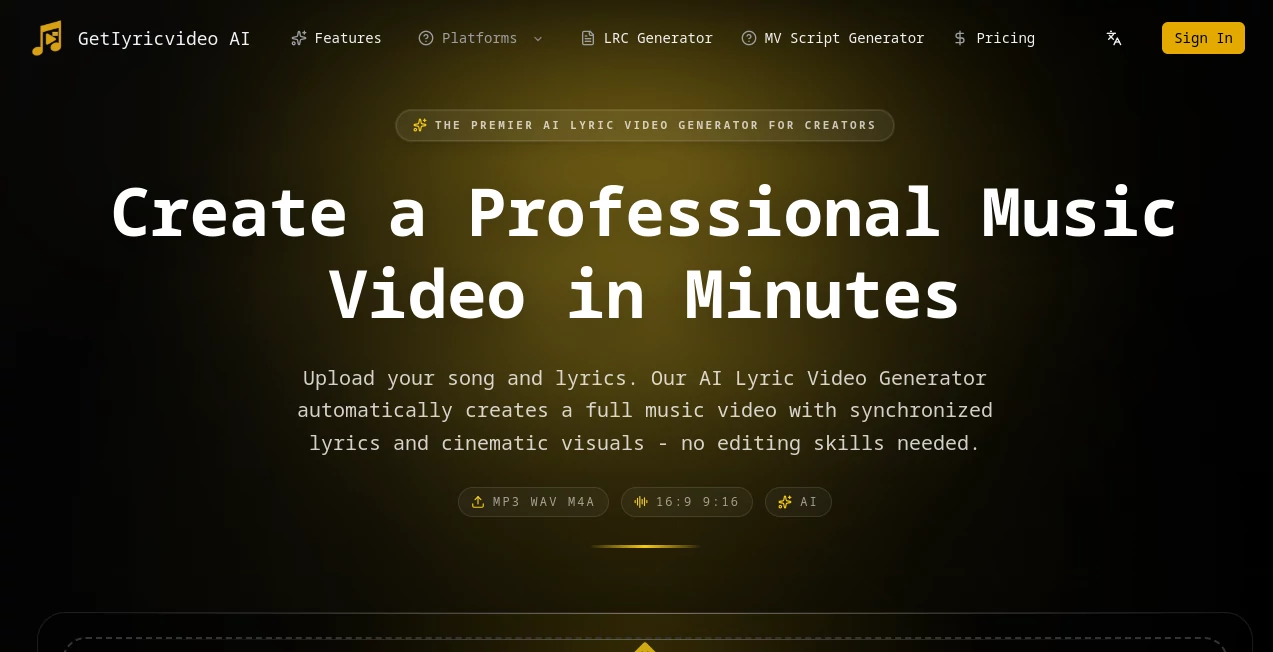
What is GetLyricVideo AI?
Making a lyric video used to mean spending hours in a video editor, wrestling with keyframes and font animations, and still ending up with something that looked amateur. For independent musicians, that gap between the music they make and the visuals they can afford has always been frustrating. That's exactly the problem this tool was built to solve.
Imagine uploading your song, waiting a few minutes, and downloading a fully synchronized lyric video with cinematic visuals — no editing skills, no freelancer fees, no headaches. That's the promise here, and from everything the platform delivers, it's a promise that actually holds up.
Whether you're dropping a single on YouTube, building a TikTok presence, or just want something polished to share with your audience, this AI-powered platform handles the entire production pipeline automatically. You bring the music. It handles everything else.
Key Features
User Interface
The interface is refreshingly simple for what's happening behind the scenes. You land on the homepage and you're essentially already in the tool — a clean upload area where you drag and drop your audio file (MP3, WAV, or M4A), choose your aspect ratio (16:9 for YouTube, 9:16 for TikTok and Reels, or 1:1 for Instagram), and let the AI take over.
There's no steep learning curve. No tutorials required. The lyric editor sits right in front of you after detection, so you can review and fix anything before the video generates. It's the kind of design philosophy that says "we trust you to just get started," and that confidence is well-placed.
Accuracy & Performance
Lyric recognition sits at around 95% accuracy for clean vocal recordings — which is genuinely impressive. For tracks with heavy instrumentation or stylized vocal delivery, you might catch a word or two off, but the built-in lyric editor makes corrections fast. The AI uses GPT-4o-mini as its primary engine for lyric recognition and prompt generation, with Gemini 3 Pro as fallback — so there's real backbone behind that accuracy score.
Video generation takes between 3 and 5 minutes for most tracks. Cartoon mode (10-second segments at roughly 3 minutes per clip) and Realistic mode (8-second segments averaging around 5 minutes per clip) both perform consistently. Final rendering adds another minute or two. For a full music video, that's still dramatically faster than any traditional workflow.
Capabilities
Two distinct visual modes set this tool apart from simpler lyric video generators. Cartoon mode produces 3D animated videos with consistent characters and vivid artistic visuals — great for pop, hip-hop, or any genre where a bold aesthetic works. Realistic mode generates photorealistic scenes with human-like characters, which fits emotional ballads, indie tracks, or anything where mood and atmosphere matter more than style.
Under the hood, the platform runs Seedance Pro and Runway for Cartoon, and Veo 3.1 Fast with Seedance fallback for Realistic. Character image generation relies on Google Nano-Banana as primary with PrunaAI Z-Image as backup. It's a layered, redundant system — if one model stumbles, another steps in automatically, which means fewer failed renders and more consistent output.
Beyond video generation, there's also a standalone LRC Generator for creating synchronized lyric files, and an MV Script Generator for planning music video concepts before production.
Security & Privacy
Audio and video files are encrypted and automatically deleted from servers within 24 hours of processing. The platform doesn't retain copies of your content beyond the final downloadable video. Payments are processed through Stripe, which handles credit card security at an industry-standard level. For creators uploading original, unreleased music, that 24-hour deletion policy is a meaningful reassurance.
Videos created on the platform can be used for commercial purposes — including YouTube monetization and client deliverables — and you retain full rights to what you create. That's not always a given with AI generation tools, so it's worth highlighting.
Use Cases
The most obvious use case is the solo artist who records at home and needs professional-looking visuals without a production budget. Upload a finished track, generate a lyric video, publish it the same day. No waiting on a video editor, no back-and-forth on revisions.
Music marketing teams can also move significantly faster. Instead of commissioning a lyric video weeks before a release, they can generate multiple versions — different aspect ratios, different visual styles — and decide which performs best after testing. That kind of flexibility is hard to put a price on.
Podcast producers and content creators who work with audio have found creative uses here too. A spoken word piece with synchronized visuals, or a highlight reel from an interview set to music, can work surprisingly well through the Realistic mode.
Bands and labels handling catalog releases — older songs that never got visual content — can backfill years of music with lyric videos in a fraction of the time it would have taken manually. That's a legitimate unlock for anyone managing a large music library.
Pros and Cons
- Pro: Genuinely fast turnaround — most videos ready in under 10 minutes
- Pro: Two distinct visual modes (Cartoon and Realistic) cover a wide range of musical genres and moods
- Pro: Platform-specific exports for YouTube, TikTok, and Instagram out of the box
- Pro: Free tier with 50 monthly credits — no credit card required to start
- Pro: Commercial use rights included with all paid plans
- Pro: Automatic fallback AI models mean fewer failed renders
- Pro: Lyric recognition accuracy around 95% with manual editing available
- Con: Credit-based system can feel limiting for high-volume producers on lower tiers
- Con: Realistic mode segments are shorter (8 seconds), so longer songs require more processing time
- Con: API access is still in beta and restricted to enterprise customers
- Con: Accuracy dips with heavily layered instrumentation or unclear vocals
Pricing Plans
The platform uses a credit-based system. Cartoon mode costs 35 credits per 10-second video segment; Realistic mode costs 28 credits per 8-second segment. The free tier includes 50 credits per month — enough to generate your first video and get a genuine feel for the tool before spending anything.
Paid plans are available on both monthly and annual billing:
- Starter: Starts at $19/month (500 credits) or $190/year (800 credits). Includes cartoon story video style, standard resolution export, no watermark, lyric detection and editor.
- Pro: $390/year (1,800 credits). Everything in Starter, plus higher resolution export, longer video support, faster processing queue, early access to new video styles, and platform-ready formats for YouTube, TikTok, and Reels.
- Business: $590/year (3,000 credits). Everything in Pro, plus 4K resolution export, premium video styles, priority processing queue, advanced customization options, and priority customer support.
Annual plans effectively give you two months free compared to monthly billing. Credits are allocated upfront on annual plans, so you can front-load production around a release cycle if needed.
How to Use GetLyricVideo AI
Getting started takes about two minutes of actual effort on your part. Here's how the process works:
- Step 1 – Upload your audio: Drag and drop your MP3, WAV, or M4A file onto the homepage. Files up to standard song length are supported.
- Step 2 – Choose your format: Select your target aspect ratio — 16:9 for YouTube, 9:16 for TikTok and Instagram Reels, or 1:1 for Instagram square posts.
- Step 3 – Review your lyrics: The AI detects and transcribes your lyrics automatically. Use the built-in editor to correct any recognition errors before proceeding.
- Step 4 – Pick your visual mode: Choose between Cartoon (3D animated, artistic) or Realistic (photorealistic, cinematic) depending on the tone of your track.
- Step 5 – Generate: Hit generate and wait 3–5 minutes. The AI creates synchronized visual segments for each lyric line and stitches them together.
- Step 6 – Download and publish: Export your finished video in MP4 format, optimized for whichever platform you chose at the start.
If any segment doesn't land the way you wanted, you can regenerate individual shots without restarting the whole video — a small detail that saves a lot of frustration.
Comparison with Similar Tools
Most competitors in this space fall into two camps: basic lyric video makers that just animate text over a static background, and full AI video generators that aren't built with music synchronization in mind. This tool sits in neither camp — it's purpose-built for the specific workflow of turning audio into a synchronized visual production.
Tools like Canva or Adobe Express can produce lyric videos, but they require manual frame-by-frame work that takes hours. Runway and Pika Labs offer impressive AI video generation, but they're not designed around audio input or lyric sync. Kapwing handles some of this but leans heavily on manual editing rather than automation.
What separates this platform is the full-pipeline approach: audio in, synchronized video out, platform-specific exports included. The dual model system (with automatic fallbacks) also means reliability that you won't always find with tools that depend on a single underlying model. For musicians specifically, there isn't a direct competitor doing all of this in one workflow.
Conclusion
For any musician who's ever looked at their release schedule and wished they had a video editor on staff, this tool is close to what you'd want them to build. It doesn't try to replace creative vision — you still choose the mode, review the lyrics, decide what fits your track. But all the technical heavy lifting disappears.
The free tier is genuinely usable, not just a stripped-down demo. The paid plans are priced reasonably for what they deliver, especially at the annual level. And the commercial use rights remove the one concern that would otherwise make professional creators hesitate.
If you make music and you need visuals, this is worth your time to try. The 50 free monthly credits get you through a real video. That's usually all it takes to decide.
Frequently Asked Questions (FAQ)
- Is there a free version? Yes. The free tier includes 50 credits every month with no credit card required. That's enough to generate a short lyric video and evaluate the platform before committing to a paid plan.
- How many credits does generating a video require? Cartoon mode uses 35 credits per 10-second segment; Realistic mode uses 28 credits per 8-second segment. A 3-minute song will require multiple segments depending on the mode.
- Can I use the videos commercially? Yes. All videos you create — including on paid plans — can be used for commercial purposes including YouTube monetization and client work. You retain full ownership.
- What's the difference between Cartoon and Realistic modes? Cartoon mode produces 3D animated artistic visuals ideal for creative and high-energy genres. Realistic mode generates photorealistic, cinematic footage better suited for emotional or serious content.
- Do paid videos have watermarks? No. All paid plans export without watermarks. The free tier may include branding.
- How accurate is the lyric recognition? Around 95% accuracy for clear vocal recordings. A manual lyric editor is available for corrections before video generation.
- Are my audio files stored permanently? No. Audio and video files are encrypted and deleted from servers within 24 hours of processing.
- Is there an API available? API access is currently in beta for enterprise customers. A public API is planned for later in 2026.
- What payment methods are accepted? Visa, MasterCard, American Express, and PayPal. All transactions are processed through Stripe.
- Can I cancel my subscription? Yes, at any time from your account settings. Access continues until the end of the current billing period.
AI Music Video Generator , AI Video Generator , AI Text to Video , AI YouTube Assistant .
These classifications represent its core capabilities and areas of application. For related tools, explore the linked categories above.
GetLyricVideo AI details
Website unavailable — View Alternatives
Pricing
- Free
Apps
- Web App
Categories

GetLyricVideo AI Alternatives Product

Seedance AI

ImagineToVid…

seedance 2

YTVidHub-you…

seedance2

Seedance 2.0…

Kling O1

KOOX AI

Happyhorse