Page Pulse
What is Page Pulse?
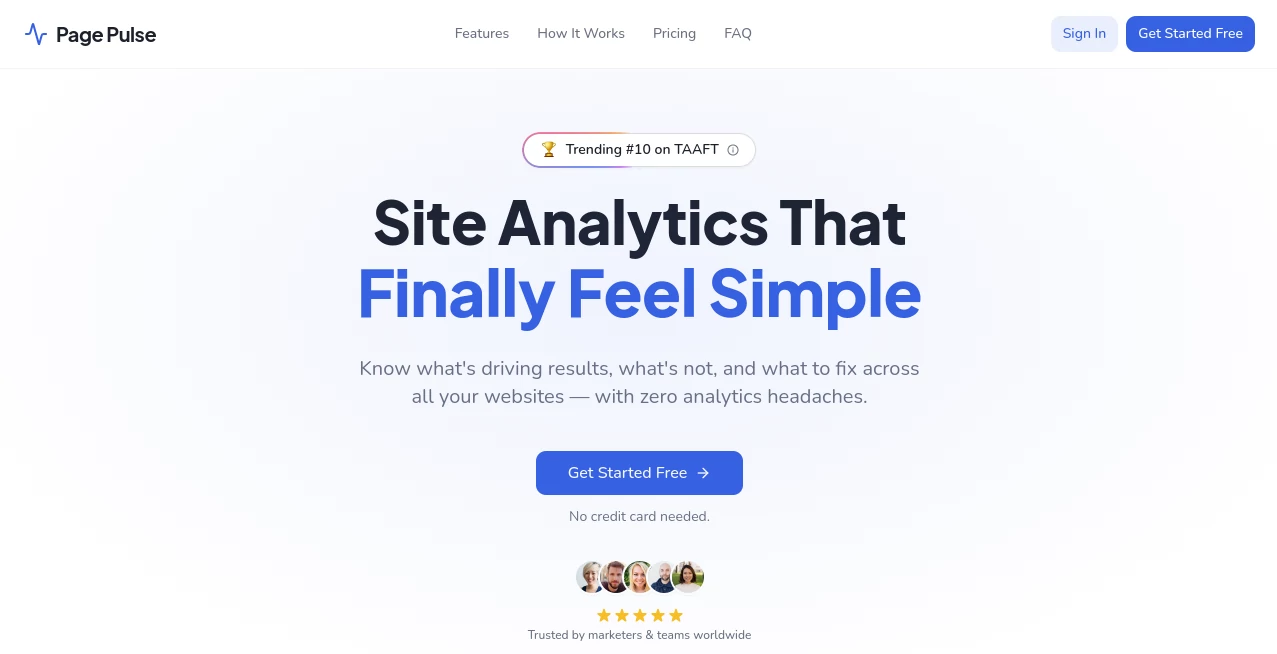
Understanding what happens on a website should not require hours of digging through complicated reports. Page Pulse is a simple website analytics solution designed to help marketers, founders, and teams see what is working, what needs improvement, and where new opportunities exist.
Instead of overwhelming users with endless dashboards and technical settings, the platform focuses on clear insights, conversion tracking, visitor behavior, and practical recommendations. It brings important website data into one easy-to-understand workspace, making analytics accessible even for people without a data background.
For businesses managing landing pages, marketing campaigns, online stores, or multiple websites, having a clear view of performance can make the difference between guessing and making confident decisions.
Key Features
User Interface
The interface is designed around simplicity. Users can quickly access important metrics such as visitors, page views, conversions, traffic sources, clicks, and engagement trends without navigating through complicated menus.
The clean dashboard experience makes it easier for marketing teams, freelancers, and business owners to understand website performance at a glance. Collaboration features also allow teams to share insights, add notes, and work together from the same workspace.
Accuracy & Performance
The platform focuses on delivering meaningful website insights without unnecessary complexity. It automatically tracks important visitor interactions, including clicks and conversions, helping users identify which pages generate results and which areas may need attention.
AI-powered insights help highlight potential improvements and provide faster analysis, allowing users to spend less time collecting data and more time acting on it.
Capabilities
This analytics solution combines essential website tracking features with intelligent recommendations. Users can monitor traffic sources, understand visitor journeys, analyze conversion performance, and view heatmaps to discover how people interact with pages.
- Real-time website analytics
- Automatic click and conversion tracking
- Traffic source analysis
- Page performance insights
- Heatmap visualization
- AI-powered recommendations
- Multi-website management
- Team collaboration features
- Conversion monitoring
- Shareable dashboards
Security & Privacy
Privacy is an important part of modern website analytics. The platform focuses on privacy-friendly tracking practices while helping businesses understand visitor behavior. Users can gain valuable insights while keeping analytics simpler and more responsible.
The lightweight tracking approach is designed to reduce unnecessary website overhead while providing the information teams need to improve their online performance.
Use Cases
Page Pulse can support many different types of users who need better visibility into website performance.
- Marketing Teams: Track campaigns, identify high-performing pages, and measure conversions.
- Startup Founders: Understand user behavior without hiring a dedicated analytics specialist.
- E-commerce Businesses: Discover which pages drive purchases and where customers leave.
- Agencies: Manage multiple client websites with clear dashboards and collaborative reporting.
- Content Creators: See which articles, pages, and campaigns attract the most attention.
- Freelancers: Provide clients with easy-to-understand website performance reports.
Pros and Cons
Pros
- Simple setup process with minimal technical requirements
- Easy-to-understand analytics dashboard
- AI-powered insights for faster decision making
- Conversion tracking without complicated configurations
- Useful collaboration tools for teams
- Suitable for multiple websites and business types
Cons
- Advanced enterprise analytics users may require more specialized tools
- Users needing highly customized reporting may prefer larger analytics platforms
Pricing Plans
The platform offers flexible pricing options designed for different website needs. A free plan is available for users who want to explore basic analytics features before upgrading.
- Free Plan: Includes basic analytics, one page tracking, unlimited traffic, and a limited number of AI insights.
- Starter Plan: Designed for individuals and single websites with additional analytics capabilities.
- Growth Plan: Built for marketing teams with features such as heatmaps, collaboration tools, and advanced tracking.
- Pro Plan: Suitable for agencies and advanced users managing multiple websites.
How to Use Page Pulse
Getting started is designed to be quick and straightforward. Users can add their website, install a lightweight tracking snippet, and begin viewing analytics data shortly afterward.
- Create an account and add a website.
- Install the tracking script on the website.
- Wait for visitor activity to appear in the dashboard.
- Review traffic, conversions, clicks, and AI-generated insights.
- Use the collected information to improve website performance.
Comparison with Similar Tools
Many traditional analytics platforms provide large amounts of data but can feel overwhelming for everyday business users. Page Pulse focuses on clarity by presenting the information that matters most for improving websites.
Compared with complex analytics systems, it offers a more approachable experience for teams that want actionable insights rather than spending time building complicated reports.
It is especially useful for users who want a balance between simplicity, conversion tracking, collaboration, and intelligent recommendations.
Conclusion
Page Pulse provides a refreshing approach to website analytics by focusing on simplicity, useful insights, and practical results. Instead of forcing users to become analytics experts, it helps businesses quickly understand their visitors and make smarter improvements.
Whether you are running marketing campaigns, managing client websites, or growing an online business, having clear visibility into performance can help you move forward with confidence. This platform is a strong choice for anyone looking for easier analytics without unnecessary complexity.
Frequently Asked Questions (FAQ)
What is Page Pulse used for?
It is used to track website visitors, conversions, clicks, traffic sources, and user behavior through a simple analytics dashboard.
Is Page Pulse suitable for beginners?
Yes. The platform is designed for users who want understandable website insights without advanced analytics knowledge.
Can teams collaborate using Page Pulse?
Yes. Teams can share insights, invite collaborators, and work together on website performance analysis.
Does Page Pulse track conversions?
Yes. It supports conversion tracking to help businesses understand which pages and actions generate results.
Can it be used for multiple websites?
Yes. Higher plans support managing multiple websites from a single workspace.
Marketing , AI SEO Assistant , AI Productivity Tools , AI Analytics Assistant .
These classifications represent its core capabilities and areas of application. For related tools, explore the linked categories above.

Page Pulse Alternatives Product

Diploria AI

SEOTakeoff

AyeWatch AI

Skywork Supe…

ClawBridge

Surmado

Grow Creator

MaxAEO

Vibe Coding …