Glaze
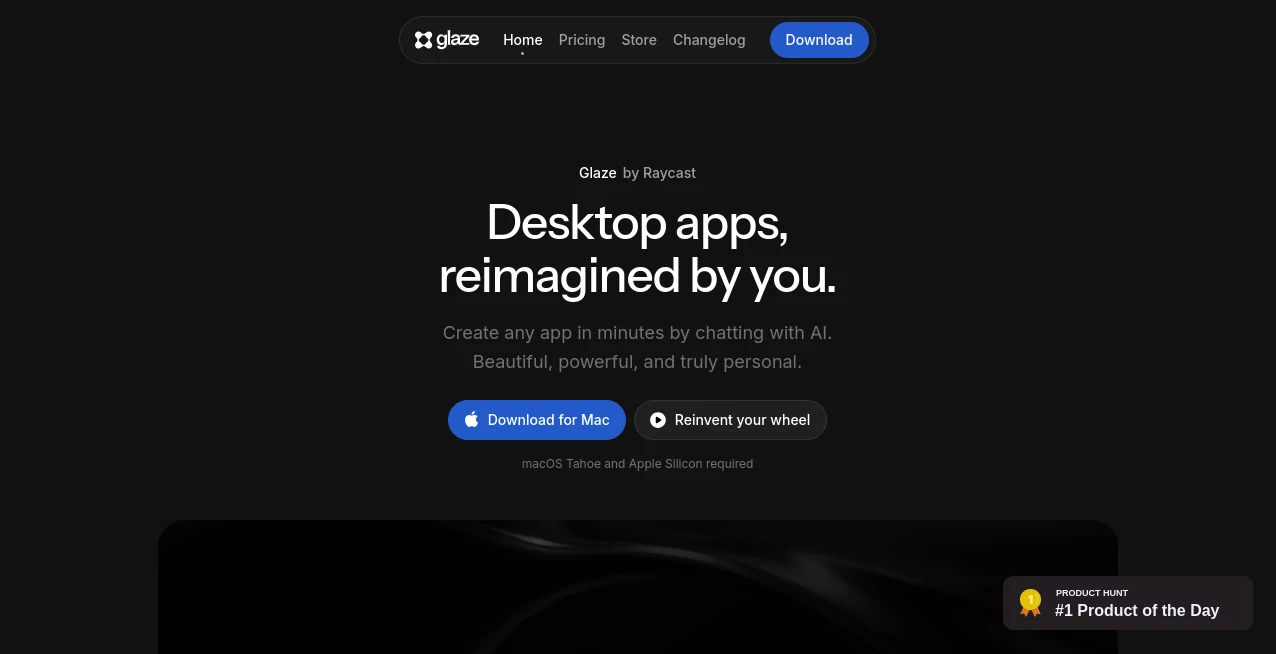
What is Glaze?
Building desktop software has traditionally required programming skills, design knowledge, and countless hours of testing. This AI-powered platform changes that experience by allowing anyone to describe an idea in natural language and watch it transform into a functional desktop application. Whether you're creating a personal productivity tool, an internal business utility, or a workflow automation solution, the entire process feels surprisingly approachable.
Unlike browser-focused AI builders, this solution is designed specifically for native desktop experiences. Applications run directly on your computer, can access local files, interact with operating system features, and continue working even without an internet connection. That combination of AI-assisted development and native performance makes it an exciting choice for professionals, creators, entrepreneurs, and teams looking to build software without unnecessary complexity.
Key Features
User Interface
The interface focuses on conversation instead of complicated development tools. Users simply describe the application they want, refine the result through follow-up prompts, and immediately see improvements. The clean workspace makes experimentation enjoyable while keeping advanced functionality available for experienced developers.
Accuracy & Performance
The platform generates complete desktop applications with remarkable speed while maintaining responsive performance. Since generated apps run locally, users benefit from fast startup times, smooth interactions, and reliable offline functionality. Native operating system integration also allows applications to feel like software built specifically for the device.
Capabilities
- Create desktop applications using natural language prompts.
- Generate internal business tools in minutes.
- Build workflow automation utilities.
- Create menu bar applications for everyday tasks.
- Access local files and operating system resources.
- Connect with APIs and external services.
- Integrate AI models into custom applications.
- Publish applications publicly or privately.
- Share projects with teams.
- Browse and install community-built applications.
Security & Privacy
Privacy is one of the strongest aspects of the platform. Applications are designed with a local-first philosophy, allowing data to remain on the user's computer rather than relying entirely on cloud servers. Offline support also reduces unnecessary data transfers while giving users greater confidence when working with sensitive information.
Use Cases
- Create custom productivity tools.
- Develop internal business dashboards.
- Build project management utilities.
- Generate personal automation workflows.
- Create data visualization applications.
- Develop API-powered desktop utilities.
- Build lightweight CRM helpers.
- Create note-taking and organization apps.
- Prototype software ideas quickly.
- Develop custom solutions for small teams.
Pros and Cons
Pros
- Requires little to no coding knowledge.
- Native desktop applications instead of browser-only projects.
- Works offline.
- Local-first architecture improves privacy.
- Supports API integrations.
- Easy publishing and sharing options.
- Ideal for both individuals and teams.
- Fast AI-assisted development workflow.
Cons
- Currently focused on macOS.
- Some advanced applications may still require manual refinement.
- Platform support for Windows and Linux is still under development.
Pricing Plans
A free plan is available for getting started and building initial applications with daily usage credits. Paid subscriptions provide additional monthly credits, expanded publishing options, and collaboration features for professional users and teams. Enterprise-oriented capabilities are also available for organizations that need private application distribution and team management.
How to Use Glaze
Begin by creating an account and opening the application on a supported Mac device. Describe the software you want to build using plain English. The AI generates a working desktop application that can be refined through additional conversations. Once satisfied, test the application locally, connect any required APIs or services, and publish it either privately for your team or publicly for the community to discover.
Comparison with Similar Tools
Many AI application builders concentrate on creating web applications that run inside browsers. This platform stands apart by producing native desktop software capable of accessing operating system features, local files, keyboard shortcuts, and background processes. For users who need software that behaves like traditional desktop applications instead of browser tabs, this approach offers a significant advantage.
Its combination of conversational development, local execution, and built-in publishing creates a workflow that feels practical for everyday users while remaining powerful enough for experienced builders who want greater control over their projects.
Conclusion
This platform represents an exciting step forward in AI-assisted software development. Instead of forcing users to learn programming before turning ideas into reality, it removes many traditional barriers and makes desktop application creation accessible to almost anyone. The local-first architecture, native operating system integration, and collaborative publishing features provide a compelling experience for individuals and businesses alike.
Whether you're experimenting with personal utilities, building internal company software, or rapidly testing product ideas, it delivers an impressive balance between simplicity and capability, making desktop software creation faster and more enjoyable than ever before.
Frequently Asked Questions (FAQ)
Can beginners build applications without coding?
Yes. Applications can be created by describing ideas in natural language, making the platform accessible to non-developers.
Do generated applications work offline?
Yes. Desktop applications run locally and continue functioning even without an internet connection for many use cases.
Can applications access local files?
Yes. Native desktop integration allows applications to work with local files and operating system resources.
Is it suitable for business teams?
Yes. Teams can create internal software, collaborate on projects, and privately distribute applications within their organization.
Can developers customize generated applications?
Yes. While beginners can rely entirely on AI conversations, experienced developers can further refine and extend their applications when needed.
AI App Builder , AI No-Code & Low-Code , AI Productivity Tools , AI Developer Tools .
These classifications represent its core capabilities and areas of application. For related tools, explore the linked categories above.

Glaze Alternatives Product
Dedoctive

Agent Grid

AllInOneTools

CodeSpy AI

Tate-A-Tate

Velokey
JSON to TOON…

FINIITE AI

Nifty