

















Glindra
What is Glindra?
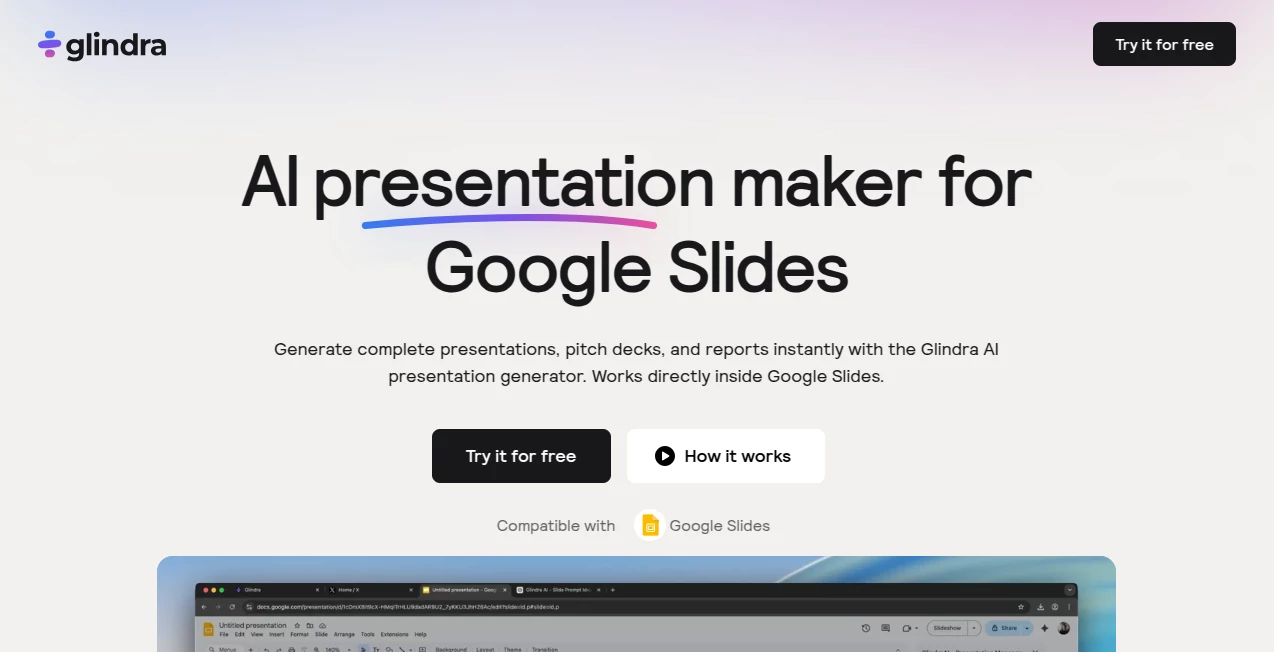
Creating a professional presentation often takes far longer than expected. Organizing ideas, designing slides, adjusting layouts, and rewriting content can easily consume hours before the real work even begins. This platform changes that process by transforming a simple prompt into a polished presentation that is ready for editing within Google Slides.
Designed for students, educators, marketers, founders, consultants, and business teams, it combines AI-powered content generation with practical presentation design. Instead of generating disconnected slides, it creates a logical outline, develops each section, and applies a professional visual style automatically. The result is a presentation that feels organized from the very first draft while remaining completely editable.
Whether the goal is preparing an investor pitch, classroom lecture, marketing proposal, business report, or internal strategy presentation, users can move from an initial idea to a complete slide deck in just a few minutes without struggling with formatting or design decisions.
Key Features
User Interface
The interface is built around simplicity. Users begin with a short prompt describing the topic, audience, and presentation purpose. The AI creates a structured outline before generating slides, allowing every section to be reviewed and rearranged before the final presentation is produced. Since everything works directly inside Google Slides, there is almost no learning curve for existing users.
Accuracy & Performance
The AI produces well-structured presentations with logical slide progression instead of random content blocks. It understands different presentation styles such as business proposals, educational lessons, reports, sales decks, and startup pitches. Content can also be rewritten instantly, making it easy to refine messaging without starting over.
Capabilities
- Generate complete presentations from a single prompt.
- Create structured outlines before building slides.
- Produce investor pitch decks and business proposals.
- Generate reports, educational presentations, and marketing decks.
- Rewrite slide content with AI assistance.
- Generate additional slides whenever needed.
- Remix slide layouts without changing existing content.
- Import PDF and document files to generate presentations.
- Translate entire presentations into multiple languages.
- Choose from dozens of professionally designed themes.
- Edit presentations directly inside Google Slides.
- Support presentations for individuals, teams, educators, and businesses.
Security & Privacy
Presentations remain fully editable after generation, giving users complete control over their content before sharing. Commercial usage is supported, making the platform suitable for client work, business presentations, educational materials, and internal documentation. Billing management, downloadable invoices, and subscription controls are also available for paid users.
Use Cases
- Startup fundraising presentations.
- Investor pitch decks.
- Business reports.
- Marketing campaign presentations.
- Sales proposals.
- Project updates.
- Educational lectures.
- Class assignments.
- Training materials.
- Client presentations.
- Workshop slides.
- Internal company meetings.
Pros and Cons
Pros
- Works directly inside Google Slides.
- Produces complete presentations in minutes.
- Excellent outline generation before slide creation.
- Professional themes with minimal effort.
- AI rewriting improves existing content.
- Supports multilingual presentations.
- Document and PDF import saves considerable time.
- Free plan available for new users.
Cons
- Advanced features require a paid subscription.
- PowerPoint integration is still being expanded.
- Team collaboration features are still under development.
Pricing Plans
A free plan allows users to explore the platform with limited AI generations and theme selections. Paid subscriptions unlock unlimited presentation generation, unlimited editing and slide remixing, access to over fifty presentation themes, document uploads, and additional premium capabilities. Separate plans are available for professionals and agencies that create presentations frequently.
How to Use Glindra
Begin by entering the presentation topic together with its purpose and intended audience. The AI creates an organized outline covering the complete presentation flow. Review or rearrange the outline, select a presentation template, and generate the finished slide deck. Users can then edit individual slides, rewrite text, add new sections, remix layouts, translate the presentation, and continue working directly inside Google Slides before presenting or sharing the final version.
Comparison with Similar Tools
Unlike many AI presentation generators that simply convert text into slides, this solution emphasizes the complete presentation workflow. Outline generation, AI writing assistance, layout remixing, multilingual support, document import, and seamless Google Slides integration make the creation process significantly more efficient. Rather than replacing user creativity, it provides a structured first draft that remains fully customizable.
Conclusion
For professionals who regularly build presentations, saving time without sacrificing quality is a major advantage. This platform delivers exactly that by combining AI-generated content, presentation structure, modern design templates, and Google Slides integration into one streamlined workflow. It helps users focus on communicating ideas while dramatically reducing the time spent designing slides from scratch, making it an excellent solution for business teams, educators, students, consultants, and entrepreneurs alike.
Frequently Asked Questions (FAQ)
Can presentations be edited after they are generated?
Yes. Every slide remains fully editable, allowing users to modify text, layouts, images, and structure.
Does it work with Google Slides?
Yes. Presentations are created directly for Google Slides, providing a seamless editing experience.
Can existing documents become presentations?
Yes. PDF files and documents can be uploaded and converted into structured slide decks.
Is there a free version?
Yes. A free plan allows users to generate a limited number of presentations before upgrading.
Who benefits most from this platform?
Students, teachers, marketers, consultants, startup founders, sales teams, agencies, and business professionals who frequently create presentations will gain the greatest value.
AI Documents Assistant , AI Productivity Tools , AI Team Collaboration , AI Presentation Generator .
These classifications represent its core capabilities and areas of application. For related tools, explore the linked categories above.

Glindra Alternatives Product
Gemini Omni

Weekly Brief

VideoLens

Resyfy AI

The #1 Text …

Audio Convert

AfterSession

PDF to MD

JSON to Excel
