
GPT Image 2
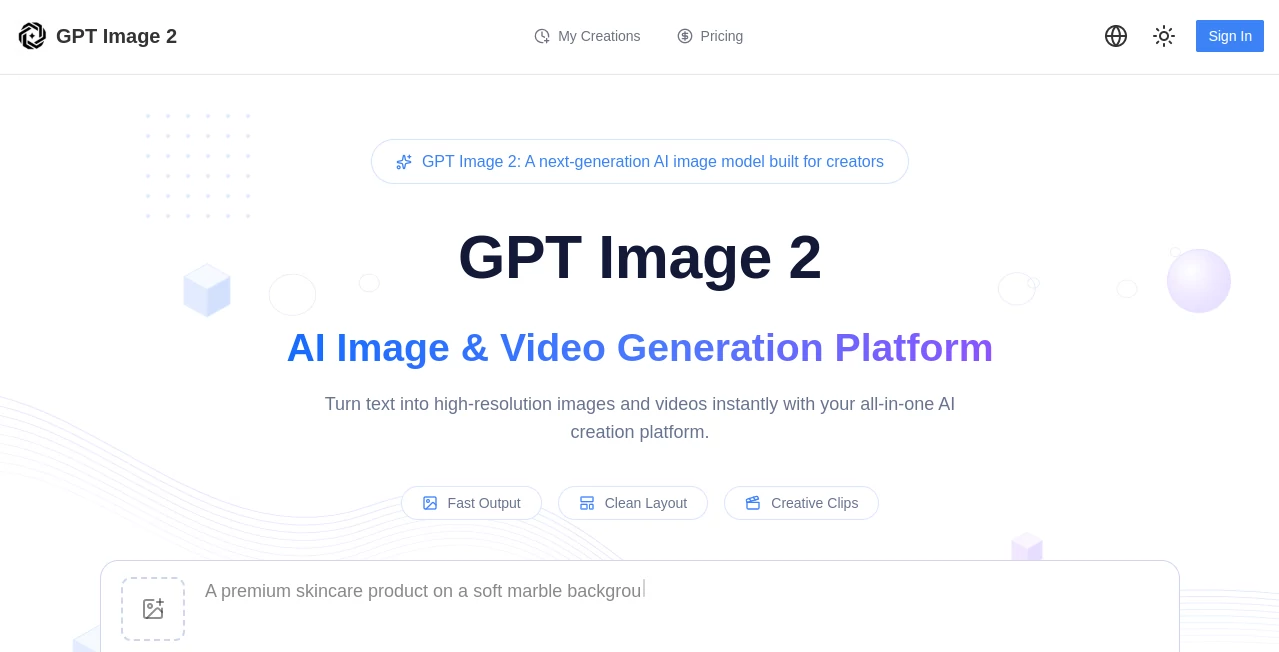
What is GPT Image 2?
Creating impressive visuals no longer requires advanced design skills or expensive software. This platform provides an intuitive workspace where anyone can transform ideas into professional-quality images using simple text prompts. Whether you are producing marketing graphics, social media content, product photography concepts, or creative artwork, the experience feels fast, modern, and surprisingly accessible.
Beyond standard text-to-image generation, the platform also supports image editing and multiple visual creation workflows within a single interface. This makes it suitable for designers, marketers, content creators, agencies, and businesses looking to streamline their creative process without sacrificing quality. Its ability to generate clean layouts, readable text inside images, and polished visual assets makes it especially valuable for commercial projects. The platform also offers access to multiple creative models from one workspace, giving users greater flexibility for different types of projects.
Key Features
- Generate high-quality images from text prompts.
- Edit existing images with AI-powered modifications.
- Create marketing creatives, product visuals, posters, and UI mockups.
- Support for multiple image and video generation models.
- Advanced prompt customization options.
- Commercial licensing available on paid plans.
- Fast image generation with priority queues for premium users.
- Multiple aspect ratio options for different publishing needs.
- Reference-based image refinement workflows.
- Credit-based system suitable for casual and professional users.
User Interface
The interface is designed to keep the creative process simple. Users can write a prompt, adjust a few generation settings, and receive results within moments. Navigation remains clean and organized, making it easy to switch between image creation, editing, and additional creative tools without unnecessary complexity. Even first-time users can become productive after only a few minutes of exploration.
Accuracy & Performance
The platform delivers visually detailed images with impressive prompt understanding. It performs particularly well when creating graphics that include readable text, promotional materials, interface concepts, and product presentations. Generation speed remains competitive, while premium plans provide faster processing and priority access for demanding creative workloads.
Capabilities
Its capabilities extend beyond traditional AI art generation. Users can build advertising materials, social media graphics, product mockups, thumbnails, illustrations, presentation visuals, and concept art from a single workspace. Image editing allows existing visuals to be refined without starting every project from scratch, helping teams iterate much more efficiently.
Security & Privacy
The service supports secure account management and protected payment methods for subscriptions and credit purchases. Commercial usage is available through eligible plans, allowing businesses to confidently incorporate generated content into professional workflows. Users should still review the platform's official policies before publishing sensitive or regulated content.
Use Cases
- Designing advertising campaigns.
- Creating social media graphics.
- Generating product showcase images.
- Building landing page illustrations.
- Producing blog and article visuals.
- Designing presentation graphics.
- Creating YouTube thumbnails.
- Rapid concept visualization for creative teams.
- Developing promotional materials for e-commerce stores.
- Producing visual assets for startups and agencies.
Pros and Cons
Pros
- Modern and beginner-friendly interface.
- Excellent image quality for commercial projects.
- Image generation and editing in one platform.
- Multiple creative models available.
- Flexible subscription and credit options.
- Commercial license included with paid plans.
Cons
- Free plan includes limited monthly credits.
- Advanced features require a paid subscription.
- Heavy commercial usage may require higher-tier plans.
Pricing Plans
The platform offers a Free plan with limited monthly AI credits and basic generation features. Paid subscriptions include Basic, Pro, and Business plans with significantly higher credit allowances, commercial licensing, advanced generation parameters, priority processing, and additional creative capabilities for professionals and teams. Annual billing provides notable savings compared to monthly subscriptions. :contentReference[oaicite:0]{index=0}
How to Use GPTImage2
- Create an account or start with the free plan.
- Enter a detailed text prompt describing the desired image.
- Select the preferred generation settings such as aspect ratio.
- Generate the image.
- Review the results and refine them if necessary.
- Edit existing images when additional improvements are needed.
- Download the finished visuals for personal or commercial use, depending on your plan.
Comparison with Similar Tools
Compared with many AI image generators, this platform combines image generation, editing, and access to multiple creative models within one unified workspace. Rather than focusing solely on artistic illustrations, it performs especially well for practical business assets such as marketing graphics, UI concepts, promotional materials, and product visuals. The combination of flexible pricing, commercial licensing, and production-focused features makes it attractive for both individual creators and professional teams. :contentReference[oaicite:1]{index=1}
Conclusion
For anyone looking to accelerate visual content creation without compromising quality, this platform offers an excellent balance between ease of use and professional capability. From simple social media graphics to polished commercial assets, it provides a streamlined workflow that fits freelancers, businesses, agencies, and creative teams alike. Its combination of image generation, editing, multiple AI models, and scalable pricing makes it a compelling choice for modern digital content production.
Frequently Asked Questions (FAQ)
Is there a free version available?
Yes. A free plan is available with limited monthly AI credits and basic generation features.
Can the generated images be used commercially?
Yes. Commercial licensing is included with eligible paid plans.
Does it support image editing?
Yes. Users can edit existing images in addition to generating new ones from text prompts.
Who is this platform best suited for?
It is ideal for designers, marketers, agencies, content creators, entrepreneurs, and businesses that need high-quality visual content.
Does it offer different subscription levels?
Yes. Users can choose between Free, Basic, Pro, and Business plans based on their creative needs and monthly usage.
AI Photo & Image Generator , Photo & Image Editor , AI Design Generator , AI Image to Image .
These classifications represent its core capabilities and areas of application. For related tools, explore the linked categories above.

GPT Image 2 Alternatives Product

Nano Banana 2

PicLumen AI …

Gualele

PNG to 3D

Shutterstock

NanoBanana2F…

Beardless Fi…

ModelsLab

ColorChanger