Gpt Image 2 Api
What is Gpt Image 2 Api?
Creating polished visuals for marketing, ecommerce, social media, and product design often takes more time than expected. A single image may need several rounds of editing before the composition, text, product details, and overall style feel right. GptImage2Api brings image generation and editing into a practical workflow designed for that kind of production work.
The platform focuses on high-fidelity image creation, controlled editing, readable text, and consistent visual direction. Users can turn detailed prompts into images, modify existing assets, create campaign concepts, and export finished visuals in PNG or JPEG format. There is also an API for developers who want to integrate image generation and editing into their own applications.
What makes the service particularly useful is its focus on real creative tasks rather than simple image experimentation. Product mockups, advertising concepts, social graphics, posters, storefront visuals, and brand assets are all natural fits for the workflow.
Key Features
- High-fidelity text-to-image generation from detailed prompts.
- Image-to-image editing with local or broader visual changes.
- Readable text generation for posters, advertisements, and mockups.
- Style consistency across multiple generated images.
- Product visual creation for ecommerce and marketing campaigns.
- PNG and JPEG export for common production workflows.
- Commercial usage for campaigns, storefronts, and internal design work.
- API access for integrating image generation into applications and automated workflows.
- Credit-based usage that can scale with different workloads.
User Interface
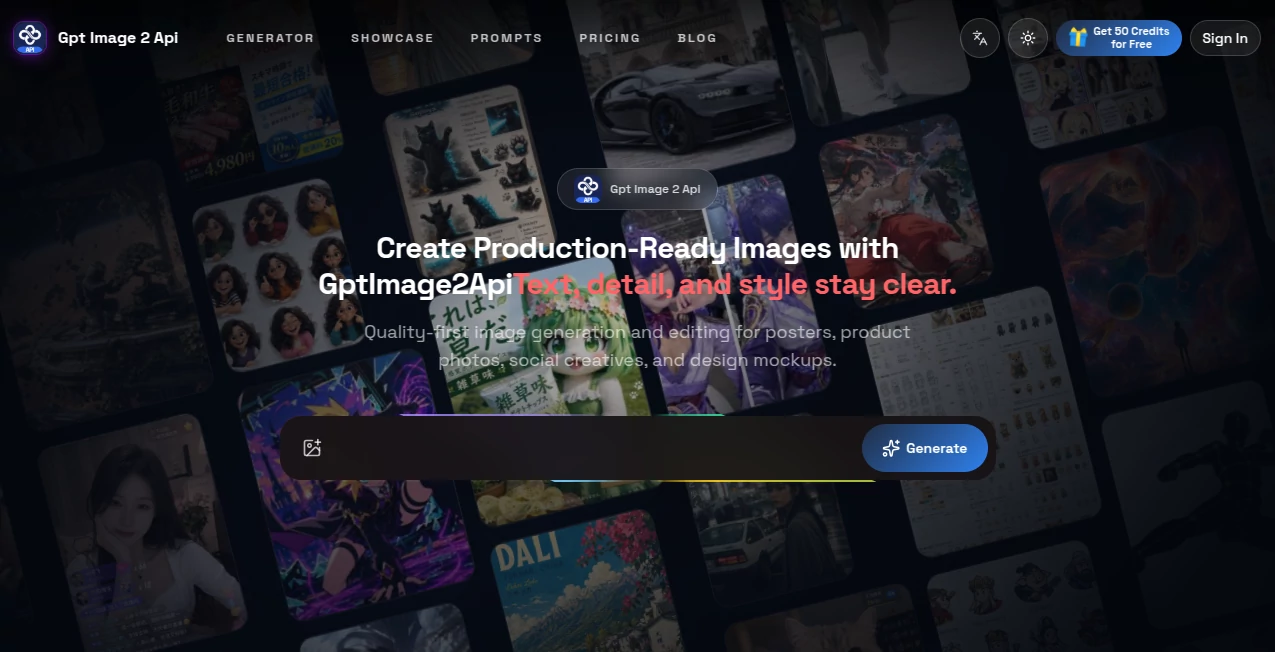
The interface is built around a straightforward prompt-and-edit workflow. Instead of forcing users through a complicated creative pipeline, the process can start with a description, move into generation or editing, and finish with an exported image.
The showcase on the platform demonstrates several practical formats, including ecommerce landing-page concepts, relationship-map posters, manga pages, character sheets, fashion covers, advertising boards, and product-focused visuals. This variety gives users a useful idea of the types of creative directions the system can handle.
For developers, the experience extends beyond the visual interface. An API dashboard provides API key management, credit information, task creation, and generation-status tracking.
Accuracy & Performance
Image quality is only part of the equation when a visual is intended for actual business use. Text placement, product details, composition, and consistency can make the difference between a useful asset and an image that still needs substantial manual work.
The platform specifically emphasizes clearer text rendering and stable visual style. Its examples include posters, advertisements, packaging concepts, editorial layouts, and other graphics where typography and composition matter. It also supports controlled editing, making it possible to refine an existing image instead of starting over every time.
For repeated production, style consistency is another practical advantage. Keeping the visual direction aligned across a group of product or campaign images can make a catalog or advertising set feel much more coherent.
Capabilities
The platform supports both creative generation and editing. Text-to-image workflows can be used to create a visual from a detailed description, while image-to-image workflows allow an existing asset to be refined or transformed.
Typical editing tasks include replacing a subject, changing a background, updating a visual style, or performing localized retouching. For marketing teams, the same workflow can be used to create multiple advertising directions, product scenes, social media graphics, and campaign variations.
Developers can also access multiple image-generation models through the API. Available model families include GPT Image 2, Nano Banana, Seedream, Qwen2, Grok Imagine, and Wan Image. API requests use an API key with Bearer authentication, while generation jobs can be tracked through their task status.
Security & Privacy
The developer API provides authentication through API keys and allows generation requests to specify whether a result should be public. The documentation also provides account and credit endpoints, giving developers a way to monitor authenticated usage.
When building an application around the API, developers should still follow standard security practices. API keys should be kept on the server side rather than exposed in browser-side code, and sensitive source images should only be sent when appropriate for the intended workflow.
Use Cases
Ecommerce: Create product scenes, storefront graphics, packaging concepts, and seasonal promotional visuals without arranging a new photo shoot for every campaign.
Advertising: Generate several creative directions for an advertising campaign and produce visual variations that can be used for testing.
Social Media: Create posters, carousel graphics, campaign images, and other social formats from a single creative concept.
Product Marketing: Turn product ideas into polished mockups and promotional imagery that can support landing pages, presentations, and sales materials.
Brand Design: Maintain a recognizable visual direction across multiple images by keeping composition, colors, and stylistic choices more consistent.
Creative Teams: Designers can use image editing to reuse existing assets and make targeted changes rather than rebuilding every visual from scratch.
Developers: The API makes it possible to integrate image generation and editing into software products, internal tools, and automated creative workflows.
Pros and Cons
Pros
- Strong focus on production-oriented image generation.
- Supports both generation and image editing.
- Designed to handle text-heavy visual assets such as posters and ads.
- Useful style consistency for repeated creative work.
- PNG and JPEG export are available.
- Commercial usage is included in the listed plans.
- API access is available on the Max plan.
- Multiple image models are accessible through the developer API.
- One-time credit packs are available for users with occasional workload spikes.
Cons
- Usage is based on credits, so heavy production workloads require careful monitoring.
- API access is reserved for the highest listed subscription tier.
- Different models and generation settings can consume different amounts of credits.
- Users looking only for occasional casual image generation may find the broader production workflow more than they need.
Pricing Plans
The platform uses monthly subscription plans as well as one-time credit packs. The Standard plan costs $19.90 per month and includes 2,800 credits. It provides high-fidelity generation, image editing, text rendering, style consistency, PNG/JPEG export, commercial usage, and a standard generation queue.
The Pro plan costs $59.90 per month and includes 9,600 credits. It adds advanced image editing and local refinements, stronger batch consistency, a faster generation queue, and priority support.
The Max plan costs $149.90 per month and includes 27,000 credits. It is aimed at studios and professional workflows and adds an instant queue and API access.
For users who do not want another recurring subscription, one-time credit packs are also available. Current options include 1,000 credits for $9.90, 3,750 credits for $29.90, and 12,000 credits for $79.90. Annual billing is also offered at a discount compared with monthly pricing.
How to Use the Image Generation Platform
Start by creating an account and selecting the workflow that matches the visual you want to produce. For a new image, provide a detailed prompt describing the subject, composition, lighting, style, dimensions, and other important visual details.
If you already have an image, use the editing workflow to make targeted changes. This can be useful for replacing backgrounds, modifying subjects, changing the visual direction, or refining specific areas.
Review the generated result and make additional adjustments when necessary. Once the image reaches the desired quality, export it as PNG or JPEG for use in your project.
Developers can create an API key from the dashboard and send authenticated requests to the image-generation endpoint. A generation request specifies the model, visibility settings, and the appropriate payload. The returned task ID can then be used to monitor the generation until it succeeds or fails.
Comparison with Similar Tools
Many AI image generators are excellent for creating an attractive image from a prompt, but production work can require more than a single generation button. This platform puts additional attention on editing, text rendering, batch consistency, commercial workflows, and API integration.
For someone creating a single artistic image occasionally, a general-purpose image generator may be sufficient. For a marketer producing multiple campaign assets, an ecommerce team maintaining product visuals, or a developer building image generation into an application, the combination of generation, editing, credits, and API functionality can be more practical.
Another distinction is the range of models available through the developer API. Rather than restricting developers to one image model, the service provides access to several model families, allowing workflows to be matched to different generation and editing requirements.
Conclusion
For anyone who treats AI-generated imagery as part of a real creative workflow, this platform offers a useful balance between generation, editing, consistency, and production control. Its focus on readable text and repeatable visual direction is especially relevant for marketing teams and businesses that need more than one-off experimental images.
The API adds another layer of flexibility for developers, while the credit packs make it possible to handle occasional bursts of work without committing to a larger recurring plan. Whether the goal is a product mockup, social campaign, advertising concept, or an automated image workflow, the service provides a broad set of tools for moving from an idea to a finished visual.
Frequently Asked Questions (FAQ)
What can the platform be used for?
It can be used for text-to-image generation, image editing, product mockups, advertising creatives, social media graphics, posters, storefront visuals, brand assets, and other commercial design workflows.
Does it support image editing?
Yes. Users can upload an existing image and make controlled changes such as subject replacement, background changes, style updates, and localized refinements.
Can it generate images containing text?
Yes. Clearer text rendering is one of the platform's highlighted capabilities, making it suitable for posters, advertisements, mockups, and other layouts where readable typography matters.
Can the generated images be used commercially?
Commercial use is included in the listed Standard, Pro, and Max plans.
Does it provide an API?
Yes. The developer API allows applications to submit image-generation tasks, authenticate with API keys, monitor task progress, and manage credit-based usage.
Which image models are available through the API?
The API documentation currently lists model families including GPT Image 2, Nano Banana, Seedream, Qwen2, Grok Imagine, and Wan Image, with several text-to-image and image-editing options depending on the model.
How does API billing work?
API generation uses account credits. The amount consumed can vary according to the selected model and generation options such as duration, quality, resolution, and the applicable pricing configuration.
Is there a free way to try the service?
The platform states that users can earn credits through activities such as daily check-ins and invitations, allowing new users to explore the service before committing to a larger paid workload.
What file formats are supported for export?
Generated images can be exported in PNG and JPEG formats, making them suitable for many web, marketing, and design workflows.
Photo & Image Editor , AI Advertising Assistant , AI Image to Image , AI Text to Image .
These classifications represent its core capabilities and areas of application. For related tools, explore the linked categories above.
Gpt Image 2 Api details
Website unavailable — View Alternatives
Pricing
- Free
Apps
- Web App
Categories

Gpt Image 2 Api Alternatives Product

CircleCrop

ModelsLab

Text Remover…
RenderQuill
Caricature G…

Transform An…

Imagens App

Banana 2

Nano Banana 2