


















GPTMusicDJ
What is GPTMusicDJ?
Some nights you just want to hear a new track that matches exactly what’s in your head — a chill lo-fi beat for focus, an upbeat pop hook for a reel, or a moody electronic vibe for your drive home. This tool makes that possible in seconds. You type a description, pick a style or mood, and it delivers a full track with vocals, instruments, and structure that actually feels complete. I’ve used it to create background music for videos when I didn’t have time to search libraries, and the results were good enough to publish without extra editing. It’s the kind of creative freedom that turns “I wish I could make music” into “here’s what I made tonight.”
Introduction
Making music has traditionally required instruments, software skills, or years of practice. GPT Music DJ removes most of those barriers by letting anyone generate original songs, instrumentals, vocals, and sound effects simply by describing what they want. Whether you’re a complete beginner looking for fun or a creator needing quick assets, it produces royalty-free tracks that sound surprisingly polished. The platform stands out because it combines speed with decent musical coherence — verses, choruses, and transitions that don’t feel completely random. For content creators, hobbyists, or anyone stuck needing background music, it has become a reliable shortcut that keeps the creative flow going instead of slowing it down.
Key Features
User Interface
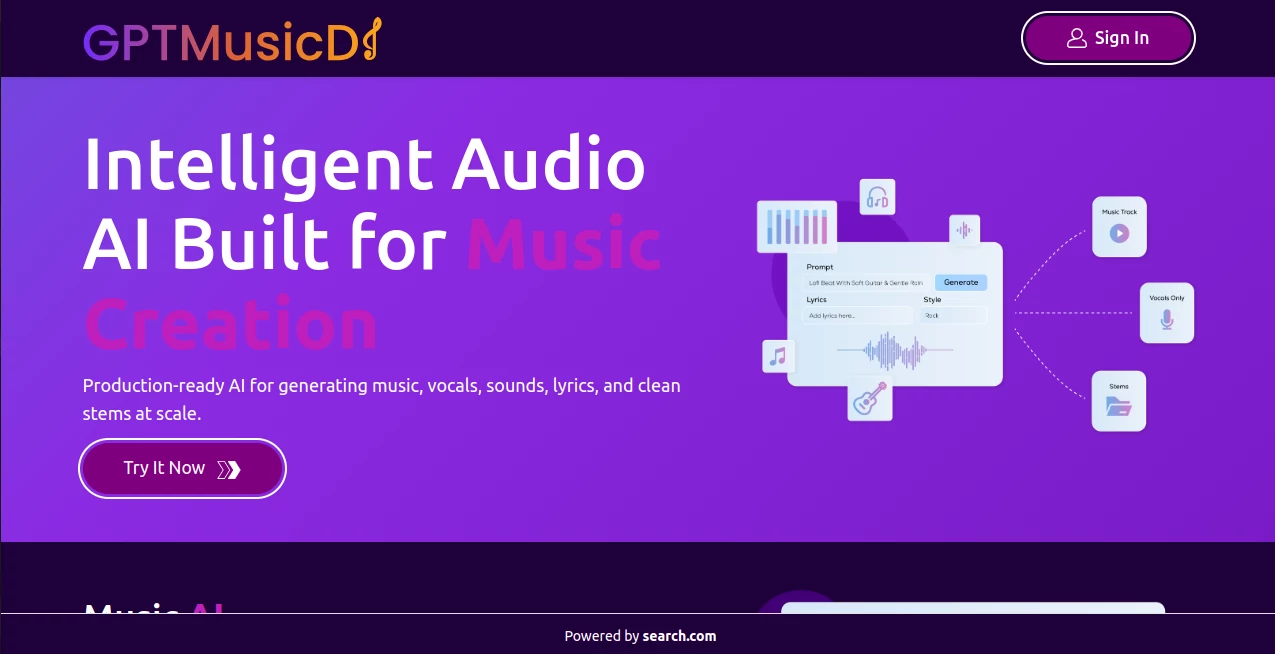
The dashboard is straightforward and inviting. A big prompt box sits front and center where you describe the song (“upbeat summer pop about driving with friends at sunset”), with options for genre, mood, length, and vocal style nearby. You can generate lyrics first if you want, or go straight to full audio. Previews load quickly, and you can iterate by refining the prompt without starting over. It never feels intimidating — just enough controls to guide the output while keeping things simple and fun.
Accuracy & Performance
The tool does a solid job matching your description — it catches mood, tempo, and genre cues better than many early music AIs. Vocals have decent clarity and emotion, while instrumentals stay coherent across sections. Generation times are fast enough to keep momentum (usually under a minute), and you can create multiple variations to choose from. While it’s not studio perfection yet, the quality is high enough for social media, videos, prototypes, and personal enjoyment.
Capabilities
You can generate full songs with vocals and lyrics, instrumental beats, sound effects, and custom melodies. It supports a wide range of genres and allows you to guide elements like tempo, energy, voice type, and structure. The platform also lets you create from lyrics you write yourself or refine existing tracks. Outputs are downloadable and suitable for both personal and many commercial creative projects, giving you flexibility without complicated licensing headaches.
Security & Privacy
Your prompts and generated tracks are handled cleanly. The tool focuses on delivering results without unnecessary data collection or long-term storage of your creative work. This respectful approach gives creators confidence to experiment freely, especially when working on original ideas or client projects.
Use Cases
A YouTuber needs royalty-free background music for a vlog and generates a custom chill beat in minutes. An indie game developer creates looping menu themes and sound effects tailored to the game’s atmosphere. A social media creator makes short vocal hooks for Reels that match trending sounds. Someone throwing a party generates a personalized playlist of upbeat tracks for the night. Teachers use it to make educational songs that help students remember concepts. It fits anywhere you need original audio quickly without hiring a composer.
Pros and Cons
Pros:
- Fast generation that keeps creative ideas flowing without long waits.
- Decent vocal quality and musical structure for an AI tool.
- Wide variety of genres and customization options.
- Royalty-free outputs suitable for many creative projects.
- Simple enough for beginners yet flexible for experienced users.
Cons:
- Longer, more complex songs may need multiple generations or manual editing.
- Vocals can occasionally sound slightly robotic on very specific styles.
- Heavy daily use requires a paid plan for unlimited access.
Pricing Plans
The free tier offers a good number of generations per day so you can test quality and workflow without spending anything. Paid plans unlock unlimited creations, higher audio quality, priority generation, and more advanced customization. The pricing feels reasonable for the time and inspiration it saves — many creators find the paid tier pays for itself quickly when they start using it regularly for content or projects.
How to Use GPT Music DJ
Start by typing a clear description of the song you want — include genre, mood, tempo, theme, and any specific elements like “female vocals with dreamy synths.” Choose additional options like length or vocal style if available. Hit generate and listen to the result. If it’s close but not perfect, refine your prompt (add more details or change mood words) and try again. Download the track you like best or generate variations until you’re happy. The process is quick enough that you can create several options in one short session.
Comparison with Similar Tools
Many AI music generators focus on either instrumentals or very short clips, but this one balances full songs with usable vocals and decent structure. While some tools feel more experimental and chaotic, this platform delivers more consistent musicality and easier prompting. It’s not trying to replace professional producers — it’s a fast, accessible way to get original audio when you need it now, making it especially valuable for creators who aren’t full-time musicians.
Conclusion
Music has the power to set mood, tell stories, and connect with people instantly. This tool makes creating that music far more accessible without requiring years of training or expensive equipment. It gives everyday creators, hobbyists, and professionals a practical way to bring audio ideas to life quickly and enjoyably. Whether you need background tracks, vocal hooks, or full songs, it turns imagination into something you can actually hear and share. For anyone who loves music but doesn’t have time to produce it traditionally, it’s a genuinely useful creative companion.
Frequently Asked Questions (FAQ)
How long are the generated tracks?
Usually 30 seconds to a few minutes depending on your prompt and chosen length.
Are the songs royalty-free?
Yes, generated tracks are generally royalty-free for personal and many commercial creative uses (check terms for specifics).
Can I generate only instrumentals?
Yes — just specify “instrumental” or “no vocals” in your prompt.
Do I need music knowledge to use it?
Not at all — clear English descriptions work best, even if you have zero music theory background.
What if I don’t like the first result?
Refine your prompt with more details and generate again — small changes often lead to very different and better tracks.
AI Text to Music , AI Singing Generator , AI Music Generator , AI Voice & Audio Editing .
These classifications represent its core capabilities and areas of application. For related tools, explore the linked categories above.

GPTMusicDJ Alternatives Product
Lyria 3 AI M…

Solmi AI

MakeBestMusic

Mp3ToMidi

Klyra AI

AISongsGener…

SpeechGen AI

Chatterbox T…

AI Song Maker
