
















Deep Nostalgia AI
What is Deep Nostalgia AI?
Have you ever looked at an old family photograph and wished you could see that person smile, blink, or move just one more time? It's a feeling that sits deep in your chest—a mix of love, loss, and curiosity. This is exactly the gap this incredible AI tool bridges. It takes those faded, still images of your ancestors or loved ones and breathes new life into them, creating a short, realistic video where they truly seem to come alive. The technology was developed by MyHeritage and licensed from a company called D-ID, and it uses advanced deep learning algorithms to animate faces with surprising accuracy. I remember trying it out with a photo of my great-grandmother—a stern-looking woman I never met. When the animation made her turn her head and smile softly, I felt an emotional connection that a simple photograph had never been able to convey. It’s a powerful experience, and it’s available to anyone with a browser and a few photos to upload.
Key Features
The platform is surprisingly simple to use, yet it packs a punch with what it can accomplish. It's designed to be accessible for everyone, from genealogy enthusiasts to someone just looking to create a unique gift.
User Interface
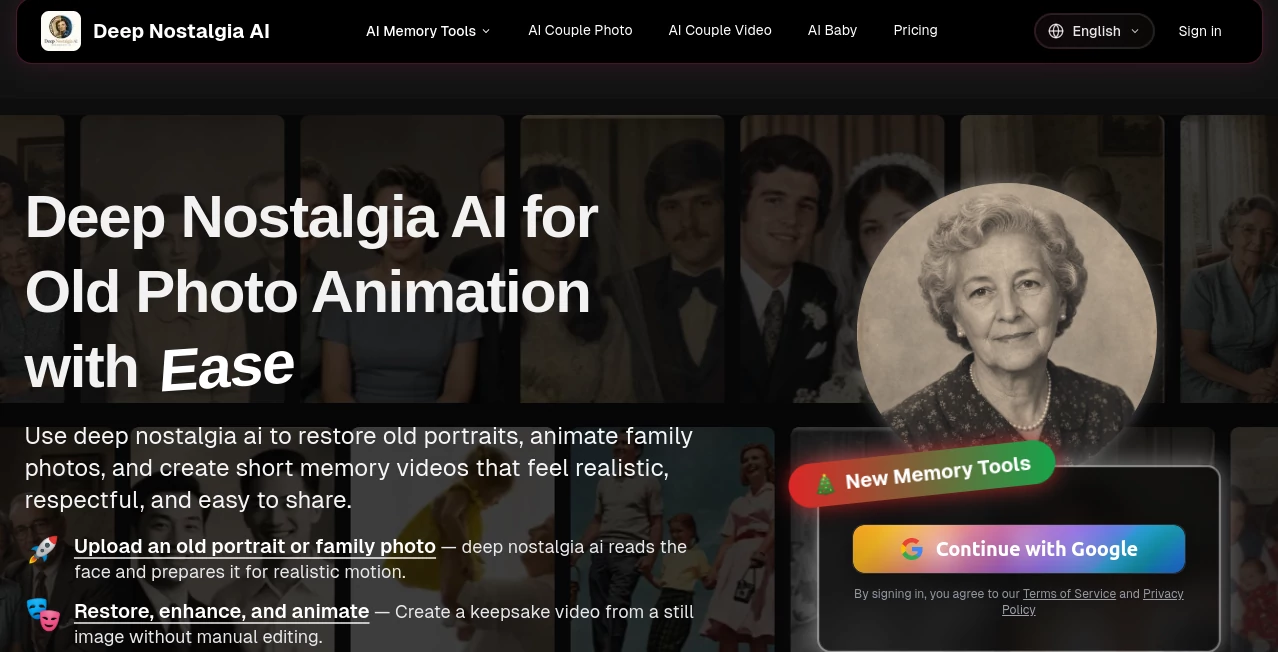
The interface is clean, intuitive, and web-based, meaning there is no heavy software to download or install. You just navigate to the site on any modern browser, on any device—whether it's a Windows PC, a Mac, or even a smartphone. The process is essentially a few clicks: you create a free account, upload a clear portrait photo, and the tool handles everything else automatically. Everything is automated, making it extremely user-friendly even for those who aren't tech-savvy.
Accuracy & Performance
The real magic is in how well it works. The AI doesn't just paste a generic smile onto the face. It analyzes the orientation of the head and the direction of the eyes, then applies a pre-recorded "driver" video that guides the movement. The result is a realistic and remarkably lifelike animation where the person blinks, smiles, and turns their head. The company has several different driver sequences to ensure the most fitting gestures are applied to each unique face. In many cases, the animation is so fluid that it looks like a real video snippet from the past. However, the tool works best with clear, high-resolution, front-facing photos. It can handle colorized, black and white, and restored images, but a clear, close-up shot will always yield the best results. Processing is generally very fast, often generating a video in just a few minutes.
Capabilities
While the core function is animating faces, the tool offers a few other neat capabilities. The photo is enhanced automatically as part of the process to achieve the highest possible resolution for the animation. You can share your short animated clips directly to social media platforms or save them to your device to keep. It's also expanding its offerings, with features like AI Photo Recovery, AI Photo Colorize, and even more specialized tools like an AI Kissing Video Generator and AI Hug Video Generator available for premium users.
Security & Privacy
Privacy is a valid concern when uploading personal photos. This platform takes this seriously. They use secure servers and, importantly, they automatically delete any photos that are uploaded without an associated account, or after they’ve been processed and the user is done with them. The data is encrypted, and the company maintains a clear policy that uploaded photos aren't used to train public models, ensuring your family memories stay private.
Use Cases
The uses for this tool are as varied as the people who use it. For genealogists and family historians, it's an invaluable tool to connect with ancestors in a way that a written record or still photo never could. It's a way to see the faces of people you've only heard stories about, making them feel more like real people. Families often use it to create touching tributes for reunions or to simply share a moment of wonder with elderly relatives who might not see the animated footage otherwise. One review even highlighted how a person used it to create a video for their grandfather, who was moved to tears seeing his late wife's animated face. Beyond personal use, educators and content creators can use it to bring historical figures to life for students or to add a unique, emotional touch to their social media content.
Pros and Cons
Pros:
- Transforms static memories into engaging, lifelike animations.
- Exceptionally easy to use with a clean, intuitive interface.
- High-quality, realistic results that create a strong emotional impact.
- Strong privacy focus with automatic deletion of uploaded photos.
- Accessible directly through a web browser on any device, no software needed.
Cons:
- The free version is limited, and a premium subscription is needed for unlimited animations.
- Results can vary based on photo quality; it doesn't work as well with low-resolution or profile shots.
- A lack of customization in the animations—you can't direct the specific movement or background.
Pricing Plans
The platform offers a freemium pricing model. The free version allows you to test the service and animate a limited number of photos, which is great for getting a feel for the technology. For users who want to animate more pictures or access the full suite of features, a premium subscription is available. While prices are subject to change, the paid plan often starts at around $299 per year, unlocking unlimited animations and access to other tools like photo recovery, colorization, and more advanced features. It's a worthwhile investment for anyone serious about preserving and celebrating their family history.
How to Use Deep Nostalgia AI
Getting started is remarkably straightforward. First, you need to create an account on the platform. Once you're logged in, the process is very simple. You click on the tool, upload a photo from your device. The platform will automatically enhance the photo to ensure it's in the best possible condition for processing. Then, you wait a few moments while the deep learning algorithms work their magic. A few minutes later, your short animated video clip will be ready for you to view. Finally, you can download the video file or share it directly with your friends and family on social media. The entire thing is designed to take you from a still picture to a moving memory in just a few clicks.
Comparison with Similar Tools
While other tools can animate images, this platform's specific focus on vintage and family photos, powered by the extensive genealogy infrastructure of MyHeritage, sets it apart. Many general-purpose AI animation tools require more technical know-how or lack the specific driver technology that makes these facial movements look so authentic. For example, while a tool like Filmora offers animation, it provides more customization options at the cost of simplicity and the specific "human-like" quality for portraits. Unlike a tool like Deep Anime which is designed for creative art generation, this tool is deeply focused on nostalgia and emotional connection with personal history. It's more specialized, aiming for a realistic and emotional result rather than an artistic one.
Conclusion
This platform is more than just a cool AI gadget. It's a unique way to bridge the gap between the past and the present, to look a long-gone relative in the eyes and see them smile. It offers a profound way to connect with family history that goes beyond names and dates on a chart. Yes, there are limitations regarding customization and the free tier, but the core experience is genuinely moving and offers incredible value for anyone looking to preserve and share their family's legacy. It's a tool that turns dusty old photographs into cherished new memories.
Frequently Asked Questions (FAQ)
Is my data safe and private?
Yes, the platform prioritizes your privacy. Uploaded photos are automatically deleted from their servers if not associated with an account, and encryption is used to protect your data.
Can I use this tool for free?
Yes, there is a free version that allows you to animate a limited number of photos, which is excellent for testing the service.
What types of photos work best?
The tool works best with clear, high-resolution, front-facing portrait photos. Avoid blurry, group, or side-profile photos for the best results.
Can I share the animated videos I create?
Yes, you can easily download the videos and share them on social media platforms or via email.
Does it work on mobile devices?
Absolutely. Since it is a web-based tool, you can use it on any device with a modern browser, including Android and iOS devices via the MyHeritage app.