


















Happyhorses AI Video Generator
What is Happyhorses AI Video Generator?
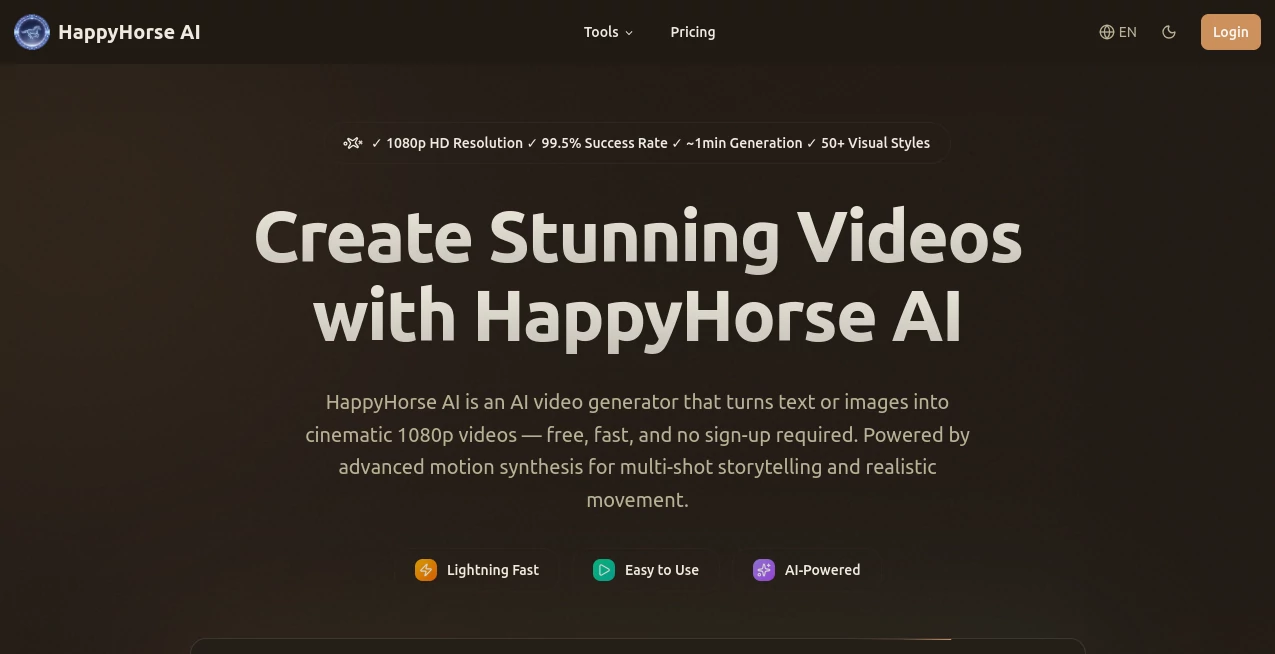
There’s something special about typing a simple idea and watching it turn into a smooth, cinematic clip just a minute later. No crew, no expensive gear, no days of editing—just your words or a starting image becoming real movement with proper lighting, natural motion, and consistent characters. This platform delivers that experience reliably, and the results often look better than what many creators expect from AI video. I’ve seen hobbyists create Reels that get real engagement and small brands produce ad-like clips without leaving their laptop. It feels less like a toy and more like a creative partner that actually understands storytelling.
Introduction
Most AI video tools still feel experimental—jerky motion, faces that morph between shots, or lighting that changes randomly. HappyHorse AI has moved past that stage. It focuses on delivering clean 1080p videos with strong multi-shot consistency and natural movement. Whether you start with text or upload an image for guidance, the output carries real cinematic feel. No sign-up is needed to try it, and free daily credits let you experiment right away. For creators who want to turn ideas into shareable videos quickly, this has become one of the more dependable options out there.
Key Features
User Interface
The interface is refreshingly straightforward. A large prompt box welcomes you, with options to upload a reference image if you want more control over the look. Style selection is simple—50+ visual styles from cinematic drama to nature documentary—and you can tweak aspect ratio and duration easily. Generation progress is clear and calm. Everything is designed so you spend time being creative, not learning complicated controls. Even first-time users usually get a solid result on their initial try.
Accuracy & Performance
Character consistency across shots is noticeably strong—same face, same clothing, same vibe from beginning to end. Motion feels natural rather than robotic, with good attention to physics and lighting. Videos generate in roughly one minute, and the 1080p quality holds detail without heavy artifacts. The success rate is high enough that you can reliably plan around it instead of hoping for the best.
Capabilities
It handles text-to-video and image-to-video, with native multi-shot storytelling that keeps scenes connected. You get 1080p resolution, support for different aspect ratios, and a wide range of visual styles. The AI understands prompts well enough to create everything from cozy indoor scenes to dynamic outdoor action. Reference images help lock in specific looks, making it great for branded content or consistent character videos.
Security & Privacy
Your prompts and uploaded images are handled securely. No unnecessary data collection, and videos are generated privately. The platform emphasizes a clean, trustworthy experience, which matters when you’re creating content you plan to share or use commercially.
Use Cases
A small business owner creates quick product story videos that look professional without hiring a videographer. A content creator builds daily Reels with consistent characters and style. A teacher turns lesson concepts into short engaging animations. A musician makes lyric visuals that match the mood of their track. The common thread is speed plus quality—getting cinematic results when time or budget is limited.
Pros and Cons
Pros:
- Strong character and style consistency across multi-shot videos.
- Fast generation with true 1080p output.
- Free daily credits and no sign-up required to start.
- Wide variety of visual styles for different moods and needs.
- Simple workflow that keeps you focused on ideas instead of technical hurdles.
Cons:
- Free tier has daily limits (paid plans remove them).
- Best results come from clear, well-written prompts.
- Longer complex stories may need multiple generations.
Pricing Plans
Free daily credits let you create several videos without any payment or sign-up. Paid plans (starting with Basic at $9.90/month) offer more credits, faster generation, no watermarks, and higher priority. Higher tiers like Pro and Team provide generous credit volumes for heavier users. The structure is transparent and scales nicely as your needs grow.
How to Use HappyHorse AI
Go to the generator, type your scene description or upload a reference image. Choose a visual style that matches the mood you want. Select aspect ratio and length, then hit generate. Watch the progress and preview the result when it’s ready. Download the MP4 and use it directly or edit further. For best results, be descriptive in your prompt—mention lighting, camera movement, and emotion. Iterate by tweaking the prompt if needed. The whole process is fast enough to try several versions in one session.
Comparison with Similar Tools
Many AI video tools still struggle with consistency between shots or produce lower effective resolution. This one stands out with better multi-shot coherence, true 1080p quality, and a simpler, faster workflow. It’s less technical than some enterprise options while delivering more polished results than most free tools. For creators who want cinematic feel without complexity, it hits a sweet spot.
Conclusion
Turning ideas into video used to be slow and expensive. HappyHorse AI makes it feel approachable and fun again. With solid 1080p quality, good motion, and character consistency, it gives creators a practical way to produce shareable content quickly. Whether you’re making social videos, prototypes, or personal projects, it’s the kind of tool that removes barriers and lets imagination take the lead. The results speak for themselves—often better than expected, and always ready to share.
Frequently Asked Questions (FAQ)
How long are the generated videos?
Typically around 5 seconds per clip, ideal for social media and short storytelling.
Do I need to sign up to try it?
No— you can start generating right away with free daily credits.
Can I use the videos commercially?
Yes, paid plans include commercial use rights.
What styles are available?
Over 50 visual styles ranging from cinematic drama to nature documentary and more.
How fast is generation?
Most videos finish in about one minute, keeping your creative flow alive.
AI Animated Video , AI Image to Video , AI Video Generator , AI Text to Video .
These classifications represent its core capabilities and areas of application. For related tools, explore the linked categories above.
Happyhorses AI Video Generator details
Website unavailable — View Alternatives
Pricing
- Free
Apps
- Web App
Categories

Happyhorses AI Video Generator Alternatives Product

Kling 3.0

sora video

Viewra

Pinci.ai

Gemini Omni

AI Dog Dance

Kling 5.0
ds video

Framepack AI
