


















Hello Aria
What is Hello Aria?
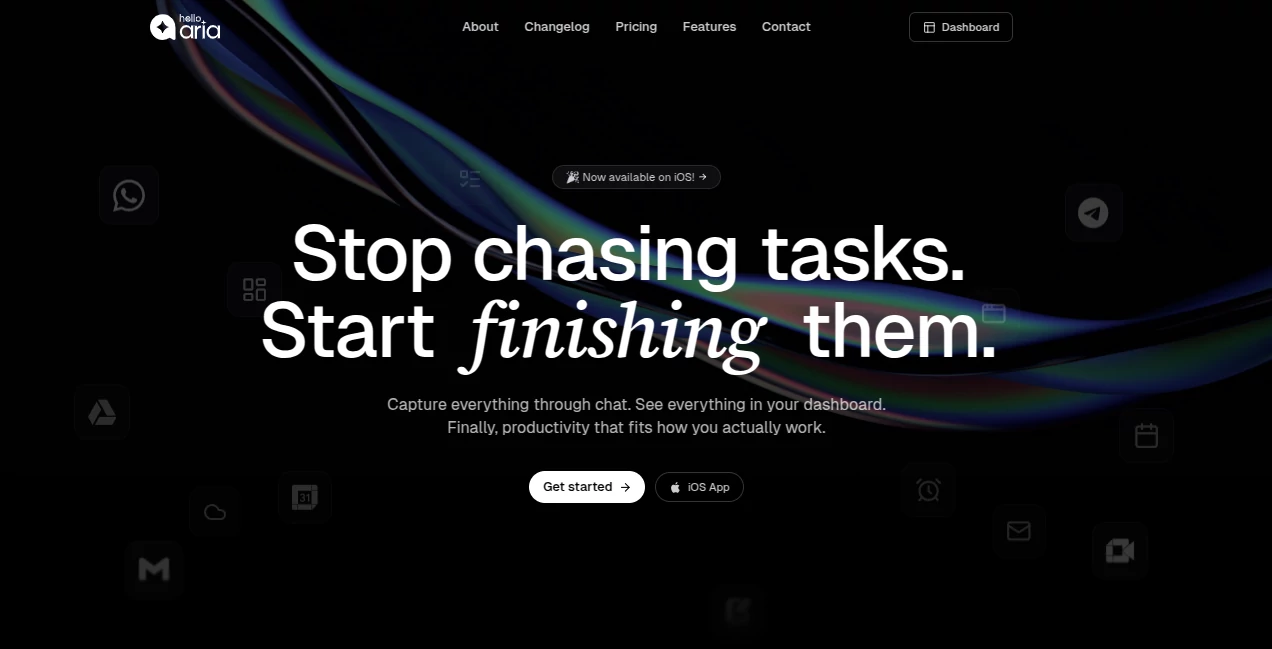
Hello Aria is an AI-powered productivity assistant designed to bring reminders, tasks, notes, meetings, files, and calendar-related work into one place. Instead of constantly switching between productivity apps, users can interact through familiar chat platforms such as WhatsApp and Telegram, while a web dashboard keeps everything organized in a single view.
The idea is refreshingly practical: tell your assistant what needs to happen, and let it handle the organizing. You can create a reminder by sending a message, turn a voice note into an actionable task, coordinate with other people through shared Circles, or connect services such as Google Calendar, Google Drive, Google Meet, Gmail, and Microsoft services.
For someone who regularly has small tasks scattered across messages, calendars, notes, and to-do applications, this approach can make everyday organization feel considerably less demanding.
Key Features
- Smart one-time and recurring reminders with deadline tracking.
- Personal and named to-do lists with categorization, prioritization, and progress tracking.
- Voice notes that can be converted into structured tasks and reminders.
- Image understanding for extracting useful information, dates, and action items.
- Meeting transcription, summaries, and automatically identified action items.
- Shared Circles for sending reminders and coordinating tasks with teams, friends, or family.
- Notes for quickly capturing ideas and important information.
- Integrations with Google Calendar, Drive, Meet, Gmail, Microsoft OneDrive, Outlook Calendar, and Outlook Mail.
- Internet search capabilities on supported plans.
- A unified dashboard for viewing productivity information across connected platforms.
User Interface
The interface takes a conversational approach rather than forcing users through a maze of menus. A simple message can be enough to create a reminder or task, which makes the system particularly convenient when you are already using your phone for something else.
The web dashboard provides the more visual side of the experience. Tasks, reminders, notes, and other productivity information can be viewed together, while chat-based access makes it possible to add information when you are away from the dashboard.
This combination is one of the strongest parts of the product. A person might create a task through WhatsApp during a commute and later review it from the dashboard at work without having to recreate anything.
Accuracy & Performance
The platform is designed to understand natural language rather than requiring rigid commands. Dates, times, people, deadlines, and action items can be extracted from messages and voice notes, making it possible to communicate with the assistant in a way that feels closer to ordinary conversation.
Voice input is especially useful for capturing thoughts quickly. Instead of stopping to type a detailed task, users can simply explain what needs to be done and let the system turn that input into a structured reminder or action item.
Meeting functionality adds another practical layer by transcribing conversations, creating summaries, and extracting action items with speaker identification. For busy teams, this can reduce the amount of manual note-taking required after meetings.
Capabilities
The platform goes beyond basic reminders. Users can create recurring tasks, assign tasks to contacts, organize shared Circles, save notes, analyze images, process voice messages, and connect productivity services from Google and Microsoft.
Its multi-channel design is another notable capability. Productivity information can be accessed through WhatsApp, Telegram, the web, email, and supported applications, with data synchronized across the available interfaces.
The Circles feature is particularly useful for collaborative situations. A family could use it for shared errands and appointments, while a small team could use it for assigning responsibilities and keeping everyone aware of deadlines.
Security & Privacy
Privacy is addressed directly in the service's published information. The company states that user data is not sold or shared with third parties and is used to provide and improve the service. Users can also export their data from the dashboard or request complete deletion.
Organizations can use an Enterprise offering that includes advanced security and compliance features, dedicated support, and custom integrations. Users should still review the current privacy policy and terms before connecting calendars, email accounts, cloud storage, or other sensitive services.
Use Cases
Personal productivity: Create reminders for appointments, bills, calls, errands, and recurring responsibilities without maintaining several separate lists.
Students: Keep track of assignment deadlines, examination dates, study tasks, and recurring academic responsibilities. Voice input can also be useful when capturing ideas away from a computer.
Freelancers: Manage client follow-ups, deadlines, meetings, notes, and files while moving between different projects. Google Drive and calendar integrations can make the workflow even more convenient.
Teams: Use Circles to assign tasks, send reminders, and coordinate responsibilities without creating another complicated collaboration workflow.
Meetings: Record meeting conversations and use automatic transcription, summaries, and action-item extraction to create useful follow-up information.
Busy professionals: The chat-first workflow is particularly attractive for people who do not want to open a dedicated task manager every time a new responsibility appears.
Pros and Cons
- Pros: Conversational task management, WhatsApp and Telegram access, voice-based task creation, recurring reminders, meeting summaries, shared Circles, unified dashboard, and broad Google and Microsoft integrations.
- Pros: The ability to move between chat and dashboard without rebuilding your productivity system is genuinely convenient.
- Pros: Voice and image intelligence make capturing information faster than traditional manual entry.
- Cons: Users who only need a basic to-do list may find the wider collection of features unnecessary.
- Cons: Some advanced capabilities and higher usage limits are reserved for paid plans.
- Cons: The usefulness of integrations naturally depends on which external services a user already relies on.
Pricing Plans
The service currently offers Basic, Pro, and Enterprise options. The Basic plan is listed at $36 per year, while Pro is listed at $48 per year. Enterprise pricing is customized for organizations requiring additional capabilities.
Basic includes features such as WhatsApp and Telegram integration, unlimited one-time reminders, repeat reminders, a dashboard, smart to-do lists, daily summaries, limited voice notes and image analysis, and receive-only Circle functionality.
Pro expands the limits with unlimited voice notes and image analysis, AI memory, send-and-receive Circles, integrations with Drive, Calendar, Gmail and Google Meet, internet searches, and meeting summaries. Enterprise adds unlimited access to these advanced capabilities along with custom integrations, dedicated support, and advanced security and compliance features.
How to Use It
- Choose a supported access method such as WhatsApp, Telegram, the web interface, or a supported mobile application.
- Start by creating a simple reminder or to-do item using natural language.
- Use recurring reminders for responsibilities that repeat daily, weekly, or monthly.
- Send a voice note when typing is inconvenient and let the system convert the information into actionable tasks.
- Connect relevant Google or Microsoft services if you want calendars, files, email, and meetings to work alongside your productivity workflow.
- Create a Circle when you need to coordinate reminders or tasks with other people.
- Use the dashboard to review and manage your productivity information from a central location.
Comparison with Similar Tools
Traditional task managers are often excellent at organizing lists, but they can still require users to open the right application, locate the correct project, and manually enter information. This platform takes a different route by putting conversational input at the center of the workflow.
It also reaches beyond straightforward task management. Voice processing, image understanding, meeting summaries, shared reminders, cloud integrations, and multi-platform access make it closer to a general productivity assistant than a conventional checklist application.
The biggest distinction is therefore not simply the number of features. It is the way those features are accessed. Someone who prefers typing a quick message instead of maintaining several productivity screens may find this approach much more natural.
Conclusion
A good productivity system should reduce mental overhead, not create another source of it. This platform takes that principle seriously by allowing users to capture tasks and reminders through conversation while keeping the resulting information organized in a broader workspace.
Its combination of chat-based interaction, smart reminders, voice and image processing, meeting assistance, shared Circles, and Google and Microsoft integrations gives it a strong position for people who want more than a basic task list.
For professionals, students, freelancers, families, and small teams dealing with a constant stream of responsibilities, it is an appealing way to turn scattered thoughts into organized actions. The free starting point also makes it easy to explore the workflow before deciding whether the additional capabilities of a paid plan are worthwhile.
Frequently Asked Questions (FAQ)
What can the AI productivity assistant do?
It can manage reminders, to-do lists, notes, shared Circles, voice and image input, meeting summaries, and integrations with several Google and Microsoft services.
Can I use it through WhatsApp?
Yes. WhatsApp is one of the supported ways to interact with the assistant, allowing users to create reminders and tasks through chat.
Does it support Telegram?
Yes. Telegram is also supported, providing another convenient way to manage reminders, tasks, and other productivity features.
Can voice messages create tasks?
Yes. Voice notes can be transcribed and interpreted to identify dates, times, people, and action items, which can then be turned into structured tasks or reminders.
Can it summarize meetings?
Yes. The meeting functionality can transcribe meetings, create summaries, identify speakers, and extract action items.
Does it work with Google and Microsoft services?
Yes. Supported integrations include Google Calendar, Google Drive, Google Meet, Gmail, Microsoft OneDrive, Outlook Calendar, and Outlook Mail.
Can I use it for team collaboration?
Yes. Circles allow users to coordinate with other people, assign tasks, send reminders, and share updates within a group.
Can I export or delete my data?
Yes. The published FAQ states that users can export their data through the dashboard or request complete data deletion.
Is there a free option?
The service provides a way to get started before moving to paid plans. The current paid options include Basic, Pro, and Enterprise, with different limits and capabilities.
AI Productivity Tools , AI Task Management , AI Meeting Assistant , AI Scheduling .
These classifications represent its core capabilities and areas of application. For related tools, explore the linked categories above.
Hello Aria details
Website unavailable — View Alternatives
Pricing
- Freemium
Apps
- Web App
- iOS App
Categories

Hello Aria Alternatives Product

AI Business …

VisualGPT

ace.me

TypingFirst

LorePanic

gpt-plus.ai

Overlap

Lime Social

Flitz AI
