


















hiData
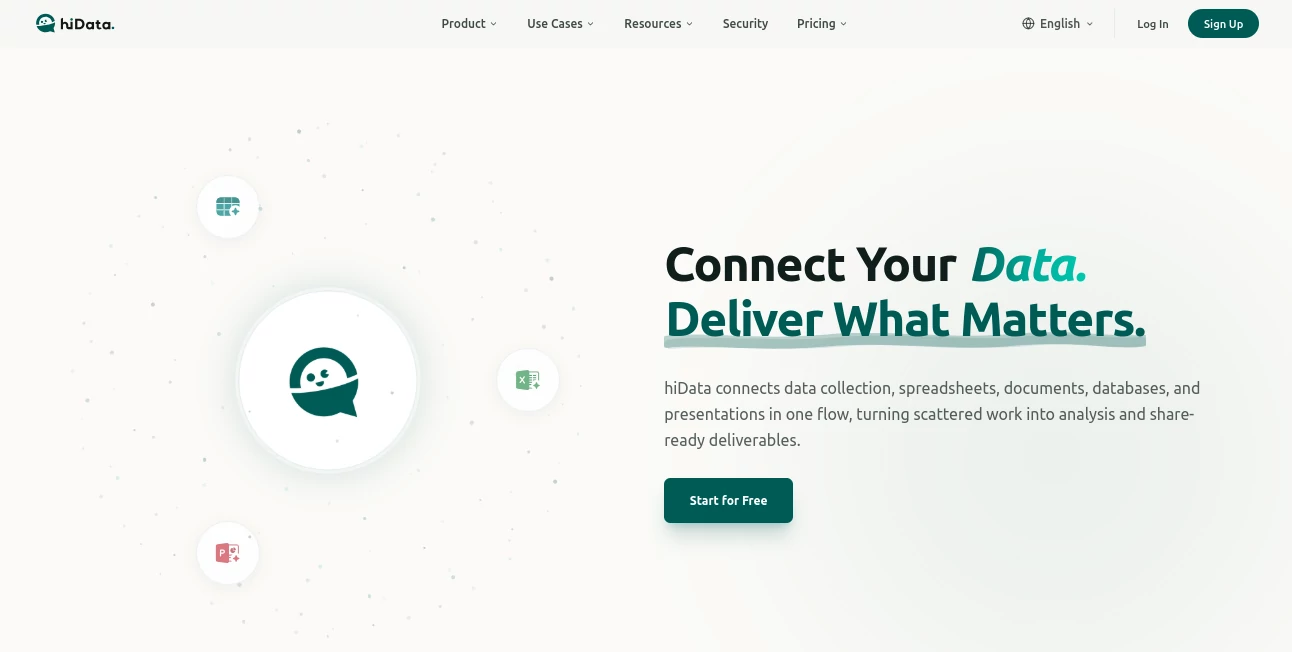
What is hiData?
I’ve lost count of how many times I’ve switched between tabs, copying data from PDFs into spreadsheets only to spend another hour cleaning and formatting it. Then I started using this platform and that whole painful cycle basically disappeared. You throw in messy files — PDFs, images, web pages, documents — and it turns them into clean, usable tables or even full presentations with almost no manual work. It feels less like a tool and more like having a very smart assistant who actually understands what you’re trying to achieve.
Introduction
Modern work throws a lot of unstructured information at us: reports in PDFs, data in screenshots, notes scattered across docs. Turning all that into something useful used to eat up entire afternoons. This platform brings everything together in one conversational workspace. You can extract tables from documents, clean and analyze spreadsheets through natural language, and even turn insights into polished presentations. It’s built for real workflows — the kind where you need to go from raw data to something shareable fast. Thousands of users, including enterprises and SMBs, rely on it daily because it removes the friction that usually slows everything down.
Key Features
User Interface
The interface is clean and focused, built around conversation rather than complex menus. You can chat naturally — “clean these three sheets and merge them,” or “turn this PDF into a table” — and watch it happen in real time. Side-by-side previews, simple drag-and-drop uploads, and a calm layout make it easy to stay in flow. Whether you’re on desktop or quickly checking on mobile, it never feels overwhelming. It just gets things done.
Accuracy & Performance
It handles messy real-world data surprisingly well — extracting structured tables from PDFs, images, or web pages with high accuracy. Spreadsheet operations through chat (merging, cleaning, summarizing) deliver reliable results without the usual formula headaches. Processing is fast enough that you stay in momentum instead of waiting around. The outputs feel thoughtful, preserving important context while removing the noise.
Capabilities
AI Table Creator turns unstructured content (PDFs, images, web pages, docs) into clean, workable tables. AI Sheets lets you manage spreadsheets through conversation instead of complex formulas. AI Slides turns your analysis into dynamic, ready-to-present decks. It connects data collection, cleaning, analysis, and presentation in one smooth flow. You can go from scattered files to polished deliverables much faster than traditional methods.
Security & Privacy
Enterprise-grade security is built in — SOC 2 Type II, ISO 27001, GDPR-ready, and HIPAA compliant. Data is encrypted in transit and at rest, with strict access controls and zero-retention options for sensitive environments. Your information stays protected while still being easy to work with. That balance of security and usability gives both individuals and large teams real confidence.
Use Cases
A marketing analyst uploads campaign reports from different sources and quickly gets a unified table for comparison. A consultant turns client documents into structured data and builds a presentation deck in the same session. An operations manager cleans and merges multiple inventory sheets through simple chat commands instead of manual work. Research teams extract key data from research papers and turn findings into shareable slides. It shines anywhere you need to move from scattered information to clear, actionable outputs.
Pros and Cons
Pros:
- Turns messy, unstructured data into clean tables and insights with minimal effort.
- Conversational spreadsheet handling feels natural and powerful.
- End-to-end flow from data to presentation saves huge amounts of time.
- Strong enterprise security without sacrificing ease of use.
- Free tier available to test real workflows.
Cons:
- Very complex or highly custom spreadsheet logic may still need some manual refinement.
- Advanced features and higher usage limits require paid plans.
Pricing Plans
It starts with a free workspace so you can try the core features on real tasks. Paid plans add faster execution, higher limits, more AI credits, and team collaboration tools. Pricing scales sensibly with usage, making it accessible for individuals while supporting heavy enterprise needs. Many teams find the time saved on data work quickly covers the cost.
How to Use hiData
Sign up and start with the AI Table Creator — upload a PDF, image, or document and ask it to extract structured tables. For spreadsheets, open AI Sheets and simply describe what you want done (“merge these files and remove duplicates”). When ready, move to AI Slides to turn your cleaned data into a presentation. Everything stays in one workspace, so you can go from raw input to polished output without switching tools. Export or share when finished.
Comparison with Similar Tools
Traditional spreadsheet tools require manual formulas and copying. Generic AI chat tools often hallucinate or lose context on structured data. This platform combines conversational ease with real understanding of data workflows, while maintaining strong accuracy and security. It stands out by connecting extraction, cleaning, analysis, and presentation in one coherent experience rather than separate disconnected steps.
Conclusion
Data work doesn’t have to be painful or time-consuming. This platform makes handling messy information feel almost enjoyable by removing the repetitive parts and letting you focus on what matters — the insights and decisions. Whether you’re an analyst, consultant, manager, or founder, it quietly makes your daily work smoother and more effective. In a world full of scattered files and tight deadlines, having one reliable workspace that actually understands your flow is genuinely valuable.
Frequently Asked Questions (FAQ)
Do I need technical skills to use it?
No — most tasks work through natural language conversation.
What file types can I upload?
PDFs, images, web content, documents, and existing spreadsheets.
Is my data secure?
Yes — enterprise-grade encryption, compliance (SOC 2, ISO 27001, GDPR), and strong access controls.
Can teams use it together?
Yes — paid plans support collaboration, shared workspaces, and team management.
How fast are the results?
Most extractions and operations happen quickly, often in seconds to under a minute.
AI Documents Assistant , AI Notes Assistant , AI Productivity Tools , AI Spreadsheet .
These classifications represent its core capabilities and areas of application. For related tools, explore the linked categories above.

hiData Alternatives Product

UPDF AI

AIDeckly

KronoPrompt

LongTerMemory

DocReplacer

Astic AI

Futurwise

Ryne AI

NotebookVault
