
HomeRestyle
What is HomeRestyle?
I still remember walking into my living room after a long day and thinking how nice it would look with warmer tones and better furniture flow, but the idea of hiring a designer felt overwhelming and expensive. Then I tried this tool. I snapped a quick photo, picked a style I liked, and within seconds I was looking at a photorealistic version of my own space completely transformed. It wasn’t just pretty — it felt like a real, livable room I could actually create. That moment of seeing “what if” become visual reality hooked me instantly.
Introduction
Making changes to your home used to mean expensive designers, mood boards that took weeks, and the fear of “what if I hate it after it’s done?” This platform removes all that uncertainty. Upload a photo of any room, choose from dozens of beautiful styles, and watch the AI reimagine your space in stunning detail. It’s used by homeowners dreaming up renovations, real estate agents staging listings, and professional designers speeding up client presentations. The best part? You see exactly what the finished result could look like before spending a single dollar on paint or furniture. It turns imagination into something you can actually evaluate and plan around.
Key Features
User Interface
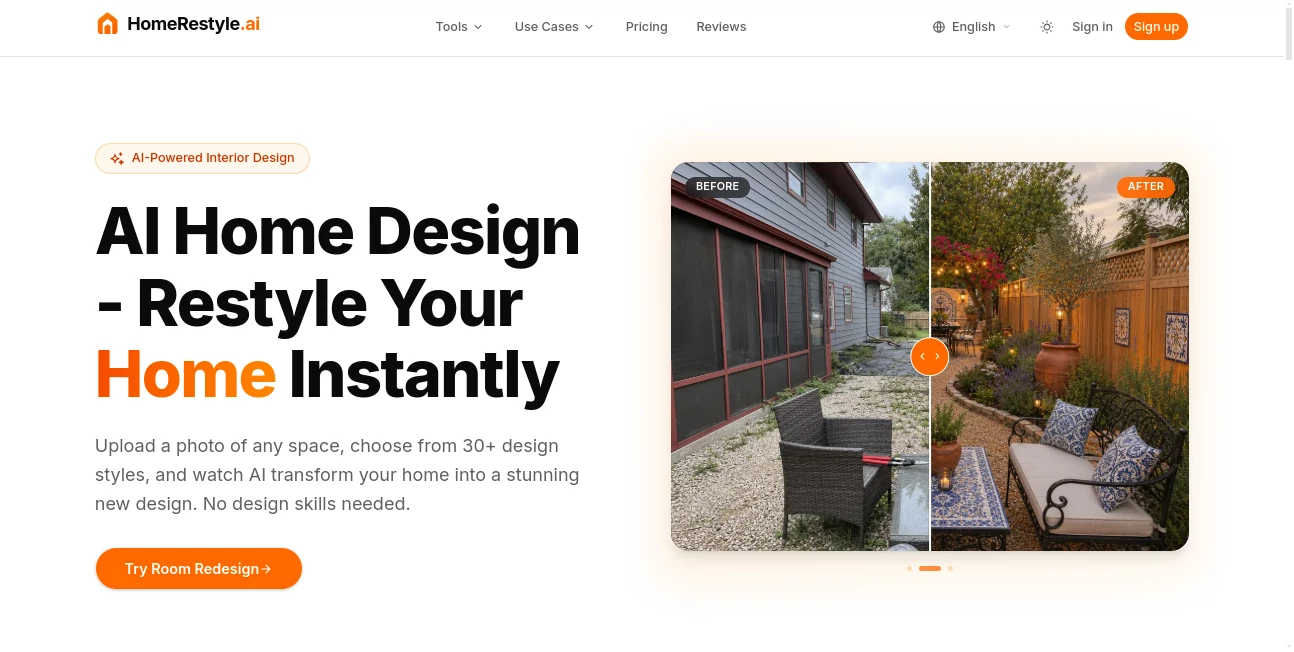
The experience is delightfully straightforward. You upload your photo, browse through 30+ design styles (Scandinavian, Japandi, Modern, Boho, and many more), and the AI does the rest. Before-and-after sliders let you compare instantly, and you can generate multiple variations to explore different directions. Everything happens in the browser with clear buttons and no confusing menus. Even my friend who “isn’t techy” created three different looks for her kitchen in one evening and sent them to her family for feedback.
Accuracy & Performance
The results feel remarkably true to your original space while beautifully applying the new style. Furniture scales correctly, lighting looks natural, and architectural details stay consistent. It handles everything from small apartments to large living rooms without losing proportion or realism. Generations are fast enough that you can try several styles in one sitting and still have time to dream about the changes.
Capabilities
Beyond basic room redesign, you get virtual staging for empty properties, color and material changes, style transfer, sketch-to-render, lighting adjustments, object removal or replacement, and even outdoor landscape and exterior transformations. You can iterate quickly — generate one version, tweak the prompt or style, and generate again until it feels exactly right. The outputs are high-resolution and ready for sharing with contractors, family, or clients.
Security & Privacy
Your photos are processed securely and not used to train models without permission. The platform focuses on delivering great results while respecting that these are personal spaces and sometimes sensitive projects. For real estate agents and designers working with client homes, that peace of mind matters.
Use Cases
A young couple uploads photos of their first apartment and experiments with different styles before buying any furniture, saving them from expensive mistakes. A real estate agent stages vacant listings virtually in minutes instead of paying for physical staging, helping properties sell faster. An interior designer creates multiple concepts for a client presentation in one afternoon instead of days. A homeowner planning a kitchen renovation tests cabinet colors and layouts risk-free before committing. The common thread is confidence — seeing the vision before the commitment.
Pros and Cons
Pros:
- Truly photorealistic results that look like professional renderings.
- Huge variety of styles to match any taste or home aesthetic.
- Extremely fast — from upload to finished design in seconds.
- Works for interiors, exteriors, and landscapes.
- Helps you make better decisions and avoid costly mistakes.
Cons:
- Best results come from decent original photos (though it handles imperfect ones well).
- Heavy customization and unlimited generations are on paid plans.
Pricing Plans
It offers a generous free tier so you can try several designs and see the quality for yourself. Paid plans unlock higher credit limits, priority processing, commercial usage rights, and access to advanced features. Many users find that even the starter paid plan pays for itself quickly by helping them avoid expensive design mistakes or speeding up client work.
How to Use HomeRestyle
Take a clear photo of the room you want to redesign (good lighting helps but isn’t mandatory). Upload it on the site, browse the style gallery and pick one that speaks to you, then hit generate. Compare the before and after, generate variations if you want to explore options, and download the ones you love in high resolution. Share them with family, contractors, or clients to get everyone on the same page. The whole process is simple enough to do during a coffee break.
Comparison with Similar Tools
Many AI design tools produce cartoonish or unrealistic results that look impressive at first glance but fall apart when you look closer. This one stands out for its photorealism and respect for the original space’s architecture and proportions. While some platforms focus only on trendy styles, the wide variety and practical tools here (virtual staging, color changes, object removal) make it far more useful for real projects than purely artistic generators.
Conclusion
Renovating or decorating your home should be exciting, not stressful. This tool takes away the biggest source of anxiety — the fear of “what if it doesn’t look right?” — by letting you see beautiful, realistic possibilities before you commit. Whether you’re planning a full renovation, refreshing one room, or helping clients visualize options, it gives you clarity and confidence that used to cost thousands. Sometimes the best design decisions start with simply seeing what’s possible.
Frequently Asked Questions (FAQ)
How good do my original photos need to be?
Clear photos with decent lighting work best, but it handles many imperfect shots surprisingly well.
Can I use this for client work as a designer?
Yes — paid plans include commercial usage rights.
How many styles are available?
Over 30, ranging from minimalist and Scandinavian to bold maximalist and coastal looks.
Is virtual staging included?
Yes — one of the dedicated tools for empty properties.
Can I edit the generated images further?
Absolutely — download high-res versions and refine in your favorite editor if needed.
AI Design Assistant , AI Design Generator , AI Image to Image , AI Interior & Room Design .
These classifications represent its core capabilities and areas of application. For related tools, explore the linked categories above.

HomeRestyle Alternatives Product

imagen 5

ArchOne AI

Designmd.fun

Seedream 5.0

AI Polaroid …

OC-Maker

SparkIconAI

Grok Imagine

Transpic