


















iAsk.ai
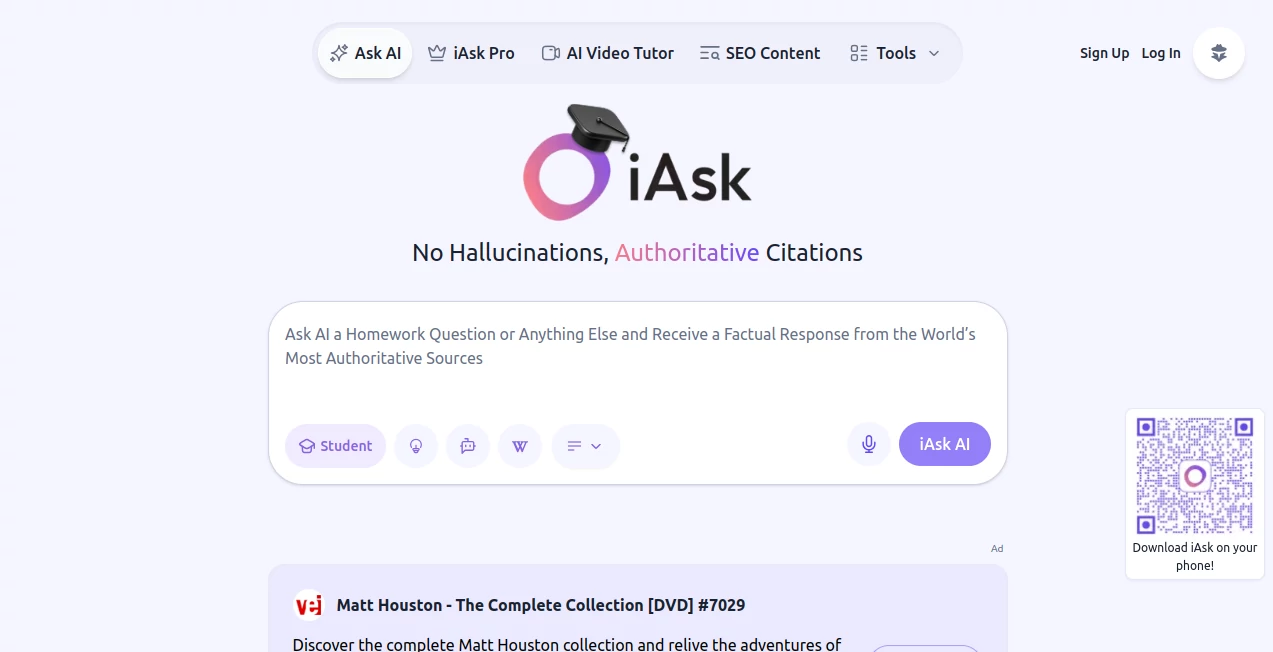
What is iAsk.ai?
I remember the first time I used it. I asked a complex question about a niche topic I’d been researching for days, and instead of the usual vague summaries or walls of text, I got a direct, well-structured answer with clear sources I could actually click through. It felt like talking to a very smart friend who had done the reading for me and wasn’t trying to impress anyone—just help. That’s the experience this tool consistently delivers: straightforward, trustworthy answers without the fluff, ads, or corporate spin you often find elsewhere.
Introduction
In a world overflowing with information but starving for clarity, finding reliable answers quickly has become surprisingly difficult. This platform cuts through the noise by focusing on what actually matters: understanding your question, pulling relevant information, and presenting it cleanly with proper context and sources. It’s not trying to be the loudest AI or the most feature-heavy. Instead, it aims to be the one you trust when you need a straight answer—whether you’re researching for work, settling a debate with friends, or just satisfying your own curiosity at 2 a.m. Many users say it has quietly become their default starting point for serious questions.
Key Features
User Interface
The design is refreshingly minimal. A clean search bar at the top, thoughtful organization of answers, and sources listed clearly on the side or below. No distracting sidebars, no endless suggested prompts trying to keep you scrolling. Reading the responses feels natural—like a well-written article rather than AI-generated filler. Dark mode, keyboard shortcuts, and fast loading make it pleasant to use for long sessions.
Accuracy & Performance
It stands out for actually citing sources and sticking to verifiable information rather than hallucinating details. Responses tend to be balanced, acknowledging different viewpoints when relevant, and they update reasonably well with current events. Speed is excellent—answers appear almost instantly even for detailed queries. In my experience, it rarely dodges difficult questions and often provides nuance that other tools gloss over.
Capabilities
Beyond basic search, it handles follow-up questions naturally (maintaining context across the conversation), summarizes long documents or articles you paste in, explains complex topics in plain language, and offers different response depths depending on what you need. You can ask for step-by-step reasoning, comparisons, or even creative angles. It’s versatile enough for students, researchers, professionals, and casual users alike.
Security & Privacy
Your conversations aren’t used to train models without explicit permission, and the platform maintains a strong focus on user privacy. No aggressive data collection or creepy personalization based on your questions. That sense of privacy makes it comfortable to ask sensitive or personal queries that you might hesitate to type into other big-name tools.
Use Cases
A student researching a paper gets reliable sources and clear explanations without having to dig through dozens of results. A professional quickly compares competing tools or strategies before making a decision. Someone settling a family debate about history or science gets balanced context instead of one-sided answers. Content creators use it to fact-check and gather background material efficiently. It shines anywhere you need trustworthy information without wasting time.
Pros and Cons
Pros:
- Clear, well-sourced answers that feel trustworthy and readable.
- Excellent context retention during follow-up questions.
- Minimal ads or distractions—focused on helping you learn.
- Fast performance even on detailed or technical topics.
- Strong privacy approach that respects the user.
Cons:
- Still growing its real-time knowledge in some very niche areas.
- No voice input or advanced multimodal features yet.
- Free tier has reasonable daily limits for heavy users.
Pricing Plans
The free tier is genuinely useful for everyday questions and light research. Pro plans unlock higher limits, faster responses, priority access during peak times, and additional features like deeper analysis or more file uploads. Pricing is reasonable compared to the time and frustration it saves—many people find the upgrade pays for itself quickly if they use it daily for work or study.
How to Use iAsk
Type your question naturally in the search bar—just like you’d ask a knowledgeable friend. For best results, be reasonably specific but don’t overthink it. Read the answer, then ask follow-ups in the same conversation to dig deeper. If you have a long article or document, you can paste key sections for summarization or analysis. Save useful threads if you create an account, or simply copy the sources you need. The whole experience stays simple and focused.
Comparison with Similar Tools
While some big AI search tools prioritize speed and flashy features, this one puts clarity and source reliability first. It avoids the overly confident hallucinations you sometimes see elsewhere and doesn’t clutter the experience with sponsored content. For users who value accuracy and clean presentation over endless features, it often becomes the preferred choice after a few serious research sessions.
Conclusion
In the crowded world of AI assistants, this tool stands out by keeping things simple, honest, and genuinely useful. It respects your time and intelligence while delivering answers you can actually trust and act upon. Whether you’re a student, professional, or just someone who loves learning, it quietly makes the internet feel more helpful again. Sometimes the best tools aren’t the loudest—they’re the ones that simply work well when you need them.
Frequently Asked Questions (FAQ)
Is it really free to use?
Yes—there’s a generous free tier. Heavy daily users may want Pro for unlimited access.
How accurate are the sources?
It prioritizes reputable sources and clearly shows where information comes from so you can verify yourself.
Can I use it for academic or professional work?
Absolutely—many students and professionals rely on it for research because of the transparent sourcing.
Does it remember previous questions?
Yes, within the same conversation thread, so follow-ups stay contextual and useful.
How does it compare to ChatGPT for research?
It’s generally stronger at real-time search with citations, while being more concise and less prone to confident mistakes.
These classifications represent its core capabilities and areas of application. For related tools, explore the linked categories above.

iAsk.ai Alternatives Product
Porn Search …

Where Is Thi…

Reverse Vide…

Photo Locati…

Sparqo AI
obbylist
WhatsMyName …

Reverse Imag…

Best of AI
