
iLikeIMG
What is iLikeIMG?
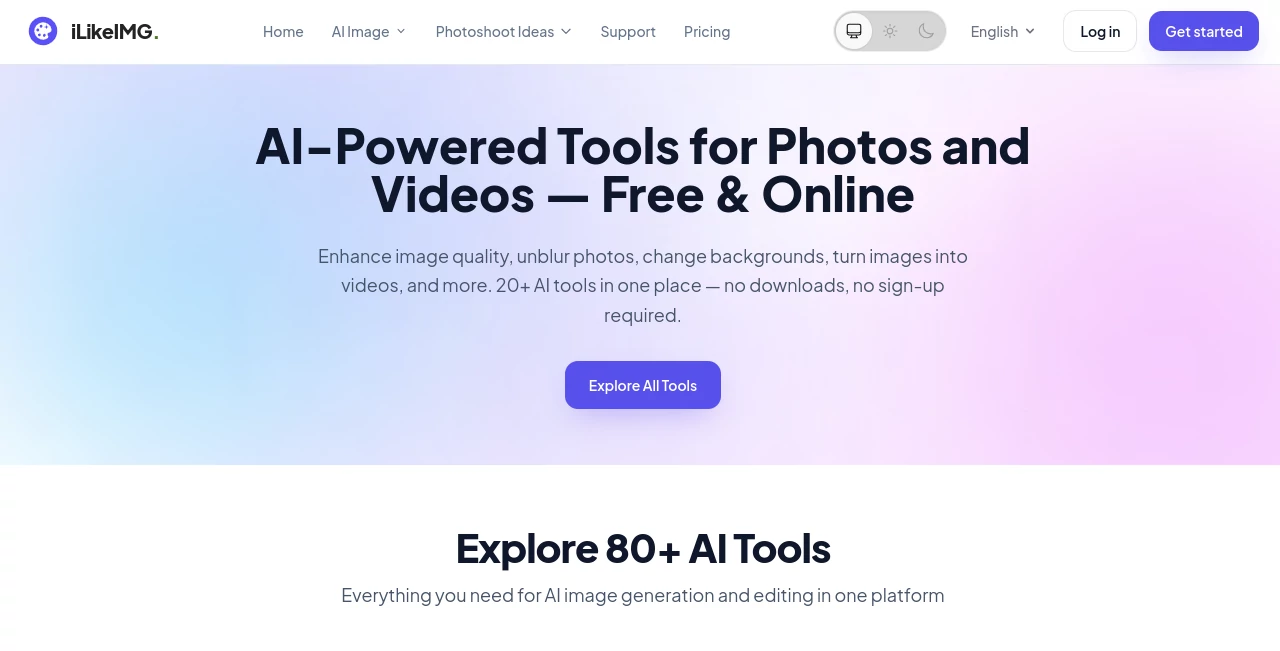
iLikeIMG is an online collection of AI-powered tools built for people who want to edit, improve, restore, and create visual content without dealing with complicated desktop software. Instead of opening a full-scale editor for a simple task, users can choose a specialized tool, upload an image, and let AI handle the work directly in the browser.
The platform brings together a broad range of image and video utilities, covering everything from photo enhancement and background editing to image generation, restoration, portrait effects, and image-to-video creation. Most tools can be tried without creating an account, which makes the service particularly convenient for quick one-off edits.
What makes the experience appealing is its task-focused approach. Rather than presenting users with a huge editing workspace filled with unfamiliar controls, each tool is designed around a specific job. Someone trying to sharpen a blurry photograph, for example, can go straight to an image sharpening tool instead of learning a complete photo-editing application.
Key Features
- Large collection of specialized AI tools for images and videos
- Photo enhancement and quality improvement
- Image restoration for old or damaged photographs
- Background removal and background replacement
- Image generation from prompts and reference images
- Image-to-video creation
- Portrait and face-focused editing tools
- Image expansion and canvas extension
- Photo colorization and creative transformations
- Logo, poster, flyer, avatar, and other visual generation tools
- Browser-based processing without software installation
- Support for common formats such as JPG, JPEG, PNG, and WebP
User Interface
The interface follows a straightforward upload-and-generate workflow. A typical tool starts with an upload area where users can drag and drop a photo or select a file from their device. Depending on the tool, additional options such as aspect ratio, style, or an optional prompt can be selected before generating the result.
This approach works especially well for casual users. You do not need previous experience with Photoshop or another professional editor to understand what to do. The important controls are placed around the actual task, so the learning curve stays low.
Accuracy & Performance
Performance naturally varies depending on the type of operation, but the service is designed around fast browser-based processing. The platform states that many results are produced within seconds, making it practical for quick edits rather than long production workflows.
The specialized nature of the tools is also useful. Enhancement, denoising, restoration, background editing, and creative generation are handled by tools intended for those individual purposes. For everyday jobs such as improving a slightly blurry photograph or removing an unwanted background, this focused workflow can save considerable time.
For the best results, users should still provide suitable source material. A clear, well-lit portrait or a reasonably detailed original image generally gives an AI editor more useful information to work with than a heavily compressed or extremely blurry file.
Capabilities
The range of capabilities is one of the strongest parts of the platform. Users can improve photographs, restore older images, remove unwanted elements, change backgrounds, alter visual styles, create avatars, generate logos and posters, and experiment with more creative transformations.
There are also tools for combining images, expanding photographs beyond their original borders, colorizing black-and-white pictures, changing eye colors, creating anime-style artwork, and turning still images into video clips. This makes the service useful for both practical editing and experimentation.
For creators and small businesses, the combination can be particularly handy. A product seller might remove a distracting background, improve a product photograph, create promotional artwork, and prepare a social-media visual without switching between several different services.
Security & Privacy
Privacy matters when an online service handles personal photographs, and the platform states that uploaded images are processed securely and are not stored permanently on its servers. It also states that uploaded images are not shared with third parties.
Users should still avoid uploading material they are not authorized to process, particularly sensitive photographs belonging to other people. As with any cloud-based creative service, checking the current privacy policy before processing particularly confidential material is a sensible precaution.
Use Cases
- Personal photography: Improve blurry, noisy, faded, or poorly lit photographs.
- Old photo restoration: Repair damaged memories and improve the appearance of older photographs.
- Social media: Create profile pictures, avatars, posters, memes, and other shareable visuals.
- E-commerce: Clean up product photography, change backgrounds, and prepare promotional images.
- Marketing: Produce flyers, posters, logos, and visual campaign assets without starting from scratch.
- Creative projects: Experiment with anime transformations, image blending, colorization, and other visual effects.
- Video creation: Turn still images into short AI-generated video content.
- Professional profiles: Create polished headshots and profile images for business and professional platforms.
Pros and Cons
- Pros: Large selection of specialized tools, simple browser-based workflow, no software installation, many free options, no-sign-up access for many tools, and support for common image formats.
- Pros: Useful mix of practical photo editing and more creative AI generation features.
- Pros: Basic outputs can be downloaded without watermarks.
- Cons: Free usage can be subject to daily limits on some tools.
- Cons: Results can vary depending on the original image and the particular AI operation.
- Cons: Users looking for highly detailed manual editing controls may still prefer a traditional professional image editor.
Pricing Plans
The platform offers a free way to get started, and many tools can be used without creating an account. Free usage is subject to daily limits for some AI operations. Users who need heavier usage or additional access can use paid monthly or yearly options.
This pricing structure is useful for occasional users because there is no need to commit to a subscription just to perform a quick edit. Someone restoring a few family photographs or preparing a handful of social-media images can start with the free access and decide later whether additional usage is necessary.
How to Use It
- Choose the AI tool that matches the task you want to complete.
- Upload a JPG, JPEG, PNG, or WebP image where supported.
- Select available settings such as aspect ratio or visual style.
- Add an optional prompt when the selected tool supports custom instructions.
- Start the generation or editing process.
- Review the result and download the finished file.
For image-generation tools, a useful prompt does not have to be complicated. A short description covering the subject, visual direction, and desired mood is often a good starting point. For enhancement or restoration tools, using the cleanest original image available is usually more important than writing a detailed prompt.
Comparison with Similar Tools
Traditional image editors generally give users far more manual control, but that flexibility can come with a steeper learning curve. Dedicated AI services, meanwhile, may focus heavily on one particular category such as image generation, portrait creation, or photo enhancement.
The advantage here is breadth combined with specialization. Instead of forcing every task into one general-purpose editor, the platform provides separate tools for individual jobs. That can make simple edits considerably quicker. If your goal is to perform a specific AI-powered photo task rather than manually edit every layer and adjustment, this approach is worth considering.
Conclusion
For anyone who regularly works with photographs and visual content, having a collection of focused AI utilities in one browser-based service can be genuinely convenient. The biggest strength is not a single flashy feature; it is the variety of practical tasks that can be completed without installing software or learning a complicated editing interface.
From restoring an old family photograph to preparing product images, creating an avatar, generating artwork, or experimenting with image-to-video effects, the platform gives users plenty of room to explore. The free access and low-friction workflow make it especially attractive for people who want to test an AI editing tool before deciding whether they need more frequent access.
Frequently Asked Questions (FAQ)
Can I use the tools without creating an account?
Yes. Many of the tools can be tried without registration, although some features and heavier usage may require an account or additional credits.
What image formats are supported?
Common formats including JPG, JPEG, PNG, and WebP are supported across the image tools, with individual tools potentially applying their own file-size or input requirements.
Can I use the service on a phone?
Yes. The tools run in a web browser, so they can be accessed from desktop computers, tablets, and mobile devices without installing a dedicated application.
Are the downloads watermarked?
The platform states that basic outputs can be downloaded without watermarks. Specific usage limits or premium requirements can vary between tools.
Are uploaded photographs stored permanently?
The platform states that uploaded images are processed securely and are not stored permanently on its servers or shared with third parties.
Is the service free?
Many tools offer free access, with daily usage limits applying to some AI operations. Paid monthly and yearly options are available for users who need additional usage or premium access.
AI Photo & Image Generator , AI Image to Video , Photo & Image Editor , AI Photo Restoration .
These classifications represent its core capabilities and areas of application. For related tools, explore the linked categories above.

iLikeIMG Alternatives Product

AI Signature…

Sora-2.co
Kirkified AI

Freepik

Denoisr

Nano Banana 2

LTX-3 AI

Paper Animat…
Kling 3 AI