Image to 3D AI
What is Image to 3D AI?
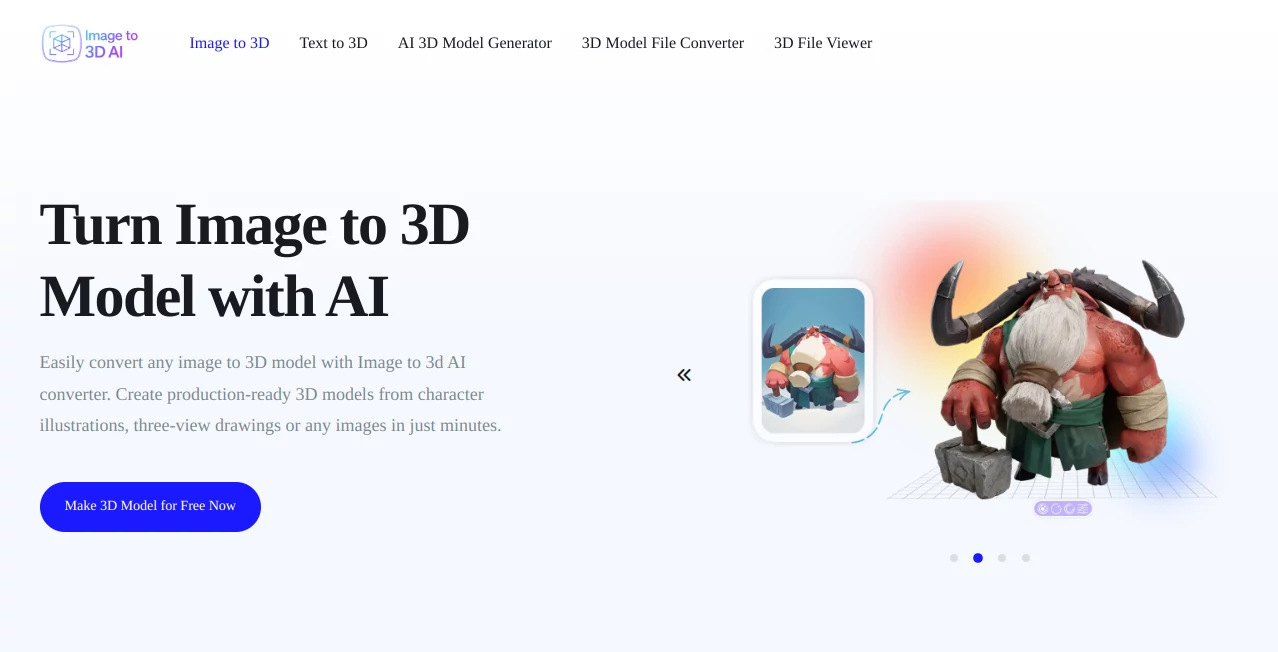
Creating detailed 3D assets has traditionally required advanced modeling skills, professional software, and many hours of manual work. Today, AI-powered technology has transformed that process, making high-quality 3D content accessible to artists, developers, designers, educators, and creators of every skill level. This platform offers an impressive solution that converts ordinary images or simple text prompts into production-ready 3D models within minutes.
Whether you are designing game assets, preparing models for 3D printing, building interactive educational materials, or creating prototypes for product visualization, the workflow feels remarkably straightforward. Upload an image, describe an idea if needed, and let the AI reconstruct geometry while preserving important shapes, proportions, and visual details. The generated models can then be exported in widely supported formats for further editing or immediate integration into professional pipelines.
One aspect that stands out is the flexibility. Instead of limiting creators to a single workflow, the platform supports both image-to-3D and text-to-3D generation, allowing users to begin from either a visual reference or a written concept. This makes it equally valuable for experienced 3D artists looking to accelerate production and beginners who simply want to bring creative ideas to life without learning complex modeling software.
Key Features
User Interface
The interface focuses on simplicity without sacrificing functionality. Uploading an image requires only a few clicks, while optional advanced settings allow experienced users to customize generation quality, materials, and output preferences. Real-time previews help users understand the expected results before exporting the final model, creating an efficient workflow for both professionals and newcomers.
Accuracy & Performance
The AI reconstructs object geometry with impressive precision, preserving edges, proportions, and recognizable structures from the original reference image. Textured models display detailed surfaces suitable for visualization, while geometry-only outputs provide clean meshes that can easily be refined inside professional 3D applications. Generation takes only a few minutes, dramatically reducing production time compared to manual modeling.
Capabilities
- Convert a single image into a detailed 3D model.
- Generate 3D assets directly from text prompts.
- Create textured or geometry-only mesh outputs.
- Export models in editable GLB format.
- Support production workflows for Blender, Unity, and Unreal Engine.
- Generate assets suitable for games, visualization, education, and design.
- Preview generated models before downloading.
- Produce high-detail geometry with realistic surface reconstruction.
- Accelerate concept development and rapid prototyping.
- Reduce manual modeling effort significantly.
Security & Privacy
The platform processes uploaded images through an online generation pipeline designed for cloud-based AI workflows. Users should avoid uploading confidential or sensitive materials unless they have reviewed the service's privacy policy. For general creative work, concept art, product visualization, and educational projects, the workflow provides a convenient balance between accessibility and usability.
Use Cases
- Creating game-ready assets for independent or professional game development.
- Building rapid prototypes for product design.
- Producing educational 3D visualizations for science and engineering.
- Preparing models for AR and VR experiences.
- Generating concept art references for designers.
- Creating printable models for 3D printing projects.
- Developing digital collectibles and character prototypes.
- Accelerating visualization workflows for architecture and industrial design.
Pros and Cons
Pros
- Simple workflow suitable for beginners.
- Supports both image-to-3D and text-to-3D generation.
- Produces detailed and visually appealing models.
- GLB export enables compatibility with major 3D software.
- Offers textured and geometry-only outputs.
- Significantly reduces production time.
Cons
- Highly complex objects may still require manual refinement.
- Performance depends on the quality of the source image.
- Internet access is required for generation.
Pricing Plans
A free option is available for users who want to explore the platform and test its capabilities. Additional premium plans may provide higher generation limits, faster processing, and access to advanced features as the platform continues to expand.
How to Use Image to 3D AI
- Open the online generator.
- Upload a clear reference image or enter a descriptive text prompt.
- Select generation options such as textured or geometry-only output.
- Start the AI generation process.
- Preview the generated 3D model.
- Export the model in GLB format for editing or production use.
- Import the model into Blender, Unity, Unreal Engine, or another compatible application.
Comparison with Similar Tools
Many AI-powered 3D generators focus on either text prompts or image reconstruction. This platform successfully combines both approaches within a single workflow, allowing greater creative flexibility. The availability of textured and geometry-only models, together with editable GLB exports and compatibility with professional software, makes it particularly practical for creators who need production-ready assets rather than simple visual demonstrations. Its streamlined interface also reduces the learning curve compared with many traditional 3D creation solutions.
Conclusion
For anyone looking to accelerate 3D content creation without sacrificing quality, this platform delivers an impressive combination of speed, accessibility, and practical functionality. From transforming a single photograph into a detailed model to generating completely new objects from text, it simplifies one of the most time-consuming parts of digital production.
Its ability to support creative professionals, educators, developers, and hobbyists makes it far more than a simple AI experiment. Instead, it serves as a reliable production assistant that helps convert ideas into editable 3D assets ready for real-world projects, saving valuable time while opening new creative possibilities.
Frequently Asked Questions (FAQ)
Can beginners create 3D models with this platform?
Yes. The interface is designed to be easy for users with little or no previous 3D modeling experience.
Which export format is supported?
Generated models can be exported in GLB format, making them compatible with many professional 3D applications.
Can I generate models from text instead of images?
Yes. In addition to image conversion, the platform also supports AI-powered text-to-3D generation.
What industries can benefit from this tool?
Game development, education, product visualization, architecture, industrial design, digital art, AR/VR, and 3D printing are among the most common applications.
Do generated models require additional editing?
Many models are immediately usable, although complex production projects may benefit from additional refinement inside professional 3D software.
Design & Art , AI 3D Model Generator , AI Text to 3D , AI Image to 3D Model .
These classifications represent its core capabilities and areas of application. For related tools, explore the linked categories above.

Image to 3D AI Alternatives Product

Luma AI

FaceTo3D

Meshy AI
PNG to 3D
imagetostl

SAM 3D
volume shader

SVG to 3D

Alloy