Image2Video.art
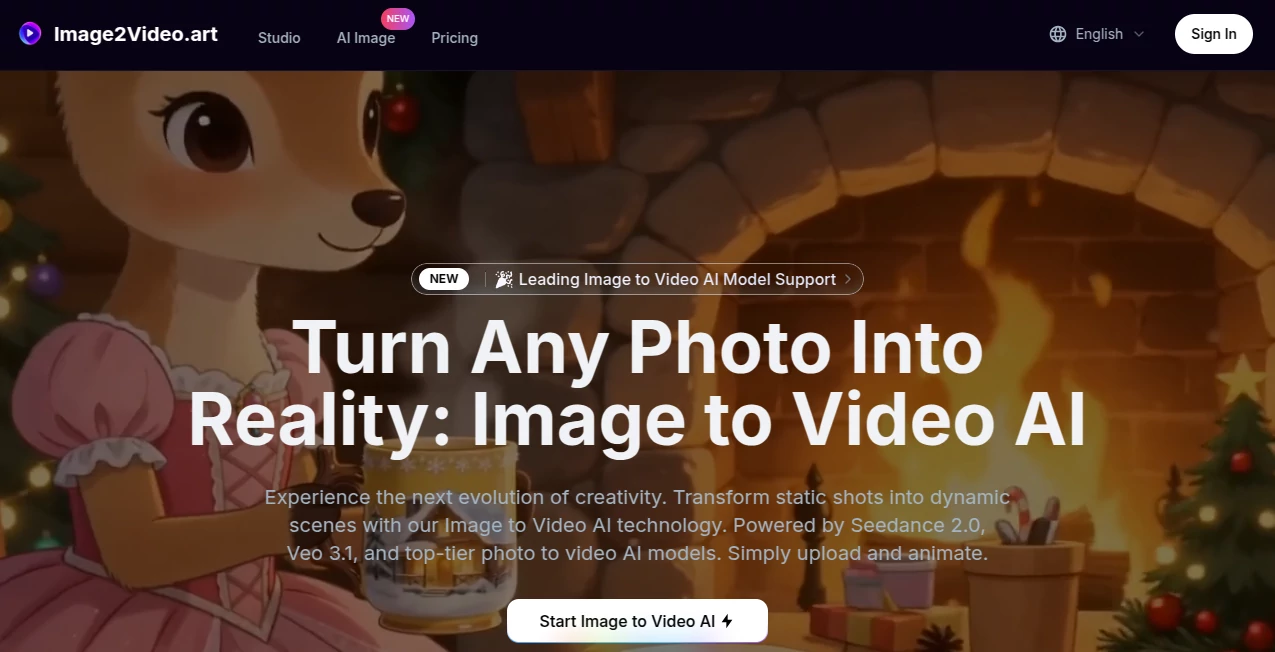
What is Image2Video.art?
Creating engaging videos no longer requires advanced editing skills or expensive production software. This platform makes it possible to transform a single image into a dynamic, cinematic video using some of today's most advanced AI video generation models. Whether you want to animate a portrait, create product advertisements, visualize creative ideas, or produce social media content, everything happens through a clean browser-based workflow.
Instead of relying on a single AI engine, the platform brings together several leading image-to-video technologies, allowing creators to choose the model that best matches their project. From realistic camera movement to synchronized audio and high-resolution output, it delivers an impressive balance between creativity, speed, and professional quality. The result feels polished enough for marketing campaigns while remaining simple enough for beginners who want to bring still images to life.
Key Features
User Interface
The interface is designed for simplicity without sacrificing flexibility. Users can upload one or multiple reference images, choose their preferred AI model, adjust aspect ratio, select video duration, resolution, and quality settings, then generate videos within minutes. The organized layout makes advanced AI generation accessible even to first-time users.
Accuracy & Performance
Multiple state-of-the-art AI models are available for different creative goals. High-fidelity motion generation preserves facial details, object consistency, lighting, and composition while adding realistic camera movement and animation. Support for HD, Full HD, and even 4K output allows creators to produce content suitable for both social media and commercial productions. According to the platform, it integrates advanced models including Veo 3.1, Seedance 2.0, Sora 2, and additional image generation technologies to provide flexible creative options.
Capabilities
- Transform static photos into animated videos.
- Create videos directly from text prompts.
- Generate cinematic camera movements.
- Support multiple AI generation models.
- Create synchronized audio with supported models.
- Generate watermark-free videos on paid plans.
- Produce videos in 720p, 1080p, and 4K.
- Reframe existing videos into multiple aspect ratios.
- Support commercial licensing for paid subscribers.
- Maintain strong subject consistency during animation.
Security & Privacy
User privacy receives considerable attention. Uploaded images and generated videos remain private, and the service states that personal uploads are not used for AI model training without permission. Paid plans also include private generation and commercial usage rights, making the platform suitable for businesses and professional creators working with client content.
Use Cases
- Creating engaging product advertisements from product photos.
- Generating social media reels and short-form videos.
- Animating travel photography.
- Producing educational visual demonstrations.
- Building cinematic storyboards.
- Designing promotional content for online stores.
- Creating music video concepts.
- Developing marketing materials for agencies.
- Enhancing digital art portfolios.
- Producing creative content for YouTube and TikTok.
Pros and Cons
Pros
- Access to multiple premium AI video models in one platform.
- Simple workflow suitable for beginners.
- Professional-quality video generation.
- Supports image-to-video and text-to-video creation.
- High-resolution exports up to 4K.
- Commercial rights included with paid subscriptions.
- Private generation options available.
- Modern cloud-based processing with fast delivery.
Cons
- Most advanced features require paid credits.
- Generation speed varies depending on selected model and resolution.
- High-quality models consume more credits than faster modes.
Pricing Plans
A free credit system is available for new users to explore the platform. Paid subscriptions offer larger monthly credit allocations, watermark-free exports, commercial licensing, private generation, and access to premium AI models. Several subscription tiers are available for hobbyists, independent creators, and professional production teams.
How to Use Image2Video
Begin by uploading one or more images that will serve as the visual foundation for your animation. Select the AI model that best matches your creative goal, choose your preferred aspect ratio, video length, and output resolution, then enter an optional prompt describing the desired movement or scene. After submitting the project, the AI processes the request in the cloud and generates a downloadable video ready for publishing or further editing.
Comparison with Similar Tools
Many AI video generators specialize in only one technology or generation engine. This platform distinguishes itself by combining several leading AI models into a unified workspace, allowing creators to compare different generation styles without switching between services. Additional capabilities such as video reframing, multiple resolutions, synchronized audio support, commercial licensing, and flexible credit usage make it an attractive solution for creators who need versatility rather than a single-purpose generator.
Conclusion
For creators looking to transform ordinary images into compelling videos, this platform delivers an excellent combination of simplicity and professional capability. The availability of multiple industry-leading AI models, support for cinematic motion, high-resolution exports, privacy-focused generation, and commercial licensing creates a solution suitable for marketers, educators, artists, agencies, and content creators alike. Whether producing advertisements, storytelling videos, or engaging social content, it offers an efficient way to convert static visuals into impressive animated experiences.
Frequently Asked Questions (FAQ)
Can beginners use this platform?
Yes. The interface is straightforward and requires no professional video editing experience.
Can generated videos be used commercially?
Yes. Paid plans include commercial usage rights for generated videos.
What resolutions are supported?
Depending on the selected model and subscription, videos can be generated in 720p, 1080p, and up to 4K resolution.
Does it support text-to-video generation?
Yes. In addition to image-to-video creation, users can generate videos directly from text prompts.
Are uploaded images kept private?
The service states that user uploads remain private and are not used for AI model training without permission.
AI Image to Video , AI Video Generator , AI Video Editor , AI Text to Video .
These classifications represent its core capabilities and areas of application. For related tools, explore the linked categories above.
Image2Video.art details
Website unavailable — View Alternatives
Pricing
- Free
Apps
- Web App
Categories

Image2Video.art Alternatives Product

Sora 2
Wan 2.7
Seedance 2.0…

Gemini Omni …

Spark Robin

lyric video …
Seedance Stu…

Seedance 2 V…

VIGGLE