
ImagineArt Business
What is ImagineArt Business?
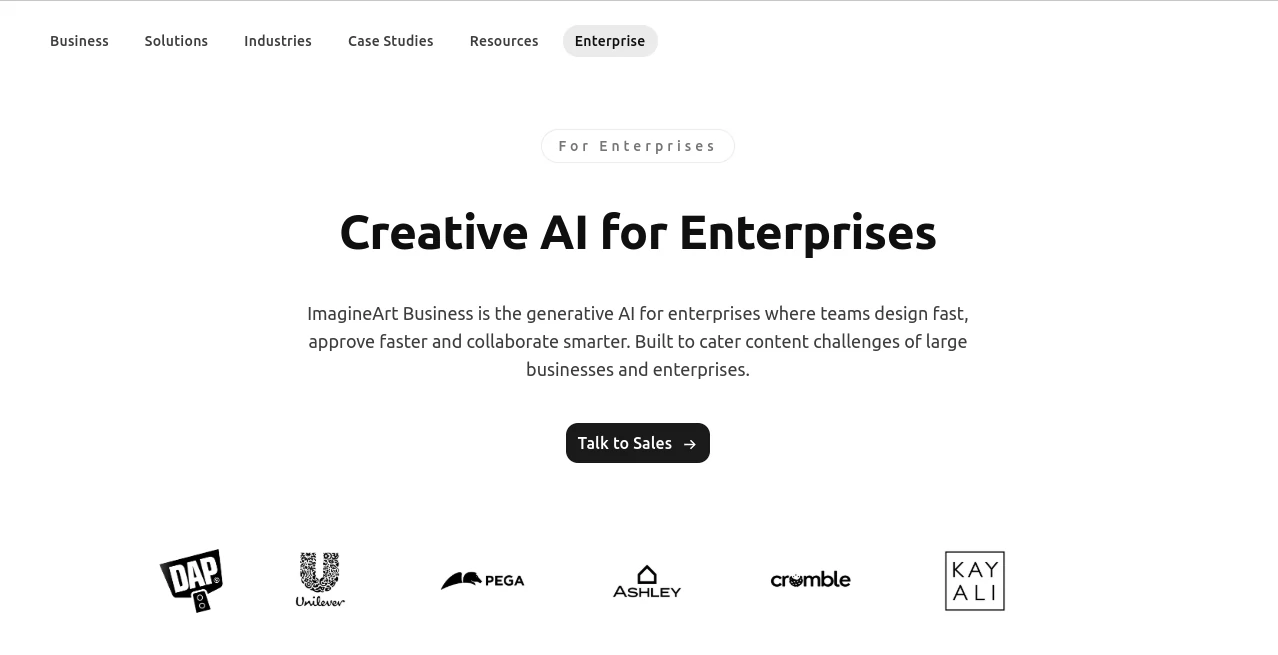
Large teams often have no shortage of creative ideas. The harder part is turning those ideas into polished campaigns, product visuals, advertisements, videos, and other assets without creating a maze of approvals, revisions, and disconnected tools. ImagineArt Business is designed for exactly this kind of environment, bringing generative creative work, collaboration, workflows, and administration into a shared business platform.
Instead of treating AI creation as a tool for individual designers, the platform takes a team-first approach. Marketing departments, creative teams, product designers, e-commerce businesses, and media teams can work from shared spaces while keeping control over permissions, approvals, brand assets, and usage.
What makes the enterprise offering particularly interesting is the balance between creative freedom and organizational control. Teams can experiment with different media and models while administrators retain visibility over how the workspace is being used. The company reports that more than 5 billion assets have been designed on the platform and that over 5,000 brands use its business offering.
Key Features
- Shared workspaces for collaborative creative production
- Unlimited team members with usage-based billing
- Role-based permissions and approval controls
- Audit logs and version history
- Brand kits and reusable templates
- Custom AI workflows and repeatable content pipelines
- Batch operations for higher-volume production
- Shared credits and unified billing
- Access to multiple AI models and media types
- Enterprise security and governance controls
- Real-time team collaboration
- Custom enterprise configurations and support
User Interface
The interface is built around the way teams actually work rather than forcing every person into a separate account and isolated workflow. Shared workspaces give designers, marketers, and other contributors a common place to create and review assets.
For an enterprise environment, that shared structure can make a noticeable difference. A marketing manager can review creative work, a designer can refine it, and another team member can continue the process without repeatedly moving files between unrelated applications.
Brand kits, templates, shared credits, permissions, and approval controls also make the workspace more practical for organizations where consistency matters. The result is a creative environment that feels less like a collection of AI experiments and more like part of an established production process.
Accuracy & Performance
Performance in a creative AI platform is not only about how attractive the final image looks. For businesses, speed also means reducing the time between an initial idea and an approved campaign asset.
The platform is designed around faster iteration, workflow automation, and batch production. Its enterprise page reports up to 60% cost savings on billable design and up to 75% faster idea-to-campaign approvals. These figures are company-reported, but they illustrate the business problem the platform is intended to address: reducing repetitive production work and shortening creative review cycles.
Custom workflows can also connect different models, media types, and intermediate steps. That makes it possible to turn a successful creative process into a repeatable pipeline rather than rebuilding the same sequence manually for every project.
Capabilities
The platform goes beyond basic text-to-image generation. Enterprise teams can use AI-powered creative workflows across images, videos, advertising assets, product content, and other visual material.
For marketing teams, this can mean producing seasonal campaigns, advertisements, social media variations, and localized creative. E-commerce teams can create product visuals at scale, while real estate teams can work on property imagery and advertisements. Fashion and interior design teams can explore concepts, presentations, editorials, lookbooks, virtual staging, and client proposals.
Another valuable capability is workflow customization. A company can create a repeatable pipeline that combines different AI models and media types. This is particularly useful when the same production pattern is repeated across hundreds or thousands of assets.
For organizations with several departments, centralized administration is equally important. Shared credits, unified billing, access permissions, approval controls, version history, and audit logs provide a layer of operational structure around the creative process.
Security & Privacy
Security becomes a major consideration when AI is introduced into a professional environment, especially when teams are working with brand assets, product information, campaign concepts, or commercially sensitive material.
The enterprise offering lists SOC 2 and GDPR compliance alongside role-based access and audit logs. The broader business platform also supports enterprise-oriented controls such as SSO and centralized administration. Private generations and secure workspaces are available for business use.
The current enterprise offering also states that generated content remains under the customer's rights and that customer data is not used for model training. Organizations with specific legal, privacy, or data-residency requirements should still review the applicable agreements and configuration options with the sales team before deployment.
Use Cases
- Marketing campaigns: Create campaign concepts, advertisements, social content, seasonal variations, and localized creative.
- E-commerce: Produce product imagery and variations without organizing a separate photo shoot for every visual concept.
- Fashion: Explore campaign visuals, editorial concepts, lookbooks, and marketing materials.
- Real estate: Develop property photography concepts, advertisements, and presentation material.
- Interior design: Create room concepts, virtual staging ideas, and client-facing visual proposals.
- Creative agencies: Manage multiple projects and clients through shared workspaces, reusable workflows, and centralized controls.
- Product design: Explore visual directions quickly before investing significant time in manual production.
- Film and media: Experiment with visual concepts and produce supporting creative assets throughout a production cycle.
Pros and Cons
Pros
- Designed specifically for larger teams and organizations
- Shared workspaces support collaborative production
- Unlimited team members are available on the enterprise offering
- Role-based access and approval controls help maintain governance
- Custom workflows can automate repetitive creative processes
- Brand kits and templates help maintain visual consistency
- Supports multiple creative media and AI models
- Enterprise security and compliance features are available
Cons
- Enterprise pricing is customized rather than publicly listed
- Some organizations may need time to configure workflows and permissions
- The extensive feature set may be more than a small team needs
- Companies with strict procurement requirements should evaluate the enterprise agreement before deployment
Pricing Plans
The Enterprise plan uses custom pricing rather than a fixed public subscription price. Organizations can discuss custom credit allocation, team size, capabilities, and other requirements directly with the sales team.
The current enterprise offering includes unlimited users, flexible credits, access to workflows, custom concurrent generations with priority handling, onboarding and training, premium technical support, SSO, centralized administration, and enterprise security controls.
For businesses that need a more predictable starting point, the platform also provides individual subscription tiers. However, those plans are structured differently from the enterprise offering and are intended for different usage patterns. Companies with large teams or specialized security and administration requirements should request an enterprise proposal to determine the appropriate configuration.
How to Use the Enterprise Platform
- Create an enterprise workspace by contacting the sales team.
- Define team members, roles, permissions, and approval responsibilities.
- Set up shared credits and centralized billing for the organization.
- Add brand kits, templates, and other reusable creative resources.
- Choose the AI models and media types appropriate for each workflow.
- Build repeatable workflows for recurring campaigns or production tasks.
- Invite relevant departments into shared workspaces.
- Create and review assets collaboratively.
- Use approval controls and version history to manage revisions.
- Monitor activity and usage through administrative controls and audit logs.
Comparison with Similar Tools
Many AI creative applications are excellent for individual creators, but enterprise requirements are somewhat different. A business usually needs more than image generation. It needs user management, permissions, approvals, billing controls, brand consistency, collaboration, security, and a practical way to repeat successful production processes.
This platform stands out by combining creative generation with those operational features. A design team can work alongside marketing rather than passing files between separate systems, while administrators can maintain control over access and usage.
Another distinction is the workflow approach. Instead of relying entirely on one-off prompts, teams can construct repeatable pipelines that connect models, media types, and intermediate steps. For organizations producing large amounts of content, that shift from individual generation to structured production can be particularly valuable.
Of course, the best choice depends on the organization's existing software stack, security requirements, preferred AI models, budget, and creative workflow. Teams already committed to a particular ecosystem may find another solution more convenient, while businesses looking for a broader AI-powered creative workspace may find this approach more compelling.
Conclusion
Enterprise creative work has changed quickly. Teams are now expected to produce more variations, support more channels, and move from an idea to a finished campaign in less time. Adding another standalone AI generator does not necessarily solve that problem.
The stronger proposition here is the combination of creation and coordination. Shared workspaces, reusable brand resources, custom workflows, permissions, approval controls, and enterprise security give organizations a framework for putting generative AI into everyday production.
For a large marketing department, creative agency, e-commerce operation, or cross-functional design team, that structure can be just as important as the quality of the generated content itself. The enterprise offering is therefore best suited to organizations that want AI to become part of their creative infrastructure rather than simply another tool sitting in an employee's browser.
Frequently Asked Questions (FAQ)
Is the enterprise platform suitable for large teams?
Yes. It is designed specifically for organizations and supports unlimited team members, shared workspaces, centralized administration, role-based permissions, approval controls, and shared usage.
Does it support team collaboration?
Yes. Teams can work from shared workspaces, collaborate in real time, use shared credits, and manage creative work through permissions and approval controls.
Can businesses create custom AI workflows?
Yes. Teams can build workflows that connect different AI models, media types, and intermediate steps. This is useful for turning recurring creative processes into repeatable pipelines.
Is enterprise pricing publicly available?
No. Enterprise pricing is customized according to factors such as credit allocation, team requirements, and the capabilities an organization needs. Businesses can contact the sales team for a tailored arrangement.
Does it provide enterprise security features?
Yes. The enterprise offering includes SOC 2 and GDPR-related compliance, role-based access, audit logs, secure workspaces, and other controls intended for organizational use. Additional enterprise options such as SSO and centralized administration are also available.
Can it be used for commercial creative work?
Yes. The business platform is designed for commercial creative production across areas such as marketing, e-commerce, fashion, real estate, interior design, and media. Organizations should review the current commercial-use terms for their specific requirements.
AI Design Assistant , AI Video Generator , AI Art Generator , AI Graphic Design .
These classifications represent its core capabilities and areas of application. For related tools, explore the linked categories above.
ImagineArt Business details
Website unavailable — View Alternatives
Pricing
- Free
Apps
- Web App
Categories