


















Inbox Ledger
What is Inbox Ledger?
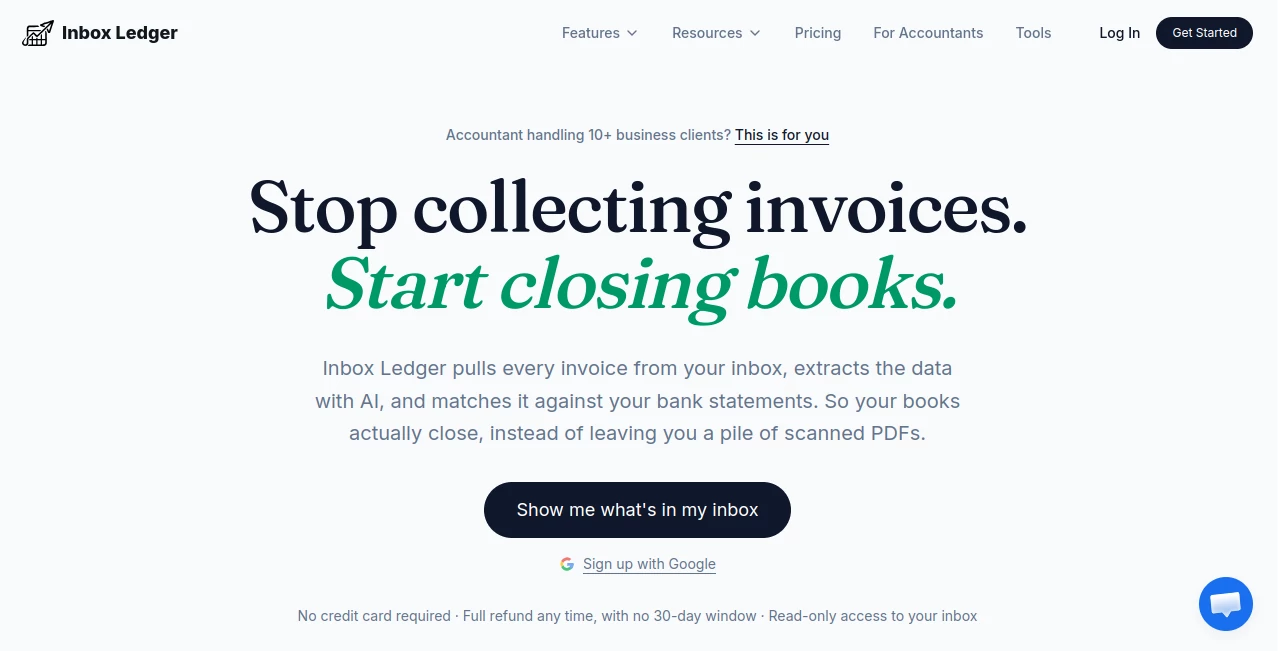
Inbox Ledger is an AI-powered accounting workflow designed for accountants, bookkeepers, and businesses that deal with a steady stream of invoices. Instead of manually searching through inboxes, downloading attachments, copying figures into accounting systems, and checking bank statements one by one, the platform brings those steps together in a single workflow.
Its main strength is the way it connects invoice collection with reconciliation. It can scan Gmail, Outlook, and IMAP inboxes, find invoices in attachments, email bodies, images, and download links, then extract important details such as vendor, amount, date, currency, and line items. Those records can then be matched against bank transactions, giving accounting teams a much cleaner process from incoming invoice to completed reconciliation.
For a bookkeeping team handling dozens or hundreds of invoices every month, that difference can be significant. Instead of spending hours looking for missing documents, staff can concentrate on the exceptions that actually need human attention.
Key Features
- AI-powered invoice and receipt extraction
- Automatic monitoring of Gmail, Outlook, and IMAP inboxes
- Extraction from PDF attachments, images, inline email content, and invoice links
- Historical invoice scanning for previous periods
- Automatic invoice categorization and processing rules
- Bank statement parsing and invoice reconciliation
- Multi-currency transaction matching
- Duplicate invoice detection
- Connections with QuickBooks, Xero, and Business Central
- Exports to Google Drive, Google Sheets, OneDrive, and custom systems through an API
- Receipt capture through Telegram and WhatsApp
- Team mailbox connections for accounting departments
User Interface
The dashboard is built around the information an accounting professional actually needs to see. Invoices can be reviewed by vendor, date, amount, category, and processing status, making it easy to separate completed records from documents that still require attention.
The interface also provides visibility into inbox monitoring and invoice activity. For teams processing large volumes, this is particularly useful because the system can show when invoices were found and whether they have been successfully synchronized or require review.
The overall approach feels practical rather than overloaded. The goal is not to give accountants another complicated dashboard to manage, but to make the existing workflow easier to control.
Accuracy & Performance
AI extraction handles common invoice fields such as vendor names, dates, amounts, currencies, and line items. The platform can also process invoices that do not arrive as conventional PDF files, including embedded receipts and information contained directly within email messages.
Reconciliation adds another useful layer. Bank transactions can be matched against invoices with a confidence score and an explanation for the match, allowing users to confirm the result rather than blindly accepting an automated decision.
This combination of automation and review is valuable in accounting because speed matters, but so does knowing when something does not look right. Documents can be flagged for review instead of simply disappearing into an automated workflow.
Capabilities
The platform goes beyond basic invoice OCR. After connecting an inbox, it can continuously monitor incoming messages and capture new invoices without requiring users to forward every document manually.
Historical scanning is another practical feature. On the initial connection, the system can scan up to six months of previous invoice history, helping teams build a more complete record without starting a large manual import project.
Custom AI rules can also be written in plain language. For example, a business could create rules to automatically approve invoices below a certain amount, flag unusually large expenses, identify SaaS subscriptions, or route selected invoices to an accounting destination.
For companies dealing with international suppliers, multi-currency matching can help connect expenses in one currency with corresponding bank transactions in another. The platform also supports several bank statement formats, including PDF, CSV, XLSX, OFX, and MT940.
Security & Privacy
Security is an important consideration when connecting accounting information to an email inbox. The service uses read-only email access, meaning it can read relevant information without sending, modifying, or deleting messages on the user's behalf.
The company states that original emails are not retained. Instead, invoice information extracted from those messages is stored in the dashboard. Data is encrypted both in transit and at rest, and the service states that it is GDPR compliant with EU data residency available.
These measures make the product particularly relevant to accounting teams that need automation without giving an external service unnecessary control over their mailboxes.
Use Cases
Bookkeeping firms: Firms managing multiple clients can connect relevant inboxes and automatically collect invoices instead of repeatedly asking clients to forward documents.
Accounts payable teams: Finance departments can reduce manual invoice entry and spend more time reviewing exceptions, approvals, and unusual transactions.
Small businesses: A small company without a large finance department can automate much of the repetitive work involved in collecting and organizing invoices.
E-commerce businesses: Businesses using services such as Shopify, Stripe, and other online platforms can collect invoices and receipts that arrive through email and keep their expense records organized.
International businesses: Multi-currency matching can be useful for companies paying suppliers in different currencies and reconciling those payments against invoices.
Accounting teams during tax season: Historical scanning and automated invoice collection can help teams locate older records without manually searching through years of email.
Pros and Cons
- Pros: Automatic inbox monitoring reduces manual forwarding and searching.
- Pros: AI extracts important invoice information from different types of content.
- Pros: Bank reconciliation is built into the same workflow.
- Pros: Supports Gmail, Outlook, and IMAP.
- Pros: Offers integrations with major accounting and storage platforms.
- Pros: Plain-language rules make automation accessible without coding.
- Pros: A free option allows users to process up to 10 documents per month.
- Cons: Teams processing very high invoice volumes may need a paid plan or additional credits.
- Cons: Some advanced accounting workflows may still require review by a human professional.
Pricing Plans
A free account is available for users who want to test the workflow, with up to 10 documents processed per month and no credit card required.
The Starter plan begins at $13 per month when billed annually and includes 50 invoices per month along with two connected inboxes. Paid plans include features such as AI extraction, smart sorting, and custom processing rules.
When a user reaches an invoice limit, processing can be resumed by upgrading the plan or purchasing a one-time credit pack. These credits do not expire, which can be useful for businesses that experience seasonal increases during tax preparation or year-end accounting.
The service also states that customers can request a full refund within three days of payment if the product is not a suitable fit.
How to Use It
Getting started is straightforward. First, create a free account and process a few documents to understand how the extraction workflow performs.
Next, connect a Gmail, Outlook, or IMAP inbox. Once connected, the system can begin identifying invoices and receipts automatically, while historical messages can also be scanned to recover previous records.
After invoices start appearing in the dashboard, users can configure processing rules. For example, recurring SaaS invoices can be tagged automatically, large expenses can be flagged for review, and selected records can be routed to an accounting system.
The final step is reconciliation. Bank statements can be uploaded in supported formats, after which transactions are matched with invoices. Users can review the confidence score and explanation before confirming a match.
Comparison with Similar Tools
Traditional invoice collection tools often concentrate on capturing documents and converting them into structured data. That is useful, but it can leave another task for the accounting team: checking whether those invoices actually correspond to bank transactions.
This platform takes a broader approach by combining inbox monitoring, AI extraction, workflow automation, and reconciliation. It is therefore better suited to teams looking for an end-to-end invoice workflow rather than a standalone document scanner.
Its direct Gmail, Outlook, and IMAP connections are also convenient for businesses that do not want to create a special forwarding address for every invoice. The addition of custom AI rules gives teams another layer of control, particularly when invoice processing follows predictable internal policies.
It will not eliminate the need for accounting judgment, especially when transactions are unusual or documentation is incomplete. Its real value is reducing the repetitive work surrounding those decisions.
Conclusion
For accounting professionals, the biggest benefit of this platform is not simply extracting text from invoices. It is connecting the entire process: finding documents, extracting their information, organizing them, applying rules, and matching them against bank transactions.
That makes it a compelling option for bookkeepers and finance teams that spend too much time hunting through inboxes or entering invoice information by hand. The free tier provides an easy way to test the workflow, while features such as historical scanning, custom automation, multi-currency reconciliation, and accounting integrations make it suitable for more demanding workflows.
If your finance process still depends heavily on forwarding invoices, downloading attachments, and manually checking every transaction, this approach offers a practical way to move much of that repetitive work into the background.
Frequently Asked Questions (FAQ)
Can it scan Gmail and Outlook?
Yes. It supports Gmail, Outlook, and IMAP connections and can continuously monitor connected inboxes for invoices.
Can it extract information from invoices without PDF attachments?
Yes. The AI can process invoice information from attachments, images, email bodies, embedded receipts, and links to downloadable documents.
Can old invoices be recovered?
Yes. The initial connection can scan up to six months of previous invoice history, and users can also select custom date ranges for historical processing.
Does it support bank reconciliation?
Yes. Bank statements can be uploaded in multiple formats, and transactions can be matched against invoices using confidence scores and explanations.
Which accounting platforms are supported?
Supported accounting integrations include QuickBooks, Xero, and Business Central. Data can also be exported to Google Drive, Google Sheets, and OneDrive, or sent to a custom system through an API.
Is there a free plan?
Yes. Users can process up to 10 documents per month for free without entering a credit card.
Does it support multiple currencies?
Yes. The reconciliation system can match transactions across different currencies and automatically handle currency conversion during the matching process.
Is email access safe?
The service states that connected inboxes use read-only access. It can read relevant invoice information but cannot send, modify, or delete emails on the user's behalf.
Is the service GDPR compliant?
Yes. The company states that it is GDPR compliant and offers EU data residency, with a Data Processing Agreement available on request.
Can receipts be captured from a phone?
Yes. Users can forward receipt photos through Telegram or WhatsApp, where the receipt can be processed with OCR and synchronized with the dashboard.
Is human review still possible?
Yes. Documents and reconciliation results can be reviewed, and invoices that need attention can be separated from successfully processed records.
Are there additional credits available?
Yes. One-time credit packs can be purchased when additional invoice capacity is needed, and unused credits do not expire.
Is there a refund policy?
Yes. The service states that customers can request a full refund within three days of payment.
AI Workflow Management , AI Document Extraction , AI Accounting Assistant , AI Email Assistant .
These classifications represent its core capabilities and areas of application. For related tools, explore the linked categories above.
Inbox Ledger details
Website unavailable — View Alternatives
Pricing
- Freemium
Apps
- Web App
Categories

Inbox Ledger Alternatives Product

Agent Grid

Jujutsu Zero…

Zapier

Miro

Chatref

UPDF AI

PDF Inspector

VisualGPT

Plainpaper
