
incident
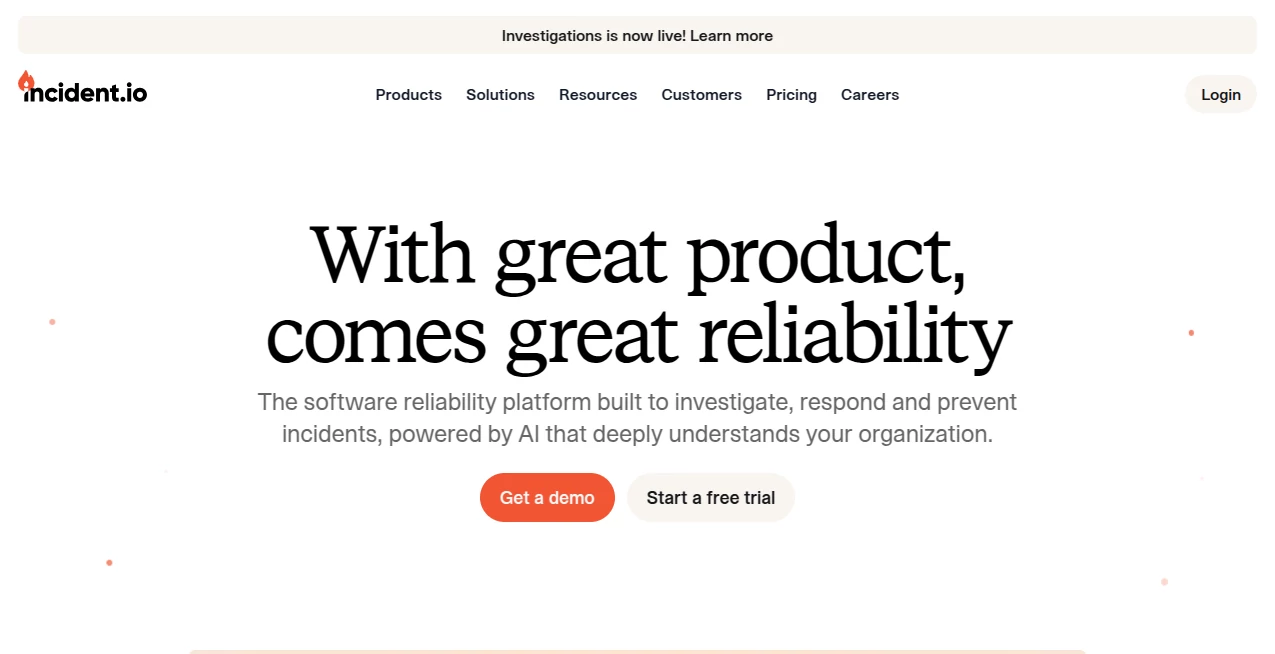
What is incident?
Anyone who has lived through a real production outage knows the feeling. Alerts flood in, Slack channels explode, people scramble for context, and the real work of fixing the problem gets buried under status updates and guesswork. This platform was built for exactly those moments. It turns the chaos of an incident into a structured, collaborative process that lives where your team already works, while AI quietly handles the repetitive parts so engineers can stay focused on the actual fix.
Introduction
Modern software teams ship fast, and that means things will break. The difference between a short disruption and a multi-hour firefight often comes down to how quickly the right people get the right information. This tool brings on-call scheduling, incident response, status page communication, and AI-driven investigation into one place. It works natively inside Slack or Microsoft Teams, so declaring an incident, assigning roles, and tracking progress happens without leaving the conversation. Companies like Netflix, Zendesk, and Etsy have adopted it because it reduces friction at every stage—from the first alert to the final postmortem.
Key Features
User Interface
Most of the experience lives inside the tools your team already uses. Declare an incident in Slack or Teams and a dedicated channel appears with clear roles, timelines, and suggested next steps. The web dashboard gives a broader view of active incidents, schedules, and insights without feeling cluttered. On mobile, the app keeps on-call engineers reachable without forcing them to juggle extra screens. The overall feel is calm and purposeful rather than flashy, which is exactly what you want when the pressure is high.
Accuracy & Performance
AI features here are grounded in real production context. The system can analyze alerts, pull recent deployments and code changes, and surface likely causes instead of generic suggestions. Scribe listens to incident calls, transcribes them live, and highlights key decisions so nothing important disappears into a Zoom void. Teams report faster mean time to resolution because the platform reduces noise and keeps everyone aligned on the same timeline and action list.
Capabilities
Core products cover the full incident lifecycle. On-call handles scheduling, alert routing, escalations, and shadow rotations. Response lets teams declare and run incidents with automated workflows, role assignment, and AI-assisted summaries. Status pages keep customers and internal stakeholders informed with public, private, or internal pages that update as the incident progresses. Investigations acts as an agentic helper that searches logs, metrics, past incidents, and code to propose root causes. Catalog models your organization so ownership and routing stay accurate as teams and services evolve.
Security & Privacy
Security is treated as a first-class requirement. Customer data is isolated, sensitive information is redacted before reaching models, and the platform maintains SOC 2 compliance. Enterprise plans add stronger access controls, multiple environments, and dedicated support. For teams handling regulated systems or high-stakes customer data, these protections matter as much as the speed of response.
Use Cases
Engineering teams use it to replace patchwork combinations of PagerDuty, Statuspage, and manual Slack processes. Platform and SRE groups rely on the Catalog and smart routing to make sure the right owners are paged every time. Customer-facing companies keep status pages synchronized with the incident channel so support volume drops during outages. Growing startups start with the free or Team tier and expand into Pro features as their incident process matures. Even large organizations with hundreds of engineers have rolled it out company-wide in a matter of weeks.
Pros and Cons
Pros:
- Native Slack and Teams experience that teams actually enjoy using
- AI that helps with investigation, summaries, and postmortems instead of adding noise
- Status pages, on-call, and response live in the same system
- Clear ownership model through Catalog that scales with the organization
- Strong customer stories from high-scale engineering cultures
Cons:
- Best value appears when the team is already heavy on Slack or Teams
- On-call is an add-on cost on most paid plans
- Enterprise features and advanced security require a sales conversation
Pricing Plans
There is a free Basic plan suited for small teams testing the waters. Team starts around $15–19 per user per month for response capabilities, with an optional on-call add-on. Pro sits at $25 per user per month and unlocks advanced insights, private incidents, richer post-incident processes, and stronger AI features. On-call can also be purchased as a standalone product. Enterprise is custom-priced and includes dedicated success support, advanced access control, and higher compliance options. Most teams find the cost easier to justify than the engineering time lost during poorly coordinated incidents.
How to Use incident.io
Start by connecting Slack or Microsoft Teams and your main alert sources. Set up basic on-call schedules and escalation paths so the right people get notified. When something goes wrong, declare an incident from the channel or the app. The platform creates the space, suggests roles, and begins tracking actions. During the incident, use AI suggestions for updates and let Scribe capture call notes. Once resolved, generate a postmortem, assign follow-ups, and review insights to catch patterns. Over time the Catalog and historical data make routing and diagnosis even sharper.
Comparison with Similar Tools
Traditional tools often force teams to stitch together separate products for paging, collaboration, and customer communication. This platform keeps the entire lifecycle in one place and leans heavily on the chat tools people already live in. Compared with older on-call systems, the AI investigation and automatic postmortem features reduce manual work after the fire is out. Teams migrating from legacy stacks frequently mention faster adoption and less process friction as the biggest differences.
Conclusion
Incidents will keep happening. The question is whether your team spends its energy fighting the process or fixing the problem. This platform removes a surprising amount of that process overhead while giving AI a real seat at the table for investigation and documentation. For engineering organizations that value speed, clarity, and continuous improvement, it has become a practical way to turn reliability from a constant scramble into a repeatable strength.
Frequently Asked Questions (FAQ)
Does it work only with Slack?
No. It supports both Slack and Microsoft Teams as primary collaboration surfaces.
Can I use it without the AI features?
Yes. Core on-call, response, and status page functionality work independently, while AI accelerates summaries, investigation, and postmortems.
How long does setup usually take?
Many teams are running real incidents within days once Slack or Teams and alert sources are connected.
Is there a free option?
Yes. A free Basic plan exists for smaller teams or evaluation purposes.
What makes the investigation features different?
The agent works from real telemetry, deployments, past incidents, and code context rather than generic suggestions, and it continues assisting throughout the response.
AI Team Collaboration , AI Project Management , AI Analytics Assistant , AI Workflow Management .
These classifications represent its core capabilities and areas of application. For related tools, explore the linked categories above.

incident Alternatives Product

AI Agent Ski…

Luffy

4ga Boards

Sourcetable

IntoTheBlock

Kaamfu

Somnio

Nimbalyst

Maestra