
Inkfluence AI
What is Inkfluence AI?
Creating a professional book, guide, or digital publication often requires hours of planning, writing, formatting, and design work. Inkfluence AI simplifies this process by helping creators transform a simple idea into a complete, polished ebook that is ready to share, sell, or publish.
Designed for writers, entrepreneurs, coaches, marketers, and content creators, this platform provides an all-in-one workspace where users can generate structured books, customize layouts, create covers, and export finished files. Instead of struggling with blank pages and complicated formatting tools, creators can focus on their ideas while the platform handles much of the production workflow.
From lead magnets and business guides to workbooks, fiction projects, and educational materials, the tool is built to support different publishing goals. With support for multiple book formats, professional formatting, and easy editing, it offers a practical solution for anyone looking to turn knowledge into a valuable digital product.
Key Features
User Interface
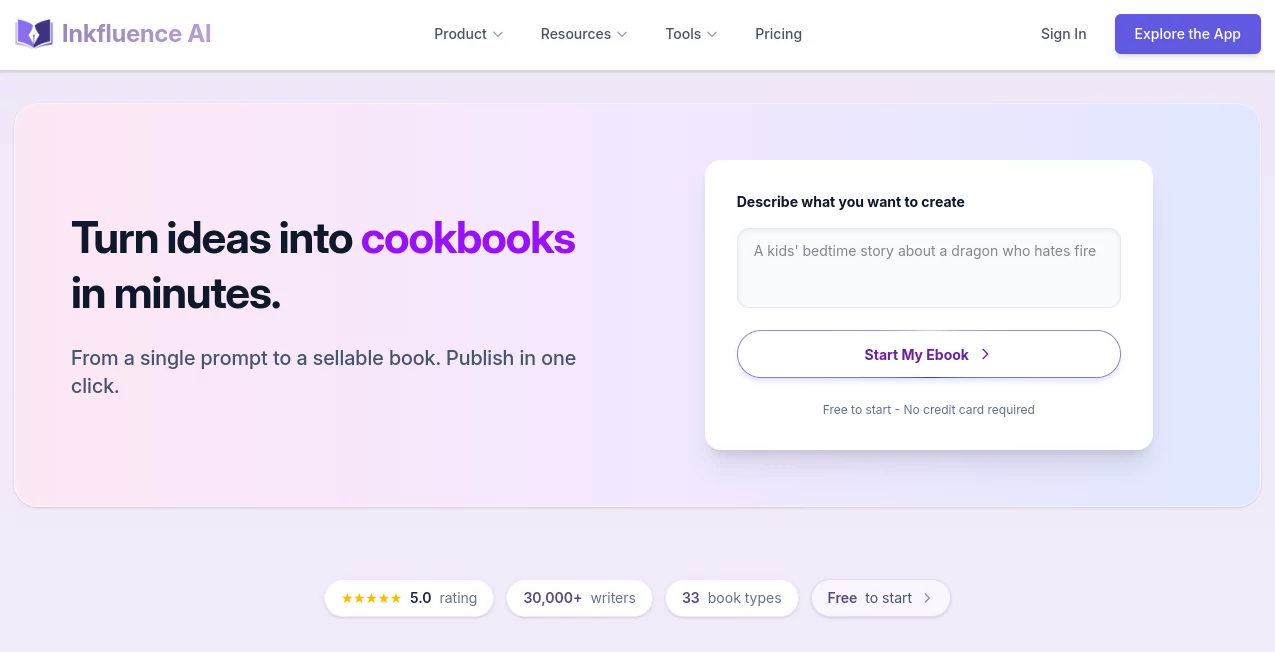
The platform provides a clean and creator-friendly workspace that makes book creation approachable even for users without previous publishing experience. The workflow begins with an idea or description, then guides users through generating content, editing sections, applying branding, and preparing the final export.
The editor feels familiar for anyone who has worked with modern writing applications. Users can review chapters, adjust text, organize sections, and make improvements before publishing. Automatic saving and cloud synchronization help creators continue their projects across different devices without losing progress.
Accuracy & Performance
The system focuses on creating structured and readable content rather than simply producing large amounts of text. It helps organize chapters, maintain consistent formatting, and develop professional-looking documents from initial concepts.
For creators who need fast production workflows, the ability to move from a single idea to an export-ready ebook can significantly reduce the time normally spent on planning and formatting. The platform supports various book styles, including guides, workbooks, cookbooks, and fiction formats.
Capabilities
The platform combines several publishing tasks into one streamlined environment. Users can generate book drafts, create professional covers, format pages, and export projects in popular file formats such as PDF, EPUB, and DOCX.
- Create complete ebooks from simple ideas or prompts
- Generate structured chapters and professional layouts
- Create branded covers with customizable designs
- Support multiple book categories and writing styles
- Translate and adapt content into different languages
- Export files suitable for digital publishing platforms
- Create lead magnets, guides, workbooks, and client resources
- Convert written content into audiobook formats with AI voices
Security & Privacy
Content creators often work with original ideas, business materials, and private documents. The platform is designed with creator privacy in mind, providing secure storage and protecting user projects during the creation process.
Users maintain control over their generated content and can use finished materials for personal projects, commercial products, client deliveries, or publishing workflows.
Use Cases
This platform is useful for many types of creators who need professional documents without spending extensive time on production.
- Authors: Develop book ideas, organize chapters, and prepare digital publications.
- Entrepreneurs: Create business guides, product manuals, and downloadable resources.
- Coaches and Consultants: Build workbooks, training materials, and client resources.
- Marketers: Produce lead magnets and valuable content assets for campaigns.
- Course Creators: Create companion guides and educational materials.
- Small Businesses: Prepare professional documents without hiring a full publishing team.
Pros and Cons
Pros
- Complete ebook creation workflow in one platform
- Simple process for beginners and experienced creators
- Supports multiple export formats including PDF, EPUB, and DOCX
- Useful for commercial publishing and digital products
- Includes formatting and cover creation tools
- Helps reduce the time required for book production
Cons
- Creative writers may still want to manually edit generated content
- Advanced publishing customization may require additional editing tools
- Best results depend on providing clear ideas and instructions
Pricing Plans
The platform offers flexible options for different levels of usage. Users can begin with a free plan to explore the features and create initial projects before upgrading for more advanced publishing needs.
- Free Plan: Suitable for testing ideas, creating short projects, and exploring basic features.
- Creator Plan: Designed for authors, coaches, and small teams who need premium templates, branding options, and additional export capabilities.
- Premium Plan: Built for frequent creators who require unlimited exports, commercial licensing options, and enhanced features.
How to Use Inkfluence AI
Getting started is simple. Users begin by describing the type of book or document they want to create. The platform then helps generate the structure, organize chapters, and prepare the content for editing.
After reviewing and improving the generated material, creators can customize the design, add branding elements, create a cover, and export the final version. The finished publication can be used for online sales, client delivery, educational purposes, or audience building.
Comparison with Similar Tools
Many writing assistants focus mainly on generating text, while this platform takes a broader approach by combining writing, formatting, design, and publishing preparation in one workflow.
Compared with traditional document editors, it reduces the manual work involved in turning raw ideas into finished ebooks. Compared with basic AI writing tools, it provides a more complete publishing experience by focusing on the final product rather than only individual paragraphs.
Conclusion
For anyone looking to transform knowledge, ideas, or expertise into professional digital publications, this platform provides a convenient and efficient solution. It combines AI-assisted writing with practical publishing features, helping creators move from concept to finished product with fewer obstacles.
Whether you are creating a business guide, a course workbook, a personal project, or a commercial ebook, this tool offers a straightforward way to speed up the creative process while maintaining control over the final result.
Frequently Asked Questions (FAQ)
Can beginners use this platform without writing experience?
Yes. The workflow is designed for beginners and experienced creators, helping users move from an initial idea to a structured publication.
What types of books can be created?
Users can create different types of content including guides, workbooks, fiction books, educational materials, cookbooks, and business resources.
Can created books be exported?
Yes. Projects can be exported in formats such as PDF, EPUB, and DOCX for sharing, publishing, or client delivery.
Can users sell the books they create?
Yes. Created content can be used for commercial purposes, including selling digital products or using them as business resources.
Does the platform support mobile access?
Yes. Users can access their projects across devices, including web access and mobile support for convenient editing and creation.
AI Book Writing , AI PDF , AI Content Generator , AI Writing Assistants .
These classifications represent its core capabilities and areas of application. For related tools, explore the linked categories above.
Inkfluence AI details
Website unavailable — View Alternatives
Pricing
- Free
Apps
- Web App
- iOS App
Categories

Inkfluence AI Alternatives Product

TranslateAI

AiProposer

AI Business …

Grammarly

Nano Banana

Ai Book Publ…

VideoLens

StudentAI De…

PrompTessor