

















interiorstaging
What is interiorstaging?
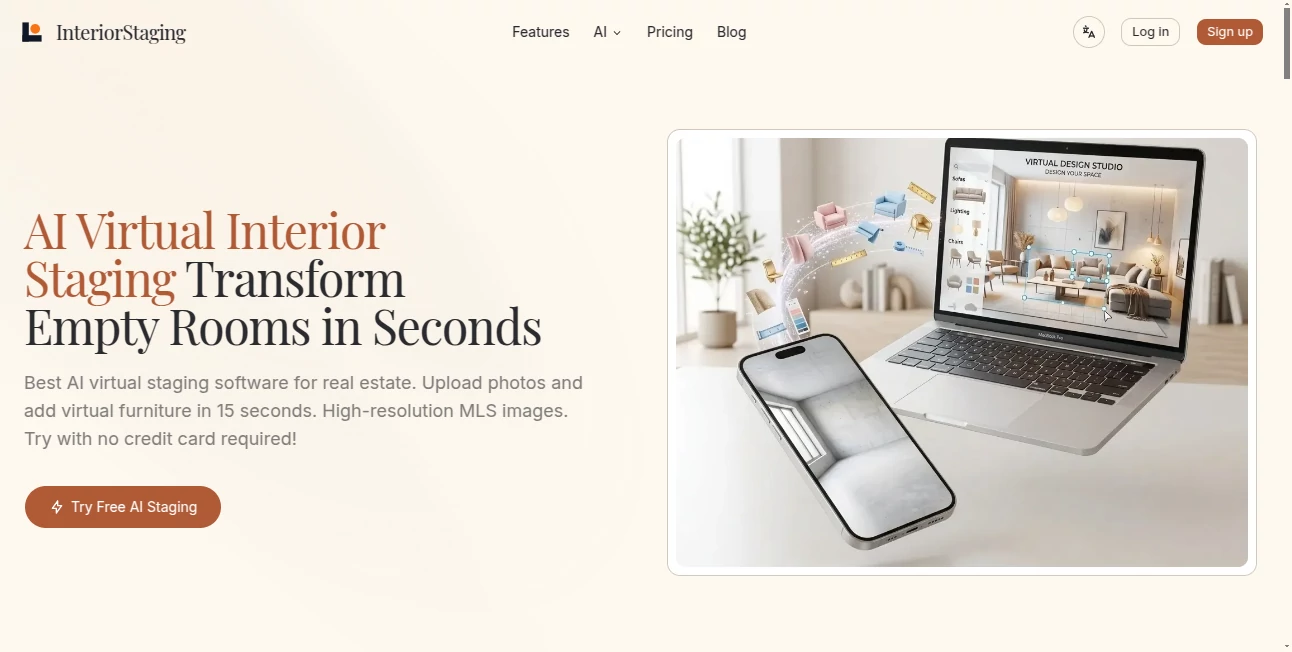
InteriorStaging.net is an AI-powered virtual staging platform built for real estate agents, property photographers, homeowners, and anyone who needs attractive property photos without the cost and logistics of physical furniture. A simple room photo can be transformed into a furnished, presentation-ready interior in seconds.
The idea is straightforward: upload a photo of an empty or cluttered room, choose a suitable design direction, and let the AI create a furnished version. The result can help potential buyers understand how a space might look and feel before they ever visit the property.
One particularly useful advantage is speed. The platform says its AI staging can produce results in around 15 seconds, making it practical for agents who want to show a client different possibilities while still at the property.
Key Features
- Instant AI Virtual Staging: Turn empty rooms into furnished interiors within seconds.
- Whole-Home Style Consistency: Apply a consistent design style across living rooms, kitchens, bedrooms, and other areas.
- 20+ Design Styles: Choose from styles including Modern Organic, Scandi-Japandi, Modern Farmhouse, Mid-Century Modern, Coastal Hamptons, and Urban Luxury.
- Multi-Style Comparison: Generate different visual directions from the same room photo and compare them.
- Batch Processing: Process multiple rooms together, with support for staging approximately 5 to 10 rooms simultaneously.
- Before-and-After Slider: Compare the original property photo with the digitally staged version.
- Mobile and Desktop Workflow: Capture or upload photos on mobile and continue organizing and processing projects from desktop.
- High-Resolution Export: The platform promotes 4K image exports suitable for real estate listing workflows.
User Interface
The workflow is designed around simplicity rather than complicated editing controls. Users can capture a room photo, select the room type and preferred style, and generate a staged version without needing professional 3D modeling or advanced image-editing knowledge.
The mobile-first approach is especially convenient for real estate professionals. Instead of returning to the office before preparing a visual concept, an agent can photograph a property during a walkthrough and quickly create a furnished preview.
For larger projects, the desktop workspace adds another layer of organization. Properties can be managed by address, while mobile and desktop workflows can stay synchronized.
Accuracy & Performance
Speed is one of the strongest aspects of the platform. Its website advertises staging results in approximately 15 seconds, which makes rapid experimentation possible. Users can try different styles without waiting for a traditional editing service.
The system is designed to recognize important parts of a room, including floors, walls, and windows, before introducing virtual furniture. This helps the generated furniture feel more connected to the existing space rather than appearing simply pasted onto the photograph.
Results will naturally depend on the quality, angle, lighting, and composition of the original image. A clear photograph with visible room boundaries generally gives an AI staging system more useful information to work with.
Capabilities
The platform goes beyond simply placing a sofa in an empty room. Users can explore several interior directions from one photograph, making it useful when a property could appeal to different buyer preferences.
For example, a plain living room can be visualized with a modern minimalist appearance, a Scandinavian-inspired arrangement, or a more luxurious presentation. This gives agents an easy way to test which visual approach best matches a particular property.
The system also supports whole-home consistency. Instead of giving every room a completely different appearance, users can maintain a common design language throughout the property. That can make a listing feel considerably more polished when buyers browse several photographs together.
Security & Privacy
Property photography can contain private details, personal belongings, or information that should not be unnecessarily exposed. Users should therefore review the platform's privacy policy and terms before uploading sensitive images, particularly when working with occupied homes or properties belonging to clients.
For professional use, it is also sensible to obtain the necessary permission before processing property photographs and to follow local listing and real estate disclosure requirements when digitally staged images are published.
Use Cases
- Real Estate Listings: Add furniture and visual context to vacant property photographs before publishing a listing.
- Real Estate Agents: Create quick staging concepts during property visits and show clients what an empty room could look like.
- Property Photographers: Produce additional staged versions of property photographs without physically transporting furniture.
- Homeowners: Visualize furnishing ideas when preparing a home for sale or evaluating how an empty space could be used.
- Rental Properties: Give prospective tenants a better understanding of the potential layout and atmosphere of an unfurnished space.
- Interior Design Concepts: Explore several furniture and styling directions before committing to a particular look.
Pros and Cons
- Pros: Very fast generation, mobile-friendly workflow, more than 20 design styles, whole-home consistency, batch processing, multi-style comparisons, and high-resolution export options.
- Pros: Useful for agents who need visual results during property walkthroughs rather than waiting for traditional staging services.
- Pros: Can help visualize both empty spaces and rooms that need digital decluttering or furniture replacement.
- Cons: AI-generated staging cannot replace physically viewing a property, and the final result can vary depending on the source photograph.
- Cons: Digitally staged images may require disclosure when used in real estate listings, so users should check the rules of their MLS or local market.
Pricing Plans
The platform offers three main plans, with monthly and annual billing options. Annual billing is advertised as providing a 17% saving.
- Starter: $15, or $12.50 per month with annual billing, with approximately 480 pictures and access to real-time generation, whole-home style consistency, batch processing, precision room decoration, and multi-style comparison.
- Standard: $29, or $24.17 per month with annual billing, with approximately 1,200 pictures plus the core staging features and priority email support.
- Premium: $79, or $65.83 per month with annual billing, with approximately 3,600 pictures and VIP one-on-one support.
There is also a free trial option promoted on the website, with no credit card required to get started. This makes it possible to test the staging workflow before committing to a paid plan.
How to Use It
- Take or upload a room photo: Use a clear photograph that shows as much of the room as possible.
- Select the room type: Identify whether the image represents a living room, bedroom, kitchen, office, or another space.
- Choose a design style: Pick a style that fits the property and its likely audience.
- Generate the staging: Let the AI create the furnished version of the photograph.
- Compare variations: Try multiple styles when you want to explore different presentation options.
- Process additional rooms: For larger properties, use batch processing to work on several spaces efficiently.
- Export the finished image: Download the result and use it in appropriate marketing or presentation materials.
Comparison with Similar Tools
Traditional virtual staging often involves a human designer manually editing photographs and positioning digital furniture. That approach can produce carefully controlled results, but it may take considerably longer and cost more per image.
AI-based staging takes a different approach. Instead of manually arranging every object, the software analyzes the room and generates a complete visual concept automatically. This is particularly valuable when speed matters, such as preparing several listing photographs on the same day.
Another useful distinction is the mobile workflow. Being able to capture a room and begin staging it immediately is practical for agents who spend much of their working day outside the office. The combination of fast generation, multiple styles, batch processing, and whole-home consistency makes the platform particularly suited to high-volume property marketing.
Conclusion
AI virtual staging has become a practical way to present the potential of properties without moving physical furniture from one location to another. This platform focuses heavily on speed, convenience, and consistency, giving real estate professionals a straightforward way to turn ordinary property photographs into more engaging visual presentations.
Its strongest appeal is the combination of rapid generation and a broad collection of design styles. An agent can experiment with different looks, stage several rooms, and prepare listing visuals without building a complicated editing workflow.
For real estate professionals who regularly photograph vacant properties, homeowners preparing a listing, or photographers looking to expand their services, it offers a convenient way to make empty interiors easier to visualize and more appealing to potential buyers.
Frequently Asked Questions (FAQ)
What is AI virtual staging?
AI virtual staging uses artificial intelligence to digitally furnish or redesign a property photograph. Instead of physically placing furniture inside a room, the software generates a visual representation of how the space could look when furnished.
How quickly can a staged image be generated?
The platform advertises approximately 15-second generation for its instant staging workflow, allowing users to see a concept shortly after uploading a suitable room photograph.
Can I stage an entire property?
Yes. The workflow supports multiple rooms and offers whole-home style consistency. Batch processing can also be used to work on approximately 5 to 10 rooms simultaneously.
How many design styles are available?
The platform currently promotes more than 20 professional design styles, including Modern Organic, Scandi-Japandi, Modern Farmhouse, Mid-Century Modern, Coastal Hamptons, and Urban Luxury.
Can I compare different interior styles?
Yes. Multi-style comparison allows users to create different staging variations from the same photograph, making it easier to decide which presentation best suits the property.
Is it suitable for real estate agents?
Yes. The workflow is specifically designed around real estate use cases, including property walkthroughs, listing photography, client presentations, batch processing, and high-resolution exports.
Can I use it from a mobile device?
Yes. The platform promotes a mobile-first workflow that lets users capture or upload property photos from mobile and continue managing projects through the desktop environment.
Does it offer a free trial?
Yes. A free AI staging trial is promoted on the website, and the service states that no credit card is required to try it.
What are the paid plans?
The available plans are Starter, Standard, and Premium. They provide approximately 480, 1,200, and 3,600 pictures respectively, along with different levels of support and access to the core staging features.
Should virtually staged images be disclosed?
Disclosure requirements can vary by MLS, location, and listing platform. Real estate professionals should check the applicable rules and clearly indicate when an image has been virtually staged where required.