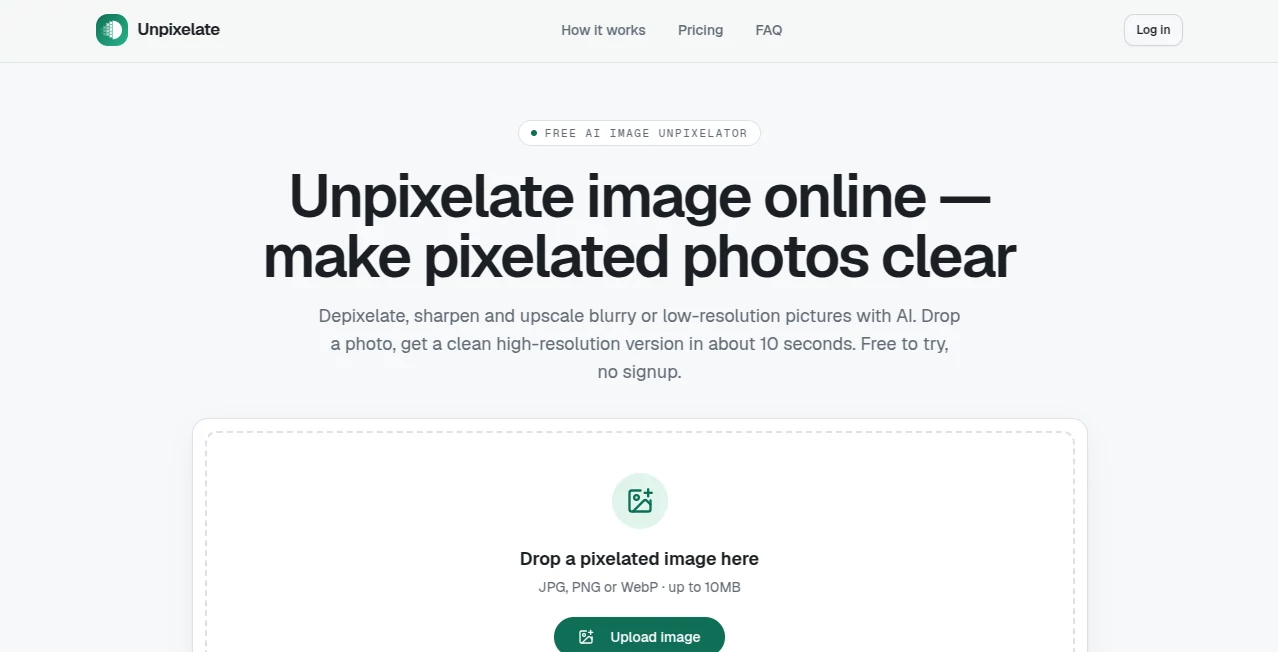
Unpixelated, blurry, and heavily compressed images can be frustrating, especially when the original file is no longer available. Unpixelate is an AI-powered image enhancement tool designed specifically for turning low-resolution and pixelated pictures into cleaner, sharper, higher-resolution results. It works directly in the browser, requires no complicated editing workflow, and can produce a result in around ten seconds.
The service is particularly useful for profile pictures, old scanned photographs, screenshots, game captures, compressed downloads, and AI-generated images that need to be enlarged. Users can upload JPG, PNG, or WebP files up to 10MB and start without creating an account.
The interface keeps the process remarkably simple. Instead of presenting users with a crowded collection of sliders and technical controls, the workflow focuses on the task at hand. You upload an image, select Standard or HD processing, compare the result, and download it.
This approach makes the tool accessible to people who may not have experience with professional image editors. The upload area accepts drag-and-drop files as well as clipboard pasting, which is particularly convenient when working with screenshots.
The technology behind the service uses generative super-resolution rather than simply stretching existing pixels. Traditional resizing methods can enlarge an image, but they cannot recreate information that was lost during compression or downscaling. The AI model instead analyzes the available visual information and generates a plausible high-resolution reconstruction.
Results can be especially impressive on faces because facial structures provide strong visual patterns for the model to work with. The HD option goes further by using a dedicated facial-detail model designed to improve elements such as skin texture, hair, and fine facial features.
Performance is also a strong point for everyday use. Standard processing is designed to return results quickly, with the website stating that a typical result takes about ten seconds.
The service covers several common image recovery situations. A small profile picture can be enlarged for better presentation, an old scanned photograph can gain additional visible detail, and a compressed image can become noticeably cleaner after processing.
It can also handle screenshots, game captures, pixel art, and AI-generated images. For example, the website demonstrates an AI-generated 256-pixel image being enlarged to 1024 pixels, while another example shows a 320×180 game capture becoming a 1280×720 image.
There is an important limitation, however. AI enhancement cannot magically recover information that no longer exists. Extremely pixelated text, license plates, or heavily censored content cannot be reliably reconstructed. The system is intended to create visually convincing improvements rather than claim that missing information can always be recovered exactly.
Privacy is an important part of the service's design. Uploaded images are processed in memory and automatically deleted rather than being retained indefinitely. The website also states that uploaded images are not used for training.
This makes the workflow more comfortable for users who simply want to improve an image without building a permanent online gallery of their uploads. Even so, users should always exercise normal caution when uploading highly sensitive or confidential material to any online image-processing service.
Pros:
Cons:
The service follows a straightforward free-and-paid model. Standard quality is available for free, with two runs per day available without an account. Signing in provides daily credits for additional use.
Users who need stronger reconstruction can purchase HD credits. Paid options start at $6.90 and include access to the HD model, additional runs, and commercial use. Credit packs and monthly plans are available for users who need the service more regularly.
The pricing structure is appealing for occasional users because there is no requirement to purchase a subscription simply to try the basic enhancement functionality.
Many image upscalers attempt to solve a broad range of editing problems, while this service takes a much narrower approach. Its main advantage is specialization: the workflow is built around pixelated, low-resolution, and compressed images rather than general-purpose photo editing.
That difference can matter when speed and simplicity are more important than having dozens of manual controls. Someone who only wants to turn a tiny avatar or old scan into a cleaner, larger image does not necessarily need a complete professional editing suite.
The dedicated focus on facial enhancement is another useful distinction. Both processing tiers include face enhancement, while the HD option adds a specialized model for facial details and textures.
For anyone regularly dealing with tiny, pixelated, blurry, or heavily compressed images, this is a focused solution that gets straight to the problem. Its clean interface removes much of the complexity normally associated with image enhancement, while the generative super-resolution approach goes beyond simply enlarging existing pixels.
The free Standard option makes it easy to experiment without committing to a subscription, while HD processing provides a stronger option for faces and fine textures. The service is not presented as a magical way to recover every lost detail, and that honesty is one of its strengths.
For everyday image restoration, profile-picture enhancement, screenshot cleanup, and resolution upgrades, it offers a practical combination of speed, simplicity, and AI-powered reconstruction.
Yes. Standard-quality processing is available for free. Users can make two runs per day without an account, while signing in provides daily credits.
JPG, PNG, and WebP files are supported, with an upload limit of 10MB.
No. The free service can be tried without signing up. An account can provide additional daily credits.
No image enhancement system can reliably recover information that has been completely destroyed. Heavily pixelated or censored text may be reconstructed incorrectly, so the service does not claim to restore such information faithfully.
Yes. Face enhancement is included in both processing tiers, while HD uses a dedicated facial-detail model for stronger reconstruction.
No. The service states that processed images can be downloaded without a watermark.
No. Uploaded images are processed in memory and automatically deleted. The service also states that customer uploads are not used for model training.
Yes. Standard is the free and faster option, while HD uses a stronger model with additional attention to faces and fine textures.
Yes. Its generative super-resolution technology is designed to reconstruct sharper, higher-resolution versions of low-resolution images rather than simply stretching the original pixels.
It is best suited to a specific task: improving low-resolution, pixelated, or compressed images. Users who need layers, color grading, retouching, compositing, or extensive manual controls may still need a full image editor.
AI Photo Enhancer , AI Photo Restoration , AI Photography , AI Image to Image .
These classifications represent its core capabilities and areas of application. For related tools, explore the linked categories above.
Website unavailable — View Alternatives