


















itbroke.dev
What is itbroke.dev?
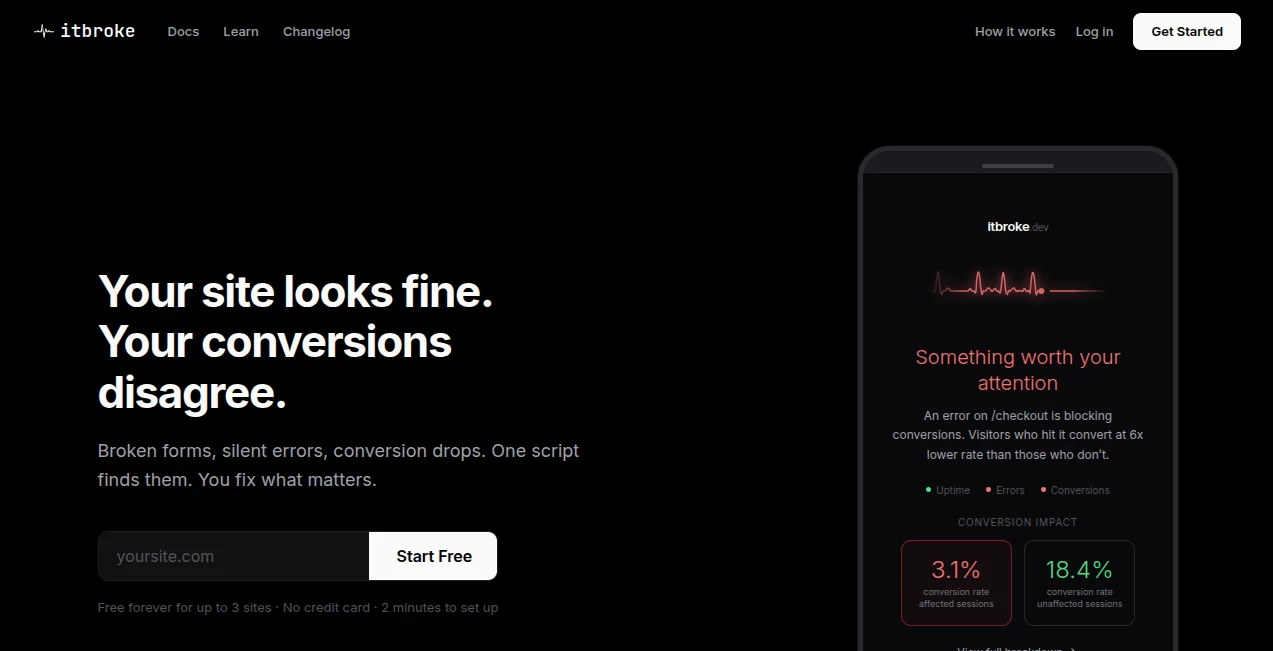
Let’s be real for a second. You’ve probably been there. You check your analytics, and conversions are down. Everything looks fine on your end, so you assume it’s just a slow day. But underneath the hood, your checkout button might be dead for half your mobile users. Or a third-party script is throwing errors that prevent form submissions. That’s where this tool comes in, and honestly, it’s a game-changer for anyone running an online business.
Most monitoring tools just flood you with technical jargon. They tell you something broke, but they never tell you if it actually matters. This platform flips that idea on its head. Instead of drowning in error counts, you see exactly which bugs are costing you real money. Built by a founder who got tired of guessing why sales dropped, this solution connects the dots between technical glitches and lost revenue. After running it on a major site for just a month, it tracked over 218,000 events and surfaced only 8 actionable warnings that actually mattered. That’s not noise. That’s signal.
Key Features
User Interface
The dashboard is refreshingly straightforward. You won’t need a computer science degree to figure out what’s happening. Everything is organized around impact, not frequency. One of the standout sections is called “Paths.” Remember those old user flow diagrams that looked like subway maps and made your head spin? This is the version that actually helps. It shows an expandable tree of real sessions, tracking users from their landing page through every next step. The clever part is how it separates good exits from bad exits. When someone converts and leaves, that’s a win. When they bounce without taking any action, that’s a problem. The interface makes this distinction crystal clear.
You can compare two date ranges side by side and see exactly what changed. There’s a visibility threshold slider to filter out noise, adjustable from zero to ten percent. Want to dig deep? Set your path depth up to seven steps. A quick summary at the top gives you sessions, average path length, bounce rate, and conversion rate. It’s built for people who care where traffic actually goes after it lands.
Accuracy & Performance
The tracking script is tiny. We’re talking under four kilobytes. It loads asynchronously, so there’s zero impact on your Lighthouse scores or page speed. No SDK, no build step, no configuration nightmares. You paste one script tag, and within about thirty seconds, you’re seeing real-time data. That’s not an exaggeration. It’s that fast.
When it comes to catching errors, nothing slips through. It tracks JavaScript exceptions, unhandled promise rejections, and full stack traces. Network failures don’t hide either. Failed API calls, timeouts, and every 4xx or 5xx response gets logged. The accuracy shines when you look at how it handles conversion tracking. Form submissions are tracked the moment you install the script. No manual event setup. No custom coding. It just works. On one test site across 192 pages, it automatically identified 3,490 converting sessions without any configuration. That level of automatic accuracy saves hours of manual tagging.
Capabilities
This tool does way more than just log errors. It tracks rage clicks. You know those moments when someone clicks the same button three or more times rapidly because nothing is happening? Those are silent conversion killers. The platform catches every single one and flags them as warnings. Four-oh-four tracking logs missing pages along with the referring URL, so you can fix broken links before users get frustrated and leave.
Core Web Vitals are monitored from real user data, graded A through F for LCP, CLS, and FID. You can break down traffic sources by paid, organic, social, AI, referral, and direct per page. There’s even a natural language query feature where you can type a question and get an answer across all your data. Want to know which errors affected checkout yesterday? Just ask. Alerts are zero-config and automatic, triggering when errors start impacting conversion rates. And everything can be exported to CSV from any page.
Security & Privacy
Here’s something refreshing. The tracker is completely cookie-free. That means no consent banners, no GDPR headaches, no legal fine print to stress over. The infrastructure runs on PHP 8.2 and SQLite, hosted on DigitalOcean behind Cloudflare. No personal data is collected, so you’re not wading into privacy compliance nightmares. It’s built for website owners who want answers without turning their site into a data privacy battleground.
The free forever plan includes every feature with no credit card required. For small businesses and startups that are watching every dollar, that level of access without financial commitment is rare. You’re not locked into a trial that expires right when you start getting useful data.
Use Cases
Ecommerce Stores – Imagine your checkout page throws a JavaScript error only on Safari browsers. You might lose fifteen percent of your sales without ever knowing why. This tool shows you exactly that error and calculates the revenue you’re losing. One store owner found a broken payment button that had been silently killing conversions for two weeks. Fixed it within an hour, and sales bounced back the next day.
Affiliate Sites – When affiliate links break or tracking pixels fail to fire, you’re leaving money on the table. The platform catches network failures and 404s on outbound links, so you can maintain every revenue stream. One affiliate marketer discovered that a popular comparison table had three dead links sending traffic nowhere. Replacing those links restored a significant chunk of monthly commissions.
SaaS and Startup Landing Pages – Trial signups are the lifeblood of any software business. If your signup form has an unhandled rejection on submission, potential customers disappear forever. The multi-step funnel goals let you define user journeys and see exactly where people drop off. One founder traced a forty percent drop in trials to a single API timeout that only happened during peak hours. Moved to a more reliable endpoint, and trials recovered within days.
Content Publishers and Blogs – Newsletter signups, ebook downloads, and gated content all rely on forms working properly. When those break, your list stops growing. The platform tracks form submissions automatically, so you know the moment something goes wrong. A blogger who runs ads to capture emails found that ad traffic was hitting a broken form. Fixing that error doubled his daily email collection rate.
Pros and Cons
Pros:
The revenue-focused ranking is the standout feature. Instead of fixing what broke most often, you fix what costs the most money. That prioritization saves hours of wasted debugging. Setup takes about thirty seconds with one script tag. No SDK, no build pipeline, no configuration files. The free forever plan for one domain includes every feature. No credit card, no trial expiration date. Cookie-free tracking means no consent banners anywhere on your site. The Paths report makes user flow analysis actually useful instead of confusing. Automatic conversion tracking right out of the box saves enormous setup time. Real user Core Web Vitals give you performance data that lab tests can’t match.
Cons:
The free plan covers only one domain. If you manage multiple sites, you’ll need to look at paid options. The tool focuses on frontend errors and network issues, not backend server monitoring. For deep database query analysis or server-level metrics, you’d need additional tools. It’s relatively new compared to established players like Sentry or Datadog, so the community and third-party integrations are still growing. Mobile app monitoring isn’t the primary focus. This is built for websites, not native iOS or Android applications.
Pricing Plans
During early access, there’s a special offer that’s hard to beat. Free forever for one site. Every single feature included. No credit card required. No trial period. That means you can monitor errors, track conversions, analyze user paths, and get alerts without spending a dime. For solopreneurs, side projects, and small startups, that’s an incredible entry point.
For users who need to monitor multiple domains, the pricing structure is straightforward. You pay for additional sites. No per-seat fees. No charges per thousand events. No surprise overage costs when traffic spikes. The founder has explicitly built this for ecommerce stores, affiliate sites, and startups that can’t afford to lose conversions to silent bugs. The philosophy is simple: you should only pay when the tool is clearly delivering value.
Compared to alternatives like Sentry or LogRocket that can quickly run into hundreds of dollars per month, this approach is much friendlier to smaller budgets. And you’re never forced into an expensive annual plan just to get basic features.
How to Use Itbroke.dev
Getting started takes about one minute. First, head to the website and create a free account. No credit card needed, just an email address. Once you’re logged in, you’ll see a dashboard with a simple script tag. Copy that tag. Paste it into the header of your website, right before the closing head tag. If you use WordPress, you can add it through your theme settings or a simple plugin like Insert Headers and Footers. For Shopify, drop it into the theme liquid file. For any custom site, just paste it into the HTML.
Within thirty seconds, data starts flowing. You’ll see JavaScript errors, network failures, and rage clicks appear in real time. Form submissions are tracked automatically. Want to set up a funnel? Define your goal page, like a thank you page after checkout. The platform will show you every step users take before getting there, and exactly where they drop off.
The Paths report is where the magic happens. Set your date range, adjust the visibility threshold to filter out rare paths, and choose how many steps deep you want to go. You’ll see a tree of real sessions from landing page through each click. Green paths mean conversions. Red paths mean bounces. This is where you spot the problems. Maybe users land on your pricing page, click a specific button, and then hit an error. That’s your fix priority.
Set up zero-config alerts and you’re done. The platform will notify you automatically when errors start affecting conversion rates. No endless tuning of alert thresholds. No false alarms at three in the morning. Just alerts that actually mean something.
Comparison with Similar Tools
Sentry is the heavyweight in error tracking. It’s powerful, and developers love it. But Sentry tells you what broke and how often. It doesn’t tell you which errors are costing you money. You still have to dig through stack traces, guess at business impact, and manually connect errors to revenue data. Sentry also requires more configuration, an SDK integration, and often costs significantly more for comparable event volumes.
LogRocket focuses on session replay. You can watch exactly what users did before an error occurred. That’s valuable, but it’s also privacy-heavy and requires consent banners. The pricing scales with sessions, which gets expensive fast for high-traffic sites. This tool skips the session recording entirely and focuses on what matters: impact and conversion data without the privacy baggage.
Google Analytics tells you conversions are down. It’s great for trends and aggregates. But it won’t tell you that a specific JavaScript error on a specific browser caused that drop. You’re left guessing. This tool connects the dots automatically. When conversions drop, you see exactly which errors correlate with that drop.
Datadog and New Relic are enterprise monsters. They do everything, but they cost like it. You’ll pay for hosts, users, events, and every feature add-on. For a small team or solo founder, those platforms are overkill and overpriced. This tool is built specifically for people who run websites and need answers without the complexity or the bill.
The biggest differentiator is the conversion impact ranking. No other tool in this space automatically tells you, “Fix this error first because it’s costing you five hundred dollars a day.” That single feature changes how you prioritize your work. You stop guessing and start fixing what actually matters.
Conclusion
Running a website means dealing with invisible problems. Code breaks. APIs fail. Users click things that don’t work. Most of the time, you never know until sales drop and you’re left scrambling. This tool takes the guesswork out of that equation. It shows you exactly what’s broken, ranks it by real revenue impact, and gives you the data you need to fix what matters first.
The free forever plan makes it a no-brainer to try. Paste one script tag, wait thirty seconds, and you’ll see data that probably surprises you. There will be errors you didn’t know existed, rage clicks on buttons you thought worked, and drop-off points in your funnel you never spotted. Fix those things, and conversions will go up. That’s the whole point. Stop losing money to silent bugs. Give it a shot, and see what’s actually happening on your site right now.
Frequently Asked Questions (FAQ)
Do I need to be a developer to use this?
Not at all. If you can copy and paste a script tag into your website, you can use it. The dashboard is built for business owners and marketers, not just engineers. The alerts and reports use plain language, not technical jargon.
Will it slow down my website?
No. The tracking script is under four kilobytes and loads asynchronously. It won’t affect your page speed scores or user experience. Tests show zero measurable impact on Lighthouse performance metrics.
Is the free plan really free forever?
Yes, for one domain. During early access, every feature is included with no credit card required. There’s no trial period that expires. You can use it indefinitely on one site at no cost.
What about cookie consent and privacy laws?
The tracker doesn’t use cookies at all. It doesn’t collect personal data. That means no cookie banners, no consent popups, and no GDPR compliance headaches. You can install it without changing your privacy policy.
Can I track multiple funnels on the same site?
Yes. You can set up multi-step funnel goals for different user journeys. Track checkout flows, signup processes, contact form submissions, or any other conversion path you care about. Each funnel shows exactly where users drop off and which errors are causing problems.
What happens if my site gets a traffic spike?
No surprise overage fees. The free plan includes unlimited events on your one domain. Paid plans for additional sites also have no per-event pricing. You won’t get a massive bill just because you had a good traffic day.
How is this different from regular uptime monitoring?
Uptime monitoring just tells you if your site is online or offline. That’s like checking if your store’s doors are open. This tool tells you if the cash register is broken, if customers are rage-clicking a dead button, or if a script error is preventing checkouts. It catches problems that uptime monitors never see.
AI SEO Assistant , AI Analytics Assistant , AI Developer Tools .
These classifications represent its core capabilities and areas of application. For related tools, explore the linked categories above.

itbroke.dev Alternatives Product

StyleBias

Pips Hint

Jujutsu Zero…

Customer Fee…

Sparqo AI

Meev

Kimi K2.5

Youfiliate

DemoDash
