
Jinba
What is Jinba?
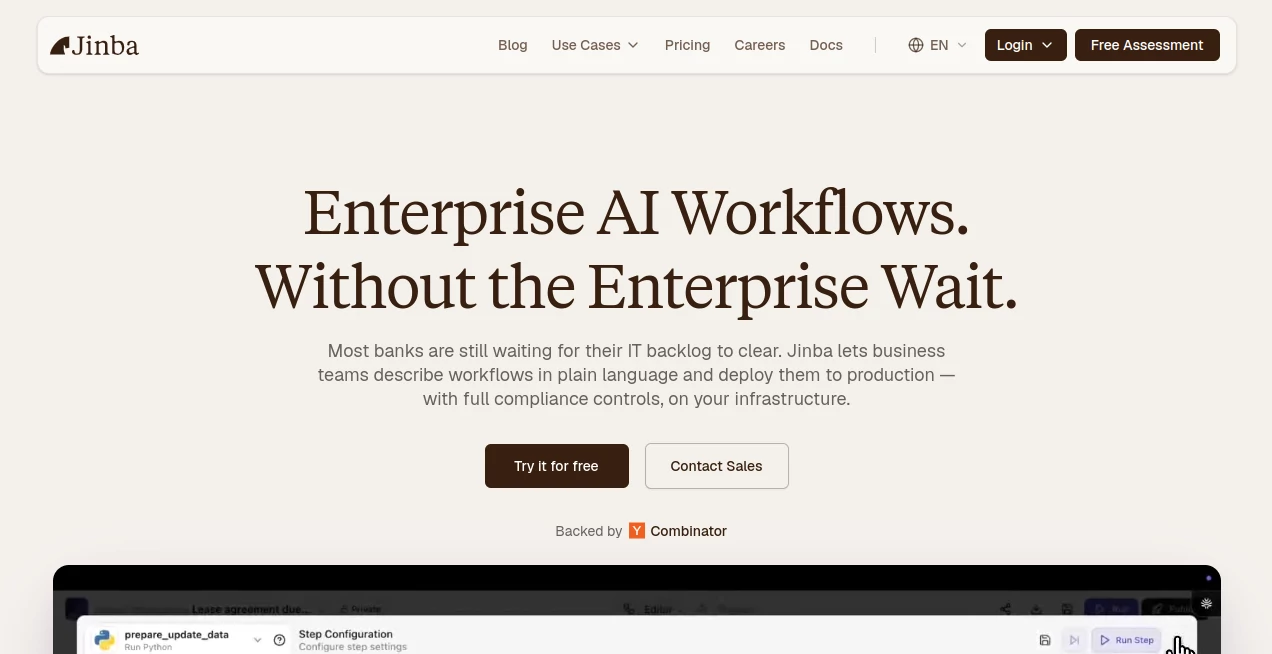
Jinba is an enterprise AI workflow platform built to help teams turn repetitive business processes into governed, reusable automations. Instead of starting with a blank workflow canvas or waiting for developers to build an internal tool, teams can describe what they want in plain language and begin with an automatically generated workflow.
The idea is particularly useful for organizations where routine processes involve several steps, systems, approvals, and compliance requirements. Loan screening, KYC reviews, contract workflows, procurement requests, HR intake, reporting, and other operational tasks can be structured into repeatable processes that are easier to test, monitor, and manage.
What makes the platform interesting is the combination of conversational workflow creation and visual control. A user can explain a process naturally, inspect the generated flow, adjust individual steps, test it with real data, and eventually deploy it for other members of the organization. That balance makes it suitable for both technical teams and business users.
Key Features
- Natural-language workflow creation
- Visual workflow editing and refinement
- AI-powered workflow automation
- Reusable API and MCP deployments
- Conditional routing and approval logic
- Input validation and data enrichment
- Real-time workflow testing and debugging
- Audit logging for workflow executions
- Role-based access control and SSO
- On-premises and private cloud deployment options
- 100+ pre-built integrations
- Custom connectors for internal systems
- Private model hosting options
- Team and organization management
User Interface
The interface is designed around two complementary experiences. Builders can create and refine workflows using a visual flow editor, while other employees can interact with deployed workflows without needing to understand how they were constructed.
This separation is a practical touch for larger organizations. An engineer can work with detailed workflow logic, while an operations manager can simply use the finished process. The platform also supports natural-language interaction, making the initial workflow-building experience feel closer to describing a task than programming one from scratch.
Accuracy & Performance
For business automation, accuracy is not simply about generating a clever AI response. A workflow needs to follow the rules that an organization has defined. The platform addresses this by allowing teams to configure routing conditions, thresholds, approval paths, validation steps, and exception handling.
Workflows can also be tested with real data before deployment. The built-in testing approach makes it possible to inspect individual stages, identify problems, and iterate instead of discovering an issue only after employees begin using the automation.
This is especially valuable for processes such as compliance checks or financial screening, where an incorrect routing decision can have consequences beyond a simple failed automation.
Capabilities
The platform goes beyond basic task automation. Teams can connect workflows to services and internal systems, process incoming information, apply business rules, enrich data, and route cases according to predefined conditions.
Its integration layer supports more than 100 pre-built integrations, including services such as Gmail, Slack, HubSpot, Salesforce, Notion, Linear, GitHub, Microsoft Teams, Dropbox, and OpenAI. Custom connectors can also be created when an organization needs to communicate with an internal application or proprietary system.
Once a workflow has been tested, it can be deployed as an API or MCP server. This opens up a useful path for organizations that want to turn internal processes into reusable capabilities rather than keeping each automation locked inside a single interface.
Security & Privacy
Security is clearly aimed at larger organizations and regulated environments. The platform states that it is SOC 2 compliant and provides end-to-end encryption, SSO, role-based access control, audit logging, and on-premises deployment options.
On-premises or private-cloud deployment can be particularly attractive to companies that need tighter control over sensitive operational information. The platform also supports private model configurations using services such as AWS Bedrock, Azure AI, or self-hosted models.
Audit logs add another important layer for enterprise teams. Workflow activity can be tracked with execution records, timestamps, and user information, giving administrators better visibility into how automated processes are being used.
Use Cases
There are several situations where this approach can make a noticeable difference.
- Financial operations: Build workflows for loan screening, KYC processes, remittance validation, and compliance reviews.
- Insurance: Automate structured underwriting and claims-related processes while maintaining defined approval paths.
- Legal operations: Create repeatable workflows around contract review and analysis.
- Sales: Automate quotation and quote-generation processes that require information from several systems.
- Procurement: Route purchase requests according to value, department, approval requirements, and other business rules.
- HR: Structure employee requests and intake processes without requiring a custom application for every internal workflow.
- Manufacturing: Coordinate operational processes and connect workflow steps with existing enterprise systems.
- Internal tools: Turn a process described by an operations team into a reusable internal tool without building a complete interface from scratch.
A simple example would be a weekly reporting process. Instead of asking an employee to collect information from several sources, format it, check it, and send it to a team channel manually, a workflow can handle the defined sequence and provide a consistent result each time.
Pros and Cons
Pros
- Natural-language workflow creation lowers the barrier to getting started.
- Visual editing gives technical users detailed control over generated workflows.
- Workflows can be tested before being put into regular use.
- API and MCP deployment makes automations reusable across applications and teams.
- Strong enterprise security and governance features.
- On-premises and private-cloud options are useful for organizations with strict data requirements.
- Large integration library plus support for custom connectors.
- Free plan available for individuals and smaller experiments.
Cons
- The platform is primarily designed around enterprise workflows, so it may be more than an individual user needs.
- Advanced organizational requirements may require an Enterprise plan.
- Teams with very simple automations may find a traditional lightweight automation service easier for basic tasks.
- Understanding complex workflows can still require some technical or process-design knowledge.
Pricing Plans
The platform currently offers a Free plan at $0 per month for users who want to get started. It includes up to 2 team members, 2 workspaces, 10 workflow creations, 100 daily Copilot requests, an unlimited private API endpoint, and 1,000 API credits.
For larger organizations, the Enterprise plan uses custom pricing. Enterprise customers receive customizable team and workspace limits, unlimited workflow creation, customized Copilot usage, unlimited private API endpoints, API credits, and on-premises deployment options.
The free tier makes it possible to experiment with the workflow-building experience before committing to an organization-wide deployment, while the Enterprise offering is structured around larger teams and more demanding operational requirements.
How to Use It
Getting started is relatively straightforward. First, create an account and describe the workflow you want to build using natural language. Rather than explaining the implementation details first, you can start with the business process itself.
The generated workflow can then be reviewed and refined in the visual editor. Add conditions, configure routing rules, define approval requirements, connect external services, and adjust individual steps until the process matches the way your organization actually works.
Next, test the workflow using real or representative data. The testing environment lets you inspect the execution and identify problems before sharing it with the wider team.
Once the workflow is ready, deploy it as an API or MCP server and make it available to the appropriate users. Access controls and organization-level permissions can be used to keep sensitive workflows restricted to the right people.
Comparison with Similar Tools
Traditional automation platforms are often excellent for connecting a few applications together, but complex enterprise processes can require considerably more logic. This platform takes a more workflow-centric approach, combining natural-language creation with visual editing, business rules, controlled execution, and enterprise governance.
Compared with a conventional no-code builder, the natural-language starting point can make the first version of a workflow much faster to create. Compared with a purely AI-agent approach, the emphasis on deterministic workflow logic, approvals, permissions, and auditability provides organizations with more control over what happens after the AI has helped construct the process.
The distinction matters most when automation involves sensitive information or decisions that need to follow established company policies. In those situations, flexibility is useful, but predictability and traceability are just as important.
Conclusion
For organizations dealing with repetitive processes across multiple departments and business systems, this platform offers a compelling way to move from manual operations toward structured AI automation. Its strongest point is not simply that it can generate workflows with AI, but that those workflows can be visually refined, tested, governed, and deployed for real organizational use.
The combination of natural-language workflow creation, integrations, API and MCP deployment, access controls, audit trails, and private deployment options gives it a distinctly enterprise-oriented character. Smaller users can explore the free plan, while larger companies can build more sophisticated processes around their own infrastructure and security requirements.
If your team regularly spends valuable time on repetitive processes such as screening, approvals, data collection, routing, reporting, or compliance work, this is the kind of platform worth evaluating. It aims to put automation closer to the people who understand the process while still giving technical and security teams the control they need.
Frequently Asked Questions (FAQ)
What is this platform used for?
It is used to build, test, deploy, and manage AI-powered workflows for business operations. It is particularly suited to complex enterprise processes involving multiple steps, systems, approvals, and business rules.
Can workflows be created without traditional coding?
Yes. Users can describe a workflow in natural language and start with an automatically generated flow. The workflow can then be refined through a visual editor, although complex enterprise implementations may still benefit from technical expertise.
Can workflows be deployed as APIs?
Yes. Completed workflows can be deployed as reusable APIs or MCP servers, allowing other applications and team members to interact with the automation.
Does it support enterprise security?
Yes. The platform provides SOC 2 compliance, end-to-end encryption, SSO, role-based access control, audit logging, and on-premises deployment options. Private model hosting is also supported through selected infrastructure and self-hosted models.
Is there a free plan?
Yes. The Free plan costs $0 per month and includes 2 team members, 2 workspaces, 10 workflow creations, 100 daily Copilot requests, an unlimited private API endpoint, and 1,000 API credits.
Who is it best suited for?
It is best suited to enterprise operations teams, IT and automation teams, solution engineers, and organizations that need to automate complex workflows while maintaining control, security, permissions, and detailed audit records.
AI Workflow Management , AI No-Code & Low-Code , AI Productivity Tools , AI Developer Tools .
These classifications represent its core capabilities and areas of application. For related tools, explore the linked categories above.

Jinba Alternatives Product

Khuram Youraj

Productivity…

gpt-plus.ai

Duct Tape 3

Debate Tello…

AllInOneTools

VideoLens

Vibebot.gg

Wild and Fre…