
Starlight
What is Starlight?
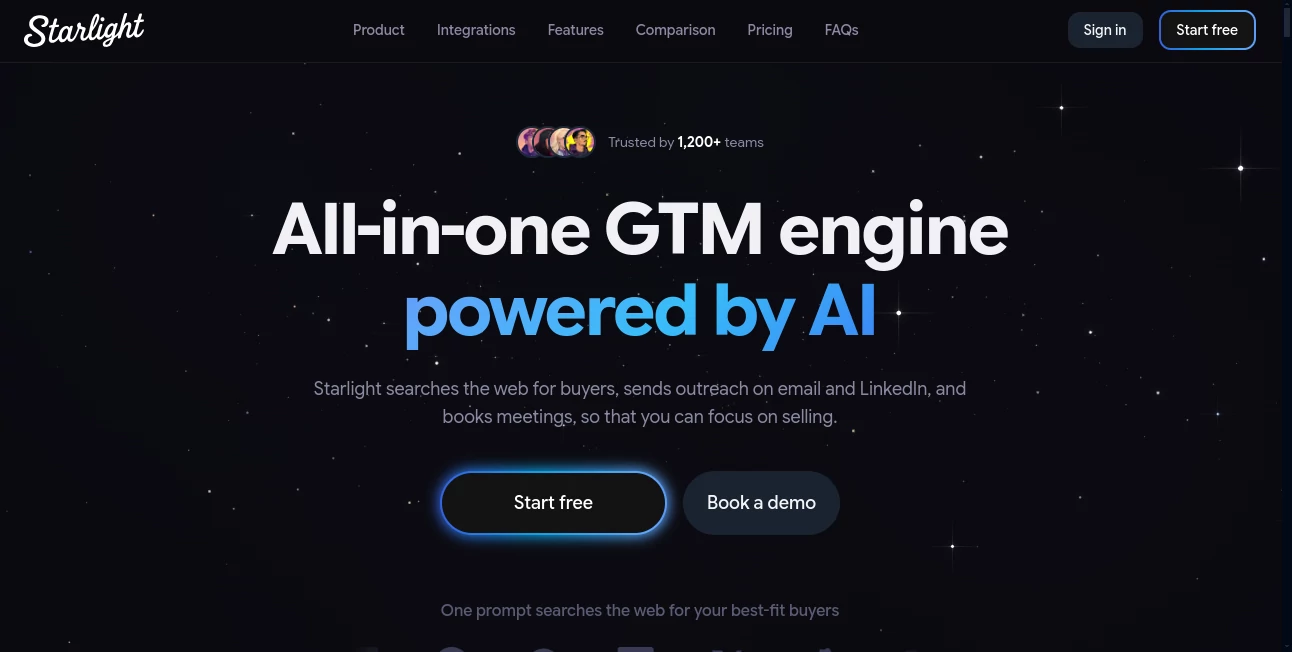
Building a sales pipeline usually means jumping between lead databases, CRM records, email tools, LinkedIn, calendars, and spreadsheets. Starlight brings much of that work into one AI-powered sales workspace. It can search for potential buyers from across the web, identify prospects that match an ideal customer profile, prepare personalized outreach, manage follow-ups, and help turn conversations into booked meetings.
The platform is designed for people who want to spend more time selling and less time doing repetitive prospecting work. Instead of starting with a complicated set of filters, users can describe the type of customer they want in plain English. The system then turns that description into a prospecting workflow.
It is particularly appealing for startup founders, SDRs and BDRs, SaaS sales teams, agencies, consultants, financial advisors, and freelancers. For a small team without a large sales operation, having prospect research, outreach, follow-up, and pipeline management connected in one place can make a noticeable difference.
Key Features
- AI lead discovery: Search for potential customers using natural-language descriptions rather than manually building complex searches.
- Lead enrichment and scoring: Prospects can be enriched with information such as job title, seniority, company details, and contact data, then evaluated against the defined ideal customer profile.
- Personalized outbound: AI can create email and LinkedIn messages based on the user's business, target audience, and preferred writing style.
- Automated follow-ups: Follow-up messages can be scheduled according to the recipient's timezone, helping sales teams avoid inconsistent manual follow-up.
- AI reply drafts: Incoming conversations can be analyzed and turned into suggested responses, giving salespeople a faster way to handle active conversations.
- Autonomous AI agents: Users can choose between reviewing messages before they are sent or allowing configured agents to operate on autopilot.
- Pipeline management: Deal activity, prospect information, and ICP fit scoring are brought together so users can see which opportunities deserve attention.
- Scheduling: Native scheduling and booking links help prospects move from an initial conversation toward a meeting.
- MCP support: The platform can also be operated through compatible AI assistants such as Claude using its MCP server.
- Sales integrations: Connections are available for services including Gmail, Outlook, Google Calendar, HubSpot, Salesforce, Attio, LinkedIn, and X.
User Interface
The interface is built around a conversational and search-driven experience. Rather than forcing users to learn a complicated prospecting system before they can get started, the workflow begins with a simple description of the buyer they are looking for.
For example, a sales professional could search for marketing leaders at SaaS companies with a specific employee range and location. The system translates that natural-language request into prospecting criteria and presents matching contacts for review.
The workflow remains practical after the search. Users can review prospects, create outreach, inspect individual drafts, manage conversations, and monitor their pipeline without constantly switching between unrelated applications.
Accuracy & Performance
Data quality is especially important in sales prospecting because an impressive-looking list is not useful if it contains outdated or poorly matched contacts. The platform states that lead information is cross-checked and that prospects are scored against the user's ICP before they are prioritized.
Its website also reports performance figures such as five times more replies to cold outreach, three times more qualified meetings per representative, and faster movement from the first touch to a booked meeting. These figures are presented by the company as performance claims rather than guaranteed results, and actual outcomes will depend on the market, offer, audience, messaging, and sales process.
One practical advantage is the ability to review generated messages before they are sent. That extra checkpoint makes it easier to correct an awkward sentence, remove an inaccurate assumption, or add a detail that only a salesperson would know.
Capabilities
The strongest part of the platform is the way its individual sales tasks connect. Lead discovery does not exist separately from outreach, and outreach does not stop at the first email. Prospect research, personalization, follow-ups, replies, scheduling, and pipeline activity can form a continuous workflow.
The system can also learn the user's preferred communication style from information supplied in the AI settings, including a product or service description, ideal customer profile, LinkedIn profile, and writing samples. This gives the generated messages more context than a generic cold-email prompt.
Another useful capability is the choice between review mode and automation. Someone who wants tight control can approve messages individually, while a more experienced sales operation can enable autonomous agents for selected workflows.
Security & Privacy
Because a sales platform may have access to email accounts, calendars, CRM information, and prospect data, security is an important consideration. The service states that OAuth tokens are encrypted using AES-256-GCM and that account passwords are not stored when users sign in through Google or a magic link.
The company also states that customer data is not used to train its AI models. Its security documentation describes production data isolation, encrypted backups, TLS-protected model connections, and controls designed to treat prospect-generated content as untrusted input.
Users should still review the platform's privacy and acceptable-use policies before enabling automated outbound campaigns, especially when handling regulated or sensitive customer information.
Use Cases
- Startup sales: Founders can build an initial prospect list and start outreach without assembling a large collection of separate sales tools.
- SaaS outbound: Sales teams can define an ICP, find matching decision-makers, personalize messages, and organize follow-ups in one workflow.
- Agency lead generation: Agencies can search for businesses that match their service profile and create targeted campaigns for potential clients.
- Consulting: Independent consultants can focus on high-value prospects while reducing the time spent researching companies and writing repetitive introductions.
- Freelance business development: Freelancers can use targeted prospecting to find potential clients instead of relying entirely on inbound requests.
- Sales follow-up: Teams that regularly lose leads because of delayed responses can use scheduled follow-ups and AI-assisted replies to keep conversations moving.
Pros and Cons
Pros:
- Combines prospecting, outreach, follow-up, and pipeline management in one platform.
- Natural-language lead searches make prospect discovery easier to start with.
- Supports personalized email and LinkedIn outreach.
- Offers both human-review and autonomous workflows.
- Includes ICP-based lead scoring.
- Connects with popular email, calendar, CRM, and social platforms.
- Provides a free plan with no credit card required.
- Usage-based pricing avoids traditional per-seat pricing.
Cons:
- The platform is primarily focused on sales and outbound workflows rather than general-purpose productivity.
- Automated outreach still requires careful review and responsible configuration.
- AI-generated messages can require editing when a campaign needs highly specific industry knowledge or a very personal tone.
- Users with very small prospecting needs may not use enough of the platform's broader sales automation capabilities to justify a paid plan.
Pricing Plans
A free plan is available with 200 blocks per month, allowing users to explore the core workflow without entering payment information. Paid plans start at $12 per month, with annual billing reducing that starting price to $10 per month. Higher usage can scale to a plan offering 12,000 blocks for $199 per month.
The pricing model is based on usage rather than charging for every individual seat. Blocks are consumed by AI actions. For example, a lead search uses 12 blocks, drafting or previewing a message uses 4 blocks, an AI reply draft uses 5 blocks, and a sent sequence email or contact export uses 2 blocks. Browsing existing leads and contacts is free.
Blocks refresh every 30 days and do not roll over. This approach can be attractive for small teams that want to pay according to actual activity rather than committing to a large number of user licenses.
How to Use the Platform
- Create an account: Sign up using Google or an email magic link. The free plan provides an initial allowance of 200 blocks each month.
- Configure your AI profile: Add information about your product or service, ideal customer profile, LinkedIn background, and writing samples.
- Connect your sales accounts: Connect Gmail or Outlook for email outreach. Calendar and CRM integrations can also be configured depending on the workflow.
- Describe your ideal buyers: Enter a natural-language search describing the type of prospect you want to reach, such as a particular role, company size, industry, or location.
- Review the results: Examine the matching prospects, their available information, and their ICP fit before deciding who should enter an outreach campaign.
- Create personalized messages: Select prospects and use the AI drafting workflow to create individualized outreach based on your chosen campaign and communication style.
- Approve or automate: Review messages manually before sending, or configure an autonomous workflow when you are comfortable allowing automation to handle approved activities.
- Track conversations: Monitor replies, follow-ups, meetings, and pipeline activity from the unified workspace.
Comparison with Similar Tools
Traditional sales stacks often divide prospecting, contact databases, email sequencing, CRM management, scheduling, and conversation tracking among several products. That approach can work well for larger organizations with dedicated sales operations, but it also creates more setup and more places for information to become disconnected.
This platform takes a more unified approach. Its emphasis is on turning a plain-language buyer description into a connected prospecting and outreach workflow. It also combines human approval with autonomous agents, which gives users more control than a fully automated system while still allowing substantial automation when needed.
Compared with tools focused mainly on contact databases or email sequencing, its broader value is the combination of lead discovery, personalization, follow-up, AI-assisted replies, scheduling, and pipeline management. For teams already using several specialized tools, that consolidation may be one of its biggest advantages.
Conclusion
For sales teams that spend too much time searching for prospects, preparing cold outreach, and remembering when to follow up, this platform offers a compelling alternative to a fragmented sales stack. Its biggest strength is not simply generating an email or finding a contact. It is connecting those steps into a single workflow that can continue from prospect discovery through conversation and meeting booking.
The review-first approach is particularly useful for users who want AI assistance without immediately handing over complete control. More advanced teams can gradually move selected processes toward autonomous operation as their workflows become predictable.
With a free starting tier, usage-based pricing, natural-language prospecting, CRM integrations, personalized outreach, and optional AI agents, it is worth considering for founders, agencies, consultants, freelancers, and sales teams looking to make outbound prospecting more systematic without adding another collection of disconnected tools.
Frequently Asked Questions (FAQ)
What does this AI sales platform do?
It helps businesses find potential buyers, enrich and score leads, create personalized email and LinkedIn outreach, manage follow-ups, draft replies, schedule meetings, and track sales activity in one workspace.
Is there a free plan?
Yes. The free plan includes 200 blocks per month and does not require a credit card. Paid plans start at $12 per month, or $10 per month with annual billing.
Can I review messages before they are sent?
Yes. Messages can be drafted for manual review and approval. Users can also enable autonomous agents when they want selected workflows to operate with less manual intervention.
Does it work with Gmail and Outlook?
Yes. Gmail and Outlook accounts can be connected so outreach can be sent from the user's own email address. Calendar and CRM integrations are also available.
Can it find leads using natural language?
Yes. Users can describe the type of buyer they want in plain English, and the system converts the request into prospecting criteria and searches for matching contacts.
How does the usage-based pricing work?
AI actions consume blocks. Lead searches, message generation, AI reply drafts, sent sequence emails, and contact exports use different amounts of blocks, while browsing existing leads and contacts is free.
Can it connect to a CRM?
Yes. The platform supports CRM integrations including HubSpot, Salesforce, and Attio, alongside email, calendar, and social-channel connections.
Is customer data used to train AI models?
The company states that customer data is not used to train its AI or machine-learning models. It also describes encryption, tenant isolation, protected infrastructure, and other security measures in its public security documentation.
Can it be used through another AI assistant?
Yes. An MCP server allows compatible AI assistants such as Claude to search leads, draft outreach, and manage sales workflows on the user's behalf.
AI Lead Generation , AI Sales Assistant , AI Email Marketing , AI CRM Assistant .
These classifications represent its core capabilities and areas of application. For related tools, explore the linked categories above.
Starlight details
Website unavailable — View Alternatives
Pricing
- Freemium
Apps
- Web App
- Chrome Extensions
Categories

Starlight Alternatives Product

LeadAny

softshill

Jasper

Reloq

Free Email V…

FiveMinChat

LeadCanvas

GTM API

Toflow AI