
json-render
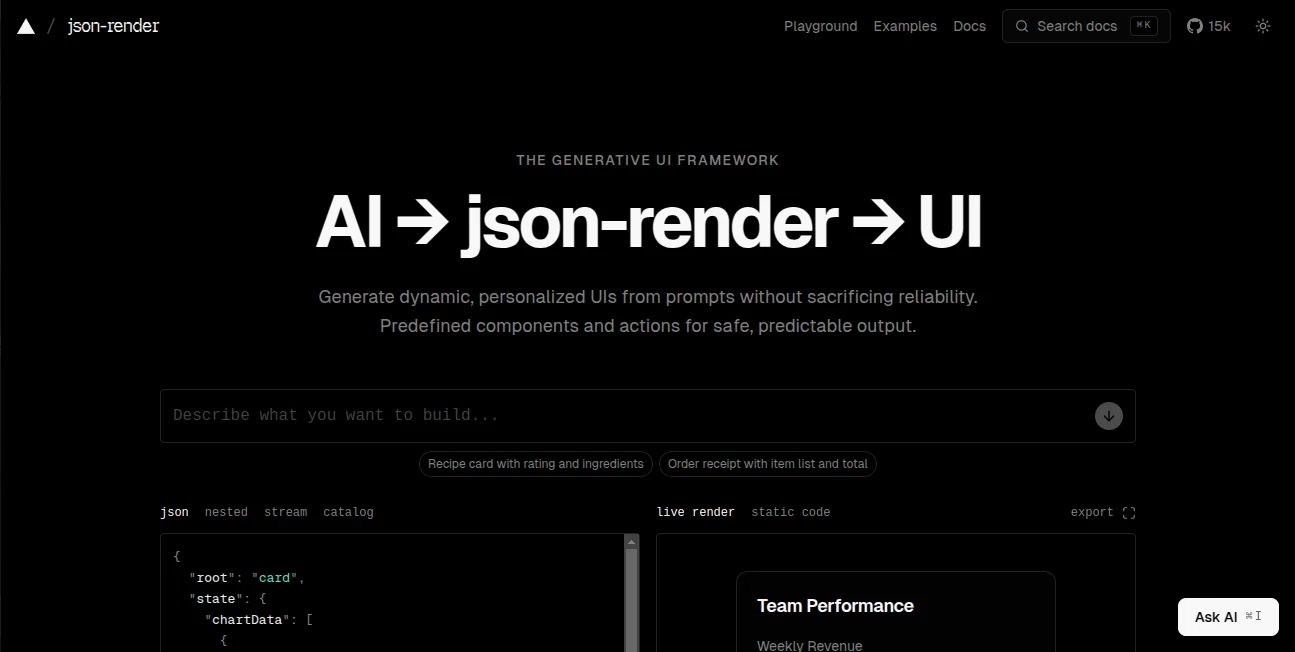
What is json-render?
Working with raw JSON can quickly become overwhelming, especially when dealing with large datasets, nested structures, or API responses that are difficult to read. This tool is designed to solve exactly that problem by transforming complex JSON data into clean, structured, and visually understandable formats.
Instead of struggling with unreadable data blobs, developers, designers, and product teams can instantly convert JSON into a more human-friendly structure that improves debugging, documentation, and presentation workflows. It feels like giving your data a proper visual language.
Key Features
User Interface
The interface is minimal, fast, and intentionally distraction-free. Users can paste JSON and immediately see structured output without unnecessary configuration steps. The focus is on speed and clarity rather than complexity.
Accuracy & Performance
Even deeply nested or irregular JSON structures are handled with precision. The rendering engine is optimized for performance, ensuring quick transformations even when working with large datasets or real-time API responses.
Capabilities
- Convert raw JSON into structured visual layouts
- Support for deeply nested data structures
- Instant rendering with minimal latency
- Developer-friendly formatting for debugging workflows
- Flexible output suitable for documentation and UI mockups
Security & Privacy
Data privacy is a core consideration. All processing is designed to keep user input safe, ensuring sensitive API responses or internal datasets are not exposed or stored unnecessarily. This makes it suitable for both personal and professional environments.
Use Cases
- Debugging API responses during development
- Visualizing structured data for better understanding
- Creating documentation for backend systems
- Helping frontend developers map JSON to UI components
- Teaching and learning data structures in a more visual way
Pros and Cons
Pros
- Extremely fast and lightweight
- Simple and intuitive interface
- Great for developers and technical teams
- Handles complex nested JSON well
Cons
- Limited customization options for advanced users
- Focused only on JSON visualization (not a full data platform)
Pricing Plans
The tool typically follows a flexible access model, making it accessible for individual developers while also scaling for team-based usage. Depending on usage needs, users may find free access sufficient for basic tasks, while more advanced workflows could benefit from premium options if available.
How to Use this tool
Using it is straightforward. Simply paste your JSON data into the input area, and the system will automatically generate a structured visual representation. There is no need for complex setup, plugins, or configuration.
For best results, users should ensure their JSON is properly formatted before input. Once processed, the output can be used for debugging, analysis, or integration into development workflows.
Comparison with Similar Tools
Compared to traditional JSON viewers and browser-based formatters, this solution focuses more on clarity and structure rather than just syntax highlighting. While many tools only beautify JSON text, this approach goes a step further by making data feel more like a visual model.
Some alternatives provide additional debugging or API testing features, but they often come with heavier interfaces. This tool stays lightweight and purpose-driven, which makes it ideal for developers who value speed and simplicity.
Conclusion
For anyone who regularly works with APIs, structured data, or backend systems, this tool offers a refreshing way to interact with JSON. It removes friction, improves understanding, and turns raw data into something that is genuinely easier to work with. It is not overloaded with unnecessary features, which is exactly what makes it effective.
Frequently Asked Questions (FAQ)
Is it suitable for large JSON files?
Yes, it is optimized to handle large and deeply nested JSON structures without significant performance issues.
Do I need to install anything?
No installation is required. It works directly in the browser, making it accessible instantly.
Is it only for developers?
While developers benefit the most, anyone working with structured data can use it effectively.
Can it replace a full API testing tool?
Not entirely. It focuses on visualization rather than full API testing workflows.
Does it store my data?
The system is designed with privacy in mind and avoids unnecessary data retention.
Code & IT , AI API Design , AI Code Generator , AI Developer Tools .
These classifications represent its core capabilities and areas of application. For related tools, explore the linked categories above.

json-render Alternatives Product

Fugte

JSON to TOON…

AI Workflow …

VercelAPP

tanship

Dedoctive

langextract.…

Andreas Chri…

git-lrc