
















Katto
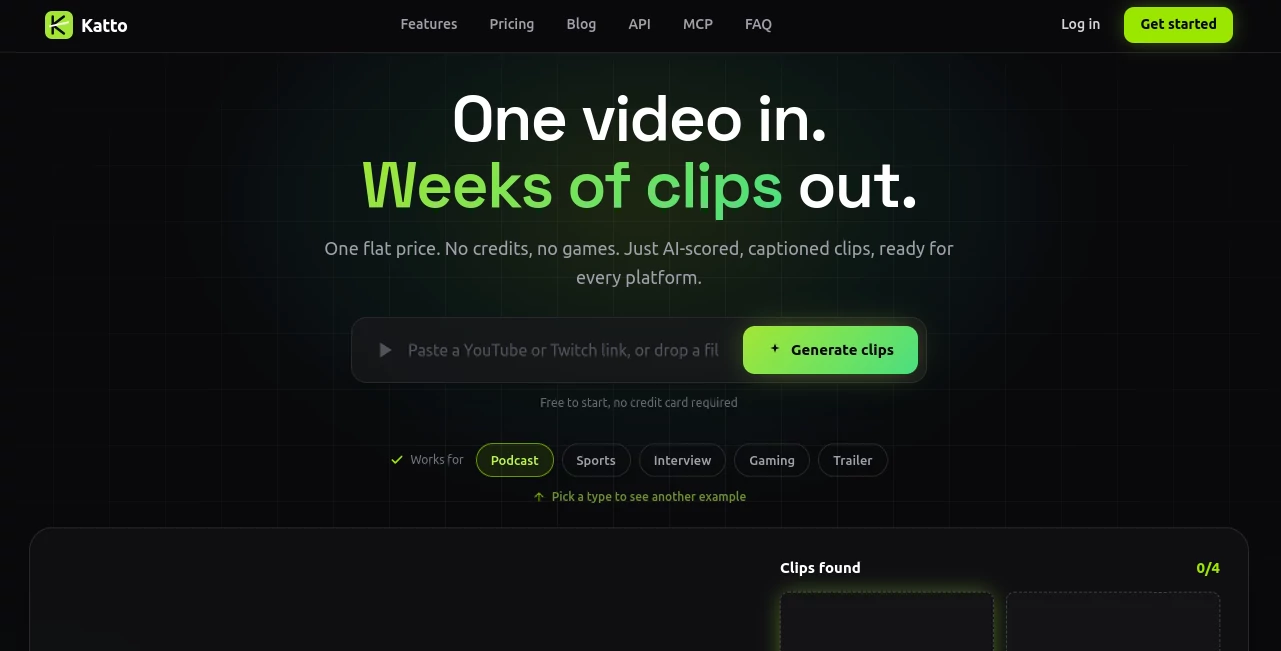
What is Katto?
Katto is an AI-powered video clipping platform built for creators who want to turn long-form videos into short, ready-to-publish content without spending hours inside a traditional editing timeline. Instead of manually searching through a podcast, interview, gaming session, sports recording, or educational video, the platform analyzes the source and identifies moments that have strong short-form potential.
The workflow is refreshingly simple. Upload a supported video or provide a compatible video link, let the AI process the content, then review the ranked clips before exporting them. The system combines automatic clipping, virality scoring, smart reframing, captions, hooks, audio cleanup, and social publishing in one workflow.
For creators who publish regularly, the biggest advantage is not simply saving a few minutes on editing. It is making the process repeatable. A single long recording can become a collection of Shorts, Reels, TikToks, and other vertical clips instead of remaining a one-time piece of content.
Key Features
- AI Clipping: Finds engaging sections of long-form videos and ranks potential clips based on their performance characteristics.
- Virality Scoring: Each clip receives scores across hook, flow, value, and trend, making it easier to decide which moments deserve to be published first.
- Smart Reframing: Automatically converts landscape footage into vertical and other social-friendly formats while following important subjects.
- Speaker Detection: Identifies speakers during conversations and adjusts framing to keep the relevant person visible.
- AI Captions: Generates word-synchronized captions in 99 languages and includes AI-assisted correction for proper names.
- AI Hooks: Creates short opening text designed to give viewers a reason to keep watching.
- AI B-roll: Adds relevant supporting footage to selected moments when appropriate.
- Vocal Cleanup: Removes unwanted background noise and helps produce cleaner-sounding dialogue.
- Text-Based Editing: Transcribed content can be edited by working with the text, allowing cuts to follow changes made to the transcript.
- AI Dubbing: Supports dubbing into eight languages, helping creators adapt existing clips for audiences in different markets.
- Social Publishing: Clips can be exported or scheduled for YouTube, TikTok, Instagram, LinkedIn, Bluesky, Mastodon, and Threads.
User Interface
The interface is designed around the idea that video repurposing should not require a complicated editing workflow. Rather than forcing users to begin with a blank timeline, the platform starts with the source video and automatically applies its editing decisions.
The editor keeps the important AI-generated elements visible and editable. Users can work with reframing, speakers, captions, hooks, B-roll, emojis, and other adjustments instead of accepting an output that is completely locked.
The text-based editing approach is particularly practical for spoken content. Once the video has been transcribed, removing a sentence from the text can also remove the corresponding section of the video. For someone editing a long interview or podcast, that feels much closer to editing a document than operating a traditional video timeline.
Accuracy & Performance
The platform is designed to process long-form material rather than simply apply a basic center crop. Its AI analyzes the content, searches for worthwhile moments, evaluates clips, and selects framing based on what is happening on screen.
Processing typically takes around five minutes, depending on the length of the source video. Supported inputs include YouTube links as well as MP4, MOV, WebM, and MKV files. Videos can be up to 90 minutes long, while upload limits vary by plan.
The scoring system is also useful from a practical perspective. Instead of receiving a long list of clips and guessing which one is strongest, creators can compare scores for hook, flow, value, and trend. It does not remove human judgment, but it gives the editing process a much better starting point.
Capabilities
The strongest part of the platform is its breadth. It is not limited to podcasts or talking-head videos. The system is designed to handle sports, gaming, interviews, trailers, courses, webinars, and other content where important visual moments can change quickly.
Its Miru AI reframing engine can follow faces and subjects while producing 9:16, 4:5, or 1:1 versions. For multi-person conversations, split-screen and other layouts can help preserve context instead of awkwardly cropping one participant out of the frame.
There is also support for Twitch VODs and other video sources, which makes the workflow especially useful for streamers and gaming creators. On the publishing side, direct exports and scheduling across seven social platforms reduce another repetitive part of the content-production cycle.
Security & Privacy
The service states that submitted videos and generated clips are automatically deleted after 48 hours. According to its privacy policy, uploaded videos are processed on its servers, are not shared with third parties, and are not used to train AI models.
The company also states that its team does not view submitted videos unless debugging a specific reported issue and the user has given consent. Essential cookies are used for authentication, while the service says it does not use advertising or tracking cookies.
For account security, the platform uses HTTPS for data in transit, hashed passwords, signed URLs for file access, and automatic deletion schedules. Payment processing is handled through Stripe, while infrastructure includes services such as Cloudflare R2 and Supabase.
Use Cases
- YouTubers: Turn a long weekly video into several Shorts and other vertical clips without manually reviewing the entire recording.
- Podcasters: Find strong soundbites, automatically caption conversations, and prepare multiple clips from a single episode.
- Gaming Creators: Convert gameplay and Twitch VODs into short-form content while preserving the gameplay and webcam relationship.
- Coaches and Educators: Transform lessons, webinars, and presentations into concise educational clips that can be shared throughout the week.
- Marketing Teams: Repurpose existing video assets into social content without adding a full-time editor for every campaign.
- Agencies: Produce batches of short-form content for multiple clients from their existing long-form recordings.
- Sports Creators: Extract interesting highlights and reframe action-heavy footage for vertical social platforms.
Pros and Cons
Pros
- Turns long-form videos into short clips with minimal manual work.
- Virality scoring makes clip selection easier.
- Supports captions in 99 languages.
- Smart reframing works with multiple speakers and different content types.
- Supports YouTube and Twitch workflows.
- Includes AI hooks, B-roll, vocal cleanup, and text-based editing.
- Direct publishing and scheduling are available for seven social platforms.
- The free plan does not require a credit card.
- Creator pricing uses a straightforward video-based allowance rather than a credit system.
Cons
- The free plan is limited to two videos per month.
- Free exports are limited to 720p and include a watermark.
- Some advanced capabilities, including 4K export and the higher-tier dubbing offering, are associated with the Studio plan.
- AI-selected clips can still benefit from human review before publication.
- The platform is primarily focused on short-form repurposing rather than being a full traditional video production suite.
Pricing Plans
The pricing structure is intentionally simple and does not rely on credits or complicated per-minute calculations.
- Free: €0 per month, with 2 videos per month, videos up to 30 minutes, 720p output, automatic captions in 99 languages, four caption presets, center-crop reframing, and Miru AI reframe.
- Creator: €12 per month when billed annually, or €15 per month on monthly billing. It includes 25 videos per month, uploads up to 5 GB, up to 10 moments per video, 1080p output, no watermark, AI hooks, vocal cleanup, background music, scheduling, split-screen support, and direct publishing to seven platforms.
- Studio: €24 per month and intended for power users and small teams. The listed plan includes 50 videos per month, 4K export, dubbing in eight languages, and three team seats.
The free tier is useful for testing the workflow before paying, while the Creator plan is the more practical choice for someone producing short-form content on a regular schedule.
How to Use It
- Upload a supported video file or provide a compatible video link.
- Let the AI transcribe and analyze the source material.
- Review the automatically discovered moments and their performance scores.
- Choose the clips that fit your audience and publishing goals.
- Adjust captions, framing, hooks, B-roll, or other automatically applied elements when needed.
- Select an appropriate aspect ratio such as 9:16, 4:5, or 1:1.
- Preview the finished clip and export it in the available resolution.
- Publish immediately or schedule the selected content across supported social platforms.
Comparison with Similar Tools
AI video clipping has become a crowded category, with products such as OpusClip, Submagic, Klap, and Gling offering overlapping workflows. What makes this platform interesting is the combination of flat video-based pricing, transparent clip scoring, multilingual captions, subject-aware reframing, and support for content beyond conventional talking-head videos.
For example, the Creator plan provides 25 videos per month at its annual monthly-equivalent price, while the platform's comparison information emphasizes that users do not have to manage expiring credits or calculate source minutes. The same comparison highlights support for 99 caption languages, Twitch VOD clipping, gaming layouts, and one-click publishing to seven social platforms.
That does not necessarily make it the right choice for every editor. Someone looking for a highly traditional, timeline-first editing environment may prefer a broader video editor. But for creators whose main objective is turning existing long-form content into a steady stream of short videos, the focused workflow can be a major advantage.
Conclusion
For anyone sitting on hours of podcasts, interviews, streams, lessons, or recorded presentations, the hardest part is often not creating the original video. It is finding enough worthwhile moments to keep publishing afterward. This platform approaches that problem directly by combining clip discovery, scoring, reframing, captions, editing assistance, and distribution.
The result is a workflow that feels built around content production rather than traditional video editing. A creator can start with one substantial recording and leave with multiple pieces of social content, while still having control over the final edits.
The free plan makes it easy to test the process without committing to a subscription. For regular publishers, the Creator tier adds the higher resolution, larger monthly allowance, cleaner exports, and automation features needed for a more consistent production schedule.
Frequently Asked Questions (FAQ)
What types of videos can be processed?
The platform supports YouTube links and common video formats including MP4, MOV, WebM, and MKV. It can work with podcasts, interviews, sports, gaming, courses, webinars, trailers, and other long-form recordings.
How long can a source video be?
Supported videos can be up to 90 minutes long. Upload size depends on the subscription level, with the Free plan offering a smaller upload allowance than Creator.
How many languages are supported for captions?
Automatic captions are available in 99 languages, with AI-assisted correction for proper nouns.
Can it create vertical videos automatically?
Yes. Its smart reframing system can convert source footage into vertical 9:16 content and can also work with 4:5 and 1:1 formats.
Can I edit the AI-generated clips?
Yes. Automatically applied elements such as reframing, captions, hooks, B-roll, and other editing choices remain editable rather than being permanently locked.
Does it support gaming content?
Yes. The platform supports gaming workflows and Twitch VODs, including layouts designed to keep gameplay and webcam footage visible.
Can clips be published directly to social media?
Yes. Direct export and scheduling are available for YouTube, TikTok, Instagram, LinkedIn, Bluesky, Mastodon, and Threads.
Is there a free plan?
Yes. The Free plan costs €0 per month and provides two videos per month without requiring a credit card.
Are uploaded videos used to train AI models?
According to the privacy policy, submitted videos are not used to train AI models and are automatically deleted after 48 hours.
Is the service suitable for professional content production?
It can be particularly useful for creators, marketers, educators, podcasters, agencies, and small teams that need to produce short-form content consistently without turning every video into a manual editing project.