Kavel
What is Kavel?
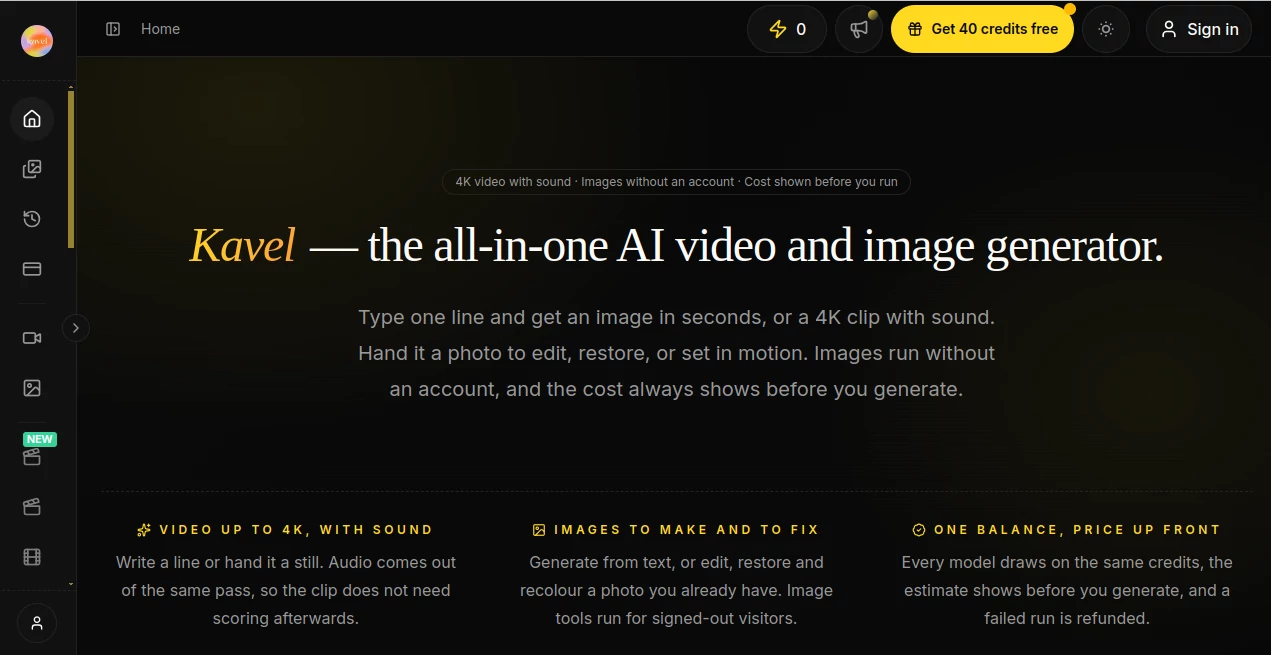
Kavel brings AI image generation, photo editing, and video creation into one straightforward creative workspace. Instead of switching between different platforms for still images and video clips, users can move from an idea to a finished visual while keeping generation costs visible throughout the process.
The platform supports text-to-image and image editing workflows, while its video side can turn text or reference images into moving clips with sound. It also gives users access to several generation models, making it possible to choose a model based on the type of result, resolution, length, and budget.
One particularly useful detail is the credit preview shown before generation. This makes the workflow easier to control because users can see an estimated cost before committing to a request. Failed generations are not charged, which is a welcome touch when experimenting with prompts or testing different creative directions.
Key Features
- AI image generation from text prompts
- AI image editing using uploaded photographs
- Image-to-image generation with reference images
- Video generation from text or images
- Video generation with native audio on supported models
- Video output available up to 4K on supported workflows
- Multiple AI image and video models in one workspace
- Shared credit balance across supported models
- Upfront generation cost estimates
- Free credits for new users
- Generation history for keeping track of previous work
- Ready-made creative tools with preconfigured prompts
User Interface
The interface is designed around the task rather than making users start with a completely blank canvas. You can select an image or video workflow, provide a prompt or reference photo, adjust available settings, check the estimated credit usage, and generate the result.
This approach feels especially practical for people who know what they want to create but do not want to spend time learning a complicated production environment. Ready-made tools can also open with a suitable model and starter prompt, which reduces the number of decisions required at the beginning.
For example, someone creating a product visual can start with an existing photograph and edit it rather than rebuilding the entire image from scratch. A creator working on a short video can provide an image or written concept and use the available video models to turn that idea into motion.
Accuracy & Performance
Output quality naturally depends on the selected model, input material, prompt, resolution, and generation settings. The platform provides access to models designed for different jobs rather than treating every request as though it needs the same type of generation.
For image work, supported models can generate new visuals from text as well as edit existing images. Some workflows can accept multiple reference images, giving creators more control when combining visual elements or maintaining a particular direction.
On the video side, supported models can work from text or reference imagery, with options for different resolutions and clip lengths. Audio can also be generated as part of the video workflow on compatible models, which can save an extra production step when creating short-form content.
Capabilities
The strongest aspect of the platform is the range of creative jobs it can handle without requiring separate accounts for every task. A user might create an image, refine an existing photograph, animate a still, or produce a cinematic video while using the same credit balance.
Its ready-made tools also cover more specific creative requests. Examples include hairstyle changes, outfit changes, gender transformations, photo restoration, product photo editing, portrait effects, tattoo-related image editing, and a variety of playful image and video generators.
For more advanced image workflows, the image generation system can use multiple reference photographs and produce outputs ranging from 1K through 4K on supported models. Video generation can reach 4K on compatible cinematic workflows, while other models focus on faster or more economical production.
Security & Privacy
Users should treat uploaded photographs, personal images, and other source material as content that deserves the same care as it would on any online creative service. Avoid uploading confidential documents, private photographs, or material that you do not have permission to process.
The platform also clearly states that adult and NSFW content is prohibited. This provides an important boundary for users planning image and video generations, particularly when working with photographs of real people.
As with any cloud-based AI generation service, users should review the provider's current privacy and terms documentation before uploading sensitive material or using generated content commercially.
Use Cases
- Social media content: Create images, thumbnails, short videos, and visual variations for social posts without moving between multiple creative platforms.
- E-commerce: Produce product visuals, edit existing product photographs, and create promotional video concepts for online stores.
- Advertising: Turn a product idea or reference image into campaign visuals and short promotional clips.
- Content creation: Generate supporting imagery and video assets for YouTube, blogs, newsletters, and other publishing channels.
- Creative experimentation: Test different styles, characters, compositions, photo edits, and video concepts before committing to a larger production.
- Design development: Start with a visual concept and develop it into both still imagery and motion content.
- Education and training: Create illustrations, visual explanations, and short instructional clips for learning materials.
- Personal projects: Experiment with portraits, photo transformations, creative effects, and entertaining visual ideas.
Pros and Cons
Pros
- Combines image and video generation in one workspace.
- Supports several current AI generation models.
- Credit estimates are shown before generation.
- Failed generations are not charged.
- New users can try the service with free credits.
- Image workflows support both generation and editing.
- Some image workflows accept multiple reference images.
- Video generation can include audio on supported models.
- Ready-made tools make common creative tasks faster to start.
Cons
- Generation costs vary considerably depending on the model and settings.
- Higher-resolution and longer video generations can consume substantially more credits.
- Results can vary depending on the quality of the source image and prompt.
- Users creating content at high volume may need a larger credit plan.
Pricing Plans
The pricing system is credit-based rather than using a single flat cost for every generation. The amount of credits required depends on factors such as the selected model, resolution, video length, audio, and input type. The estimated cost is displayed before a generation is started.
New users can start with free credits and test the generation workflows before purchasing additional usage. For ongoing work, yearly subscription options include Starter, Creator, and Studio plans. At the current pricing level, Starter provides 33,500 credits per year for $248, Creator provides 89,700 credits for $575 per year, and Studio provides 166,800 credits for $959 per year.
One-time credit packs are also available for users who prefer not to maintain a recurring subscription. Current packs include 1,500 credits for $19.90, 3,600 credits for $39.90, and 9,000 credits for $79.90.
As an example of model usage, a 1K image generation with the standard image model is listed at approximately 8 credits, while a five-second 720p text-to-video generation with one of the supported video models is approximately 308 credits. Actual usage can change according to the selected settings.
How to Use the Tool
- Choose an image or video workflow. Start with the type of content you want to create rather than building the workflow manually.
- Enter a prompt or upload a reference. Describe the visual you want, or provide an existing image when the workflow supports image-based generation.
- Select the appropriate model. Different models are available for image generation, image editing, everyday video creation, and cinematic video production.
- Adjust the available settings. Depending on the workflow, you can control elements such as resolution, video length, output format, and image count.
- Check the estimated credit cost. Review the price shown before starting the generation.
- Generate and review. Run the request, inspect the result, and refine your prompt or settings when another version is needed.
- Download the finished asset. Once the result meets your expectations, save it for your project or content workflow.
Comparison with Similar Tools
Many AI creative platforms concentrate heavily on either image generation or video generation. This platform takes a broader approach by putting both workflows behind the same interface and credit balance.
That distinction can be useful for creators who regularly move between still and motion content. A designer might create a product image first and then turn the concept into a promotional video. A social media creator could produce a thumbnail, generate supporting visuals, and create a short video without opening several separate services.
The model-selection system is another practical difference. Instead of relying on a single generation engine for every task, users can choose among supported models based on the desired output. Combined with the visible credit estimate, this makes it easier to balance quality, speed, and spending.
It is not necessarily the right choice for every professional production workflow, particularly when a project requires highly specialized editing controls or a traditional post-production environment. However, for creators who want a relatively direct route from an idea to an image or video, the combination is compelling.
Conclusion
Kavel stands out as a practical option for creators who want image and video generation under one roof. Its combination of text-to-image creation, photo editing, image-to-video workflows, multiple generation models, and visible credit costs gives users plenty of room to experiment without constantly switching services.
The ready-made creative tools are particularly useful for everyday projects. Instead of writing a perfect prompt from scratch for every small task, users can begin with a prepared workflow and adjust it to their needs.
For someone producing social content, product visuals, advertising assets, personal images, or short AI-generated videos, the platform offers a convenient creative toolkit. The ability to see estimated usage before generating is another strong practical advantage, especially for users who want to keep a close eye on their AI production budget.
Overall, it is a strong choice for creators who value flexibility and want both still-image and video capabilities in a single AI creative workspace.
Frequently Asked Questions (FAQ)
What can I create with this platform?
You can generate and edit images, transform photographs, create short videos from text or images, produce creative effects, and develop visual assets for social media, advertising, e-commerce, education, and personal projects.
Can I generate images without an account?
Image tools can be used by signed-out visitors, while signing up provides free credits for trying the broader generation workflows before purchasing additional usage.
Does video generation include sound?
Yes. Supported video models can generate audio as part of the video generation process, allowing certain clips to be produced with sound in the same generation.
How does the credit system work?
Image and video generations use a shared credit balance. The required amount depends on the model and generation settings, and an estimated cost is displayed before the request is submitted.
Are failed generations charged?
No. Failed generations are not charged, which makes it easier to experiment with prompts and settings without losing credits when a generation does not complete successfully.
Can I use reference images?
Yes. Supported image workflows allow users to upload reference images, and some workflows can combine multiple references to guide the generated result.
Is 4K output available?
Yes. 4K output is available on supported image and video workflows. The maximum resolution depends on the selected model and generation type.
Is adult or NSFW content allowed?
No. The platform explicitly prohibits adult and NSFW content.
What are the main paid options?
The current pricing structure includes yearly Starter, Creator, and Studio plans, along with one-time credit packs for users who prefer to purchase additional credits without an ongoing subscription.
Who is this tool best suited for?
It is particularly useful for content creators, designers, marketers, e-commerce sellers, social media teams, educators, and individuals who need both AI-generated images and videos for different projects.
AI Photo & Image Generator , AI Image to Video , AI Video Generator , AI Text to Image .
These classifications represent its core capabilities and areas of application. For related tools, explore the linked categories above.

Kavel Alternatives Product

AI Baby Video

vio4 ai video

Mimo AI

GPT Image 1.5

GPT Image 2

NanoBanana2F…

JSON to Video

Nano Banana …

Seedance 2.0…