
















GPT Image 2
What is GPT Image 2?
Let’s be honest for a second. You’ve probably tried a bunch of AI image generators before. And every single time you asked them to put some words on a picture—like a sign, a product label, or a social media graphic—you got that weird, wobbly mess that looked like alien handwriting. Frustrating, right? Well, that headache is officially over. There’s a new tool in town that finally cracked the code. It delivers jaw-dropping 4K visuals where every single letter, number, and logo sits exactly where it’s supposed to. No more fixing things in Photoshop. No more crossing your fingers and hoping for the best. This platform takes your rough ideas and turns them into professional-grade images that are ready to publish, present, or sell. It feels like having a full creative team inside your browser, ready to bring any concept to life in seconds.
Key Features
What makes this platform stand out from the crowd of AI art generators isn't just one thing—it's the whole package. It blends raw power with smart design to give you control you never knew you needed. Whether you’re a solo creator or running a busy marketing agency, these features will save you hours of tedious work.
User Interface
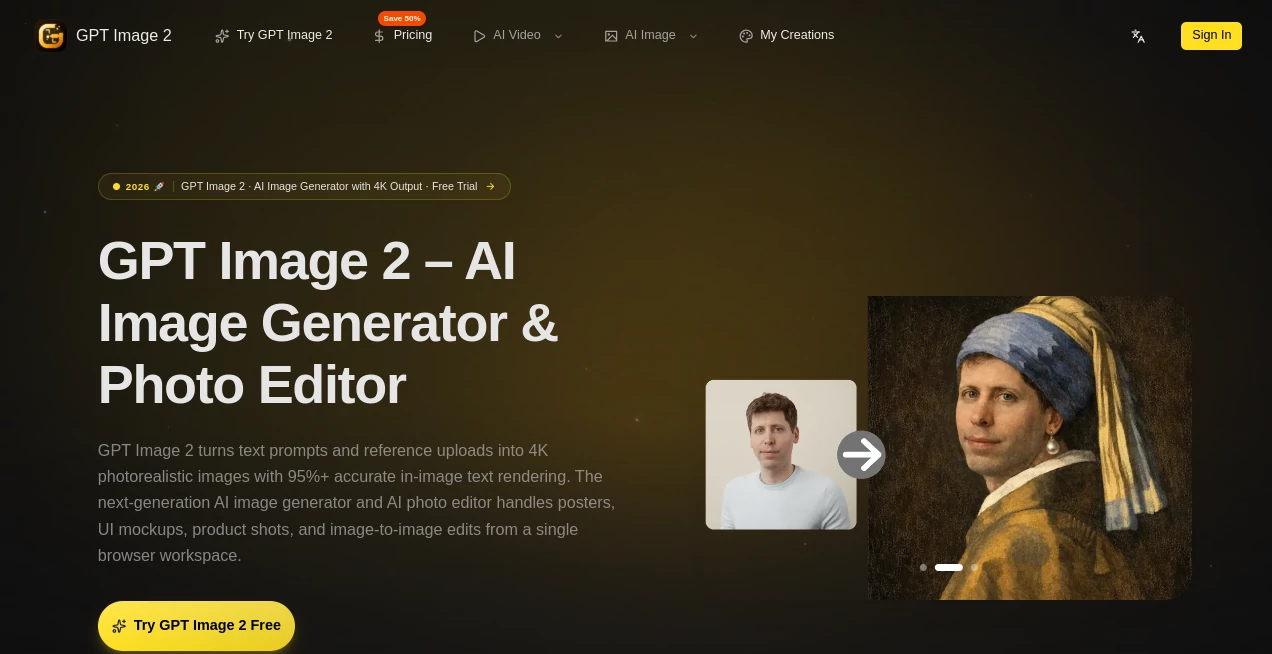
The moment you land on the dashboard, you’ll notice how clean everything feels. Nothing is hidden behind confusing menus. You get a simple text box for your prompts, clear buttons for uploading reference images, and easy sliders to tweak things like size and style. Even if you’ve never touched an AI tool before, you’ll be generating images in under a minute. The layout keeps your creative flow going without dragging you into technical rabbit holes. Everything responds fast, and the previews load almost instantly. It respects your time, plain and simple.
Accuracy & Performance
This is where the platform truly shines. The team behind it claims over 95% accuracy for rendering text inside images, and in real-world testing, that number feels right. You can ask it to create a detailed restaurant menu, a complex infographic, or a movie poster with tiny credits at the bottom. It delivers clean, readable text in over twelve different languages. Performance is equally impressive. Images generate in just a few seconds, even when you crank the resolution up to 4K. You won’t sit around waiting for progress bars to crawl across your screen.
Capabilities
Text-to-image generation is just the starting point. You can upload up to nine different reference photos and blend them together to keep characters, products, or art styles perfectly consistent across multiple images. Imagine needing a hundred variations of a mascot for an ad campaign—this tool handles that without breaking a sweat. The natural language photo editor lets you change backgrounds, remove unwanted objects, or adjust colors just by typing what you want. Want to turn a daytime beach scene into a moody sunset? Type it. Done. It also handles inpainting and outpainting smoothly, so expanding an image or fixing small flaws takes seconds instead of hours.
Security & Privacy
When you’re generating commercial work or personal projects, you need to know your data stays safe. The platform uses standard encryption for all your uploads and generated images. More importantly, they don't claim ownership over your creations. You hold full commercial rights to everything you make. The system also gives you clear options for managing your generations, including the ability to delete your history whenever you want. It’s a straightforward, no-nonsense approach to privacy that lets you focus on creating without worrying about what happens behind the scenes.
Use Cases
This tool fits into so many different workflows that it’s almost hard to list them all. Social media managers finally have a way to generate eye-catching posts with branding elements that actually spell their company name correctly. Small business owners can create product catalog photos, flyers, and social ads without hiring expensive designers. UI/UX designers mock up interfaces with real-looking text instead of placeholder gibberish. Authors and content creators generate book covers, YouTube thumbnails, and website graphics that don’t scream “amateur.” Even teachers and students use it to make educational diagrams and visual aids that are both accurate and beautiful.
Pros and Cons
Pros: The text rendering alone puts this ahead of most competitors. You get true 4K output, which means your images look sharp on big screens and in print. The multi-reference blending keeps your characters and products looking the same across dozens of images. Natural language editing saves massive amounts of time. And the freemium pricing model means you can try real features before spending any money.
Cons: The free tier limits how many high-resolution images you can generate each month. Some advanced features, like the fastest generation speeds, require a paid plan. Also, while the platform handles English and several major languages beautifully, very rare or complex scripts might still trip it up occasionally.
Pricing Plans
The platform offers flexible options to match different needs and budgets. The Basic plan runs at $9.90 per month when billed annually. It gives you 800 credits monthly, which covers around fifty 4K images, plus a commercial license for your work. The Professional plan costs $19.90 per month (annual billing) and bumps you up to 2000 credits monthly—about two hundred images—with priority queuing and no watermarks. For teams and heavy users, the Enterprise plan at $44.90 per month delivers 6000 credits, priority support, and access to all available models. There’s also a free tier to test the waters before you commit.
How to Use GPT Image 2
Getting started takes just a few clicks. Head to the website and hit the pricing or sign-up button to create your free account. Once you're logged into your workspace, choose between text-to-image generation or the AI photo editor. For text-to-image, type a clear description of what you want—mention subjects, styles, colors, and any specific text you need to appear. Upload reference images if you want to blend existing characters or products. Adjust your aspect ratio and color palette using simple controls or HEX codes. Hit generate and watch your creation appear in seconds. For editing, just upload a photo and tell the AI what to change in plain English. Download your final image in 4K and you're done.
Comparison with Similar Tools
Most AI image generators fall into two camps. The first group creates beautiful artistic images but turns text into a scrambled mess. The second group focuses on speed but delivers low-resolution results that look fine on a phone and terrible anywhere else. This platform sits in a different category entirely. It rivals the artistic quality of tools like Midjourney while absolutely destroying them on text accuracy. It matches the speed of lightweight generators while delivering true 4K resolution. Google’s offerings like Nano Banana Pro come close in some areas, but this tool’s multi-reference blending and natural language editing feel smoother and more intuitive. The pricing also undercuts many competitors at the professional tier, giving you more images for less money. If accurate text and commercial-ready quality matter to you, there isn’t a better option available right now.
Conclusion
Finally, an AI image generator that actually respects what creators need. You don’t have to choose between beautiful art and readable text anymore. You don’t have to spend hours fixing tiny mistakes or re-generating the same image twenty times to get one good result. This platform delivers professional-quality visuals on demand, with text that looks right the first time. Whether you’re a freelancer trying to impress clients, a marketer racing against deadlines, or just someone who loves bringing ideas to life, this tool will change how you work. Go try the free version. Generate a poster with small text. See for yourself. You’ll wonder how you ever managed without it.
Frequently Asked Questions (FAQ)
Do I really need to pay to try it out? Not at all. The free plan gives you access to the core features so you can test the text rendering and image quality before spending anything. It’s a real free tier, not just a three-day trial.
Can I use the images for my business or client work? Yes. All paid plans include a full commercial license. You can sell the images, use them in ads, put them on products—whatever your project needs.
How accurate is the text rendering really? In testing across English and several other major languages, it hits over 95% accuracy. Complex layouts with tiny fonts might occasionally have a small glitch, but for standard menus, signs, posters, and labels, it’s shockingly reliable.
What happens to my uploaded reference images? They stay private. The platform doesn’t train its AI on your uploads or share them with anyone. You can also delete your full history whenever you want.
Can I generate the same character across multiple images? Absolutely. That’s one of the standout features. Upload several reference shots of your character, and the AI learns their look so they stay consistent from one generation to the next.